English visual novel downloads

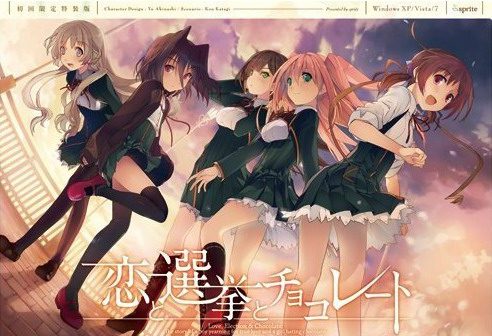
Koi to Senkyo to Chocolate

Koi to Senkyo to Chocolate

Yuuki, who wants to fall in love, and Chisato, who doesn’t like chocolates. They are lifelong friends and students of the same school. They both belong to the food club with Mifuyu, their classmate. Actually, they don’t do anything everyday, just enjoying chatting… But one day, Satsuki, president candidate of the student council, promises to close the clubs that do nothing. To stop it, they decide to run against her… But who will they send out..? Yes, Yuuki is forced to run for the election… To save the club, he will just need to be the next president!

447 comments

aniReply
am i the only one having trouble with the saving? after installing the patch, i've already tried running "start.exe" it on admin privileges since the application executable would ask for the DVD, if you go to the saving screen, save your progress and press "back" the button will disappear and there's no way to go back to the game so you close it and if you go back to the load screen you'll lose your file, srsly anyone encountered this problem?
adminReply
Try moving the game to different folder (Desktop, My Documents) maybe? I tested the game on Win7 x64 pro and it works without problems, saving too.
aniReply
yea i just tried advancing the game a little bit further than the first screen, now it's works pretty good, even the disappearing "back" button glitch is gone now.... weird... but thanks anyway
MrHanzReply
You are amazing admin
thanks!
ShinReiReply
Finally. Been waiting since forever. Wished the MC would ended up with Mifuyu in Anime, but now I could go for Mifuyu route myself ;)

Thank you and now waiting for Mahoutsukai no Yoru~
MitzReply
Anyone got this to work on Win10? All suggestions given to this point seems to have no effect on for me.
RANDOM_HEROReply
Now, I hate the enforced playing order in this, thanks for the upload.
GimlyReply
Does anyone know how to get around the no DVD-ROM? I tried every solution I can find,
-my comp already set to Japanese locale
-tried running "start.exe" as admin
-overwritten "start.exe" after english patching, as mentioned above
-Tried running on compatibility mode
OS is Win 7, so I don't know if that could be a problem. Don't know if my problem has to do with directory either, since I tried it on the C Drive and it still didn't work. I would be grateful for any help.
GaporigoReply
Same, Windows 7, tried all that and can't get it to work, some help would be appreciated :)
OOGABOOGAReply
Exact same here, W7 x64.

If you guys happen to find a solution please post it.
VNLoverReply
delete KSC-LICENSE.dat in Config folder if exists and overwrite start.exe and try again
GaporigoReply
What if there is no KSC-LICENSE.dat ? :P
GimlyReply
Like what Gaporigo said, there is no KSC-LICENSE.dat file. Well not when I run "start.exe" with no DVD anyways, as I learned after downloading the .mdf file from another site, that KSC-LICENSE.dat might be created after the DVD check. I'm seeing some people saying that "start.exe" might be a bit wonky on Win7 x64, so that could be my problem. Not that I really mind now anyways, since I pretty much gave up and decided to mount up the .mdf whenever I launch now.
YoukuReply
would you mind explaining what you are doing? I don’t mind if starting it takes a few extra steps if it will actually start. I am also windows 7 x64 by the way.
GimlyReply
Nothing much really. All I did was just downloaded and mount the .mdf from another site and then just start the VN by either "start.exe" or the main .exe file, Koichoco works after entering the serial code.
YoukuReply
which website? I know how to mount the .mdf but not where to get one for this game.
GimlyReply
Have to also mention that that doesn't mean that the VN works without DVD. You have to mount the image every time you want to make koichoco work, it's a bit of a pain, but it's better than spending the whole night experimenting on ways to get around the DVD requirement.
YoukuReply
I am fine with mounting the image every time. Any suggestions on where I can find the image?
Random AnonReply
The start.exe still requires me to have the DVD in the DVD-ROM drive, is there a way to get around this? I'm running it on Windows 7.
friskReply
nevermind, it work. thanks
SecretReply
i have that same bug the saving (and consequently the loding, though not as much) is compleatly borked and the back button tends to just dissappear.
did you do anything od did it vanish from itself?
ShakalakalakaReply
So, win8 here
I set to japan locate, i ran the patch, overwritten the start.exe for the one in the rar
the thing is: no window is opened when i run the star.exe
does anyone know the way around this?
TurinReply
Found a way to skip the DVD check, extract everything in one folder, apply the patch and then move the folder into your Program Files. Run start.exe then, you may need to use compatibility mode.

Works on Windows 10.
EagerAnonReply
I can confirm that this works but you need to move it to Program Files(x86)
Thanks a lot friend!
akijillReply
Didn't work for me. I'm using Windows 8, replaced the start file after patching and tried admin's access as well compatibility mode. If anyone has a solution do tell.
ZerpReply
Still getting asked for dvd, tried everything listed here, nothing seems to work, running windows 7 64bit
WarbadgerReply
Can't get it to work. I'm still getting the DVD request.

I followed all VNLover's steps. I'm in Japanese locale, I unzipped the game, ran the patch and then replaced the post patch start.exe with the old one. I'm running Windows 8, and tried running the game in compatibility mode for windows 7 and XP. No luck so far. Anyone have any ideas?
WarbadgerReply
Forgot to include that I'm also running as Admin.
JadeiteAXReply
Wow, I literally had just asked myself if there was nothing hype going on for me to enjoy.

I'd been waiting for this ever since the anime came out, though I only ever watched the first episode. Seeing as I don't like watching promotional anime (it's usually incomplete, often innacurate).

Thanks as always, based admin.
DanielReply
I'm also getting the Insert DVD message. Any way to fix the issue?
nightmaredreamReply
game wont work it says this ???? please help
DagsmanReply
Same thing happens to me. I followed the steps mentioned in the comments above. Still cant bypass the Dvd issue and when i try compatability mode it says that teh program cant start because IML32.dll is missing from your computer and that i have to reinstall to fix. Someone help please
RenReply
Also getting the DVD problem and I've tried all the fixes I've read. I'm trying random things, but I hope a solution is found by me or someone else because I really want to play this one.
YoukuReply
would you mind explaining what you are doing? I don't mind if starting it takes a few extra steps if it will actually start. I am also windows 7 x64 by the way.
TheLordOfPeanutsReply
I got that DVD check thing but when i tried again the game run without problems until when i tried to save, the back button simple dissapears making it impossible to continue and the save didnt even work
PlagenReply
Oh damn. I saw this and literally lost my shit. This is gona be GREAT!
LamperouqeReply
Another horrible translation. :( I thought I saw the worst of it with koisuru natsu no last resort but apparently not. These guys are making up dialogue at this point.

Reading this will be very confusing for people who don't understand any japanese.. I mean these guys are translating stuff like "he didn't say anything" to "he told me everything." How elementary can these mistakes be?
Random GuyReply
Damn fast! NOICE!
arezReply
also had insert cd problem, but seems to have resolved itself after i did the following. Extract folder, execute start.exe, it asks for cd, i press yes, it asks for a serial (blank box with 2 buttons below it), just click button below it, exit game, patch it with english patch, click the start.exe again, it still prompt me with insert cd, but clicking yes would just start the game anyways. running windows 10 with japanese locale btw.
Rome AkazimaReply
nah i already try in windows 10, after chisato route, ending, crashing like this

this link below:
http://i63.tinypic.com/2ahtk7r.jpg
KrasusReply
ok i got it to work after trying everything out on this site i found a tipp for moving the entire folder into:Programme (x86)
after that i could start the game without problem (first time starting came the textbox i was searching^^)

Leave a comment