
This patch restores removed content ( hentai scenes, kissing, dirty jokes etc. – basically everything that localization company deemed unsuitable for 12 year old French girls ) in English release of “If My Heart Had Wings” (“Kono Oozora ni, Tsubasa wo Hirogete”).
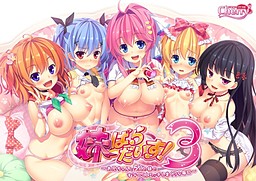
Imouto Paradise! 3
With their parents departing on a business trip, Yuuichi was left alone with his five imoutos for the entire summer vacation. He wanted to take advantage of this opportunity to…
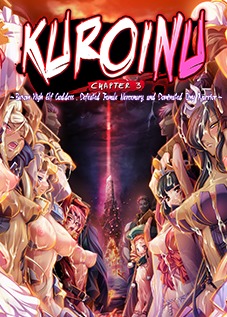
Kuroinu Chapter 3
Article 1 of the “Cuntry” constitution: The women of this country will gladly use their bodies to diligently serve all men and their respective desires. Dark elves, high elves, halflings,…

Escape from Ninja Girls – Escape from the Village of Kunoichi
The protagonist was just an ordinary man living a normal life. But when he awoke, he found himself not in his familiar home— but inside a secluded house deep in…
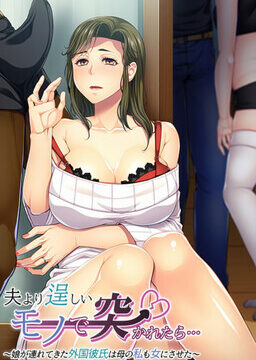
Deport This Dick!
Nonoko’s daughter Yaya is back in Japan again after two years of studying abroad. With a young black man named Drake Richards. “Is that why she’s finally back to visit?…
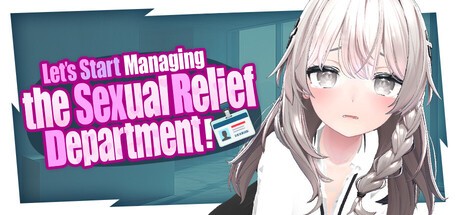
Let’s Start Managing the Sexual Relief Department!
One day, Sinano also realized that she was a member of the sexual relief department and began to face it calmly. Using my own position, I began secret sexual relief…










I don’t understand, you can’t install the game or the .dll file? If it’s the .dll file then try looking for it on Google and hope for the best. If it’s the game then I have no idea :s Sorry.
I gotta say admin I love the description on this one. “everything that localization company deemed unsuitable for 12 year old French girls”
Two thumbs WAY way up.
It’s the exact way the publisher justified them butchering the content (a whole route was redone from scratch!): they wanted even 12 y.o. girls to be able to read it and be introduced to VNs.
I kept getting stuck in this screen where there are no text or anything appearing. May I know if anyone knows how to go through this part or is this some kind of glitch?
http://i60.tinypic.com/339qg3q.png
Sorry dude I’d love to help, but your link doesn’t work for me 🙁
The Problem with this may be your applocale. The Text doesnt work propperly cause the game doesn’t know how to render it right in the box. SO yeah try chaning your applocale then your language locale in the same place as the applocale is. If that doesnt work then ask around for the games font and download it directly. I cant help much more since those solutions work with most no text in the box problems. SO I hope it helps :3
it looks like that problem is just a missing line, you should be able to just click next or just try reinstalling the VN, if those don’t work then try getting to where you were on a japanese version, and take a pic and see if you can find someone to translate it.
I installed the uncessored patch, but the game still censored, and i cant play the extra content, what should i do?
How to quick check that patch is applied correctly?
after installing patch I don’t have sprite’s and instead of it I get error messages
yeah, same goes for me…
got solutions ??
hm, I’ve just installed the game and copied the unpacked patch into the installed path. But I got the same errors, so heres my solution:
reinstall the game, but not into the standard path, I chose just C:
After that, i unpacked the patch right into the new gamefolder
C: /IF MY HEART HAD WINGS
and pressed the apply_diffs.bat
There has to be an cmd with every some seconds a respond…
Finally search for Rio.arc.bkp <- when it's there, your patch was successful 🙂
Ps.: sry for my bad english 😛
is this typically the C: only or on program 86x
Thanks a lot! ^^
HMMM i’ve been looking for the “game” itself to download (without paying ofc) so if anyone could gimme a hand here that’d be great! i’m dying to play this one so please! thanks.
the game works correctly before
but after i apply the patch
it’s showing me no character images and
error messages keep pointing out..
what should I do ??
I had the same problem. I fully uninstalled the game (Made sure to remove the uncensor patch(Before or after don’t mater)) Reinstalled the game threw the uncensor patch into the install directory. Ran the “apply_diffs.bat” then reran ‘apply_diffs.bat” as administrator. Then i ran the game and no error messages or missing images. Hope it helps you enjoy the game to the fullest it can.
So how am i supposed to know if the patch is applied in the game. Coz i havent even start the game. (More VN i have to finish before i jump into this one)
Oh, nevermind my previous post (sorry for spam), i tried to do what the others says, that is to reinstall the game, it is because i get the same problem as them having error as such. But now it working properly with no error message. But who knows if i encounter some error mid game (I just tested it you know) but for now there suggestion is advisable
I can’t seem to get the patch to work properly. No characters appear in the scene (background is normal, text too) unless it’s a cg (during the normal non-cg scenes an error message pops up saying \error level crit, error 0x00000039,task id leg(1), more bs…\). Audio works fine and the background, cg and text is working fine. What i did was basically installed the game into C-drive (just in c-drive, not in progam files or program files(x86)) and then extracted the patch into the game there and ran the applydiffs thingy until the press key to continue. During the apply diffs program there was no error and everything went smoothly but the problem of no characters is here. It can’t be an error with the game itself as the game worked perfectly fine before i installed the patch (yes, i played 10+ hours into it until i realised it was all ages version) so i assume something went wrong with the installation of patch. No files seem to be missing from the patch (there’s xdelta3, chips 1 thru 6, graphic, voice, rio and apply diff) and thus i assume something somewhere went wrong. I’ve reinstalled the game and re-applied the patch multiple times but it and the process was the same as before: smooth but resulted in the same problem of no characters appearing and the same error message. Oh kind and gracious people of the internet please help me. p.s. The problem of the characters not appearing went as long as i bothered to skip to (until the first actual choice) so its not just the windmill part that has issues
After quite a bit of struggling, apparently setting my computers locale to Japanese the patch has been run smoothly and the game works perfectly fine now.
what do you mean by that? “setting my computers locale to Japanese” what did you do exactly?
perfect! I can confirm it worked:)
WHADYA DO?! OAO
:/ I’ve managed to download the patch, paste it into the game files, and run “apply_diffs.bat” but when I run it all that happens is it says “press any key to continue” and then it closes. The file that should be in the game files to show the patch was installed is not there.. I have absolutely no idea where to go from here.
It seems that the CG gallery is broken, can’t open some CG (actually i can only open CG in the first page) Anyone have the same problem with me? How to fix that?
Help! I have been working on trying to get this game to work for several hours now, and I’m about to pull my hair out. EVERYTHING goes fine up until the very end of installing the patch.
It makes all the new chip files correctly, everything seems to go well up until it tries to replace the rio.arc file
1. I install to the desktop as other people have done and successfully run the game with the patch (I can’t find a specification on whether it needs to be installed in Japanese unicode or not. For now, I am assuming Japanese unicode is needed.
2. after installing I do NOT start the game, I move the patch files into the game directory.
3. I run the patch Not as admin, I have tried this both ways, with admin makes the cmd default to windows32 folder, which will result in failure, since none of the files are located there.
4. It goes through and replaces the chip.arc files, as well as the graphic.arc file and the voice.arc file.
NOW: the patch goes like this:
C:¥Users¥User¥Desktop¥If my heart had wings>ren Rio.arc Rio.ark.bkp
This step seems to go off without a hitch, as the file does appear in the directory.
Then: C:¥Users¥User¥Desktop¥If my heart had wings>ren Rio.arc.new Rio.arc
The system cannot find the file specified.
Now, with all the other files the patch replaces it seems to make the .new files automatically so that it can edit and save the file, but not for the Rio.arc file. After this, I am unable to start the game, I get two critical errors:
Error Code: 0x00000000 Detail: [Rio.arc:Start] (There is a bunch of kanji after this that I can’t read.)
Error Code 0xffffffff Detail: (More kanji I can’t read.)
I am at the end of my rope here…Without the patch the game works normally, and the errors suggest that the Rio.arc is the problem Can anyone think of anything else I can try?
I don’t understand how other people are getting this to work, I’m doing everything that everyone else has done.
Thanks for your time!
first left right or left click on the apply diff file and select Modify or edit.Then put this on the first line
pushd “%~dp0”
if sb is stuck on blackscreen after patching, go to directory, find file Rio.arc.bkp and rename to Rio.arc
that’s it
Damn…I really should have thought of this…but considering it was probably 7am by the time I gave up on it, not surprising.
You are a gentleman and a scholar.
Thanks!!
I installed the main game.
I changed my system locale to JAPANESE (JAPAN).
I installed the Censor Patch into the Install Folder.
I copied the files into the main folder.
I ran Apply_Diffs and let it run until the white text said: “”Press Any Key To Continue”
I tried to run the game by double-clicking AdvHd. (Got an error about two start-up files AFTER I got the settings dialog.
I tried to run the game by using the run file in my start menu. Same results.
This is the second time I attempt to make the censor patch. I don’t know what to do at this point.
The errors are both Crittical errors, Legacy. One of them is Rio.Arc start.
Help?
also my captcha was “that will not work” fffff
I found the file Rio.arc.bkp and renamed it to Rio.arc
The game now starts up fine but the CGs won’t open and my load games end in the game crashing.
-_-
Nevermind, the fix was to find the file that the patch didn’t replace. Thanks Muphet!
\\\ Muphet:
December 31, 2014 at 2:38 am
if sb is stuck on blackscreen after patching, go to directory, find file Rio.arc.bkp and rename to Rio.arc
that’s it \\\
However my game is now crashing when I load a file. It also does not let me view CGs. When I start a new file is crashes…
The patch isnt working properly here. Everytime I start the game, it crashes right after the “Downhill“ scene. What should I do?
Having studied all of the methods posted to fix the black screen crashing problem and implemented the various fixes, i am still having the same problems. Black screens and the game crashes after the downhill event i also get the error dialogue box that appears in the bottom left corner. If anyone has a definitive set of instructions on how to get the game working the way it is meant to i would be very grateful.
Guys, I tried to install the patch but it didn’t work…. at first.
My local system setting is English (US).
I didn’t change the local system language as it has nothing to do with the game.
So I uninstalled the game, and re-install… this time, I specified the installation path to drive D:/.
Trust me, what you need to do is to install the game straight to directory D:/ .
Don’t install to drive C:/ , as it requires administrator permission to do anything inside the system drive (C:/ by default, anyhow.).
So, I installed the game to drive D:/ , which later I copied the patch files to the installation folder and I just run the apply_diffs.bat file.
And viola! Everything is ok. 🙂
but yea still encounter legacy crit errors lmao
After applying the patch, I keep getting legacy crit errors during the opening windmill scene. Should I reinstall and apply the patch again or is it not really something I need to worry about?
Congratulations Man
Very Good Tip
There are missing character or you called it sprite (i think that is what they called) after i run the apply diff so anyone got the same problem?
I hope someone will reply soon for some information to how to fixed this problem
My system locale is already set to japan but the character still seems to be missing. How to fix this?
Solution: Install the game where you want, then put the path files there, run the apply diffs (i ran a second time as adm) then u have to chance your system locale to japan and finally run the game with japanese locale adm (install a locale emulator if you haven’t ^.^)
Please try to be patient, I used to have the same errors popping up on me, after properly installing the game, you apply the patch, the patching takes a few minutes and doesn’t really show a progress bar, so when you see it stop at a certain point, don’t turn it of, I believe a message at the very end will tell you that it is “COMPLETED”, after doing so, the game may or may not launch, for this, the solution would be to change the directory (THE FOLDER WHERE THE GAME IS LOCATED). The folder is usually found inside the “Program Files Folder”, move it to “Local Disk C:”
If you require any help on a certain step to the installation, please reply here with an attached jpg.file
To the Admin:
I have completed the game, but it seems like my CGs are misplaced and some are even missing, granted though, I have played this game way way back, so for clarification, was there a new version of the patch that was posted here that would fix this bug?
I’d tried install the game in other local, and still didn’t work. But when I just ran as japanese locale adm with a locale emulator it was perfect. May be sometimes it isn’t about the folder…
Can anyone explain me how to install the patch?? I have installed it many times,but it just the same…pleasee…
The game keeps on crashing everytime I press the ‘start’. What should I do? This happened after I patched the game.
I got it to work on my rig win 7 OS. Here’s what I did. At first I installed it on my c:Program files (x86) folder, which in turn created a moenovel game directory folder. Copied the uncen patch in it and ran the apply_diffs.bat. The cmd screen went by so fast I thought there weren’t any probs, and the game started promptly. Played through Kotori’s route and was almost done when I realized the game was still uncensored. I tried rerunning the apply_diffs.bat and I saw from the cmd prompt that the files were NOT being detected. after uninstalling it. I then changed the destination folder to JUST – C: after doing this the installation folder was not moenovel but IF MY HEART HAD WINGS. I then copied the uncensor and ran apply_diffs.bat as admin, BUT there was still some errors showing on the cmd. HOWEVER when I ran the bat file normally W/OUT admin the cmd began patching the uncensor. I am currently playing the uncensored version. For those who are not sure if it patched or not. The easiest and fastest way is to check the cmd prompt after running the bat file. It should show stuff like file not detected if there are errors. Or (SPOILER ALERT) the earliest point were I saw some uncensored cg was when Kotori slips in the bathtub. She will be draped by her towel in the censored version, so if the towel is there, you’re screwed…cause you probably didn’t download this 1 gb + file just to see a towel now did you hehehe. Anyway, this was long and I’m sorry for that. But I wanted to leave a detailed way to get this to work, hope it works out for you guys too
Confirm this method works. The only thing that you have to do if you keep getting the error (Critical error/Characters not showing up) is to change your region to Japan. (Follow sites FAQ)
one thing though, I noticed the skip function in his game, or at least in mine. Skips everything even if I set it up to only skip read parts. It’s always set to skip all, which is a bit of an annoyance seeing as this VN is a more on a linear route for most parts and all heroines. Minor gripe though. The translation sometimes jumps to engrish mode as well but it’s not all bad, it’s actually still readable but since most of it is properly translated, you’ll notice the change right away, thankfully those are few and far in-between.
where i should copy the patch
I had the same problem with the legacy errors, but the advice with the Local Emulator really worked. Try downloading one and set it on Japan, then right-click on the AdvHd.exe and use the emulator option \run in Japanese Admin\. All sprites will be restored and no more errors will pop up.
Never mind, got it to work and everything is fine now.
sorry for asking this although i probably only played this game for halfway right now after the kotori bath scene but since reading all the comments and saw that u guys can choose whose route to play and until now i still dont have option to choose whose route to play. i downloaded the game using torrent and it provides the uncensored patch and its working well( the patch provided was from this site ). THE REAL QUESTION is when do we choose the route? The title or in game? help me senpai
I got the exact same error at the exact same moment. I hope there is a solution for this. Have been searching google for a while and tried several differnt “solutions” but nothing worked.
hello, i just wonder, is this true after i done with installation with eat memory 3Gb, and then i patch the game and the memory the game from 3Gb will being 8 Gb?
so guys the problem is da batch file all u gotta do put your installed game to the “C:” (not in other folder “If My Heart Had Wings”) then you can run the app correctly
Well got the same problem as the moste ppl here got.
Installed the uncensored Patch and there comes up an Error. The girls don’t show up and i tryed everything what was written here to fix it but nothing helped at all.
It’s due to locale settings. While the original English version works on English locale, the uncensor patch required Japanese one to run properly. Refer to site’s FAQ for instructions.
Well i actquily set the Region to Japan but it still don’t work
where the hell is apply_diffs.bat?!
If anyone gets an error message on the apply_diffs.bat saying “Access is denied” or “Cannot find specific path”, try going to C:\Program Files (x86)\MoeNovel there you will find your IF MY HEART HAD WINGS folder, right click it and click properties, next go to the Security tab, then click Edit, and then find your username there or labeled users click the box that says Full access, click Ok or apply then try running the patch again. If this helps then good for you. 😀
Thanks dude
So if you want to show support for the creators buy this on steam but download this as I’ve heard this is a far superior version.
Hey guys,
im sorta troubled here –
i downloaded both, the game and the patch and installed them correctly but the only thing that appears to drive me crazy is that my computer shuts down after playing like 5min? am i the only one here? D;
ps.: sorry for my bad english, it sorta became rusty over the last years…
thanks and cheers
Funcsen
>12 year old french girls
[Humor Intensifies]
Hey guys i want to find out if anyone else is having a problem playing the game in widow size I’ve tried to in start up menu and in the game but just stays in full screen mode everything else works anybody can i help me with this
Can someone give me a step-by-step walkthrough of how to apply this patch?
I fix some problem in loading a save files after renaming your Rio.arc.bkp into Rio.arc
1. Change your system locale in Japan
2. paste the patch folder in your game folder (IF MY HEART HAD WINGS)
3. run apply_diffs then after you finished it should have a \press any key to continue\ in the cmdp then click any key to continue.
4. as you can see there is a new files in your game folder like Chip1.arc.bkp – Chip6.arc.bkp / Graphic.arc.bkp / Rio.arc.bkp / Voice.arc.bkp. after that delete the old following files (Chip1.arc – Chip6.arc / Graphic.arc / Rio.arc / Voice.arc ).
5. after deleting the old files change all bkp files into arc files, for example Chip1.arc.bkp into Chip1.arc repeat it untill there is no bkp files left in your game folder.
6.Run AdvHD Load a files then viola enjoy your game!
Thanks for reading may it help you 🙂
it also helps to make your patch successfull.
Ok, so I applied this patch and I question myself all the time if I have all I need, because I did hit Kotori’s H scene however it is still censored. I can see breasts, but rest is pretty much pixelated. So this is what I want to know – Is this a final version of the patch or is there something newer which will remove pixelation?