English visual novel downloads

Steins;Gate

Steins;Gate

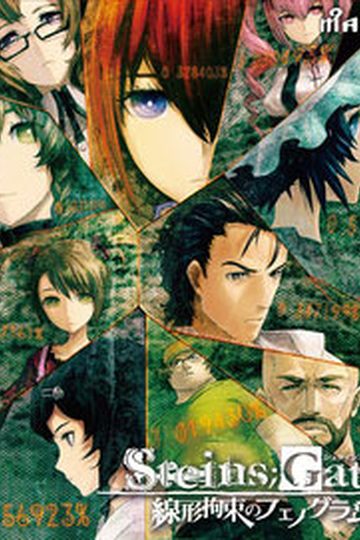
The story of Steins;Gate takes place in Akihabara and is about a group of friends who have customized their microwave into a device that can send text messages to the past. As they perform different experiments, an organization named SERN who has been doing their own research on time travel tracks them down and now the characters have to find a way to avoid being captured by them.

793 comments

CrazyguyReply
Isn't this the teaser patch ?
If that the case you should say it's a trial patch and not a complete patch.
adminReply
There are no partial patches on this site. Patches for trial versions are clearly market. This is complete patch.
CrazyguyReply
Yeah i saw it right after i commented that it was a full patch but not edited.
But i wasn't able to delete my comment :)
kR1ptReply
Whats the gameplay like? linear story or is there something else?
JoeyReply
The story is very linear and you don't get any dialogue choices to pursue different girls :D
But you can only advance to the next scenairo buy answering certain phonecalls (you get many and most of them are meaningless), while only specific calls will let you reach the true ending^^
yazzReply
i have checked the official site of the group that made the translation and there were no problems reported. Tried google for problems and no reports whatsoever. It seems it concerns only small group of people.
xOniichaNReply
the libvorbisfile.dll is missing @.@ how should i fix it?
L3rgoReply
Good job Admin. But maybe someone could help me . Games run near perfect. My problem is when i try to save i cant. When im using quick save games crash and when im using normal save when I click on first save slot its show massage saved but its still empty and inactive:X Any suggestions?
L3rgoReply
Game is patched etc.
jimkricketReply
The simplest way to install this game is to run Microsoft Applocale. Mount SG.mds on a virtual drive, run Applocale, navigate to the drive with Steins;Gate CD/DVD, open it up and select SGSetup.exe. Applocale should've auto detected Japanese language, if not it's the very bottom one. Install the game, I just kept clicking Next and installed everything. After that, run Applocale again, navigate to where SgUpdate110.exe is and run that, double check the path. Copy STEINSGATE.exe from the Crack folder and overwrite the one in your game folder(default: C:\Program Files\NitroPlus\STEINS;GATE\STEINSGATE.exe). If you have the English patch downloaded, copy nss.npa and STEINSGATE-patched.exe to your game folder like the crack, overwrite nss.npa when asked. Now to play the game, run Applocale, navigate to where STEINSGATE-patched.exe was just placed in the game folder and run that. I recommend you let Applocale create a shortcut in your start menu, then you can always drag and drop that shortcut where you want. English movie subtitles and game menu haven't been patched yet but everything up to this point works.
jimkricketReply
If you've got the three .ngs English movie subtitle files, overwrite the current ones in your dx folder which is located in your game folder. Then when you get the English systems patch file named cg.npa, overwrite the one in your game folder.

Regarding the chapter 2 SERN explanation crash, I myself have confirmed it. At this point we just have to wait for the English patch fix, as proof I got 'FONT incolor="#ff7080" outcolor="#000000">HTML...' message in the game text box when it crashed. So the speculation about the translator's input error regarding text color syntax causing the crash is probably true...
adminReply
Yes, there's "<" in "&lt;FONT&gt;" missing and it causes the game to crash. I'll try to upload a fix for this today.
stridermenuReply
does anyone know how i can switch this to full screen.
will help me a lot
stridermenuReply
ah never mind didnt see the new patches
OkarinReply
Any MU upload? It seems I can't download it neither from filesonic nor fileserve. They're too slow (20kbps), I usually get 50kbps from MegaUpload.
thatguyReply
MU will most likely take put it down due to copyright infringement
50kbps...x.x beats head with caveman club.*Reply
50 kb/s...x.x *Beats head with caveman club.*
CrazyguyReply
He said kbps not kb/s it's still slow but he should go at around 400 KB/S with MU and 120kb/s with FSE and FSO
CrazyguyReply
160kb/s not 120 and damn sometime i hate how we can't edit or delete here.
foxy grandpaReply
can you post a walkthrough for this
KyonReply
I'm still a little new to this, usually when I extract the file the application would be set up for me, but I'm guessing this game is a little different so how do I actually install this probably? I know I have to mount it, but everything after wards is kind of a blur...to me, can someone dumb it down a bit for me lol? I downloaded everything that was needed for the game so now I just need the instructor thanks in advance!
BOBReply
after putting in the 3rd patch no text is displayed in the menue so I cant start the game i need help with this
DanielReply
OMGG THANKS GOD, THANKS EROGEDOWNLOAD.COM i waiting this game a lot of time
OtonoshiReply
i have no idea what to do, i downloaded it, have no idea how to put in the patch, and when i start the short cut it says i need a license id with 20 digits. can anyone help me out? can't find the stuff you guys are talking about in the game folder
WildslevenReply
dont start the shortcut but open the game through the actual gamefolder where you have downloaded the game. same thing with the patcgh, extract it and put it inside the gamefolder
WildslevenReply
actually sry my bad what i meant is open the folder where it is installed (gamefolder)
kimReply
Can someone help to install this game?
danReply
when i try to open the game, i get a "missing libvorbisfile.dll".
i've tried to mount the game, but for some reason, i get an error saying can't mount the MDS file either.
Does anyone know a solution?
jimkricketReply
I'm not sure which virtual drive program you are using, but I know that "DAEMON Tools Lite" works,you can download that for free, so use it to mount SG.mds, and as far as “missing libvorbisfile.dll” goes, you're skipping steps and running the .exe outside of where the game folder was installed, which if you look, that's where the "libvorbisfile.dll" is located. The game should be ran from "STEINSGATE-patched.exe" located in "C:\Program Files\NitroPlus\STEINS;GATE\", you can go ahead and delete the shortcuts that had automatically been placed on your desktop as well, since they are no good. If your system locale isn't set to Japanese, run "STEINSGATE-patched.exe" with "Microsoft Applocale", you can download this for free too.
ImperatorReply
Thanks a million, I've really been looking forward to this game.

As for those who're having problems installing it:
1. Set the locale of your system to Japanese (might need to stay in it while playing too)
2. Extract and install the main game. When this is complete, and it automatically starts up a new install process for the authentication software, quit.
4. Update the game to version 1.1 (possibly optional)
5. Apply the unedited English translation patch by copying the extracted files into the folder the game was installed in (should be something along the lines of C:/Program files/NitroPlus/STEINS;GATE).
6. (optional) apply the menu screen and/or subtitled opening video by copying the files into the folder the game was installed in.
7. Launch the game through the STEINSGATE-patch.exe file that came with the English translation patch (i.e. not the shortcut it might have placed on your desktop).
adminReply
I'm going to borrow this one and add to main post.
ImperatorReply
By all means.

It's what worked for me on Windows 7 x64. Though I can't really guarantee it'll work for everyone, nor that it'll fix that "libvorbisfile.dll" problem some folks seem to be having (never ran into that one myself).

Thanks again for all your effort with this game and the site in general. Really appreciate it.
adminReply
libvorbisfile.dll is needed to decode vorbis files ( .ogg , .oga ).
Seems like people who get this error simply doesn't have any codec pack installed, as it's part of like every codec pack in existence.
jimkricketReply
Also, don't forget to apply the crack after step 4.
sosharuhichanReply
For some reason when I play until chapter two when Daru explaining about SERN the game exits itself and give me an error message. Anyone encounter this problem?
This is what the error said:
Problem Event Name: BEX
Application Name: STEINSGATE-patched.exe
Application Version: 1.2.0.1
Application Timestamp: 4c91f8f0
Fault Module Name: STEINSGATE-patched.exe
Fault Module Version: 1.2.0.1
Fault Module Timestamp: 4c91f8f0
Exception Offset: 0013a92f
Exception Code: c0000417
Exception Data: 00000000
OS Version: 6.1.7600.2.0.0.768.3
Locale ID: 5129
Additional Information 1: 4eb2
Additional Information 2: 4eb242512fc3b0914098eabb07226544
Additional Information 3: b229
Additional Information 4: b229f4a48956626d49a15224c394762d

Anyone know what should I do with this?
P.S. Sorry if my English is bad, English is not my 1st language
adminReply
Translator forgot to put one char to close a tag properly and game crashes as a result. I'll post new patch that fixes this today, but you can read older comments for walkaround as well.
ImperatorReply
The current version of the unedited translation patch is bugged, and always crash at that point (there's some colouring coding in the script file that spills into the text box). There appear to be no way around this bug but waiting for an updated version of the patch.
FireReply
Oh guy...i have installed and try to run the .exe..then the steins;gate open normally....but when i press start...nothing happen, the screen turn black and after a while back to menu...why is this happening?
jimkricketReply
Make sure make sure your installation and patching have been done in the correct order. Run STEINSGATE-patched.exe from the game folder of your installation.
ShadyrenReply
The translate patch still trial duh. Don't expect much from it.
AsteriskReply
While it seems that I have successfully installed the game, I find myself unable to start a new game. I click start, the screen goes black, then after a few seconds returns to the main screen. Help anyone?
jimkricketReply
Set your computer to Japanese locale then run STEINSGATE-patched.exe or otherwise, the other option is to run STEINSGATE-patched.exe using Microsoft Applocale.
AsteriskReply
I already set my computer to japanese locale :-\
jimkricketReply
When you exit out of the game do you get an error?
AsteriskReply
I do. But it's the generic, Steins;Gate has stopped working one.

Leave a comment