English visual novel downloads

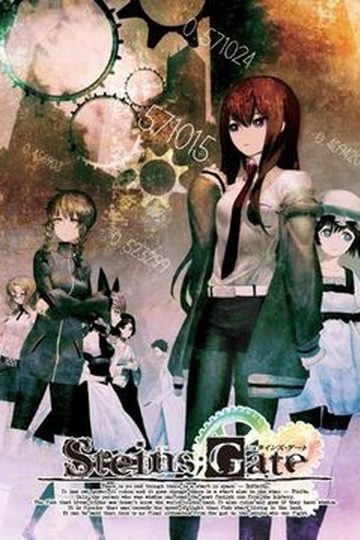
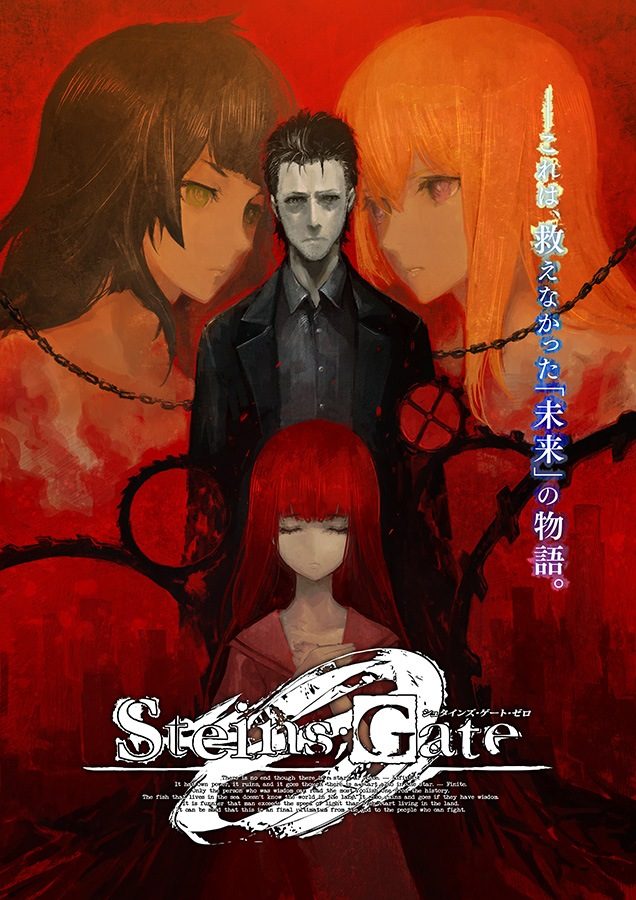
Steins;Gate 0

Steins;Gate 0

“This is a story of a ‘future’ I wasn’t able to save.”

A “true sequel” that takes place November 2010, β Timeline – A world line where the protagonist, Okabe Rintarou, at the end of overcoming countless hardships and sorrows, had given up on saving “her.”

Okabe is at the bottom of despair…
His friends worry for him…

And what about the “girl” he wasn’t able to save?
Learn of it through the tale of “zero” where new encounters converge.

“She,” without a shadow of a doubt, continues to exist in there…

-—-

After long journeys via world lines, Okabe returned to his daily life, albeit crushed by the regret and misery of not being able to save “her.”

While helping out in a college seminar in order to finish off what “she” had already started, he comes across Professor Alexis Leskinen and assistant Hiyajo Maho, who were both on the same team and school as “her.” There, he discovers “Amadeus,” a system still in the stages of development that can store human memories inside computers.

Okabe was told that the Amadeus had “her” memories stored inside, and was requested by Professor Leskinen to cooperate with him as an Amadeus tester by means of conversing with “her” through a monitor. The system was inputted with “her” memories before “she” had ever met Okabe.

Upon encountering “her” installed within this architecture, Okabe’s life begins to change completely…

94 comments

Demon635639Reply
How+do+I+play+this?+I+have+the+system+locale+set+to+japanese,+but+every+time+I+run+the+game,+I+get+

msgs::Audio::CPlayer:=InitializeXaudio()
uyjulianReply
Get XAudio2_7.dll from somewhere then register it with regsvr32
Demon635639Reply
How do I register it with regsvr32? Put it into Windows/System32 folder?
Demon635639Reply
So I found how to register it with regsvr32, but it said

The module "xaudio2_7.dll" was loaded but the call to DllRegisterServer failed with error code 0x80070005.
Demon635639Reply
So I figured that problem out, and registered it properly but it still doesn't work. I also searched the original error up and people suggested installing Direct X 9.0c, so I did that, but I still get the same error.

What else can I try?
aaaReply
I got the same error, have you figured out how to fix this? :(
Demon635639Reply
How do I register it with regsvr32? Put it into Windows/System32 folder?
potatoReply
Is there any walk-through or flowchart for this one?
potatoReply
Nevermind, found it.
CalsolumReply
Man after I downloaded this I went and finally watched the deja vu movie that I've been moving around for about 2 years cause I was too lazy to watch it and the sheer epicness of that movie had me crying.
That movie was just the perfect closure to the series and now IO have to deal with this shit? God Dammit NitroPlus stop toying with my heart.
I need time to rest and heal.
To anyone who reads this make sure you watch the deja vu movie and the alternate release of episode 23.
Now if you'll excuse me I'm gonna go put this in my backlog folder
And if you like the series(or any) support the author by buying the game
Lastly thx admin for making this and so many other games available to English speaking people.
VN loversReply
Not to mention now that I already finished the game, I will not spoil anytbing but only speculate from seeing the true ending, probably there gonna be a sequel for this, or at least some ova, drama cd, or movie in the future.
hachishichiReply
So I cant play Steins;Gate 0 while i could play Steins;Gate.. it says display initialization error..
CristhianReply
Thank you. From+Colombia.
RevooReply
wow. this is every bot as good as the first game, of not better. Truely thank you for this.
Are there any other VNs by this writers? This is a masterpiece.
mirkanReply
Man this will take a year 33 parts... 10 min each +6 hours But IT'S F*CKING WORTH IT HELL YEAH STEINS GATE BABY
Ex_NihiloReply
Great VN so far! Saw the anime back in summer 2011 and this game brings back all the the good memories. Soundtrack is a masterpiece. Was expecting some more, more "normal" decision making but that's typical Steins Gate from what I have read.
KevinReply
What do i do after i've downloaded all the parts?
rodrigoalvaradoReply
Thanks a lot for the upload admin. I’ve been trying to find this for a while.
yunhtubeReply
is this the official translation or a fan one?
shakibReply
Sorry for the ignorant question but how do I install this? I've downloaded all the parts.
yunhtubeReply
put all the parts in one folder open part 01 and extract delete all the parts now enter the steinsgate0 folder (make sure you have directx) and press launcher dont mind the japanese just press the very top options and the game will start press go to the options to set fulscreen and resolution and enjoy
shakibReply
thank you
shakibReply
however, I have another question. You said to extract just part 1. Don't I need to extract the rest of the files?
yunhtubeReply
no if all the parts are in the same folder you only need to extract part 1 the rest will be extracted with it
shakibReply
okay thanks again
PineappleReply
Help! I manage to successfully install and load the game but my controls on my computer won't register in-game
PineappleReply
nevermind, I solved the issue
morboReply
really? 33 different downloads, 120 second wait time, plus 6 minutes between downloads?
couldn't you pick, like, a legitimate hosting site
DarylReply
Hello I have a problem, when selecting on the screen menu or in game the box which let you select goes up and down rapidly making me unable to select soething properly. Any fix to this?
AtyafiReply
Hey, I have this problem too. Did you figure out what was wrong?
AtyafiReply
nevermind, figured it out. (disconnect all controllers)
AnonymousReply
Thank you admin for uploading this.

For anyone wondering how to install:
1. Download all parts
2. Extract with winrar (right click on SteinsGate0.part01.rar -> click extract here)
3. Open folder SteinsGate0
4. Run Launcher.exe
5. Press the topmost button (ゲームスタート) it says "game start"
6. The game window will open

Troubleshooting (I don't know which one was required or which one wasn't but I have done them all and successfully working):
1. Check if you have all parts (total 33 parts)
2. Check if you need DirectX
3. Check if you have changed system locale to Japanese
4. Check if you have the file bink2w32.dll in game folder
AdmiRal PringLesReply
Thanks!
adrien14shiReply
I have all of them correctly but its still not working
Hades_EDReply
The same as others, doesn't work even after checking your points.

Some more ideas ?
ThoReply
Don't mean to necro this but does this have english patch?
elwendyr of ysReply
thx!!!
soulsReply
is this pc version?
MihauReply
Good gay, help me please to solve the problem. I`ve downloaded all the parts, extracted the first one, dowloaded DirectX. But when I open the launcher, and press the upmost button, I get an Error: (some ununderstandable signs, and after them)Display Initialize Error. Maybe some one knows what can be done.
anonReply
same problem here, are there any solutions?
BlurqeReply
Is anybody else getting "Data error (cyclic redundancy check) while extracting bg.mpk?
ThoReply
Don’t mean to necro this but does this have english patch?
YOReply
it better, i mean so many ppl have downloaded so i'd think so
Pierre de FernetReply
I selected "game start", but the game doesn't start. Some ideas?
random idiotReply
Hey guys, just wanna ask some help.
After opening the launcher and clicking the top most button, something pops out that says "display initialize error". Just wondering if you have any solution to this problem.
Thanks
kurouReply
already downloaded all parts, then extracted, but won't start "display initialized error"
ZidaneReply
This is the same as the Steam ver., right? Any censorship?
anonymousReply
Is this the official English translation or a patch?

Leave a comment