English visual novel downloads

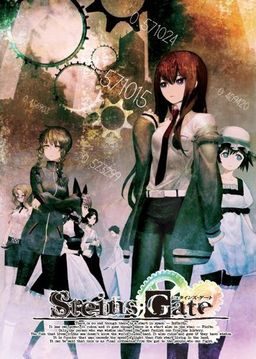
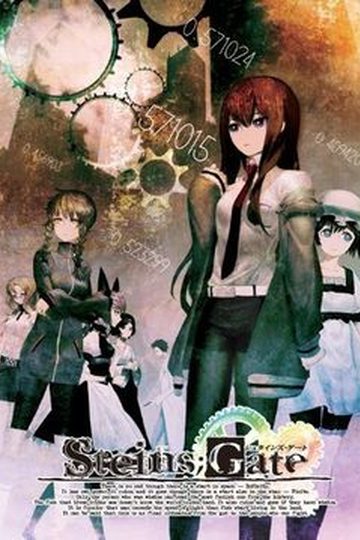
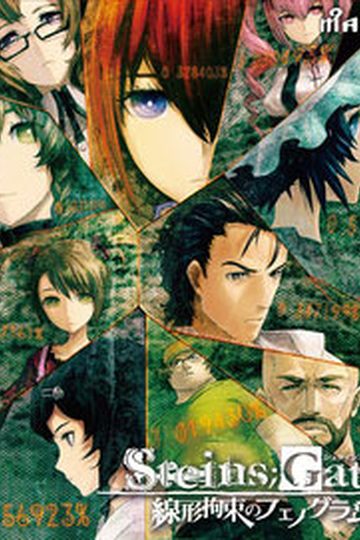
Steins;Gate

Steins;Gate

The story of Steins;Gate takes place in Akihabara and is about a group of friends who have customized their microwave into a device that can send text messages to the past. As they perform different experiments, an organization named SERN who has been doing their own research on time travel tracks them down and now the characters have to find a way to avoid being captured by them.

793 comments

Okabe RintarouReply
Wooot!? after the animation ended, it became a manga and then it became eroge!?
OK, I'll take them all!
DizzyReply
No it was originally an eroge and that is where the anime came from
OutworlderReply
Is this voiced?
ReddawnReply
Any Chance for a walkthrough
NemoReply
WOWOWOWOWOWOWOW!!!!!!!!!!!!!!!!!!!
It's here!!!!!!!!!!!
GoldenDarknessReply
@okabe Rintarou the VN been out for a long time....lol anime was adapted from the VN

can som1 answer this question when daru is explaining sern does any1 else's stop working.. Steins Gate has stopped working windows is finding a solution
BobReply
Just another game to add to my list, though im wondering if its worth it because a couple friends said its not much different from the anime. The only notable differences are the Bad Endings, and the beach episode.
Metal_U-PaReply
This is definitely worth it. I'm waiting for Steins;Gate Hiyoku Renrei no Darling to come out. Basically Okabe Rintaro goes from the alpha world line to the delta world line with a divergence of over 3%.
ChevalierReply
I have a problem.
I put the patch in the game folder,but it doesn’t work. The game doesn’t start,normaly and patched. I have the japanese local setup.How can I resolve this problem?
(I’m an Italian sorry for the grammatical error. P.S.:Good site!)
SteReply
First of all, you have to install the game after the Japanese locale setup.

If the game merely freezes after you execute it, it may be a codec movie problem (just download and install the latest codec pack).
mogmogReply
can someone help me with the installation please, I didn't know what to install first...
GoldenDarknessReply
the way i install games on my computer is i turn off UAC then i put my comp to Japanese local once i did those settings like that every game installs fine

ofcourse i bought the game so i dont know what u get here i only got the patch here and the cosplay patch through torrent
Metal_U-PaReply
The translation patch is a beta patch you know. This isn't the final release of the patch.
KshihiReply
Hey mr. admin I tried unzipping the files and it said that part 4 was corrupt. By the way which do you apply first after the installation the crack or the 110 update?
adminReply
If any part is corrupt tehn you need to redownload it.
First install the 110 update, then crack, then finally english patch.
NemesisReply
Can't run the game.
Installed the game, update, crack, patch... the game opens, but nothing happens when I click on "Start" :(
NoNameReply
Use jap locale.
NemesisReply
Doing it. Changes nothing
KittyReply
Problem... At beginning of chapter 2 during Daru's explaination of SERN, the game crashes. What do?
ArurieReply
I really want to thank you for bringing this patch to my attention, as I've wanted to play this since before it was even released in Japan.
Sadly, even after getting the initial game to work, it repeats indefinitely just as Okarin puts the bananas into the microwave.
I've tried uninstalling it but it still happens. I don't know what to do. Help please?
KittyReply
Press 'p' on your keyboard to open your "phone", left click, open the "address book"(the button that looks like a person, then selected "Microwave Ophone"
ArurieReply
Thank you so much. ;^;
nobody11Reply
Im having problems with the game.
AT the beginning of chapter 2, when Doru starts talking about STERN the game crashes always at the same point. he says something like:
"It's close to the border of switzerland and france at outskirts of Genova at birthplace of famous-"*Crash*
It seems to be because translator messed up a part of the script, but i'm not sure... Anyone else has this problem?
Also, where are the savefiles located? so i can reinstall it without losing 3 hours of reading.
KittyReply
Having same problem(as posted above) and trying to figure out a work around. As for save files, they are located in "Application Data/Nitroplus/STEINS;GATE/1.100"
GoldenDarknessReply
good to see i wasnt the only 1 with this problem im trying to solve it right now
nobody11Reply
I figured out the cause. the translator messed up and lines from script used to make "HTMN" (or whatever the word was) appear red appear in the textbox causing the game to crash...
chaninging the nss file to original and getting past that line SHOULD work...(haven't tried yet)
GoldenDarknessReply
it wont work i tried it i get the runtime error once i put the patch after the HTMN
nobody11Reply
Try not to install update 110. It causes C++ runtime errors for me.
GoldenDarknessReply
im reinstalling right now ill do it without the 110 update this time
GoldenDarknessReply
without update 110 my saves are gone ill try it i go to work in an hour if it doesnt work ill just replay it JPN like i did the 1st 2 times
nobody11Reply
just set skip all text on and
press ctrl
KittyReply
The reason it gives the error isn't because of the update. It's because you can't load the save file that was created in "STEINSGATE-patch.exe" with the original "STEINSGATE.exe". Also the reason you saves have disappeared is because before you add the update, they saves are kept in a different folder called 1.000 where as after the update they are kept in the folder 1.100.
nobody11Reply
I get the C++ error when launching the game, not loading.
GoldenDarknessReply
okay even without the 110 patch and english patch at 100 it still doesnt work ima wait for the official release but ima keep playing it in JPN
GoldenDarknessReply
@kitty no ive loaded up my previous saves when i was on ruka's route and it still worked even though the original playthrough was JPN it loaded up in english
KittyReply
@GoldenDarkness
Most likely the "STEINSGATE-patch.exe" formats its saves differently from the original but kept the original load function so you can load files created before the patch with the patched version but not the other way around. But that's just a theory. Think of it as trying to load the save from the wrong game or something.
MelforceReply
wow... never thought there is actually an eroge,.... anime version is good... wandering to play this ~~ kya kya~~ XD
RubickReply
meh.. this is not an eroge.. it's a visual novel ( no ero .. well it's a storybased VN anyways so it does'nt really need ero scenes)
KuroCrowReply
hey guys

can anybody help me with something?

i kinda want to sort of extract the CG in the game and well does anybody know how and if it will work on other VN to?

extract as in be able to view it with out opening the game
nobody11Reply
possible? yes, translators also translate the images.
How? Extract the CG-file in the game folder/CD.
How to do that? No idea.
nobody11Reply
Could someone find a walktrought which can be copy/pasted to google translator?
byegodReply
I dont know if anyone else is having this problem but whenever i click on any of the .exe files i keep on getting an error notice stating that it cant't start because the libvorbisfile.dll is missing any solutions?
JoeyReply
It didn't start for me. I saw the logos and the caution text, then I guess comes the opening that does not play and the game freezes.
Can anyone tell me what kind of video codecs does this VN need?
SteReply
Try the latest K-lite codec pack and install it.
JoeyReply
It didn't work :(
I can get passed it if I remove the vids from the gamefolder, so it's definitely a video problem
anzemReply
THX GOD I LOVE THIS GAME
yazzReply
So is there actually any way to get past the chapter 2 crash point ? as i have read the comments i didnt get to any conclusion. Installing the game without patching it - skipping trough text after crash point, patching the game and loading would work ?

PS Thanks for another great game Admin.
KittyReply
Anyone found a work around for the SERN explanation crash yet?
nobody11Reply
We'll probably have to wait for next english patch or something to fix it.
Steins Gate da bestReply
Im also getting the libvorbisfile.dll is missing message if anyone can fix this for me it would be a great help. Thanks

Leave a comment