English visual novel downloads

Steins;Gate

Steins;Gate

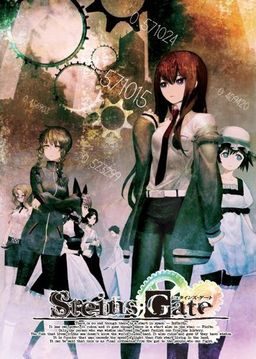
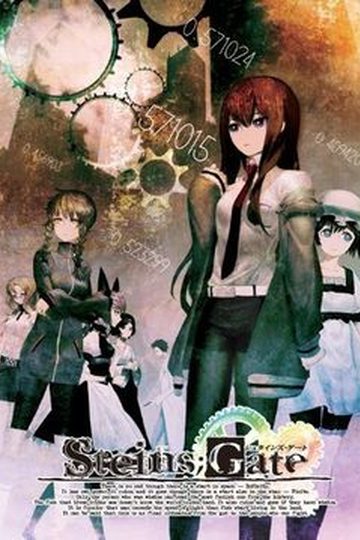
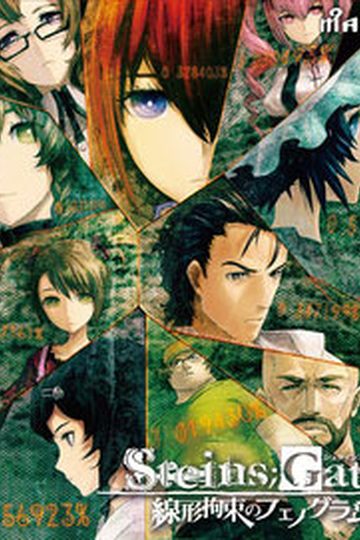
The story of Steins;Gate takes place in Akihabara and is about a group of friends who have customized their microwave into a device that can send text messages to the past. As they perform different experiments, an organization named SERN who has been doing their own research on time travel tracks them down and now the characters have to find a way to avoid being captured by them.

793 comments

AsteriskReply
I tried reinstalling everything in the correct order, however that still didn't work. I believe a simple solution would be to upload a savegame on the first frame for everyone to download. That way we could bypass pressing the start button?
ImperatorReply
Could be a video codec problem, as it start out playing two videos before going to the actual prologue gameplay.

Try staying on the main menu without doing anything for 1-2 minutes, and it should autolaunch a trailer for the game. If that one doesn't run either, then it's probably a lack of support for the video files the game use.

You could also try to download the English movies subtitles patch, which translate the opening video, and see if it'll launch using that.
AsteriskReply
I see the opening video, so it's not a codec issue. Just tried the subtitles and no dice.
jimkricketReply
Do you can an error when you exit out of the game?
AsteriskReply
I do. But it’s the generic, Steins;Gate has stopped working one.
jimkricketReply
Alright, I think at this point you should uninstall the game, delete anything remaining in the directory. So you're already in Japanese locale just reinstall the game, then apply 1.10 update, make sure the path is correct. Apply the crack, apply the English patch, and apply whatever is left that you want. Go to where the game is installed and run the game using STEINSGATE-patched.exe.
AsteriskReply
When I install it, it automatically installs to 1.10...So i cant patch it.
jimkricketReply
keep going, and tell me if that solved the problem.
AsteriskReply
Did not solve the problem :(
jimkricketReply
Well now I'm out of my wits end, I installed mine in English locale, using Microsoft Applocale, you can go ahead and try this method, just scroll up to my earlier post and it's a walk-through instruction.
AsteriskReply
Thanks, appreciate the time and effort :)
kimReply
Do you have to apply the crack or can you play without it?
jimkricketReply
I know that the game runs with the crack, I don't know if it can run without it.
ImperatorReply
The STEINSGATE-patched.exe file from the English patch seem to function as a crack as well when running the game through it. I haven't touched the ordinary .exe, and I can play the game just fine (up 'til the SERN explanation crash in chapter 2)
L3rgoReply
Hmm can you tell me where steins gate keep saves?
Can you give me full adress
ImperatorReply
They're kept in C:\Users\[YOUR USER ACCOUNT NAME]\AppData\Roaming\Nitroplus

AppData is a hidden folder by default, but you can simply navigate to your user folder and add \AppData to the path at the top of the window. Or go to control panel, folder settings, and enable the showing of hidden folders.
L3rgoReply
I think my problem its about that: game is unable to create savedata folder so I cant save. So I think if i now the location where game create that I could manually create that. So pleae tell me the location for your steins gate save data:D
Sorry for double post.
ImperatorReply
If there aren't any folder at the path specified above, create one called "STEINS;GATE", then one in that called either "1.000" or "1.100" depending on whether you have the updated version or not.

I don't believe that'd help though.
L3rgoReply
Thanks Imperator. I had that files but still im unable to save . Its still crash on quick save and show saved word without saving. Its real pain in the ass.
adminReply
Run the game as administrator.
GoonieReply
a group of friends who have customized their microwave into a device that can send text messages to the past.

wtfamireading.jpg
HikaruReply
I have the game installed and when I click start the screen goes black for a few seconds and then takes me back to the start menu
cloudReply
i have the same problem
someone help!
RenaReply
I got the game to work without any problem but I am wondering how important "Tips" are to the progression of the story. I know games like higurashi Tips are incredibly important to the story. Just wondering if I should hold up playing till they translate the tips.
MadScienticeSoCoolReply
I can't seem to find the FullScreen option, is it there at all?
ImperatorReply
Press the F key
MadScienticeSoCoolReply
Thank you Very Much!!!!
MilkReply
Wooooot :) i dropped the anime cause i wanted to play the game first ^^
ObstinateReply
Hi everyone, everytime I try loading Steins;Gate patched.exe I get the message 'The procedure entry point_analysis_output_always could not be located in the dynamic link library libvorbis.dlll.'

Does anyone know how to fix this??
YomiReply
I'm having the exact same problem. But it's not the computer. I've tested installing 4 different downloads of the game, 5 different libvorbis.dll files, and 3 versions of the english patch (in all possible combos/orders too) on 5 different computers, ranging from XP to Win7. The issue seems to be that something is not right with the .dll files. I can run the game fine unpatched & uncracked (reg pops up) but once I apply the patch the .dll errors emerge.

I'm doing more testing, but if anyone has any answers or suggestions, I'd be very grateful.

Why does this only happen to a few people too :(
matrixocReply
is it possible for someone to give me a link for the software required to edit the translation patch?
thanks
Keep up the good work! erogedownload.. hope the chapter 2 error will be fixed by tomorow
awzyReply
I've downloaded english system menu and winrar says it's corrupt~~ :/
awzyReply
never mind~~ sorry my bad for not checking the volume of RAR~~ XD~~
cloudReply
how do i update it to 1.1?? after i installed it and all
xanimemanReply
i installed the game patched.
when im on the title screen and try to start new game it doesnt start at all and stays at the title screen please help
Kyon FantaReply
Try to restart/reboot your PC .
PongiiChanReply
I can't load a save file .. anyone has the same problem ? Saving is not a problem
Kyon FantaReply
I happen to have sometimes this kind of problem .
In fact , but only some rare times , it crashes when I try to load .
kimReply
why does this game crash at chapter 1 when i met kurisu makise about the message from the future?
thatguyReply
is the sern crash issue fixed yet admin?
adminReply
Yes, new patch posted.
cloudReply
im stuck at the tittle screen and when i press new gam its a black screen, nothing happens
pleassss help
BOBReply
can you post a walkthrough for this game please
jimkricketReply
Everything is running swimmingly, thank you admin, now I can get pass the SERN crash. Also for those who updated to version 1.2, it changes your game save directory. If you're an XP user go to C:\Documents and Settings\"your user name here"\Application Data\Nitroplus\STEINS;GATE, to manage your save files. Application Data file is hidden by default, you can go to your Control Panel > Folder Options to toggle hidden files.

Leave a comment