English visual novel downloads

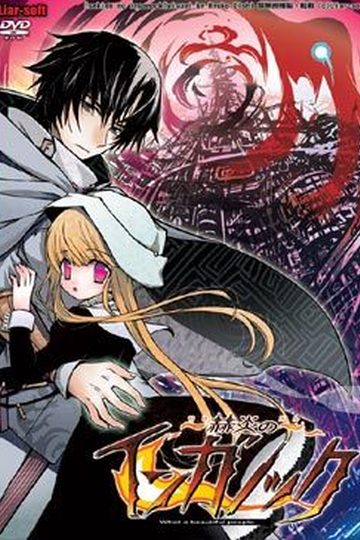
Sekien no Inganock

Sekien no Inganock

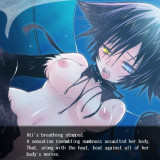
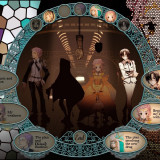
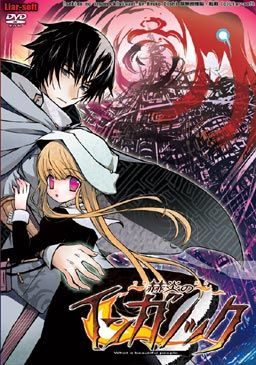
Inganock, a city isolated from the outside, a city where everything is distorted, even the sun. It all started ten years ago, at a day called as ‘Revival’. Then residents of the city slowly changed into beings that are partially human and partially animal.

To this day, only a few still look fully human on the outside. One of these is Gii, a former medical student, now an illegal doctor that walks the city and cures the poor for free. He changed too, but only in the inside and his change enabled him a mysterious ability that he uses to heal people that keep mutating further every day.

He has a few ‘friends’ if you can call them that. One of them is a black steel cat girl called Ati. Another one is an old friend from his medical school that he just met again after ten years, Salem. And the games story really begins when he encounters a little girl with pink eyes named Kia…
105 comments

nathredReply
is it normal that there is some moment the voices just don't work?
Characters are speaking, but no voices, then you move to the next CG, and there are voices.

I used a rather weird way to install the game, since *i couldn't change the local to japanese, so maybe that's the cause.
CSenshiReply
It probably normal. Gii has no voice because you're supposed to play as him.
wateverReply
I installed the game and the patch fine. But when I start game, it just goes "Not Responding" all the time and I can't see any way to go about it. Can any1 help?
adminReply
You need to have japanese locale ( applocale is not enough) set up during game instalation and patching - otherwise it won't work.
nickReply
im glad ifound this game i read a review of it and she said this game is great *with the exception of repeating the same line sometimes* so im glad i found it
ColdeyeReply
I have a problem, when i start the english game it says:
“compiler not found”
what is a compiler anyway...?
DavidReply
For the patch this is what I had to do and it worked.

Make a new folder on the desktop.

Run the patch.

Use the new folder.

Don't run the game.

Open the new folder and copy all the files.

Go to the game file ( program files and all that going to look like: C:\Program Files\Liar\赫炎のインガノック )

Paste.

Play the game on the icon that shows up with the paste. Should be at the bottom.
ZeroRequiemGXReply
Hey admin my downloads always ends up being cut off, please provide a detailed link in mediafire master admin, i'v been dying to play this game since i finished muv luv alternative..
DamakunoReply
can you upload on a different file sharing site? The links don't work anymore and I can't seem to download it from elsewher...
adminReply
They're working fine for me.
ShadowReply
chacha thank you its working ^^
TRMshadowReply
I keep getting a problem when trying to do set up this game. I've gone all around the internets trying to figure out why I keep getting a "Complier Not Found!" error whenever I start up the game.

Somebody help me out with this, I really want to play this game (I'm using windows 7 by the way if that helps)
KeiReply
Is it just me or there are no voices in chapter 3?
LiutasilReply
Yo,

I got a problem with this game.
When i finiched downloading this game i cant get it to instal.
I got the ISO.file but my Daemon-Tools wont mount it and play it like it did with clanned and some other games on here.

Anyone also had this problem and/or knows how to solve it? It would be a gr8 help if you could post it.

A big thanks allready for anyone who can help me with this.
SteReply
I can't make it work on Vista!

The game freezes almost immediately: a black window, a white hand-shaped pointer, and nothing else.

And yes, I changed to Japanese applocale before installing it.
ZellrangReply
another dark type eroge FOUND~~ X3
sevennightsReply
Vista user also having trouble with this.

Everything installed successfully, but when i start it up, i get a message saying "RScript has stopped working"

Not sure what is wrong.
adminReply
That's strange. I completed this game some time ago, and had absolutely no problem running this one on my laptop (vista 32 bit)
sevennightsReply
vista 64 bit

-game loads and plays fine without patch (the "RScript has stopped working" happens when i close the program).
-when i install the patch as an administrator, the patch appears to have done its job.
-to my knowledge and common sense all files appear to be in the correct locations
-use the .exe

This is where the program crashes on me
anonReply
The fonts aren't displaying properly for me. Which font do I need to fix this?
anonReply
Nevermind. I ran it with NTLEA and that solved the issue.
BobReply
Its not working for me it says
Error opening file for writing: Adenium Text
adminReply
Two most common causes: Not in japanese locale, patch not ran as administrator.
The Sad PandaReply
Is this needed to play Shikkoku no Sharnoth? As in story wise?
Poke_FreakReply
I've played Inganock and is currently a few chapters into Sharnoth and I can say that there is basically no relation at all between them, other than vaguely sharing the same setting.
As far as I can tell, they're both set in the same world but Shikkoku no Sharnoth is set in London while Inganock is a fictional city that might as well be on the moon.
That's how little they actually have to do with each other.

(So far I like Inganock a lot better, though. So I recommend playing it instead of Sharnoth anyway, if you're choosing between the two. Just saying. :P)
MeReply
Shikkoku no Sharnoth and Sekien no Inganock have the same graphical and storycal style, but neither of them share any connection. At least, not found by me yet...
BreatheDeepReply
Thanks for this, but i have a small problem with the game, it in stalled good but when i did the patch the words & sentences were all messed up also i kept getting an error that gave me just these symbols [ ^#@&* } do you know how i can fix it? right now im going to reinstall it.
BreatheDeepReply
Sorry to double post, i've fixed the error problem, but the words are still messed up alittle, meh oh well, lol thanks again.
GalexReply
How did you fix this?I'm having the same problem and it's really annoying.
The Ardent OneReply
O have installed the program, put everything where it wants to go, and when I boot up the game it says that it cannot find the compiler.


What do? Or am I being an absolute fool?
The Ardent OneReply
Well, I managed to get that problem fixed...so no worries on that front.


Unfortunately I have a problem with the text being too scrambled to properly read...


I'll find a way fix it eventually I'm sure.
ZekezaReply
How did you take care of complier?
ikust61Reply
changed settings to japanese locale,
patch ran as administrator,
still, for some reason the game does not respond and i'm stuck with a black screen :( any ideas?
Caycii SwartzReply
Okay here's how ya do it
First mount the iso file that you get after extracting the winrar files
DO NOT JUST INSTALL THE GAME, you must find the drive the iso file is mounted in, then explore the drive. The folder named "program files" open it. There will be a folder named "liar" copy this folder to your pc's hard disc and then install the english patch. And there ya go!
Drake of DragonReply
so all you need from the .iso/.image is the Liar folder?

i have my computer set up so i can rip literally any disc to my comp and run it, as though there is a disc in the drive. *no questions asking how i do this, because i won't answer*

or basically i need to take the folder out, install, then run the english patch?


also, all those who have an annoyance with the admin rights, seriously....just disable it, unless you cant because you're on vista.....then my suggestion would be get wins7/8 or Black.
Drake of DragonReply
nvm bout that, figured it myself.

an installation video would be awesome if someone wants to make it for this stuff.
Confused guyReply
For clarification purposes: (Windows 7)
1 Download all 7 parts and the english patch.
2 Extract all 7 parts anywhere you'll remember (desktop works).
3 Using a tool like Daemon Tools, mount the .iso file you extracted.
4 Go to My Computer and under the section "Devices with Removable Storage" right click the mounted file and click "open"
5: In the file you just opened select the "program files" folder. (Not your computers normal program files folder)
6: Inside you'll find a "Liar" folder. Copy the entire folder to anywhere on your hard drive.
7: Run the English Patch (inga-r3) and install normally.
8: Enjoy

Wording was terrible
kaylaReply
Doesn't work still. Tried doing this three times.
Drake of DragonReply
possibly one of the best translated games i've played. story line easily gets 10, art is okay but not as good as newer releases but even still, 8/10.

anyone that reads comments, i'd say grab this game if you enjoy story plots.

*Spoiler* Ati is by far the most adorable character in this game.
SerimorphReply
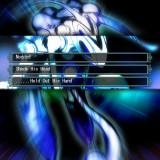
For anyone who gets stuck on the first choice and keeps dying over and over here's what to do since I had no clue. The section where it's explaining what the "inner thoughts" and such do isn't very clear, at least it wasn't to me. The idea is to click on the lit up portraits in a specific order so you slowly remove them altogether from being selectable. Once every character/item is gone (can't click on anything except end) you can hit END and then you'll get options that you couldn't before.

Amazing game so far. Story has sucked me right in and i've only just pasted the first choice and events that immediately follow.
RyderReply
All of the MF links are dead. :( RS links are still up though...
ABC123Reply
I'm having trouble getting this to run. I install the game, and when I open that it works fine. Problem comes up after I install the patch. After I do the file wont open. I don't get an error, or even a screen change, it just does nothing. I've tried reinstalling, is there something obvious I am missing?
ABC123Reply
After trial and error with no end I figured out a way around installing the patch, which is where I guess the problem occurs. Just install the game, then install the patch in its own folder. Open the patch folder and cut and paste all folders from the patch to the game itself. Choose to replace all files with new ones and you'll be able to run it. I hope this helps someone other than myself!
Just a NameReply
For everyone with Rscript error, RScript.exe is the .exe for Sekien no Inganock, and excluding it from the DEP file list, will fix the problem. It'll still crash when you close, but it'll actually play at least.
archieReply
Hello, I have this Rscript error that prevents me from playing the game. What do you mean by "exclude the .exe from the DEP file list" ? How do I do that ? (I'm on Win7). Thanks in advance, if anyone happens to read this.
V-XReply
Having the same problem as archie, keep getting the Rscript error after the intro movie ends.

As far as I know DEP means "Data Execution Prevention", which for me at least can't be right, while it does have a list opition, mine is set for only essential programs and services.

So anyone know what the solution to this problem maybe? Or can confirm what the DEP file list Just a Name is referring to is?
CorauReply
the text is a mess after i installed the english patch in the right place. how do i fix the text?
SomaReply
So to sum it up:
download,then extract, mount ISO, run Iso with Japanese locale or just open in explorer and kopie the liar Folder.
Run Patch as Admin, but select a different folder.
coppy everything of the patch folder in the original one. delete the .exe of the original one.

(Seems like the patch only unpacks the patched regards, but terminates the XFL Data)
SaxzReply
Great VN...
Especially the BGM and Art...
Got me into "WTF" moment at the 1st chptr too...

Haha...
Really Salem?Really?

But the ending...I don't really like it...
Its an open ending...Its like...
Up to your imagination how the character end up after you finish the game...
ZekezaReply
Really having a difficult time getting the english patch to work. I can play it in japanese, haha but as far as english goes i can't seem to get the patch to install.

Leave a comment