
The unceasing Rain──
The 『sealed city』,
abandoned 30 years ago after a sudden biochemical warhead strike.
The uninhabited ruins,
ruled over only by autonomous battle drones.
The man came to this place,
finding shelter inside a tall building as he grew exhausted,
and there he came across
a planetarium,
a room that once filled the hearts of men
with the wonders of all the stars in all the sky.
And there, he met a young woman
whose name was 「Reverie」.
A member of the planetarium’s help staff
who had continued to wait for customers for over 30 years;
a broken robot──
Entreated by 「Reverie」,
he lost track of time as he repaired
the nonfunctional planetarium projector.
The continuous Rain.
Those quiet days spent with 「Reverie」.
A long-lost nostalgia that began to arise in the man’s heart.
What will he think about this sky of manmade stars?
And what is the fate of this 「Reverie」 of a little planet?
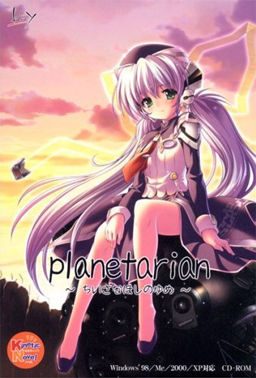
Planetarian





115 comments
A must play...
Did you extract it at the same folder as the japanese one?
Because for some odd reason while you extract the english patch, it will take you to some other folder. Just make sure that you extract it at the same folder as the japanese one
Thanks!
But what happened to the voice?
The prologue part has a voice, but after that, their voices suddenly vanished
The game itself is quite short ( few hours of reading) and unvoiced, hence the small size.
I can click ok and it seems like it still plays fine though.
Thanks in advance!
I can start the game, but at the first screen and after the first spoken line the screen doesn't change and all I hear are car sounds.
Can't figure out what is wrong. Please help.
1. Load the game
2. Hit play on launcher
3. Open that buy/get screen
4. Use the crack.
It should let you play the game after this.
WTF am I doing wrong?
anyway yeah, the opening~The World of the stars composed by Charles Crozat Converse is taken from indonesian old song. You can google it and see it for urself.
Ok, I HAVE to read this now.
My shit-tastic monitor strikes again.
I can't even start because the monitor's shitty resolution crops out what I assume is where the main menu is.
show how stupid a war is....
2.click play, the buy and get appears ignore them
4.minimize the game
5.open the crack file
6.click planetarium, then something install
7.u can play now....
better u placed the crack in program files where u put planetarium files...
I really want to try this one
Sorry if double post.
I have heard this VN was good and I really want to read it. I have tried the solutions that other people have said but none of them have worked.
It doesn't work. Any help would be appreciated.
INITIAL INSTALLATION
As usual you will need to extract the planetarian.rar into a folder. But before you start using the PlanetarianEnglishPatchSetup, go to the extraction folder and run the PlanetarianRetail application. You will follow the steps and make sure to send the information into your extraction folder. From here you now need to run the PlanetarianEnglishPatchSetup follow the steps, and naturally, add it to the extraction folder.
BUY/GET PROBLEM
This is where the buy/get problem arises if you try to use the Start application, basically there's no way to play the game at this point as you'll just loop between loading screens. However, this problem is easily remedied! In your extraction folder you will have a folder called Crack. Inside the Crack folder is a application called planetarian with a purple and yellow icon. You need to move this application out of the crack folder and directly into the extraction folder. Once there you need to run the application and press ok. Now you have a item in your extraction folder called Kinetic.OLD! Congrats! You can now click the Start application, press play, (and after you close what appears to be an error box) the game will load!
I hope this guide helps, I don't really check these forums after I play the game, but I might in the future. Best of Luck!
iDIn't cry itech
First, take that file in the root called: PlanetarianRetail.exe and run it. Choose the directory and all that.
Then, run the english patch, using the same directory
Move the file [under ROOT:\Planetarian\Crack]: Planetarian.exe into the root of the main install [ie ROOT:\planetarian].
Run it. You should see a yellow exclamation mark.
Then run Start.exe
That should work! Good luck! I haven't played it yet, I was just hoping I could help some of you out :)
I downloaded both files. Extracted them (separately). When I try to run \PlanetarianRetail.exe\ (the grey icon) -- nothing ever happens, I tried checking my Task Manager, nothing is listed.
I tried:
-run as admin
-run normally
-run in compatibility mode (WinXP SP2)
-run in compatibility mode (WinXP SP3)
Nothing happens. Please help me. D:
P.S. I'm using Windows 7 Ultimate (64-Bit Edition).
I install the game icon gray, then pacth with the translation, then the crack
but everytime i try to play, it opens full screen and hangs the first image after the screen appears saying that the program is not responding ...
can someone explain me how to do?
need to do something different (AppLocale or change the location for Japanese)
this is already the sugnda time I find a novel that interested me and that I can not play ... ¬ ¬
I managed to solve it ...
all I had to do was change the location ...
japan needs to be in place to exit the screen that hangs ...
So what did you do that made it stop hanging?
i have playing this game.
actually i already read a review this game, and when i playing this game in at beginning,
i'm already cry about what will happening to that girl robot. i'm enjoying this game very much, and at final chapter i'm really sad.
i'm still thinking that girl robot will happly life with that Junker. why this game dont have multiple ending?
but thanks for this game.
somehow a opening music look alike from my country, "tanah air beta" that a title in my country.
sorry for my english
enjoy it when you reading this its a wonderfull story
-"Region for non-unicode programs" MUST be set to Japan, then restart. It's not enough just to change the language. big frustration for me at first.
-Download and install Sazanami-gothic font. It may help with a known issue. Available from a variety of places on the 'net
- If you don't cry at the end you have no soul. You were warned.
1. Download the first file and run the retail copy with Jap locale to install it.
2. Download the english patch and move it to the same folder you have the first file in, and run that with jap locale as well.
3. Find the "planetarian" folder in your program files, and copy and paste that into your folder with everything else so far.
4. Take the no dvd crack and move it to the folder you obtained from the program files and run with jap locale, this removes the error asking for a key
5. to run the game, run either "kinetic.exe" or "start.exe" in jap locale
Hope this helps as I saw people were having trouble
I first saw this two years ago and attempted to play it, but I could never figure it out. Then I came back, read this and was finally able to play it. Thanks
Yumemi...
I installed everything in the following order:
1. Install PlanetarianRetail.exe
2. Copy the planetarian.exe crack into install dir and run
3. Install the english patch into install dir
4. Merge the voice patch into Kinetic folder in the install dir
5. Run Start.exe, StartJP.exe, Kinetic.exe
But nothing seems to be working. An error box pops up saying something in Japanese which I don't understand at all. Exactly what am I missing here? I only got the menu to appear but every time I click on Play the error box pops out.
can you please upload the Steam Version?
i can't play it because the patchui keep making my pc freeze
Thank you very much
(Also try running all programs with Japanese Locale and maybe as admin)
-Install the 'PlanetarianRetail'
-Install the english patch (make sure it's going to install on the same folder the game was installed)
-Copy the crack exe to the game folder and run it once, it should add a few files.
-Change your PC language for non-unicode programs to Japanese (this is what fixed the game crashing right at the beggining because it's trying to load text)
-Try running the game, if it doesn't crash when at first line (the one on the first image, NOT those lines in the black background)
then copy the files from the Voice Patch (KINETICDATA) to the game folder with the same name.
For Windows 10/11: if you are STILL having problems with the game crashing after the intro...
Go under non-unicode settings, set for Japanese, and UNCHECK, "Beta: Use unicode UTF-8 for worldwide language support."
Hope this helps :)
I've got the game running fine provided that is you can read Japanese!
Last line in English is "after 10,000 days" and then everything after that is Japanese including all menus (have worked out how to save and load but that's about it!)
Jap locale installed and also installed on multiple laptops (Win10 + XP)