
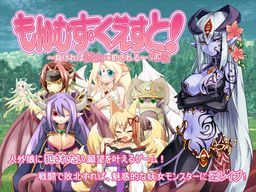
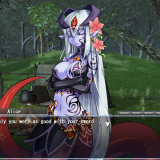
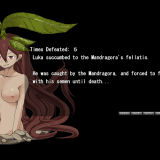
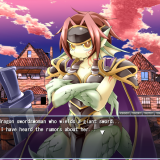
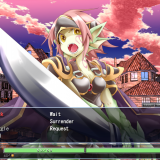
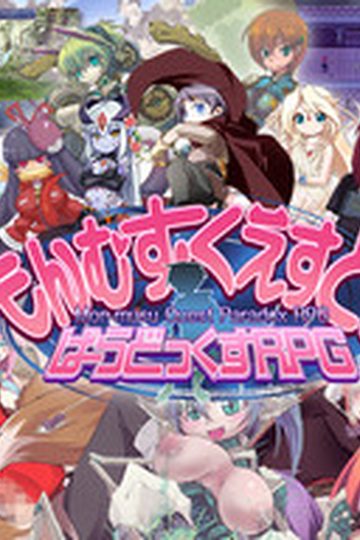
Toro Toro Resistance presents a massive fantasy RPG adventure game!
The story of being reverse-molested by sexy inhuman vixens!
Sweet monster girls seduce and pleasure you!
Lose and you will be raped!
You are the hero, a young boy.
Battle sexually with diverse characters in a world of humans and creatures.
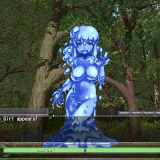
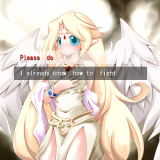
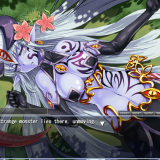
All the creatures are sexy girls of some species or another! Find them all!
It’s an epic quest. Will your dirty dreams come true?



899 comments
For people that have the bug in the game that a message that says:
-------------------------------------------------------------
099.txt line:81603
1 savoff
1 lsp 107, “:a;system\logo.bmp”,79,100
> bg “bg\bg001.bmp
-------------------------------------------------------------
Or something else.
The first thing you can do is to download the files and then extract them into a folder with a specific extraction order. Mine was to extract the game files in this order:
-------------------------------------------------------------
Part 3 then part 1 trough 3
-------------------------------------------------------------
Then I started the game before installing the English patch and played the start with Ilias slowly (letting every word appear completely in the text box) until I got the error message. Then I shut the game down and extracted the English patch into the game directory(map) I then started the game and pressed "new game" button and went trough the Ilias part slowly letting each line finish before going to the next "page" and when I came into the village I could skip all the text and just rage click on the text and go to the next "page"
-------------------------------------------------------------
Well at least that fixed the problem for me
-------------------------------------------------------------
Its just like the game saves but doesn't actually create the save file. Please help :(
I did part 1 > part 2 > part 3 > english
i dont know if theres a specific way to do it or not
What does this mean and how can I fix it?
Any solutions?
099.txt line: 81974
>if %bwait= 0 texec
Can you help get me past this? I'd like to be able to play through the game.
NSAfA[fJfCfu,(a symbol: the c in the circle),cftf@fCfsystemselect_window2.jpg,(followed by a bunch of symbols)
099.txt line:81805
|
| if %selectnum>=1 lsp
553,\:s/24,24,1;#FFFFFF#FF4444\ +$select00,172,203 ;(more symbols),P
> if %selectnum>=1 lsp
554,\:a/2,0,3;systemselect_window2.jpg\,150,190
I already Dl the 3 files and english patch...
just download part 1, 2, and 3 then download the English patch.
Now you go to Destop, create a folder (MGQ1), then extract all the 3 in this folder. Then you extract the language patch in a new folder (patch), go in the folder and copy all files, go back to MGQ1 and paste it in there. Now you can push the .exe and have fun.
I hope it will help and sorry for my fucking horrible english.
Have a nice day
There are 3 chapters to the story, everything you download here is chapter 1, so once you beat gnome, that's it.
Monster Girl Quest 2 is not a new game, it is in fact the second part of the story. You've gotta download everything there like you did in part 1. It has a different English patch too.
This took me hours to figure out and I feel so stupid now that I know how simple it was.
I'm actually willing to bet you're not using Linux either.
The ACR.NSA file you speak of is computer term for,
you are trying to put this file into zero-zero-zero
which is basically a non-existent void of space.
What You do is make a folder, like Monster Girls quest
(or be hip like me and name it homework)
copy and extract INTO that file,
and when it asks for location to extract,
extract all into there.
Simple and easy
yours truely,
someone who thinks hes awesome <3
The ACR.NSA file you speak of is computer term for,
you are trying to put this file into zero-zero-zero
which is basically a non-existent void of space.
What You do is make a folder, like Monster Girls quest
(or be hip like me and name it homework)
copy and extract INTO that file,
and when it asks for location to extract,
extract all into there.
Simple and easy
yours truely,
someone who thinks hes awesome <3
Step 2: Use a file extractor (WinRar or in my case 7Zip, which is legitly free by the way) to extract all the files EXCEPT the English download into one file.
Step 3: Extract the English download INTO A SEPARATE FILE.
Step 4: Open the folder holding the English download, highlight everything in the file, right click on any of the now highlighted files and navigate to "Copy" on the menu and click.
Step 5: Open the folder holding the folder you extracted all the other files into. I'd recommend NOT going into the folder itself just yet. Right click on the folder and click "Paste" on the menu. It should give you an error saying there are duplicate files. Click "Replace all". This will now translate the game itself instead of just renaming the translation files so they don't work.
You should now be able to open the folder and find the application that starts the game. Enjoy!
What should I do?
beside from the from the fandom,
the story is sorta solid if not pure japanese.
To make sure, Extract all the files into its own file,
but leave the english out.
After this COPY the English version (not extract) into the file
Then hit extract all and target location in this file,
it will freak out you saying it already has these files,
click replace all.
Then run the Mon_Que normally and it should be fixed.
Fortunately I already knew about this game due to its huge popularity but otherwise I wouldn't of known. I couldn't be more grateful for everything the host has done just want to know what kind of game I am looking at and sometimes it can take an hour just to find out what kind of genres are in some games on here.
Regardless of the minor complaint thanks a lot uploader and I appreaciate everything you have done so far keep up the excellent job.