
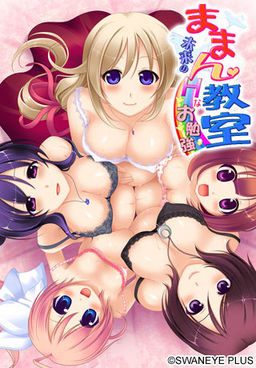
Kei is now looking for a job. He is in love with Honoka, his neighbor, but she is already married and pregnant. One day, he saves a man who gets injured in a traffic accident. The man asks Kei to visit the obstetrics and tell his message. Kei visits there, but the doctor mistakenly thinks him as a teacher of preparation lesson for pregnant mothers. The doctor says, “Do you like pregnant girls?” Kei quickly answers, “Yes, I love them!” Like this, he starts working there…. When he opens the door of the classroom on his first day at work, there are Honoka and other pregnant mothers….
Maman Kyoushitsu
- MamanKyoushitsu.part01.rar - 200.0 MB
- MamanKyoushitsu.part02.rar - 200.0 MB
- MamanKyoushitsu.part03.rar - 200.0 MB
- MamanKyoushitsu.part04.rar - 200.0 MB
- MamanKyoushitsu.part05.rar - 200.0 MB
- MamanKyoushitsu.part06.rar - 200.0 MB
- MamanKyoushitsu.part07.rar - 200.0 MB
- MamanKyoushitsu.part08.rar - 200.0 MB
- MamanKyoushitsu.part09.rar - 200.0 MB
- MamanKyoushitsu.part10.rar - 200.0 MB
- MamanKyoushitsu.part11.rar - 21.1 MB
- patch.zip - 762 KB

235 comments
or another interesting erogame, Upload it again please lol,.
1.) Switch to Japanese region locale.
2.) Mount MDF using software like deamontools
3.) Install.
4.) Extract patch.zip contents into the game folder.
5.) Copy mmscex.exe from the disc into the game folder.
6.) Only use mmscex.exe to run the game since it bypasses the security.
http://www.multiupload.nl/5TIBIQNA6N
Removes starforce(?) and disc-check from game.
Works with the english patch and the dummy-cut version.
Don't worry guys, I'm keeping finger on the pulse with various translation projects, and as soon as they are done, you can find them here.
Yeah, its an april mop, damn, I though I'am gonna enjoy Harakano then the ending says april fool :/
Yeah, you are awesome admin, thanks :D
I don'te even know WHERE to put the patch. The CD-key isn't working either -.-
if i bought this game legally, would it already come with an english setting, or would I have to do something extra?
(girl of choice)
Maternity Yoga
To help relax and train muscles for growth
(girl of choice)
Lactating moms should
its easier for the baby
(Girl of choice)
(girl of choice)
Helping people out
Its fine *note for honoka pick you cant*
(Girl of choice) *note go alone for emiko*
-this choice decides who's route your on-
Gentle and soothing (honoka)
intellectual but wild (Saera)
bubbly and cheerful (emiko)
cute and spirited (momo)
sporty and energetic (mimeri)
For harem clear all routes and instead of saying its fine or you cant for one choice another one saying \only with me\ will appear
Sorry for sloppy walkthrogh first time im posting here ^_^
I can't believe a game like this existed and I didn't know about it.
Time to drop everything else in life and focus on this.
Grisaia is gonna have to take a backseat for a while
May 13, 2014 at 3:39 pm
Directions:
1.) Switch to Japanese region locale.
2.) Mount MDF using software like deamontools
3.) Install.
4.) Extract patch.zip contents into the game folder.
5.) Copy mmscex.exe from the disc into the game folder.
6.) Only use mmscex.exe to run the game since it bypasses the security.
Reply
please read all of the comment before you ask something again next time.
how do I daemon tulz
It's kinda rare for a VN with that tags to get translated
no text no sound just the animeted cg
So could always try reinstalling.
1.) Switch to Japanese region locale.
2.) Mount MDF using software like deamontools
3.) Install.
4.) Extract patch.zip contents into the game folder.
5.) Copy mmscex.exe from the disc into the game folder.
6.) Only use mmscex.exe to run the game since it bypasses the security.
Reply
already using step by step guide
but still failed..
when i click mmscex.exe.. blue program syntax error, unexpected
how to fix it?
why?
I did everything that i mentioned before and then i said: "fuck this shit" and restored all my local configuration with my local information and gave the game a last try using only applocale with the mmscex.exe and then it worked!!
Help anyone?
And then just start the game with applocale.
i'm change japanese region. but the character japan not change. it's like wroms writing.
1.) Switch to Japanese region locale.
2.) Mount MDF using software like deamontools
3.) Install.
4.) Extract patch.zip contents into the game folder.
5.) Copy mmscex.exe from the disc into the game folder.
6.) Only use mmscex.exe to run the game since it bypasses the security.
Reply
already using step by step guide
but still failed..
when i click mmscex.exe.. blue program syntax error, unexpected
how to fix it?"
Did the same and got the same problem
the game works fine until i reach saera birth
and just after the baby is born the game make an error message and the window became completly black and the music still on.
should i post the entire error message ( it's mainly japanese) ?
I fixed it.
1. uninstall the game completely.
2. Reinstalled the game in the default “C:\Program Files\SwanEyePlus\Maman Kyoushitsu” : instead of my Game folders h-game section >_> Make sure you install it while you are in Japanese local Do not install the game then switch over to Japanese local.
3. Hit start on your desktop Go into “Computer” look at the drive you had DAEMON tools mount the game. (you’ll see the blonde girl Hanako as the image) right click on her image and click explore.
4. You’ll see the folder in Japanese of “おまけ” click it. (I also copied and pasted the “お読みください” text document file found here to C:\Program Files\SwanEyePlus\Maman Kyoushitsu because I wanted to)
5. Then click the bottom folder marked “ままん教室!体験版”
6.Right click and copy the “mmscex” file and paste it in where your game is installed C:\Program Files\SwanEyePlus\Maman Kyoushitsu
7. When you downloaded the games RAR files go to your file you got of the Patch zipun zip it and file and place The patch file “patch.xp3” and the folder named patch (with the ten KS files and the one TJS files inside) in your games location C:\Program Files\SwanEyePlus\Maman Kyoushitsu ………Do Not place the “patch.xp3” file in the folder named patch.
8. With App Local open the mmscex file that you coped and pasted to your games folder location of “C:\Program Files\SwanEyePlus\Maman Kyoushitsu “ use the App Local Japanese setting of 日本語
This is all I had to do and it plays and I can play past Saera’s birthing scene, and I hope you can too now. ^-^
Run the game through app local and not the mounted image it is the mmsc file.
You need to run the mmscex file trough app local when you want to play your game.
I had Japanese locale set(I leave my laptop in it always), followed the instructions (copy mmscex.exe etc.), and got that error. I have gotten it running, though. I copied the SwanEyePlus directory out of ProgramFiles to another location, turned off the Read Only attribute on every file in it, and ran mmscex.exe from there.
It might still have the hang later in the game, though.
Only the text ingame is english the interface/option and startmenu not.
take a look at this as by the original two posters
\jals says: May 15, 2014 at 8:08 am
i´m got a problem message in Japanese every time when Saera is giving birth and then it just stay there with here breathing
no text no sound just the animeted cg\
\Anon says: May 16, 2014 at 2:19 am
I had this too, ended up having to uncompress the game on a japanese xp VM to get it to work.
So could always try reinstalling.\..End quotes.
no matter what game people could not install I've seemed to always get it running own my own, I even ran the original Nocturnal Illusion on Vista lulz.
Guess I got to go get a Japanese language pack to play this.
http://windows.microsoft.com/en-us/windows/search#q=japanese+language+support+in+windows
But I cant seem to get to work hell I even did a complete reboot on my laptop (restart it really) to see if that was the issue but it isn't I bypassed the CD key damn thing doesn't even work anyway.
If you can please break down the process into numerous steps I would greatly appreciate it to no end I so far am only at Saeria Birth Scene and it just stops no matter what I do!
And YES I DID DO THE STEPS LISTED ABOVE
Did you type it down wrong? or is a reupload of a different copy of the vn and you just forgot to change the key?
and yes. I made sure i copied it exactly. i even copied and pasted after. still doesn't work
Mount game disc again.
click on any folder on your desktop then go to the computer folder. Right click on the game cd rom like this:
http://i.imgur.com/QbVBj6X.png
click open. Now open the first folder. This one:
http://i.imgur.com/Si29NHl.png
Now open this third folder.
http://i.imgur.com/LNpHw0h.png
Now right click and make a copy of this file called mmscex:
http://i.imgur.com/CV8Uk18.png
You can find the game directory by right clicking the game application and choosing "open file location
Now paste it in the game directory like this:
http://i.imgur.com/xKNJQhz.png
This will act like a crack and you wont need the disc key.
Thx
Would be very nice! could even add that to the download file.
Ran into the same problem and tried admin. It worked.
not in english translation
I've done all the routes and my Scenes are already at 100% but my CG is only 99% and that extra option is still labelled as \?????\ . So can anyone help me with this?
(girl of choice)
Maternity Yoga
To help relax and train muscles for growth
(girl of choice)
Lactating moms should
its easier for the baby
(Girl of choice)
(girl of choice)
Helping people out
Its fine *note for honoka pick you cant*
(Girl of choice) *note go alone for emiko*
-this choice decides who’s route your on-
Gentle and soothing (honoka)
intellectual but wild (Saera)
bubbly and cheerful (emiko)
cute and spirited (momo)
sporty and energetic (mimeri)
For harem clear all routes and instead of saying its fine or you cant for one choice another one saying \only with me\ will appear
Also when i say girl of choice its whoever's route you want to go on
1. mount image using deamon/alchohol.
2. use applocale to launch \MmscSetup.exe\ and install the game. change the japanese names(folder path) into english.
3. after the installation make sure u copy \mmscex.exe\ from (your dvd drive):おまけままん教室!体験版 then paste it in your installation folder.
4. extract \patch.zip\ into your installation folder.
5 when done everything should look like this http://i1258.photobucket.com/albums/ii528/rakhool/aaa22_zps507c0ddc.jpg remember to use applocale to launch \mmscex.exe\ to play.
i don't think we need the cd-key. personally i don't change my system to japanese to play, i just use applocale to launch them. i hope this will help~
it said something error with sc_emiko.KS file
help me please...
thx
what to do?
1.) Install it in Japanese region settings
2.)Have the disc image on your harddrive, and only install the game onto your harddrive. What this means: No mounting the image from an external harddrive or installing the game onto a USB drive or anything like that. It tends to make the game not work.
3.) Do NOT install Mamankyoushitsu into your Programs Files. Put it somewhere else on your hd, preferably under your username in the Documents or Downloads folder. (I have it in a folder on my desktop)
4.) Once installed, don't bother with a CD-Key or crack to bypass the security. All you need to do is get the .exe of the game's trial version. This can be downloaded online, but Swaneye was nice enough to include it on the disc, so when you have the disc mounted, open it (right click the disc in My Computer and select Open from the drop down menu) and go to the おまけ folder and then the ままん教室!体験版 folder. Inside will be mmscex.exe. This is the trial version of the game. Copy it directly into the folder you installed the game to (so it's in the same folder as the real maman .exe). Use mmscex.exe to run the game
5.) Only use the mmscex.exe to run the game. It should be installed properly now.
If you want to use my english patch, make sure you have the game properly installed (like described above), and have a legit version of the patch. I recommend the LoeQuality blog, but that's because it's me.
1.)Extract the patch files/folder from their archive directly into Mamankyoushitsu's folder (so now you'll have patch.xp3 and a patch folder with a lot of .ks files in it inside the Maman folder with the trial .exe, the game's files, and everything else).
2. Delete every file inside the savedata folder before starting the game.
3. Run the game (again, using only mmscex.exe). It should be in horribad unrevised english, since revising would have delayed the patch so long.
If you encounter a problem where you only see half of any given cg in the story, you have a windows update downloaded which breaks this (and many other) Swan games. They can be safely removed, and are the KB files listed by Swaneye here, on this page:
http://www.swaneye.com/sup.html
If you ever encounter a script error when starting or playing the game, I'm going to guess you didn't install the game like above and/or you didn't delete the savedata files after applying the patch (which causes an error when the game detects the new english text instead of the Japanese text that should be there. This breaks the game.) The usual best bet is to delete everything and reinstall all over, from scratch, following the steps above. I apologize if this is tl;dr, but it's the safest way of getting it all to work and stay working. I also apologize for the quality of the english patch. I didn't intend for it to be this low, but revising it would have delayed release for ages, and I didn't think people really cared that much about quality for a nukige release. Just note that whenever you encounter Japanese text in the game, it is not an untranslated line. What it is is that I missed typing one ";" in the script, in front of the original Japanese text (which would have prevented it from displaying), so now the Japanese line appears before the english translation of said line. I swear I didn't do it so half-assed that I just skipped translating some lines; I just missed entering a couple script commands, which fuck up how some things are/aren't displayed. It's also unrevised, so most of it is in that really weird semi-literal Japanese to English translation state, rather than more coherent english. My apologies
Would someone mind sharing? I'm pretty bad at these things and not good with bad ends.
(girl of choice)
Maternity Yoga
To help relax and train muscles for growth
(girl of choice)
Lactating moms should
its easier for the baby
(Girl of choice)
(girl of choice)
Helping people out
Its fine *note for honoka pick you cant*
(Girl of choice) *note go alone for emiko*
-this choice decides who’s route your on-
Gentle and soothing (honoka)
intellectual but wild (Saera)
bubbly and cheerful (emiko)
cute and spirited (momo)
sporty and energetic (mimeri)
For harem clear all routes and instead of saying its fine or you cant for one choice another one saying \only with me\ will appear
Credit to whoever I copy this from a long time ago
The only time you're going to see fan-mods with uncensor are for 3D games like the ones Illusion puts out. That's pretty much it.
everytime my download at 99%, it stop and cannot resume,
any sugestion except upgrade premium?
sorry for bad english
can sb help me?
VNDB doesnt have a no backlog tag so I assume there is one and search using google hasnt helped. The following is so this comment gets picked up on search engines.
Maman Kyoushitsu ~Mirai no H na Obenkyou~
no backlog problem
It wont' appear DOWNLOAD.
not like before that after I click the FREE next to JUNGLE
it wont do nothing now.
I tried to thing with changing the .exe with the one in the "CD" , changed windows regional options to japan but it just display an error message in japanese when I try to launch it.
Tried executing as admin or with XP compatibility but nothing works
someone have any idea ?
11/20/2014
(I have 64bit windows)
Admin, you are my hero. Thx.
And figured it out after uninstalling to retry, with partial thanks to AnonHelper!
Do NOT install via Auto-run - instead, right-click the image in DT, click "Open Containing Folder", then go through the top folder, then bottom (when there's only 3 folders appearing), and you should reach "mmscex.exe" - drag and drop that to wherever you install it, and you should be set.
I can play this game but its all in japanese.
How can I change it into the english translation?
1.) Install it in Japanese region settings
2.)Have the disc image on your harddrive, and only install the game onto your harddrive. What this means: No mounting the image from an external harddrive or installing the game onto a USB drive or anything like that. It tends to make the game not work.
3.) Do NOT install Mamankyoushitsu into your Programs Files. Put it somewhere else on your hd, preferably under your username in the Documents or Downloads folder. (I have it in a folder on my desktop)
4.) Once installed, don’t bother with a CD-Key or crack to bypass the security. All you need to do is get the .exe of the game’s trial version. This can be downloaded online, but Swaneye was nice enough to include it on the disc, so when you have the disc mounted, open it (right click the disc in My Computer and select Open from the drop down menu) and go to the おまけ folder and then the ままん教室!体験版 folder. Inside will be mmscex.exe. This is the trial version of the game. Copy it directly into the folder you installed the game to (so it’s in the same folder as the real maman .exe). Use mmscex.exe to run the game
5.) Only use the mmscex.exe to run the game. It should be installed properly now.
If you want to use my english patch, make sure you have the game properly installed (like described above), and have a legit version of the patch. I recommend the LoeQuality blog, but that’s because it’s me.
1.)Extract the patch files/folder from their archive directly into Mamankyoushitsu’s folder (so now you’ll have patch.xp3 and a patch folder with a lot of .ks files in it inside the Maman folder with the trial .exe, the game’s files, and everything else).
2. Delete every file inside the savedata folder before starting the game.
3. Run the game (again, using only mmscex.exe). It should be in horribad unrevised english, since revising would have delayed the patch so long.
If you encounter a problem where you only see half of any given cg in the story, you have a windows update downloaded which breaks this (and many other) Swan games. They can be safely removed, and are the KB files listed by Swaneye here, on this page:
http://www.swaneye.com/sup.html
If you ever encounter a script error when starting or playing the game, I’m going to guess you didn’t install the game like above and/or you didn’t delete the savedata files after applying the patch (which causes an error when the game detects the new english text instead of the Japanese text that should be there. This breaks the game.) The usual best bet is to delete everything and reinstall all over, from scratch, following the steps above. I apologize if this is tl;dr, but it’s the safest way of getting it all to work and stay working. I also apologize for the quality of the english patch. I didn’t intend for it to be this low, but revising it would have delayed release for ages, and I didn’t think people really cared that much about quality for a nukige release. Just note that whenever you encounter Japanese text in the game, it is not an untranslated line. What it is is that I missed typing one “;” in the script, in front of the original Japanese text (which would have prevented it from displaying), so now the Japanese line appears before the english translation of said line. I swear I didn’t do it so half-assed that I just skipped translating some lines; I just missed entering a couple script commands, which fuck up how some things are/aren’t displayed. It’s also unrevised, so most of it is in that really weird semi-literal Japanese to English translation state, rather than more coherent english. My apologies"
thank you
Walkthrough:
(girl of choice)
Maternity Yoga
To help relax and train muscles for growth
(girl of choice)
Lactating moms should
its easier for the baby
(Girl of choice)
(girl of choice)
Helping people out
Its fine *note for honoka pick you cant*
(Girl of choice) *note go alone for emiko*
-this choice decides who’s route your on-
Gentle and soothing (honoka)
intellectual but wild (Saera)
bubbly and cheerful (emiko)
cute and spirited (momo)
sporty and energetic (mimeri)
For harem clear all routes and instead of saying its fine or you cant for one choice another one saying \only with me\ will appear
Also when i say girl of choice its whoever’s route you want to go on
newbie here,i just wanna ask a question.
how to install this game?
can you explain to me step by step?
i've tried the DudeBro's installing step but it didn't work.
need instant reply.
As for the CG gallery, I'm stuck at 99% too even with all 8 endings. I think it might be bugged. I'm guessing the ???? on the extras menu unlocks once you 100% the game, but if it is bugged then that's not possible.
Does anyone have all routes clear?
Am stuck in sarea Route !
Any help will be excelent
If, once you click "new game" (written in japanese) the game starts with the translation presenting itself, then you are ok to enjoy.
What that "7 days" means means is that if you upload some file to that host as a free user, it will be removed from their servers if no-one downloads it. Copy on your computer remains intact.
Emiko and Saera's routes are waayyy better
1) Change your region locale from Control Panel to Japanese.
2) They will make you restart and you must do it.
3) Use an ISO mounter like Daemon Tools and mount the file in the first RAR folder/main folder. Make sure that file is of the highest bytes.
4) Run setup.exe when the option is given. Otherwise, click on the CD icon for the game and go for the installation program which is not autorun.
5) The default is C:/. In the process, tick the option that ends with D (this is the only tick based option).
6) Let the game Install and untick the option above the 'b' and 'f' buttons.
7) First, go back to the cd icon. Click the Japanese worded folder and click the last file that has the exe application.
8) Copy that directly to the game folder which will also be in Japanese.
9) Open the patch zip file and click 'Extract to' in RAR. Extract those files directly to the game folder which will be in Japanese.
10) Now, go to that folder and run the exe application file using admin status.
11) The game will have everything in Japanese. Just click on first option which is new game and if your dialogues show up in English, you're set. After that, for convenience purposes, delete the shortcut on your desktop as that belongs to the original game launcher file and make the exe launcher as your shortcut.