English visual novel downloads

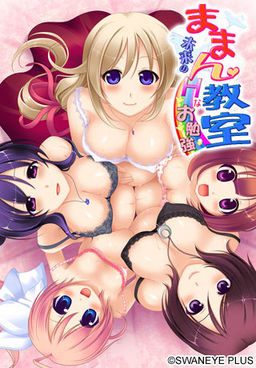
Maman Kyoushitsu

Maman Kyoushitsu

Kei is now looking for a job. He is in love with Honoka, his neighbor, but she is already married and pregnant. One day, he saves a man who gets injured in a traffic accident. The man asks Kei to visit the obstetrics and tell his message. Kei visits there, but the doctor mistakenly thinks him as a teacher of preparation lesson for pregnant mothers. The doctor says, “Do you like pregnant girls?” Kei quickly answers, “Yes, I love them!” Like this, he starts working there…. When he opens the door of the classroom on his first day at work, there are Honoka and other pregnant mothers….

235 comments

Anon HelperReply
For those of you who have the cd key problem, open the disc file (Don't just double click it, after you mount it go to your computer and right click it and select open) you extracted from the .rar files, open the japanese folder, and then proceed to open the folder on the bottom (If you have them ordered by name it should be on the bottom). Inside you should find an exe file named mmscex, drag and drop that into the folder you installed the game in (Default Path being C:Program Files (x86)SwanEyePlusままん教室~未来のHなお勉強~). Run that exe file instead of the default one, and you should be good to go!
RagnarokReply
based anon
Anon HelperReply
wut
MaJesty108Reply
Can you please make the paragraph a little more simple and little more easy to understand. I'm confuse on WTF to do next!
Ex NihiloReply
Domo arigato!
SalutxDReply
Dont work for me , with the normal .exe it ask a CD key and well there is no readme with a CD key in it unless I missed it :/
I tried to thing with changing the .exe with the one in the "CD" , changed windows regional options to japan but it just display an error message in japanese when I try to launch it.
Tried executing as admin or with XP compatibility but nothing works

someone have any idea ?
ArchReply
Would anyone be willing to explain how to add the english patch, it appears I don't know how. (It's still in it original language for me)
11/20/2014
SymReply
Did you manage to install the game and be able to play it? if you did you are only missing 2 things. make sure the patch is in the game folder. second, go to directly to the rar file of the patch, there should be a program called "patch.xp3" extract this file to the game folder as well. that should do it.
adnanReply
i have cd key problem , someone can tell me ?
KyoukotoReply
I still not sure how you guys install it , is there a video or picture to show how ?
JackuyReply
i wasnt sure either at first lol but if you downloaded the DA-free like me you can use daemon tools lite to install it but if you dont know how let me know
lSeraphReply
The mmscex.exe says that the version of this file is not compatible with the version of windows that im running. What does that mean?? how can i fix it??
(I have 64bit windows)
HentaiPOVReply
Where's the full 100% savedata. My progress is still 98% complete.
2kinkyReply
Well, I've tried every tip I've ever used, but this won't run on my Windows 8.1 system, using the mmscex. I'm sure I have this game on ONE of my PCs, so I'll keep lookling.
Admin, you are my hero. Thx.
bronze200Reply
Extracted/mounted into an external HD, and I'm not even seeing an mmscex.exe file anywhere - just mmsc.exe, and getting the same problem as the others regarding the CD key.

And figured it out after uninstalling to retry, with partial thanks to AnonHelper!
Do NOT install via Auto-run - instead, right-click the image in DT, click "Open Containing Folder", then go through the top folder, then bottom (when there's only 3 folders appearing), and you should reach "mmscex.exe" - drag and drop that to wherever you install it, and you should be set.
bronze200Reply
And my slight mistake - you should Open Containing Folder when mounting the image, not via right-click, since that directs you to the folder you unzipped to instead.
bronze200Reply
Welp, nix that - got a completely new error when attempting that particular idea, so I'm lost.
AliceInBorderlandReply
Can someone help me?
I can play this game but its all in japanese.
How can I change it into the english translation?
adminReply
uhm... put the "English patch" in?...
asuraicHermitReply
But... how?
NirtsReply
I've a problem... everything I do send me to the "scenario1" and I can't go further... anyone can help me please?
AbaieReply
I'm also experiencing the same problem. No words come out only the chat box is there. its when saera is giving birth.
AnonReply
The problem seems to be with the translation. I reinstalled the game and tried playing without installing the english patch. Started from the beginning, skipped until I reached the part where the game crashed during Saera's delivery, and this time I was able to get past that point without the game crashing. I then copy-pasted the patch, and the game so far is running fine.
DudeReply
ncbncncvn
DudeReply
I did what you told, but when I open mmscex, it appears "syntax error..." So, what should I do ?
DudebroReply
Found the solution online and i'm just copying and pasting.

1.) Install it in Japanese region settings
2.)Have the disc image on your harddrive, and only install the game onto your harddrive. What this means: No mounting the image from an external harddrive or installing the game onto a USB drive or anything like that. It tends to make the game not work.
3.) Do NOT install Mamankyoushitsu into your Programs Files. Put it somewhere else on your hd, preferably under your username in the Documents or Downloads folder. (I have it in a folder on my desktop)
4.) Once installed, don’t bother with a CD-Key or crack to bypass the security. All you need to do is get the .exe of the game’s trial version. This can be downloaded online, but Swaneye was nice enough to include it on the disc, so when you have the disc mounted, open it (right click the disc in My Computer and select Open from the drop down menu) and go to the おまけ folder and then the ままん教室!体験版 folder. Inside will be mmscex.exe. This is the trial version of the game. Copy it directly into the folder you installed the game to (so it’s in the same folder as the real maman .exe). Use mmscex.exe to run the game
5.) Only use the mmscex.exe to run the game. It should be installed properly now.

If you want to use my english patch, make sure you have the game properly installed (like described above), and have a legit version of the patch. I recommend the LoeQuality blog, but that’s because it’s me.

1.)Extract the patch files/folder from their archive directly into Mamankyoushitsu’s folder (so now you’ll have patch.xp3 and a patch folder with a lot of .ks files in it inside the Maman folder with the trial .exe, the game’s files, and everything else).
2. Delete every file inside the savedata folder before starting the game.
3. Run the game (again, using only mmscex.exe). It should be in horribad unrevised english, since revising would have delayed the patch so long.

If you encounter a problem where you only see half of any given cg in the story, you have a windows update downloaded which breaks this (and many other) Swan games. They can be safely removed, and are the KB files listed by Swaneye here, on this page:
http://www.swaneye.com/sup.html

If you ever encounter a script error when starting or playing the game, I’m going to guess you didn’t install the game like above and/or you didn’t delete the savedata files after applying the patch (which causes an error when the game detects the new english text instead of the Japanese text that should be there. This breaks the game.) The usual best bet is to delete everything and reinstall all over, from scratch, following the steps above. I apologize if this is tl;dr, but it’s the safest way of getting it all to work and stay working. I also apologize for the quality of the english patch. I didn’t intend for it to be this low, but revising it would have delayed release for ages, and I didn’t think people really cared that much about quality for a nukige release. Just note that whenever you encounter Japanese text in the game, it is not an untranslated line. What it is is that I missed typing one “;” in the script, in front of the original Japanese text (which would have prevented it from displaying), so now the Japanese line appears before the english translation of said line. I swear I didn’t do it so half-assed that I just skipped translating some lines; I just missed entering a couple script commands, which fuck up how some things are/aren’t displayed. It’s also unrevised, so most of it is in that really weird semi-literal Japanese to English translation state, rather than more coherent english. My apologies"
AbaieReply
where do you find the 'savedata' file? i cant find it i think i've got every other step. its just this last one. when i try to start the game through mmscex 3 windows come out. one blue one, one small window and one error message. how do i solve this? thanks!
adminReply
http://erogedownload.com/faq/changing-to-japanese-locale-on-windows-7/
AbaieReply
Thanks for the quick reply admin! However, i'm still facing a problem even after changing the locale to Japanese. i run on windows 7 home premium by the way. When i try to launch via doubleclick/run as admin, a single error box comes out that starts off with Japanese words then 'C:\?U?U?' and some other weird letters, then '\mmscex.exe', then ending with more japanese words. thats how the error message looks like. Any idea on how to solve this? thanks!
jdsjfidsReply
i cant save the game please help
izayaReply
can help after extract file will be mdf i dont know how to change it...can help me plss
Ero GamerReply
When I try to extract it saves as a mdf file and my computer wont play it can someone help me?
NewbieneedshelpReply
Hello im newbie here...i try to install it and it appears the installer is not in english...can someone please tell me what should i do from the very beginning to install those .mdf and .mds files..
thank you
NewbieneedshelpReply
Thanks admin, it works now. One more thing admin, if i change back my region to old one (United State), is it gonna crash the game?
robertsjryanReply
so i got the game installed and the patch is in but when i start the game i get a lube box and an error
adminReply
I assume, it's supposed to be "blue box", not lube, and the error says something among the lines of "syntax error" -> Basically, your computer is not set up to recognize Japanese characters. Refer to FAQ for instruction on how to change it ( eg. http://erogedownload.com/faq/changing-to-japanese-locale-on-windows-7/ )
AbaieReply
The game can be launched but blanks out/ no words form in the chat box when saera is giving birth. then an error box comes out that has scenario 1. i reckon its linked to the 'scenario1.ks' file in the patch. how do i go about this? thanks
TalosReply
I'm having the same problem also. Did you happen to fix the problem and find a solution?
thefoxof72Reply
i'm able to play the game but it is still in japanese. i have the japanese locale on and all the files from the patch rar on the installed game folder. is there something else to do?
AbaieReply
Could you get past saera's scene of giving birth? by the way, have you deleted the saved data files before starting the client? 3 files should be deleted first.
mzaganasReply
Can anyone tell me how to do mimeri's route?
leoReply
syntax error unexpected T symbol what know? what is that?? how to fix it???
adminReply
Change locale to Japanese.
monokromReply
ehemp can you give me litle help..i already follow that step but why this still in the japanese ??
EkundayoReply
does this site or the ErogeGames forums have any more games from the same gamemaker?
asuraicHermitReply
There's HaraPara and I think one more. I'm trying to find a copy of HaraMin, which sounds like teh best one for me.
thomasReply
Do you have any other game of swan in this site?
Troller_kunReply
are there any swan eye games here?
AngurrReply
I have only a black screen where H-scenes are supposed to happen... Any known fix for that?
onan777Reply
How can i play this on Win10?, i use to play on win7, but after update i cant play these games that needs applocate or changing to japan location

Leave a comment