English visual novel downloads

Majikoi S

Majikoi S

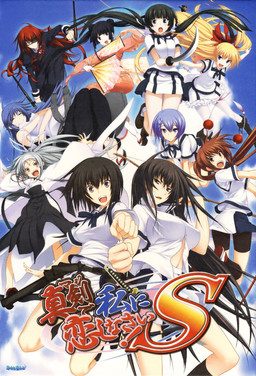
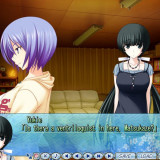
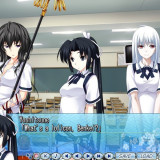
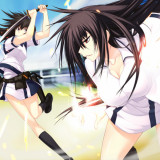
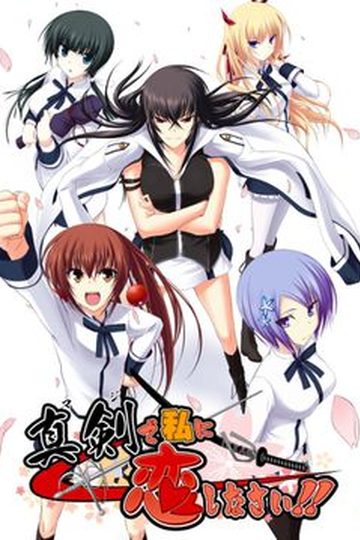
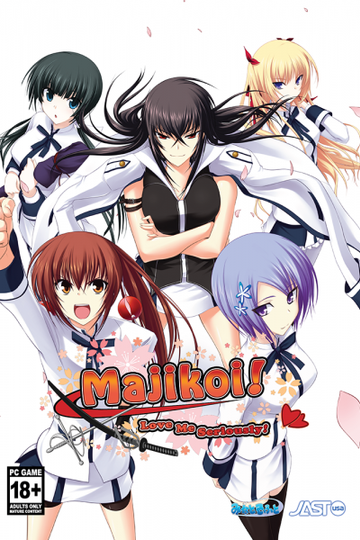
Majikoi is back and better than ever in this sequel to the hit 2009 visual novel. Majikoi S takes place after the events of Majikoi and lets you choose which of Majikoi’s many endings to proceed from. Choose your favorite heroine and enjoy new romantic events with her, or choose to start with no commitment and romance one of 5 new heroines.

375 comments

BaguetteReply
Hey+admins,+I+am+using+a+daemon+tool+to+mount+the+first+disc+from+the+33+.rar+files.+When+I+got+halfway+through+the+install,+it+asked+something+in+Japanese+involving+disc+2.+What+do+I+do?
BaguetteReply
Ok that was weird but what I meant was I was downloading the game from the first CD mounted on a daemon tool. Whilst halfway through the download, I received a message relating to disc two. What do I do here?
BaguetteReply
Actually I got through it but how do I even play the game? I've finished patching it and everything. None of the applications type files open the game.
Naou38Reply
Hi! I just changed my PC but I can't play : when I start the game, an Internet Explorer page is opening with the software support. I've installed the crack and with my previous PC, it worked.

Sorry for my bad english too^^.
Naou38Reply
I've just fixed this problem but my saves from my old pc don't work :(
whitmprorReply
how did you solv the problem?
KHANReply
Can we get an enlish pre-patched version of this in the near future, like the original Majikoi? It'd be a huge help.
Carrus-maiteReply
so where do i put the english patch once i have downloaded all the files?
wolfbreedReply
This has steadily become my favorite series even with my dislike of Yamamoto (can't like him due to the h-scenes and the fact that him raping someone is ok). Overall much like the last I give it a solid 8/10 due to the story and characters but it loses points due to the H-scenes which I end up speeding/skipping through.
MaxwellReply
I'm forget I have downloaded Majikoi! S several parts in my PC in 2015. It's time to continue downloading the last 11 parts. Glad I've found and downloaded Majikoi!! Spark, so I remember about this great VN again. Thanks admin.
DarxReply
Hi I have installed the game with patches and everything but when i start up the .exe, nothing happens. Using task manager, I see NeXAS.exe running but the application is not showing anywhere. Anyone have any idea how to solve this?
MaxwellReply
Umm... What do you mean by nothing happens? Do you have black screen or anything?
DarxReply
Nothing shows up. The game doesnt run at all, there's no error or anything. Im using Windows 10. I tried reinstalling countless times but the game just doesnt show...
MaxwellReply
Did you saw something when the game doesn't work? Like not found d3drm, or error, or something?
MaxwellReply
Maybe, it just doesn't compatible with Windows 10. If you have other Windows, maybe it will work or you can try using compatibility mode. I'm not using Windows 10 so I can't really now, that's just the probability, but it works well on Windows 8.
AeeReply
Did you ever figure out your problem I have same issue
HeWhoLikesAnalReply
I had the same problem, and while I made a comment about it, I'll also say here. Try installing a K-Lite Codec Pack. After doing that on Windows 10, S worked fine for me.
HoshoReply
Hello !
I have a problem : I installed with Daemon Tools the game, and when I want to start the app (with english patch or without), I get displayed the message "A debugger has been found running in your system. Please, unload it from memory and restart your program".
I don't know how I can get rid of that problem, can somebody help me please ? :s
MaxwellReply
From what others said, maybe it is because of your antivirus thinks the game as a thread. You can try to exclude the game from its list.
HoshoReply
Sadly, turning off my antivirus doesn't help. I tried re-installing without antivirus on, but it didn't help (and ofc tried to launch the game without antivirus, not successful either).
HoshoReply
everything is fine . AVG is the real problem. Just need to desactivate it when it's ready to be launched, and it'll run without problem
ReaperofSouls42Reply
I love the Majikoi series. These should be on everyone's list of VNs if they are getting into them. It's super funny, great story and the romance is great.


Alsoi anyone with the config.html error needs to go to

Control Panel> Clock, Language and Region> Region and Language>(A pop up will appear)Administrative and change system Local to Japanese.
InahoReply
Tks man
Amazing how can u find out that problem
1234dragonReply
I can't get the game to run either. At first I was having that debugger error message pop up, so I disabled my AVG, but now I'm getting a new error (an internal exception has occurred.....) Does anyone know how to fix this?
People were mentioning the crack in pearlier posts, does that still have to be downloaded elsewhere?
udinReply
Well.. this is for those who still had trouble to install this game properly, for those that "not so wealthy" (me included) to contribute to the gallant game dev
but still wana play this game

im an instalation noob myself, so i'l try to be as thorough as possible to follow...

1. Change to japanese locale (u can find guide at this site FAQ)
2. if not yet, download all 33 rar file here, Majikoi S English Patch here and search the web:
find MajikoiS nodvdexe crack exe elsewhere (what i take was an exe file named alsignup)
also program to extract RAR files, and Daemon tool
3. extract the rar file (u'l get MajikoiS folder with mks-1.cdi and mks-2.cdi file inside it)
4. Mount mks-1.cdi with the mounting image tool then click Run Setup.exe
5. Then an image of heroines with appear with 5 japanese written box.
Click left upper box to check your Directx readiness.
6. After that, click middle bottom box, then click bottom left button, and click yes to begin instalation
7. instalation will progresing for a while, then it'l ask for disc2.
Unmount mks-1.cdi, Mount mks-2.cdi, close its autoplay, then click ok in Disc2 window box.
8. Wait while till it finish installing BUT DONT DO CLICK ANY BOX AFTER IT FINISH!
If u want to play this game for free, this is the important step to bypass the game security.
Copy nodvdexe crack exe, go to instalation folder (to Program File >> みなとそふと >> 真剣で私に恋しなさい!S >>)
Paste it in between files (NOT inside Back Up, Movie or マニュアル folder)
Double click nodvdexe crack exe u've pasted there , you'l have a pop up.
Now its ok to click those boxes earlier and click bottom right box at the heroines image.
9. Then double click Majikoi S English Patch u've download, and install to change the game to english

hopefully this works for u
thanks as always to Admin-sama for sharings.. u da best :D
and sorry for my crappy english
RougeReply
Thank you. It works perfectly.

Thanks to the admin too ! ?
KuflargerReply
I followed all these directions, but windows will not even recognize the no DVD crack as a valid executable file. It appears there was some type of windows update that made the crack unusable and I have not found any working replacement
RogueReply
I did everything you said but the game doesn't start at all, it does nothing no error no game window nothing?
KuraisutoReply
i got error at step 6 bro, pls help, i use windows 10
BlackSunReply
is it censorship or without?
AnonReply
First off, this game is uncensored in the 'has sexual content' way, except it has mosaic censoring like 99% of 'uncensored' games,
the reason the first wasn't is because someone uncensored everything manually (And no, they're not gonna uncensor this after all this time, interest is too low)

Alright, here's an installation guide (with updated no-dvd-crack fix).
I tried to use wincdemu but I couldn't get it to work with cdi files, so you'll have to use daemon tools lite (or something else with cdi support)

1. Extract all 33 parts to a folder, this is the two disk files for installing the game to the hard drive
1A. I know this is annoying, but just as a precursor, you'll need at least 13GB free space at least to get it installed, then only 7 after you delete the cdi files.

2. Mount both the first and second disk in Daemon Tools (or alternative), mounting both at the same time will make the installation process easier, after that, run setup exe in the virtual drive

3. Top left button is for direct X installation, you may as well click it to just be sure.
The installation process may take a while, but if you mounted both disks at once it won't ask you to insert disk 2 at the halfway point.
Anyway, after it is done you can click the bottom right to close.

4. Move the installation patch exe to the game folder and run it within, alternatively you can download this and just put the two files in the game folder. https://mega.nz/#!ERkjmDzB!YKBtRJPQY2JaGLaslIZIKMga8pUoZHZs7a6s-ZaeeQo

5. !NO-DVD / Error 1200 / 1503 Fix! Now for the crack part, as I was unable to find the first crack method (alsignup) I looked into an alternative, and the tool is called AlphaRomDie, direct link is here
https://azure.kdays.cn/uploads/alpharomdie/AlphaROMdiE-Build20140214.rar

6. Move AlphaRomDie into the game folder with the majikoi executable (not the english patch executable)
6A. This type of crack is non permanent, to remove the no-dvd protection
[Drag the game executable to the alpharomdie Icon]
You will have to do that every time, I believe there is some method to create shortcuts for an easier time but I don't open the game often enough that it is that much of a problem.

Extra files for 100% save and subbed videos over on their release page

https://majitranslations.wordpress.com/2015/07/17/maji-de-watashi-ni-koi-shinasai-s-english-patch-released/
RogueReply
I did everything you said but the game doesn’t start at all, it does nothing no error no game window nothing?
smollboiReply
Thank you very much (Y)
HeWhoLikesAnalReply
If anyone is having the same problem I did. Which is the VN doesn't start-up and is stuck as a background process and refuses to become an application. Install a K-Lite Codec Pack. S worked for me after that.
tobiReply
I'm getting error that part01.rar and cd1 is broken and can't mount it
Ex_NihiloReply
It's japanese government propaganda with a sick view on teenagers sexlife. "Love is when I lick your a**hole" okay...
ArtoriasWinsReply
For anyone still getting those 1200, and 1503 errors, i coudn't really find a solution for the location i had downloaded it in, but when you click on the setup in the directory and do all that downloading stuff with the disc 1 and 2. Make sure you just let it download it the place it originally says, for me it was localDisk>program files (x86) and i was able to run it. you can just create a shortcut for wherever you want to find it easier best and then i was play. i'm not really good at explaining it but message me and ill try my best if you don't get it.
yukieishot123Reply
Why does "stab" have to be used as sex vocabulary. Why?!
dragongodReply
hey Anon i did what you said it fixed all my problems but the 1503erro now i have the alpharomdie buid thing but when i try to add it i dont have enough space it the disk is there a way to fix it or what can i delete to have the game work plus add it if anyone else knows i would apreciate it
MoviesReply
I'm having trouble with the movies. It just skips the movie part, and I can view some movies in the movies section, but not most. Does anyone have a solution to this? I tried downloading “CCCP codec pack", but it didn't solve the problem.
BubbleReply
Thank you for the upload, man. Bill Gates calling someone ,,Nii-San" is the greatest thing i ever saw.
drologicReply
ive exracting the files into a folder but when they extract its just a bunch of pages with no apps in it. when i try to start the english patch it wont let me click next. help pls
BigBoyReply
A quick heads up for some people who still can't access the game because of the game disk. First off have both disks mounted, then make sure you use Alpharomdie and go to the GAME FOLDER, not the disk 1 folder. Finding it will depend on where you placed it in your computer (mine is in local drive>>program files (x86)). Once you're at the actual game folder take the executable game file and drag it into Alpharomdie (You can click the 2nd box on the left side to make a desktop shortcut). After that it should run properly. This was my mistake and I felt horribly stupid after finding the solution.
anonReply
Was getting the 1503 error, but worked like a charm, thanks man
RedElephant765Reply
I downloaded all the parts and was able to obtain the 2 cdi files, but whenever I go to do the setup on the 1st cdi I get a config error even though I'm using locale. Is there anyway for me to fix this so I can start the download?
Eroge kingReply
Its not the cdi's fault....your daemon tool's probably outdated..... upgrade it and your good to go.
ArcanyumReply
I can't play it. when i try to start theres a message that says i have a debugger on my pc. can you help me? and i don't use AVG
wrathof54000Reply
I recently downloaded the game, but when I try to run the game, the game doesn't pop up - no application, no error message nothing. Instead, after investigating with task manager, I noticed that a background process called NeXAS (32 bit) appeared. I had seen that someone in the past had a similar problem and they downloaded a k-lite codec pack, which fixed it for them, but even after downloading the pack the game still doesn't appear for me. One thing I did notice was that when I tried to run the startup tools an error message appeared, saying something that I think roughly translated to 'the config version is different'. Any ideas? I just finished the first game and would really like to be able to play the sequel.

Leave a comment