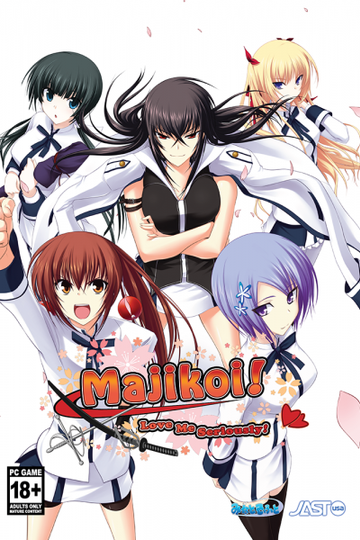
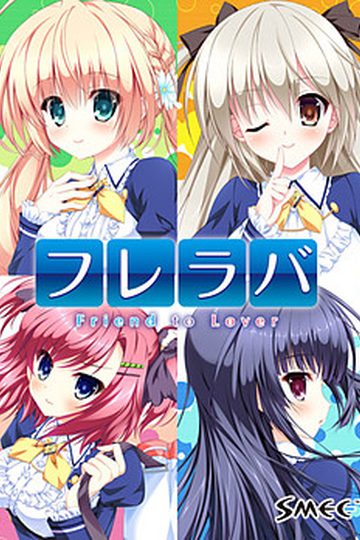
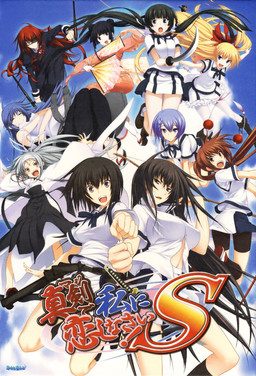
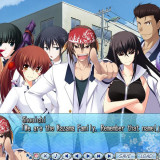
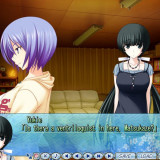
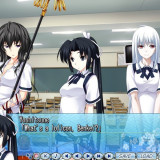
Majikoi is back and better than ever in this sequel to the hit 2009 visual novel. Majikoi S takes place after the events of Majikoi and lets you choose which of Majikoi’s many endings to proceed from. Choose your favorite heroine and enjoy new romantic events with her, or choose to start with no commitment and romance one of 5 new heroines.
Majikoi S
- MajikoiS.part01.rar - 500.0 MB
- MajikoiS.part02.rar - 500.0 MB
- MajikoiS.part03.rar - 500.0 MB
- MajikoiS.part04.rar - 500.0 MB
- MajikoiS.part05.rar - 500.0 MB
- MajikoiS.part06.rar - 500.0 MB
- MajikoiS.part07.rar - 500.0 MB
- MajikoiS.part08.rar - 500.0 MB
- MajikoiS.part09.rar - 500.0 MB
- MajikoiS.part10.rar - 500.0 MB
- MajikoiS.part11.rar - 500.0 MB
- MajikoiS.part12.rar - 500.0 MB
- MajikoiS.part13.rar - 337.0 MB



375 comments
After i finish the first game i wanted more of Shiina and Mayuzumi
Thanks!!!
NICE! Thx ms. Ivan
H-hey, should I get this or wait until I understand the original?
Either way I'll probably download and play the others, but I'd love to know ahead of time whether to play Wanko's or not.
Almost couldn't finish it.
cant wait to get another great VN
Download a Daemontools to open them then install them make sure your in japanese locale since the game will not work
@Sheron
Ur game might not be installed, if u did try to find the folder of the majikoi then install it their
i really didn't like the first game.
A god like Super-heroin who wouldn't look your way unless you became president... A sex-crazed retard jumping at you like a dog ....
found most of the scenarios to be very lame... very unconvincing...
yet it looks sooo good....
any hope for this to be better writen then the first one?
So, you get what you get.
no idea what struck you as offensiv about that question / comment.
was a serious question, serious answeres are appreciated.
'Later asshole. And no, nothing *random* about me referring to you as such, I just call it as I see it.
Sorry to inform you that your random raging doesn't bother me in anyway, head to the youtube comment section, i belive that would be more fitting for the kind of converstation you are trying to start here.
I overall enjoyed the athmosphere and art of the original but found most routes/heroines to be rather disappointing, was hopeing to hear from someone who felt the same, about the new routes.
thanks for your input.
http://azure.kdays.cn/onekeyunlock/alpharomdie-build20140214
So yeah i manage to run it perfectly, so don´t need no answer my last question, thanks anyway.
Download this : http://azure.kdays.cn/onekeyunlock/alpharomdie-build20140214
It's in japanese, when you launch the program tick the second box do not click on anything else. Drag the majikoi.exe on the program, click on the left button (confirm) twice. It will create a desktop shortcut, and the game will work.
Enjoy !
Thanks as always, admin.
That was the only way without third party programs for the game to work on my computer.
(Ya don't need other programs your computer is just confused how to access the data)
tell me pls
Either way I’ll probably download and play the others, but I’d love to know ahead of time whether to play Wanko’s or not.
probably won't add something big to her story.
Download this
https://www.dropbox.com/s/ndiavmvoffyv15q/alsignup_101029b.rar?dl=0
Put it in the VN directory, double click it, let it do it's thing, if it closes right away that's fine. Now try launching the VN again from the japanese exe, should work.
This was found in the comment of the translation website
https://majitranslations.wordpress.com/2015/07/17/maji-de-watashi-ni-koi-shinasai-s-english-patch-released/
To others whiche exe did you run?
I have this one まじこいS.exe and it look like it isnt craked
On childhood route you need to let Koyuki play with you, this unlocks her route
When choosing your position choose attack
When drinking with benkei I think you know which one to choose if you're aiming for Koyuki ;)
I find it but in japan
here http://seiya-saiga.com/game/minatosoft/majikoi_s.html
Is this just me or is this happening to someone else too?
I have enough space on my computer, but I don't see any reason why. Is it unable to open? Is it linked to the unusual font? Is there a problem of compatibility? Something complicated but in fact very simple to solve?
Thank you for your answers.
btw idk if this is important it says:
space required: 52.7MB
space available: 212.1 GB
help please!
I'll give a testicle and an eye for a single click download link.
One question, do i need to play the first game or can i understand everythink without?
Drat...
Well, thanks for the heads admin. Looks like I have to find a way around this.
And how apt, the captcha reads "never give up"
1st Either Copy both cd in to one folder or instal it using Setup.exe
2nd Instal Patch by chosing the intaled or copied folder, only then you can press the next button
3rd Play using the DirectXCheck.exe
note: If error show download the crack from Yue (I Don't need it by the way)
and here's the walktrought
http://www.gamefaqs.com/pc/644299-maji-de-watashi-ni-koi-shinasai-s/faqs/67117
I want that Benkei route dammit!!
three rows from the bottom of the CG viewer i am missing the 2nd and 3rd CG's anyone know how to get them?
10 times or so I think.
Could you help if possible please?
windows 7:
Control panel -> Clock, Language, Region -> Language and region -> Administrative -> change system locale -> japanese
windows 8:
Control panel -> Region -> Administrative -> change system locale -> japanese
Where can I get the uncensor patch?
I would really appreciate a link.
Thank you!
(I really need to enjoy the Kokoro route!!)
It's just out yet, but it's being worked on over at Fuwanovel by Helvetica Standard, which is great!
I'll just have to endure and wait for it to come out and that re-play the game. (Which is perfectly fine with me, since this game really is worth those 33 parts.)
Well, thanks for replying so quicky!
Have a nice day.
Generally, I think you're referring to pixelated genitalia in h-scenes - I'll try to include information about those with new uploads and add appropriate tags retroactively.
Can't understand anything...
https://www.dropbox.com/s/ndiavmvoffyv15q/alsignup_101029b.rar?dl=0
Put it in the VN directory, double click it, let it do it’s thing, if it closes right away that’s fine. Now try launching the VN again from the japanese exe, should work.
Worked for me!
it's 1503 error..... dunno
What to do....
and I can't find a AlphaROMdie
When I use it to start up I get an error sends me to Alpharomdie website as well. If you install without applocale it's impossible because the moment you do a config error pops up and it closes.
I ran it for both times with a custom directory doesn't work for me maybe windows is messed up?
The English installer also will not uninstall from control panel only when you run it with applocale.
Oh well... back to playing the first game.
[some japanese letters.pac] and the installation cancels. my system is set to japanese locale
Got 666 on my part 30 Captcha.
gg
http://imgur.com/oiZqmqV
Right click the files and mount them to a drive, then extract them to a folder.
Download that alsignup thing mentioned somewhere in the above comments, drop that and the english patch into the folder you extracted the files to, use the english patch, then use the alsignup thing.
Post the error/issue you're having here and me, or some other user will help you.
If this doesn't work, I tried copying and replacing the contents of both ISO CDS in my installation folder before doing this BUT it didn't fix the problem. BUT it might me a step in doing so. Hope this helps some of you!
2. Open DirectX Folder in Majikoi's Folder
3. There is a directx's installer there, install that before you click the setup.exe
hope my answer can help you :'))
p.s i downloaded the game before the full english came out, someone said that it will work with it.
Is there a no-CD crack or something? Or did I miss a step in instalation?
By the way thanks for uploading
I'm gonna try and get download the game from a different source, as it's possible this one is corrupted.
I just download and installed (using power ISO) the game but it won't start.
No error massage no nothing. In windows task manager - processes there is a " S" but that it is. Each time I try again the game, another " S" shows up but nothing else
I did install Direct X, Try without the English patch . My windows 7 location is set to Jap and I had had never this problem before with VN.
I tried alphaRom but it ony say "\SETTEC\AlphaDiscL Jap letters Alsign.sig Jap letters" and nothing happens
Please help as I don't know what else to try
but when i try to play, it give me error 1503 w/ some of japanese word which i don't understand ==
How to solve that?
thanks for help
sorry i can't be much help
and when i finished a route, the ending credit doesnt appear.
anybody having the same problem ?
P.S. Sry for my bad english :p
How can i fix it? I already have set japanese locale.
How o i fix it? I can't play...
I didn't download the game from this page, so i don't know if it has the crack, but you can easily find it on the internet, to secure that you don't encounter any other problem install the update 2 and 3 of the game, you can also find that with a little bit of searching
ps: sorry if my english is bad.
Time to continue Momoyo's route, ehehe.
I was wondering if any of you guys know if this was the last or if there will be a extra one
Is this meant to be censored or did i do something wrong?
I've to understand if this is just a "plus" with more characters and route or a continuation of the old story, becayse i'm downloading the old one.
Sorry for my bad english too^^.
I have a problem : I installed with Daemon Tools the game, and when I want to start the app (with english patch or without), I get displayed the message "A debugger has been found running in your system. Please, unload it from memory and restart your program".
I don't know how I can get rid of that problem, can somebody help me please ? :s
Alsoi anyone with the config.html error needs to go to
Control Panel> Clock, Language and Region> Region and Language>(A pop up will appear)Administrative and change system Local to Japanese.
Amazing how can u find out that problem
People were mentioning the crack in pearlier posts, does that still have to be downloaded elsewhere?
but still wana play this game
im an instalation noob myself, so i'l try to be as thorough as possible to follow...
1. Change to japanese locale (u can find guide at this site FAQ)
2. if not yet, download all 33 rar file here, Majikoi S English Patch here and search the web:
find MajikoiS nodvdexe crack exe elsewhere (what i take was an exe file named alsignup)
also program to extract RAR files, and Daemon tool
3. extract the rar file (u'l get MajikoiS folder with mks-1.cdi and mks-2.cdi file inside it)
4. Mount mks-1.cdi with the mounting image tool then click Run Setup.exe
5. Then an image of heroines with appear with 5 japanese written box.
Click left upper box to check your Directx readiness.
6. After that, click middle bottom box, then click bottom left button, and click yes to begin instalation
7. instalation will progresing for a while, then it'l ask for disc2.
Unmount mks-1.cdi, Mount mks-2.cdi, close its autoplay, then click ok in Disc2 window box.
8. Wait while till it finish installing BUT DONT DO CLICK ANY BOX AFTER IT FINISH!
If u want to play this game for free, this is the important step to bypass the game security.
Copy nodvdexe crack exe, go to instalation folder (to Program File >> みなとそふと >> 真剣で私に恋しなさい!S >>)
Paste it in between files (NOT inside Back Up, Movie or マニュアル folder)
Double click nodvdexe crack exe u've pasted there , you'l have a pop up.
Now its ok to click those boxes earlier and click bottom right box at the heroines image.
9. Then double click Majikoi S English Patch u've download, and install to change the game to english
hopefully this works for u
thanks as always to Admin-sama for sharings.. u da best :D
and sorry for my crappy english
Thanks to the admin too ! ?
the reason the first wasn't is because someone uncensored everything manually (And no, they're not gonna uncensor this after all this time, interest is too low)
Alright, here's an installation guide (with updated no-dvd-crack fix).
I tried to use wincdemu but I couldn't get it to work with cdi files, so you'll have to use daemon tools lite (or something else with cdi support)
1. Extract all 33 parts to a folder, this is the two disk files for installing the game to the hard drive
1A. I know this is annoying, but just as a precursor, you'll need at least 13GB free space at least to get it installed, then only 7 after you delete the cdi files.
2. Mount both the first and second disk in Daemon Tools (or alternative), mounting both at the same time will make the installation process easier, after that, run setup exe in the virtual drive
3. Top left button is for direct X installation, you may as well click it to just be sure.
The installation process may take a while, but if you mounted both disks at once it won't ask you to insert disk 2 at the halfway point.
Anyway, after it is done you can click the bottom right to close.
4. Move the installation patch exe to the game folder and run it within, alternatively you can download this and just put the two files in the game folder. https://mega.nz/#!ERkjmDzB!YKBtRJPQY2JaGLaslIZIKMga8pUoZHZs7a6s-ZaeeQo
5. !NO-DVD / Error 1200 / 1503 Fix! Now for the crack part, as I was unable to find the first crack method (alsignup) I looked into an alternative, and the tool is called AlphaRomDie, direct link is here
https://azure.kdays.cn/uploads/alpharomdie/AlphaROMdiE-Build20140214.rar
6. Move AlphaRomDie into the game folder with the majikoi executable (not the english patch executable)
6A. This type of crack is non permanent, to remove the no-dvd protection
[Drag the game executable to the alpharomdie Icon]
You will have to do that every time, I believe there is some method to create shortcuts for an easier time but I don't open the game often enough that it is that much of a problem.
Extra files for 100% save and subbed videos over on their release page
https://majitranslations.wordpress.com/2015/07/17/maji-de-watashi-ni-koi-shinasai-s-english-patch-released/
1-Download all parts of the game and English patch.
2-Extract all parts of the game but DO NOT extract the English patch.
3-Open the folder that appeared when you extracted the parts of the game. There will be two files there: MKS-1. CDI and MKS-2. CDI.
4-Open the daemon tools and mount the MKS-1 file. Once assembled, double-click the mounted file.
5-run the setup. exe file.
6-in the middle of the installation will ask for Disk 2. Minimize the window. Dismount the MKS-1 from where he was and mount the MKS-2. CDI in the same place where he was assembling the MKS-1.
7-Go back to the window that had minimized before and click OK.
8-When finished installing, run the English patch. exe in the same folder where the image discs were installed, should appear the right part automatically, just press next. If not, it will be on the hard disk somewhere in the program Files (x86).
9-When finished search and download the Alpharomdie program and install it on the Internet. You'll have an alpharomdie. exe file. Put it in the same Majikoi-s folder on your hard drive.
10-Drag the game launcher. EXE to the Alpharomdie. exe to open.
11-should work. Enjoy and thank you for reading.
have you already found out a solution?
you need to install "Local Emulator and run the setup with that!
help.
Same problem
"C:\Program Files (x86)\みなとそふと\真剣で私に恋しなさい!S\AlphaROMdiE.exe" "C:\Program Files (x86)\みなとそふと\真剣で私に恋しなさい!S\まじこいS.exe"
Only first Majikoi game is uncensored, as it got official English release, other games in series retain mosaics, as they are fantranslations.
Despite having successfully downloaded the game, I am unable to play it. I use a windows 10 Dell laptop. No matter how many times i click on the majikoi s.exe icon, NOTHING happens: no errors, no game screen, no change in display resolution - ABSOLUTELY NOTHING happens (as if i never clicked on the icon at all!). I tried changing my system locale to japanese and even used a japanese locale emulator - to NO avail. I even tried turning my antivirus OFF and running the application - NOTHING happened. I also rebooted my computer, tried to run the application in windows 7 and 8 compatibility modes - NOTHING happened.
I only have 3 ".exe" files and NOTHING happens regardless of what i click on and the number of times i click it: -
MajikoiS.exe
Setup.exe
Config.exe
The rest are ".pac" files....