
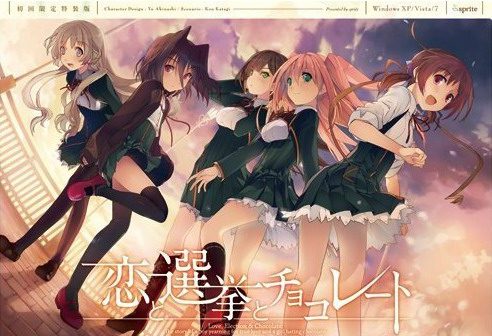
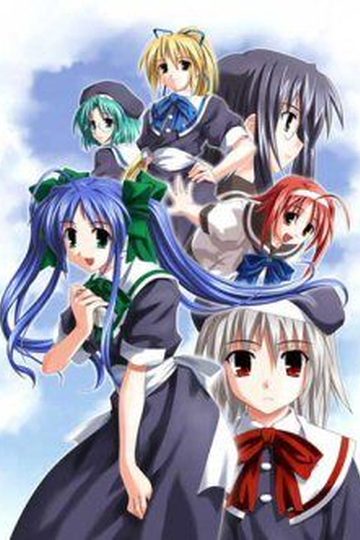
Yuuki, who wants to fall in love, and Chisato, who doesn’t like chocolates. They are lifelong friends and students of the same school. They both belong to the food club with Mifuyu, their classmate. Actually, they don’t do anything everyday, just enjoying chatting… But one day, Satsuki, president candidate of the student council, promises to close the clubs that do nothing. To stop it, they decide to run against her… But who will they send out..? Yes, Yuuki is forced to run for the election… To save the club, he will just need to be the next president!
Koi to Senkyo to Chocolate
- Koichoco.part01.rar - 200.0 MB
- Koichoco.part02.rar - 200.0 MB
- Koichoco.part03.rar - 200.0 MB
- Koichoco.part04.rar - 200.0 MB
- Koichoco.part05.rar - 200.0 MB
- Koichoco.part06.rar - 200.0 MB
- Koichoco.part07.rar - 200.0 MB
- Koichoco.part08.rar - 200.0 MB
- Koichoco.part09.rar - 200.0 MB
- Koichoco.part10.rar - 200.0 MB
- Koichoco.part11.rar - 200.0 MB
- Koichoco.part12.rar - 200.0 MB
- Koichoco.part13.rar - 200.0 MB
- Koichoco.part14.rar - 200.0 MB
- Koichoco.part15.rar - 200.0 MB
- Koichoco.part16.rar - 200.0 MB
- Koichoco.part17.rar - 162.9 MB
- Koichoco_English_Patch_1.0.exe - 33.1 MB











447 comments
1. Extract rar file into C:/Program Files (86x)
2. Run the start.exe application BEFORE you install the English patch
3. Click yes when it asks you about DVD
4. Paste the code Q6ZL-HRH8-PZJF-Q2RE, then click the highlighted button
5. close the game
6. Run the english patch
7. Done, just don't use that start application everytime you want to launch the VN
This is all done assuming you already have Japanese locale set
That before I installed the patch.
It shows the same thing.
The Black window and the text.
Am I doing something wrong?
I installed the patch, I changed the location to japan, I downloaded the amulator.
What am I supposed to do?
Also I can't the files on C:/Program Files (86x)
This is on Windows 10 and I tried all the stuff you guys suggested.
Helpu??
"恋と選挙とチョコレート.exe" gives me an error to install Shockwave player, what I did anyway.
I've given up I haven't found anything that works for me. I simply can't run the start.exe no matter which order I install it or folder I put it in. Neither my antivirus or applocale seem to have anything to do with it.
Do I need another program or something to be able to input that code? I got Locale Emulator just in case but still no dice.
I have no idea how to fix it so it'll run every time though...
/V/ answered it. I'll just put it here.
"the TL group fucked up and included the censored version of that in the normal patch."
"is that the only error in regards to censorship?"
"Yeah thats the only one. It happened for me and I still got H-scenes and stuff. It's not really a big deal."
1 Data error: Koichoco/KSC-VOICE.cct
KSC-VOICE.cct is not a Director File
1. Extract rar file anywear desktop recommended
2. Run the start.exe application BEFORE!! you install the English patch
3. Click yes when it asks you about DVD
4. Paste the code Q6ZL-HRH8-PZJF-Q2RE, then click the highlighted button
5. close the game
6. Run the english patch and when it finishes dont run it just finish it
7. and Done, just go and use that start application everytime you want to launch the VN not the icon one with the japanese leters
next to it if you do you will have to start from the beginig and delete the folder
also This is all done assuming you already have Japanese locale set
I'm pretty sure people can get around this issue, I just can't seem to. Any ideas?
Here is what I did to get it finnaly to work:
Go to control panel > Region and language > Admin > Unicode settings > Set it to japanese > Restart computer
After this I was finnaly able to make it work . Hope it helps you as well and have fun reading ;)
I was moved.... this game is good! I want to have their bgm, but I could not find it in Google. Does anyone know how to get their bgm?
I managed to get it working after renaming start.exe by koichoco.exe. Now my new problem is the infamous black screen after the intro... If someone can upload a save right after the video, it would be much appreciated.
Thanks
So for Windows 10 users who have problems for playing, here are the steps i follow:
1) Put the system in Japanese locale when restart
2) Extract the game in folder Program Files (x86)/Sprite/Koichoco
3) Rename start.exe by Koichoco.exe
4) Remove KSC-LICENSE.dat in the Config folder. Launch Koichoco.exe and write the code Q6ZL-HRH8-PZJF-Q2RE for the dvd
5) Install the english patch.
6) Now the game start properly in my case. If you see the black screen after the opening, follow my tip above.
Hope it helps.
the+start.exe+is+not+running,+i+open+the+applocale,+search+the+start.exe+file+opening,+and...nothing+pls+help
.
.Is it just me or is the download server so slow...
I mean my Pc's average download speed is 100kbps But everytime
I'm downloading from this server the download speed goes down
to 30-50 kbps.....
- Running on Windows 10 x64bit
- Set [Region and Language] to local Japan, added Japanese language, then Restarted computer
- Extracted the 17 .rar files using 7-Zip
- Tried running start.exe as Administrator and nothing happened
- Tried running start.exe in compatibility mode as Admin and nothing happened
- Tried renaming start.exe to Koichoco.exe [as suggested] and repeated above two steps, nothing happened
Not sure what to do at this point, any help appreciated
What proceeds in this situation?
Windows 10 64bit has a few places to "Set to local Japan" I had already done 1 and 2 but 3 had me stumped for a while and when I made that change a number of games started working for me
[1]
* Hit [Start] and start typing "Region & Language Settings", select that when it pops up and make sure your under [Region & Language] on the side bar
* Under [Country or region] there is a drop down, select [Japan]
* Restart computer
[2]
* Hit [Start] and start typing "Region & Language Settings", select that when it pops up and make sure your under [Region & Language] on the side bar
* Under Languages click the grey [+] button next to "Add a language", scroll until you see "Japanese" and install
* Restart computer
[3]
* Hit [Start] and start typing "Run" to open the Run command prompt and paste "Control international" without the quotes and press Enter
* Go to [Administrative] Tab and click on [Change system locale...], from the dropdown select [Japanese (Japan)], hit [OK]
* Restart computer