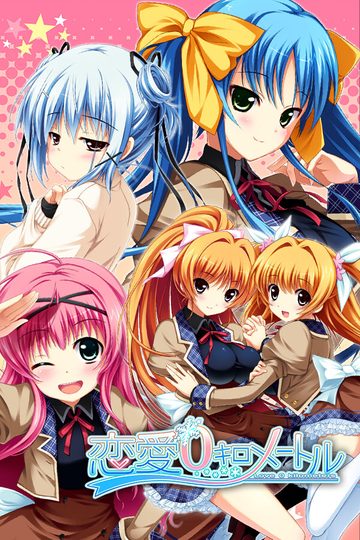
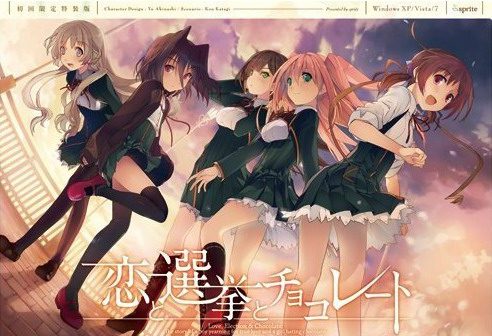
Yuuki, who wants to fall in love, and Chisato, who doesn’t like chocolates. They are lifelong friends and students of the same school. They both belong to the food club with Mifuyu, their classmate. Actually, they don’t do anything everyday, just enjoying chatting… But one day, Satsuki, president candidate of the student council, promises to close the clubs that do nothing. To stop it, they decide to run against her… But who will they send out..? Yes, Yuuki is forced to run for the election… To save the club, he will just need to be the next president!
Koi to Senkyo to Chocolate
- Koichoco.part01.rar - 200.0 MB
- Koichoco.part02.rar - 200.0 MB
- Koichoco.part03.rar - 200.0 MB
- Koichoco.part04.rar - 200.0 MB
- Koichoco.part05.rar - 200.0 MB
- Koichoco.part06.rar - 200.0 MB
- Koichoco.part07.rar - 200.0 MB
- Koichoco.part08.rar - 200.0 MB
- Koichoco.part09.rar - 200.0 MB
- Koichoco.part10.rar - 200.0 MB
- Koichoco.part11.rar - 200.0 MB
- Koichoco.part12.rar - 200.0 MB
- Koichoco.part13.rar - 200.0 MB
- Koichoco.part14.rar - 200.0 MB
- Koichoco.part15.rar - 200.0 MB
- Koichoco.part16.rar - 200.0 MB
- Koichoco.part17.rar - 162.9 MB
- Koichoco_English_Patch_1.0.exe - 33.1 MB





447 comments
>use english patch on folder
>start.exe or any exe
>ask for DVD (damn i knew no mount was too good to be true)
so uh no crack yet? or am i suppose to download something to mount so there is a "DVD".
Might be stupid questions, sorry and thanks.
-tried all compatibility
-tried different directory
-tried replace start.exe with one before eng patch
-tried to play without eng patch, still ask for DVD
only thing left to do now is find PC iso to mount.
gonna download it later XD
But you bet I'll enjoy every second of it.
Thanks again!
sick game, somewhat a piece of art, but sick.
did you upload it beforehand?
thanks
Thanks for fast upload.
Anyway, the safe version of the patch is also available at the TL's website if you're interested on that one
I'm running windows 10 x64 build 10240 and my local is set to Japanese.
I get an error saying: "Please insert the Koichoco DVD in the DVD-ROM drive"
How can i fix that? Thanks!!!
http://i.imgur.com/RcvCHjt.png
This only happened in the first time.
1. set locale to Japanese
2. Unrar
3. Patch
4. Overwrite start.exe with the old one in rar
5. Open start.exe, if a window show up with textbox and buttons, click the button bellow textbox
6. Enjoy ur time ;)
thanks!
Thank you and now waiting for Mahoutsukai no Yoru~
-my comp already set to Japanese locale
-tried running "start.exe" as admin
-overwritten "start.exe" after english patching, as mentioned above
-Tried running on compatibility mode
OS is Win 7, so I don't know if that could be a problem. Don't know if my problem has to do with directory either, since I tried it on the C Drive and it still didn't work. I would be grateful for any help.
If you guys happen to find a solution please post it.
did you do anything od did it vanish from itself?
I set to japan locate, i ran the patch, overwritten the start.exe for the one in the rar
the thing is: no window is opened when i run the star.exe
does anyone know the way around this?
Works on Windows 10.
Thanks a lot friend!
I followed all VNLover's steps. I'm in Japanese locale, I unzipped the game, ran the patch and then replaced the post patch start.exe with the old one. I'm running Windows 8, and tried running the game in compatibility mode for windows 7 and XP. No luck so far. Anyone have any ideas?
I'd been waiting for this ever since the anime came out, though I only ever watched the first episode. Seeing as I don't like watching promotional anime (it's usually incomplete, often innacurate).
Thanks as always, based admin.
Reading this will be very confusing for people who don't understand any japanese.. I mean these guys are translating stuff like "he didn't say anything" to "he told me everything." How elementary can these mistakes be?
this link below:
http://i63.tinypic.com/2ahtk7r.jpg
after that i could start the game without problem (first time starting came the textbox i was searching^^)
Should be noted that I also moved the folder to Program Files (x86) as another person here suggested so I don't know whether or not that was necessary but your suggestion certainly did the trick in my case. I'm using Windows 8.
Oh, and of course, changed to jap locale. Maybe it's a windows 10 thing?
Unfortunately for me, that's not possible to to atm.
I use virtual machines for testing of my uploads, so that I can wipe the system clean for every new game with one click of a button, to make sure previous installations don't interfere with process, as well as to determine eventual components (codecs, DirectX, locale...) that might be needed to run the game successfully.
Applying or not applying the patch, it shows the "insert dvd" dialogue, followed by something saying the game will shut down. Very sad.
I've tried placing it in program files, different drives, different hard drives altogether, and nothing.
Just tested again on Win7 x64 and it runs without problems. During first run, it prompts you with this dialog box - just click first button. Game runs without problems.
any ideas?
2. Install the game
3. Run the patch
4. Now there will be most likely an erroe saying that you have to put in a disk
>close the window and start with "star.exe" and not with the applicant which has an image(this solved it for me)
Apparently, the one problem I had was actually trying to put the damn thing on C:. At least that's what I did different right now and it seems to be working. When placed on C:, no matter what, I'd get the \insert dvd\ screen, and yes, I was running start.exe, even with admin rights.
Sorry for so many comments, Admin. Thanks again, both for the upload and for the help!
If it's still not working turn off your antivirus, Plus it could also be that you didn't put on japanese locale.
Basic Installation:
1) Extract everything into a folder.
2) Keep a backup of the start.exe file.
3) Apply the patch.
4) Replace the start.exe file with the one you backed up (or the one in the winrar you downloaded).
5) Run the game with the start.exe file. When it asks for a DVD, simply select "yes"*. It then asks for serial key. Click the top option of the two. Game should run then.
*When you select yes for the DVD check, it should then asks for your serial key. If the game instead asks you again for a DVD check whenever you select yes, check the suggestions below for potential solutions.
Things to try if you cannot get pass the DVD check in step 5:
. Move the folder somewhere else (Program Files (x86) worked for me and at least one other person.)
. Disable your antivirus software before running start.exe (this step got me pass the DVD check).
. App Locale, Admin's Access and Compatibility Mode.
No matter how many times I click 'Yes' the text box doesn't go away, and if I click 'No' the game immediately shuts down. I tried to look for a virtual CD image in the game folder, but found none. Usually I have no trouble at all when it comes to visual novels, but I'm a bit stumped now.
I have a Windows 7 x64 operating system, if that has anything to do with it. Maybe I need to run it in some sort of Compatibility Mode...? Any assistance would be greatly appreciated. Thanks in advance.
In an earlier post you said that you ripped this from an iso and saved about 600MB while letting us install it code and disc free. I was wondering if you could put a DA-Free game download 2 up that had that was the complete ISO. I am another of the windows 7 x64 users that this wont work for and none of the other suggested solutions have worked so far so I was hoping that either there was one thing critical for 7 x64 that was missed in your upload or that I could at least mount the complete ISO every time I start it as a slightly more annoying solution. Either way I very much appreciate all your work on this site.
I really can't get the game to start.
I'm using windows 10 x64 and have been following all the steps.
Extract to a map, replace the start.exe after the patch, JP location, turn avast off, move to program files (x86) and compatibility mode but the game simply does not start.
when I try to open start.exe it just stops. it doesn't open anything, just a loading circle for 2 seconds and that's it.
Any ideas I could try?
considering you posted here, that means it is fully translated?
sorry for my english, thanks for your support for those who cant read japanese
Basically, if you did them and it didn't work, then it's some specific software you have in your machine. So it's hard to identify what it can be for each of us.
I moved it over to a windows 10 laptop and it just worked fine, it didn't work on the 7 x64 even with the same steps.
Probably the best way to save some headaches is doing what admin did for testing, make a vm and run it there.
TLDR; delete the internet shortcut.
The weird thing is I tried to do the same thing on my desktop but it didn't work. I'm confused as to why this happens. Well, my desktop is Windows 7. I'm not sure if that is supposed to make a difference.
Anyone have any idea why it won't work?
http://i.imgur.com/9i1ns1J.png
I can't address it if I don't even know what its trying to tell me. Can't even get to this "insert dvd" part that everybody seems to be having trouble with.
and the texts only use half the text box, any long text will just be showned half, and it's really frustrating
anyone know how to fix this?
And I have no problem running it at all.
I put the game into C:\Games
I run start.exe without administrator permission
No problem at all.
I used panda antivirus, and I didn't turn it off.
I suggest you guys download "CodecTweakTool" and use it to repair / manage your video codecs and audio codecs.
I experienced a lot of problem with games in the past because my ogg files was configured to use LAV Filters, while Windows can play ogg files by itself just fine. And the video games want that too.
I've been having problems trying to run the game, similar to many before me. I even tried running the game without the patch but I get the "Please insert DVD" prompt and pressing 'Yes' does nothing but bring it back up, while pressing 'No' closes the game. I've changed my region to Japan and I'm running it as admin.
I was wondering if anyone has figured out what could be the problem?
Thanks for any responses. I really want to play this game.
using -windows 10 home x64
first time i played (fullscreen) i could not leave the save menu and save file didnt work
had to exit the game with the windoows tab
second time (fullscreen) i could not exit as well
thirt time (windowed) i could leave it and play furhter
fourth time (fullscreen) no problems so far
have to continue observing that \buglike\ thing
the savefile did work
but the load menu did bug as well
how the hell am i supposed to finish the game if i cant rely on saveing the game
1.change locale to jap and antivirus turn off
2.extract rar
3.apply patch
4. copy back the start.exe from rar
5.already run it in admin mode and compability mode.
still not working
I don't see run.exe(or start.exe) just the regular 恋と選挙とチョコレート file.
-Try deleting the “config” folder. That made it work for me.
It’ll ask for a serial, but you can just leave it blank.
Also- Apparently, going through the actual SystemSaveData and slashing out the
KSC-Data Read got me in after doing what Anon did,
which is removing the Config folder, so if you experience the problem I recommend you
do the same.Also, the first option under the serial code is the one you need to click.
-This is for anyone who are having problems getting the insert DVD error.
First move your folder to Program Files (x86), than run the patch. Once you do that click on
run.exe not 恋と選挙とチョコレート.exe
-Disable your antivirus software before running start.exe
-delete the internet shortcut.
-hmm, I don’t know how how this worked for me but for whatever reason I have to drag the dvd
check window off the koichoco.exe window then press OK for it to work. I have been able to replicate
it multiple times, granted it did take me a few times in between each success.
using -windows 10 home x64
If it’s still not working turn off your antivirus, Plus it could also be that you didn’t put on japanese locale."
I have done all of this, and followed the various suggestions on here. I'm on Windows 7 x64. When I click "yes" on the insert dvd window it just keeps coming back. I would really appreciate it if you could upload the iso, Admin.
Second... I've tried to install the game on a W7 x64 bits VM and nothing, I've followed all the suggestions (Delete the config folder, move the game folder to C:Program Files(x86) before the patch, replace the new start.exe for the previous one, execute everything with administrative rights and even delete the internet shortcut) but the game keep asking for the dvd even if i select yes... for a hundred times.
Anyway... what i had to do was install a new W8 VM and follow the exact same method, this time... on my last try (replacing the start.exe) when it prompted asking for the dvd i select yes and voila it worked! i don't know why, i don't know how! but meh, anyway that "solve" my problem so thanks again!.
This problem has happened for weeks already.
Please help. Thanks
I am using Windows 7 x64. If you can help me, thank you in advance.
2. Install the game
3. Run the patch
4. Now there will be most likely an erroe saying that you have to put in a disk
>close the window and start with "star.exe" and not with the applicant which has an image(this solved it for me)
>set your locale to Japan(if not done yet)
-Tried your basic steps
-deleted config folder
-moved from d: to c:
-my locale is on Japanese
-used original "start.exe" and the one that's with patch
-deleted internet shortcut
-disabled antivirus
-moved the popup insert dvd outside of window then clicked yes and still nothing
-Ran in administrator mode
That's all I can remember off the top of my head, but I've literally done everything besides upgrade to windows 10 and try it
1. Extract the files
2. Install the game
3. Run the patch
4. Now there will be most likely an erroe saying that you have to put in a disk
>close the window and start with "star.exe" and not with the applicant which has an image(this solved it for me)
>You have to set your locale to Japan!!!
I'll just have to change the system locale everytime I run the VN
(can't set it on jap locale coz of reasons)
I don't know what was wrong. It seems like an odd bug.
It's happily working now!
Select the first option and play.
What a worthless release when 9/10s of people can't even run it.
Did he blame the admin? No. He blamed the game that is not working and he blamed the release.
Was that justified?
IDK, but after how long it took for the patch to be finished, then going through all the trouble downloading and installing it, just to find that it doesn't work for you, no matter what you try, that's incredibly frustrating.
You are basically at the goal but you can't make it.
I really don't get why so many of you are so defensive, when the admin isn't at all. No one needs you and your cohorts to fight for them, you are being way more of a dick than the people complaining.
I cloudn't get the game to run on my windows 10 Laptop, so i installed it on my PC using windows 7/or Vista, not quiet sure, not the point. Anyways installing it on the other PC i noticed, that the patch created more files and folders than on my laptop. I'm using Avast on both computers (maybe its not updated on the older one), so i'm not sure if it's the Antivirus that's blocking the files or something else, since i got it to run on the older PC i'm not looking into it, but if you have trouble maybe try turning of your antivirus while applying the patch.
regards.
use that..thats my applocale shortcut for hoshizora just enter the Chocolate path inside the " " and make sure to add "/L0411"..if it doesn't work than just change your locale to japan...IM BAD AT ENGLISH
Thanks again!
Thus i sugest you to roll script.cct back to the previous version..by find it on other place,such torenting...and dont do update..
The downside is there are some bug exist..but its should not disturb your play experience,you shoud not worry
i install the game use the start.exe and give the serial code
i playing it normaly but even though i already finish chisato route i still cant access Extra
anyone has the same problem??
and how to fix it?
Is this an all ages version of the game or something?
Is there something that hasn't been said in previous comments that has solved this for anyone? I've never had this much trouble trying to install a VN before.
i dont even got the "insert disc" message you guys talking about, it just do nothing..
can someone helps me? i really want to play this game
use applocate on start.exe
When u see the CD required thing click yes atleast 3 times and if u see it again still click no
Then use applocate again on start.exe
repeat the yes until it the program basicly say fuk it and lets you play
cause when I open it it appears everythhing in japanese... help
(sorry for my bad english).
Not all routes were great, one was rather poor (special trained assassins and spies in a normal school setting...come on...) but the last i played was absolutly great (Mifuyu). I find these games often get boring after the confession/getting together, they add some forced drama after that but its usually not very interessting. The Mifuyu-Route was the first i played after quite some time which didn't drop in quality on the way and had a very relateable drama-component which added tension to the game.
Very nice game, Thank you for the upload!
Remember you're all locked to Chisato on the first playthrough since that is the 'true' story so to say. You're able to choose another heroine after you complete your first playthrough on your next runs.
Some pretty deep feels on all the story-lines to be honest..Michiru one made me shed some tears.
A gem. <3
so to start it up, do i just open the '恋と選挙とチョコレート' file? cause if so... i have, and it comes up with a pop up box with question marks, and when i click 'ok' leads me to download adobe shockwave player when i already have it? am i installing it wrong?
Or is there something within the download I just can't find?
And as long as it works with a format, whether you use winrar or 7zip or any similar program shouldn't matter in any way.
After I patched, a window of the game popped, but a message of "please insert the koichoco dvd" appeared, and if a try to tap yes, it just reload, if a tap no, the window are force-closed. How do I fix it?
1. A fresh install by deleting extracted game files and not the rars. after that go to control panel and uninstall english patch there
2. Extract the rars again then follow usual procedures by running patch with admin and finding and applying it to where the folder of where the game is located
3. After you applied before you click "Finish" make sure that you delete the "Config" folder if it is empty
4. Then delete the backup folder then click "Finish"
5. If it asks you to "insert dvd" or anything similiar to this then just press ok
6. If a text box pops up asking for some type of serial code just click the the button right under it and the game should start
If this helps anybody, I was following these instructions with my region in japanese.
Tutorials :
Windows XP - http://erogedownload.com/faq/installing-japanese-support-for-windows-xp/
Windows 7 - http://erogedownload.com/faq/changing-to-japanese-locale-on-windows-7/
Vista - http://erogedownload.com/faq/installing-japanese-support-for-windows-vista/
well that's how my game work ^^
"NSIS Error Error"
"Error launching installer"
I do not know what to do... have windows 8.1
Did I miss something or is there a missing file ? I tried on my two hard drives and before/after ibstalling the english patch (and yes I have set my local setting on Japan).
Please answer.
Fast answer would be appreciated.
I must have deleted it too.
So that means I have to redownload the Patch right?
Yeah I know 's a stupid question..
For your problem I think you need to install the game again.
Of course I might be wrong.
running start.exe
putting the serial:Q6ZL-HRH8-PZJF-Q2RE
only use start.exe for playing the game not the other exe
Nothing at all can get this game to work on my computer.
Anysolution?
I turned off my antivirus
I located my computer on Japan
But still I can't start the game
First I wanted to point out that in the folder it doesn't write ''start.exe'' but ''start''
I reall ywant to play this game and I'm trying really hard.
Anyone can help me?
1. Extract rar file into C:/Program Files (86x)
2. Run the start.exe application BEFORE you install the English patch
3. Click yes when it asks you about DVD
4. Paste the code Q6ZL-HRH8-PZJF-Q2RE, then click the highlighted button
5. close the game
6. Run the english patch
7. Done, just don't use that start application everytime you want to launch the VN
This is all done assuming you already have Japanese locale set
That before I installed the patch.
It shows the same thing.
The Black window and the text.
Am I doing something wrong?
I installed the patch, I changed the location to japan, I downloaded the amulator.
What am I supposed to do?
Also I can't the files on C:/Program Files (86x)
This is on Windows 10 and I tried all the stuff you guys suggested.
Helpu??
"恋と選挙とチョコレート.exe" gives me an error to install Shockwave player, what I did anyway.
I've given up I haven't found anything that works for me. I simply can't run the start.exe no matter which order I install it or folder I put it in. Neither my antivirus or applocale seem to have anything to do with it.
Do I need another program or something to be able to input that code? I got Locale Emulator just in case but still no dice.
I have no idea how to fix it so it'll run every time though...
/V/ answered it. I'll just put it here.
"the TL group fucked up and included the censored version of that in the normal patch."
"is that the only error in regards to censorship?"
"Yeah thats the only one. It happened for me and I still got H-scenes and stuff. It's not really a big deal."
1 Data error: Koichoco/KSC-VOICE.cct
KSC-VOICE.cct is not a Director File
1. Extract rar file anywear desktop recommended
2. Run the start.exe application BEFORE!! you install the English patch
3. Click yes when it asks you about DVD
4. Paste the code Q6ZL-HRH8-PZJF-Q2RE, then click the highlighted button
5. close the game
6. Run the english patch and when it finishes dont run it just finish it
7. and Done, just go and use that start application everytime you want to launch the VN not the icon one with the japanese leters
next to it if you do you will have to start from the beginig and delete the folder
also This is all done assuming you already have Japanese locale set
I'm pretty sure people can get around this issue, I just can't seem to. Any ideas?
Here is what I did to get it finnaly to work:
Go to control panel > Region and language > Admin > Unicode settings > Set it to japanese > Restart computer
After this I was finnaly able to make it work . Hope it helps you as well and have fun reading ;)
I was moved.... this game is good! I want to have their bgm, but I could not find it in Google. Does anyone know how to get their bgm?
I managed to get it working after renaming start.exe by koichoco.exe. Now my new problem is the infamous black screen after the intro... If someone can upload a save right after the video, it would be much appreciated.
Thanks
So for Windows 10 users who have problems for playing, here are the steps i follow:
1) Put the system in Japanese locale when restart
2) Extract the game in folder Program Files (x86)/Sprite/Koichoco
3) Rename start.exe by Koichoco.exe
4) Remove KSC-LICENSE.dat in the Config folder. Launch Koichoco.exe and write the code Q6ZL-HRH8-PZJF-Q2RE for the dvd
5) Install the english patch.
6) Now the game start properly in my case. If you see the black screen after the opening, follow my tip above.
Hope it helps.
the+start.exe+is+not+running,+i+open+the+applocale,+search+the+start.exe+file+opening,+and...nothing+pls+help
.
.Is it just me or is the download server so slow...
I mean my Pc's average download speed is 100kbps But everytime
I'm downloading from this server the download speed goes down
to 30-50 kbps.....
- Running on Windows 10 x64bit
- Set [Region and Language] to local Japan, added Japanese language, then Restarted computer
- Extracted the 17 .rar files using 7-Zip
- Tried running start.exe as Administrator and nothing happened
- Tried running start.exe in compatibility mode as Admin and nothing happened
- Tried renaming start.exe to Koichoco.exe [as suggested] and repeated above two steps, nothing happened
Not sure what to do at this point, any help appreciated
What proceeds in this situation?
Windows 10 64bit has a few places to "Set to local Japan" I had already done 1 and 2 but 3 had me stumped for a while and when I made that change a number of games started working for me
[1]
* Hit [Start] and start typing "Region & Language Settings", select that when it pops up and make sure your under [Region & Language] on the side bar
* Under [Country or region] there is a drop down, select [Japan]
* Restart computer
[2]
* Hit [Start] and start typing "Region & Language Settings", select that when it pops up and make sure your under [Region & Language] on the side bar
* Under Languages click the grey [+] button next to "Add a language", scroll until you see "Japanese" and install
* Restart computer
[3]
* Hit [Start] and start typing "Run" to open the Run command prompt and paste "Control international" without the quotes and press Enter
* Go to [Administrative] Tab and click on [Change system locale...], from the dropdown select [Japanese (Japan)], hit [OK]
* Restart computer
ヌミ・冐ヌミノ`ノ睨Rノ蠻[ノgヌミ・冐ヌミノ`ノ睨Rノ蠻[ノg.exeヌ吝ゥヌャヌゥヌヒヌ局ヌメナB鍼・ヌオヌ局ンナB.
(like me), here's what I did:
I found a useful app called "Locale Emulator" (google it). Basically, you ran a jap lang games by right-clicking the usual .exe file and then select "Locale Emulator" then "Run in Japanese". I play most VNs using this method and it works wonder. FYI, I don't use AppLocale. (My PC runs Win7 Utimate 32bit)
1. Install the game like usual
2. Copy "start.exe" inside "No DVD Patch" to the game's installation folder.
3. Install translation patch to the game's folder
4. Change system locale to Japanese under "Region and Language" setting, then restart the PC
5. Run "start.exe" using "Locale Emulator" method; when it asks for serial code, copy and paste the code mentioned in this page, confirm, and then voila, the game plays.
(note: if these steps don't work for you, try installing the translation patch AFTER you insert the serial code)
In my case before I tried this method, I tried to play using "Locale Emulator" WITHOUT changing the region, because, like I said above, most VNs I have can be played using this emulator, even untranslated VNs. I don't know why, but it seems that this particular game have to be played by changing your region first and then use the emulator.
Hope my method can help you.
The writing isn't bad, but it anything isn't special. The relatively unique art is nice.
However, you are forced into the Chisato route first no matter what you do, and Chisato is a horrendously irritating character especially considering the MCs meekness when dealing with her bullshit. It just kills my enthusiasm right out the gates.
Not only that, but the game cooks up and hints at weird shadowy drama that it never actually fleshes out.
Finally, the absolute worst part of the game that completely ruins any enjoyment I could have gotten out of it... HAZUKI DOESN'T HAVE A ROUTE! WHAT THE FUCK? I mean seriously, why. She's heavily involved in multiple routes, they spend a lot of time together and they have history. Why in the fuck does she not have a route?
Bravo, you raised my hopes and dashed them quite expertly, game. 0/10 DIAF
Finnaly got the game to work after following the instructions with locale emulator, but after a hard save (I don't like quicksaves very much, sorry. Bad experiences with other games... ) the game crashes. this is what happened:
1. Selected the slot and saved in 1
2. Now, game didn't let me return to the game itself. No right clicking or button or anything changed that. I was stuck in the save file screen.
3. Deleted the saved game and tried saving again. And now you can't save at all, anywhere at all.
4. After a bit more of clicking and changing saving slots to see if anything worked, still not saved, then the game just commited CTD.
I haven't tried the quicksaves, surely they work, going to try them now if I can get the game running again. My system is windows 7, by the way. Just wanted to point out this bug and to see if anyone can tell me if it can be fixed.
Thanks, and have a nice game.
The game works fine, and quicksaves/loads work fine. Tried hard saving again, saved in slot 1 and this time, the back button appeared, so yay to that. But the button disappeared after clicking on it, leaving me again trapped in the save screen, so fuck to that. Had to close the game (before it CDT), start again and fortunatelly the hard save was ok. Well, it's really a matter of doing all that work to save your game, or just make a quicksave and problem solved. Sorry for the bothersome post, had to point out this little bug.
And sorry if you find any grammar misspelling, please don't gun me dow. It's quite hard to type with a cat or two in your lap that refuse to go...
YUUUUUKI!
YOU CAN'T GET AWAY FROM ME YUUUKI! WE'LL ALWAYS BE TOGETHER YUUUKI!
DON'T INTERACT WITH ANYONE ELSE UNDER ANY CIRCUMSTANCES YUUUUUUKI! LOOK ONLY AT ME!
I MAY BE DESTROYING YOUR RELATIONSHIPS WITH EVERYONE, RUINING YOUR SELF IMAGE, AND CAUSING EVERYTHING YOU WANT TO DO TO FAIL BUT IT'S JUST BECAUSE I WANT YOU TO HAVE NO OTHER OPTION BUT TO BE WITH ME YUUUUUUKI!
The only problem is that Chisato isn't part of a hilarious show. And she's significantly more annoying. And significantly less interesting. And extremely stupid compared to Yuno's twisted and sinister cunning. She is really good at manipulating stupid nerds into doing her bidding by virtue of being a grill tho. That's something I guess.
The+prejudice+issues+that+it+discusses+reveal+the+other+characters+to+just+be+awful,+terrible+people+in+every+possible+way+and+in+the+following+routes+I+couldn't+get+that+impression+of+them+out+of+my+mind.+
-spoilers-
Even+Kiba+Mifuyu,+the+kind+elder+sister,+is+revealed+to+be+a+disgusting+self-serving+bigot.+Chisato,+Miifuyu,+the+monkeys,+and+others+all+treat+Aomi+Isara+horribly,+completely+disregard+the+prejudice+issues+for+their+own+benefit.+They+abandon+the+club,+their+friends,+and+their+goals+with+very+little+provocation+over+slight+disagreements.+They+only+care+about+themselves+even+though+they+were+supposed+to+be+fighting+together+for+the+club.+It+makes+it+even+more+obvious+how+terrible+they+are+as+people+when+they+push+all+the+blame+onto+Yuuki,+blaming+him+for+all+their+problems,+and+insisting+that+he's+the+one+causing+the+club+and+their+friendships+to+collapse.+This+completely+disregards+the+fact+that+he's+the+only+one+standing+up+for+what+is+right+and+legitimately+trying+to+help+others+when+they+only+care+about+themselves.+Not+to+mention,+they+forced+him+into+being+the+candidate,+and+pressed+all+responsibility+and+decision+making+onto+to+him.+They+act+as+if+its+somehow+none+of+their+concern,+they+take+no+responsibility+for+their+actions,+and+continue+being+disgusting,+selfish+bigots+who+disregard+everyone+else's+feelings+for+their+own+personal+satisfaction.+Even+Hazuki+refuses+to+step+in+to+correct+how+awful+these+people+are+acting+towards+someone+who+is+working+his+ass+of+for+him+as+well+as+their+supposed+friends.+This+kind+of+personal+betrayal,+bigotry,+and+abandonment+of+friends+disgusted+and+unsettled+me+far+more+than+many+significantly+worse+VNs+which+were+written+specifically+to+be+disturbing.+
-spoilers-
I+believe+that+this+VN+has+broken+me.+It+presents+itself+with+colorful,+cheerful+characters+and+story.+However,+each+successive+route+makes+me+hate+it+more+and+more,+and+makes+me+feel+worse+and+worse.+Starting+with+the+forced+Chisato+route+that+has+many+of+its+own+problems+only+magnified+how+awful+Isara's+route+portrayed+everyone+else+because+I+was+hoping+to+escape+Chisato's+insanity+by+pairing+up+with+the+other+girls.+Now+the+only+enjoyment+I+derive+from+this+VN+is+the+moment+in+each+route+when+Chisato+is+completely+broken.+That+moment+when+she+realizes+all+her+hopes+and+dreams+have+been+crushed+and+that+she+will+be+miserable+and+alone+for+the+rest+of+her+life.+Her+suffering+eases+my+own,+however+slightly.
The prejudice issues that it discusses reveal the other characters to just be awful, terrible people in every possible way and in the following routes I couldn’t get that impression of them out of my mind.
-spoilers-
Even Kiba Mifuyu, the kind elder sister, is revealed to be a disgusting self-serving bigot. Chisato, Miifuyu, the monkeys, and others all treat Aomi Isara horribly, completely disregard the prejudice issues for their own benefit. They abandon the club, their friends, and their goals with very little provocation over slight disagreements. They only care about themselves even though they were supposed to be fighting together for the club.
It makes it even more obvious how terrible they are as people when they push all the blame onto Yuuki, blaming him for all their problems, and insisting that he’s the one causing the club and their friendships to collapse. This completely disregards the fact that he’s the only one standing up for what is right and legitimately trying to help others when they only care about themselves. Not to mention, they forced him into being the candidate, and pressed all responsibility and decision making onto to him. They act as if its somehow none of their concern, they take no responsibility for their actions, and continue being disgusting, selfish bigots who disregard everyone else’s feelings for their own personal satisfaction.
Even Hazuki refuses to step in to correct how awful these people are acting towards someone who is working his ass of for them as well as their supposed friends. This kind of personal betrayal, bigotry, and abandonment of friends disgusted and unsettled me far more than many significantly worse VNs which were written specifically to be disturbing.
-spoilers-
I believe that this VN has broken me. It presents itself with colorful, cheerful characters and story. However, each successive route makes me hate it more and more, and makes me feel worse and worse. Starting with the forced Chisato route that has many of its own problems only magnified how awful Isara’s route portrayed everyone else because I was hoping to escape Chisato’s insanity by pairing up with the other girls. Now the only enjoyment I derive from this VN is the moment in each route when Chisato is completely broken. That moment when she realizes all her hopes and dreams have been crushed and that she will be miserable and alone for the rest of her life. Her suffering eases my own, however slightly.
It just didn't end up bothering me because of how good Satsuki's route was. Chisato's nonsense really helped highlight just how much better Satsuki was as a character, and since Hazuki was already a great character the interaction and growth between the two of them was very heartwarming. It also helped that the election actually mattered unlike some of the other routes.
Also the sisters are sexy as fuck. Seriously.
Isara's route was good too. Isara's character wasn't super interesting, but her brothers were awesome, and the drama surrounding the election and the real achievements they obtained made the route itself very satisfying.
Mifuyu's route was just kind of... dull. Seeing the Chisato/Yuuki relationship from a slightly different angle was interesting and possibly handled better than Chisato's route just because there was real emotion involved. The route itself just wasn't particularly gripping.
The reason why I though Mifuyu's angle on the thing was more interesting was because of how it directly impacted the relationships between them, and the others as well as how emotionally impactful certain scenes were. I won't say that Chisato's route was stupid, but the character was really irritating up until she got her way and remained irritating in all the other routes. Even when she got her emotional payoff and everything turned out happy ever after, it didn't really feel like an achievement.
That's because throughout the entire common route every character, all the dialogue, and the game itself are insisting that Yuuki and Chisato and meant to be together and that it's going to happen anyway. There's no real question about it, no conflict, and everyone cheerfully accepts it when it does happen. Sure, warm happy love is nice but for a story there needs to be some form of conflict to keep it interesting. Finally getting over your brother who died over a decade ago and/or deciding to eat a symbolic piece of chocolate after being a whiny bitch is not conflict or particularly emotional.
The reason why Isara, Mifuyu, Michiru, and to a lesser extent Satsuki had more emotional scenes and meaningful endings was because they had to get through some serious shit to successfully maintain their relationship and/or meet their goals. Chisato had a free pass and just had to stop being a coward about it.
Satsuki had less conflict, but also dealt with relationships between characters more. Yeah, the election drama wasn't a huge deal because in the end it was beneficial to have the "bad" stuff happen but ironing out the relationship with her sister and family was handled well.
The real unique route was Michiru's because it dealt with all sorts of things that the other routes didn't even remotely hint at. It was also the only one with a truly different election result. Most of the other routes had similar election results just with the focus policy or final position swapped around a bit.
I would argue that Michiru's route feels more like a "true" route or "canon" route than Chisato's, even though her route is focused on as the core of the game. It deals with far more topics, has more interesting and self-contained conflicts, and even rounds out the story for a lot of other characters who would have remained a mystery outside of her route. I guess how much you like that route kind of depends on how much you like Michiru though, since she's one of those divisive character types.
If I had to choose a favorite route it would definitely be Satsuki's. Partially because the two sisters are great characters (also sexy as fuck) and partially because it has a good story arc and development without the addition of "unnecessary" drama. Some of the situations in other routes felt kind of forced just for the sake of added conflict, but Satsuki's route didn't feel like that.
The next choice would be either Michiru's or Isara's, leaning toward Michiru's because they have actual challenges to surpass and goals to reach which make good use of the election backdrop contrary to Chisato's route and Mifuyu's route where the election is completely irrelevant in every way.
In the end, I'm not entirely certain the game knew whether it wanted to focus on romance or story so it has some strange, disjointed writing that didn't always match up internally. That's one of the reasons why I thought Satsuki's route was superior, because it strikes a good balance. However, Michiru's route shows that they were absolutely capable of writing good story and drama so it makes me wonder why Chisato's route, the main route, was flubbed so hard. Maybe her story would have been more interesting if the character wasn't a complete turn-off that made me not give a shit about her circumstances at all. I mean come on, she actively interferes with basically everything in the VN... including interacting with other characters which is one of the core components of a VN.
I see what you're saying about Michiru's route, but saying that it's possibly more canon than Chisato's route rubbed me the wrong way. Although I agree with most of your points concerning Chisato's route, I was still very sympathetic towards her. Replaying Chisato's ending after finishing all the routes in the VN... it's extremely satisfying. More so than when I finished it the first time. She's a good girl and gets fleshed out more in the other routes. I guess you could say some loose ends got tied up.
Anyway, I agree with you re: Isara's route, Mifuyu's route, Satsuki's route, most of Michiru's route... I guess I just felt more connected to Chisato by the end. I don't know who I like more, her or Satsuki.
Thanks for the opportunity to vent, Lucas, and I apologize for the disorganized thoughts. haha
Sincere apologies for not having a better idea
2. Extract the file
3. Click the file 'start'
4. Enjoy.
Enjoy your new game!
I have attempted and researched both methods to try to open this game with the english patch
BTW YES I HAVE SET MY LOCALE TO JAPAN
I tried the one with start.exe before english patch; that mothershit doesn't engage the code input so i can put in the code. Every time i press yes; IT DOES THE SAME SHIT!!
When i do the other method; it is when i install the english patch, tells me to "please insert the game into dvd drive" like come the freak on I pressed yes so many times and it still wont let me do shit!
GOD PLEASE SOMEONE GIVE ME A LEGITIMATE SOLUTION!!
game asking for a dvd everytime using the start.exe
make sure you first have the english patch runned.
i hope this helps someone, have fun
Locale is jap, non-unicode programs is jap. I've run tons of these with this setup, but there's something going wrong with this one.
I'm a beginner in the world of VN. I like this anime and I want to try with this one. I have a mac, so anyone knows is those files works in mac? or knows from a page which have VN for mac?
Thank you so much.
I can't get this one to work though..:(
http://erogedownload.com/faq/changing-to-japanese-locale-on-windows-7/
Satsuki = Isara > Chisato > Michiru > Mifuyu
you dont need to change the systemsettigns to japan...
theres a programm called "applocale" get it install it via cmd (you need to install it as admin, only way to do so is via cmd... dont worry the programm is from windows its save) then start applocale and choose the "start" file in the gamefolder
now it will start without problems .. there will be a screen popping up with some things you can click .. click the clickable thing at the top
then the game starts without problems
So I downloaded all 17 parts and the English patch but when I try to install the English patch, it won't let me? Apparently the folder that I want it to go in doesn't have "Koi to Senkyo to Chocolate"?
Any advice? Thanks.
1. Extract the folder to wherever you want it to go after downloading all the parts.
2. Install the English patch to wherever you extracted the game folder in step one BUT don't launch the game after it's patched. Just uncheck the boxes and close the patcher.
3. Run the start.exe in the game folder. When the prompt to insert DVD appears, click Yes. A box will pop up in Japanese. There should be a space where you can click to type in some letters/numbers. Don't type in anything. Below it are 2 options. Click on the top option and the game will start.
*Note: After I confirmed that it works after starting a new game, I exited the game. My desktop turned black and I couldn't access anything. I had to restart by pressing Ctrl+Alt+Delete. Once restarted, I tried to start game again by clicking on start.exe. Prompt to insert DVD appears again but after clicking Yes, game starts normally without the Japanese box appearing. Exiting works fine.
4. OR just restart your computer after patching it to English and clicking on start.exe then Yes when the prompt appears to start the game.
Hope I helped out some of you. Enjoy!
I always have my locale set to Japanese because I play a lot of visual novels but this is the first time I've had so much trouble getting one to work
I finally got it to work by using a locale emulator that I found on pooi.moe, and right clicking on the start exe and choosing "run in Japanese" only then did I get the prompt for the authentication code after saying yes once on the insert disk message.
I hope this helps someone who is having the same problem as I was
[1]
* Hit [Start] and start typing "Region & Language Settings", select that when it pops up and make sure your under [Region & Language] on the side bar
* Under [Country or region] there is a drop down, select [Japan]
* Restart computer
[2]
* Hit [Start] and start typing "Region & Language Settings", select that when it pops up and make sure your under [Region & Language] on the side bar
* Under Languages click the grey [+] button next to "Add a language", scroll until you see "Japanese" and install
* Restart computer
[3]
* Hit [Start] and start typing "Run" to open the Run command prompt and paste "Control international" without the quotes and press Enter
* Go to [Administrative] Tab and click on [Change system locale...], from the dropdown select [Japanese (Japan)], hit [OK]
* Restart computer
I'm still getting the endless [Please insert the Koichoco DVD in the DVD-ROM drive] message.
So I have Windows 10, I have changed my region to Japan in Region & Language Setting, added the language Japan in the languages, changed my system local to Japanese(Japan). I have used Locale Emulator and applocale methods as well to no avail.
It is worth mentioning that I have been able to get it to run 3 times so far, but it seems to be completely random when it want to run and move past this message.
So my start.exe is Koichoco now. Every time I go to play I delete a letter. So Koichoc then koicho then koich.... you get the idea.
Well that did it to say the least -_-
Thank you.
---------------------------
Director Player Error
---------------------------
Unable to open file "C:\Users\Nikaragua\Downloads\Koiii.tyyo.Senkyooo.to.Chocolate\Koichoco\Koichoco\KSC-MAIN.dcr" because it is already open with write permission by another user.
---------------------------
OK
---------------------------
Don't bring SJW crap like "prejudice" in mangas, it will ruin every eroge or game for you.
what makes you love the other girls that much more."
-lostmynic-
Glad i am not the only one who felt that way.
mentioned in this comment section.
-Install the game patch 1.01 to the folder you extracted the game into
-open the backup folder
-copy the contents in the backup folder (SCN folder and some .cct AKA Everything in the backup folder)
-paste into the folder with the game and patch
-when prompted select to replace everything
-extract the koichocohook.exe and its extension into the game folder
-run koichocoHook
-use the pin ( Q6ZL-HRH8-PZJF-Q2RE ) and press the top button
The game should work now! (you may need to reinstall the english patch). Hope I helped.
https://drive.google.com/file/d/0B8JmuBZ7hC7wUlhUNW5MUFkyMjg
Does anyone know how I can fix that?
I posted for nothing :3
I'm running Windows 10. First I downloaded the .rar files (a total of four of 500mb each, all the extant game files still up for downloading are probably the same by 2019, but ymmv). Extracted them using 7zip. So far so good. Double clicking on start.exe did nothing. Trying to use the icon with Japanese characters resulted in a string of errors. Just a bunch of ???????????????? on all .exe options. Deleted everything and started over.
Changed the region and language to Japanese. Tried opening start.exe again.This time I got a strange bunch of Japanese characters and a 'g.exe' error. Did more hunting and got a locale emulator. Used it on start.exe and......"Please insert DVD" FFFFFFFFFFFFFFFFFFFFFFUUUUUUUUUUUU!!!!!!! This error went on to infinity.
Did more hunting and changed the Unicode options in the Advanced/Admin Language tabs in Settings. Still no good. Downloaded the "Koichoco Hook" (an .exe and .dll combo, Ctl+F it to find it in this thread), extracted them into the Koichoco file directory...............
SWEET VICTORY IS MINE!!!!!
Thanks admin! This game is fire. Chisato is demented but I love her anyway. Satsuki is best girl, and I'm super pissed Hazuki gets no route. Enjoy, my fellow degenerates!
1-Download it all(17 parts)
2-Download the 1.1 ENG patch(google it)
3-Download the Hook(look down at the comments)
4-Extract it all
5-Install the patch and extract the hook in the game folder
6-Change the OS language to Japanese(don't reinitialize the PC)
7- Enjoy
it says:
"Unable to load movie playlist. Does the .INI file exist? It must contain a section '[Movies]' with an entry 'Movie01=Pathname.dir'. "
"This projector is stopping. "
"Application Error. This application cannot run."
1. Download all 17 game files from here, if you don't have them on your PC already.
2. Extract the Koichoco folder to a SHORT directory and don't rename it, in my case it was D:\Games. There is a limit to path length, and the game won't work if it's too long!
3. Google Koichoco 1.1. ENG patch and download it from the wordpress of the translation group. Install it and select your Koichoco folder during installation.
4. Open windows settings and click the region and language settings tab. Click the column "Region" on the left and select Japan. Click the column "Language" directly under the region column, click the grey cross and add the Japanese language pack. You don't need voice output or text recognition, just the pack. Wait for it to install. Once done, close the settings window.
5. Hit windows key and R to get into the run command prompt. Type in "Control International" (without the quote marks of course) and hit Enter. Go to the "Administrative" tab at the top and click on "Change system locale". Click Japan, hit OK and restart the computer when asked to.
6. Almost there. After restarting open your Koichoco folder, right-click start.exe, click run as administrator. The game will load a bit and then give you a Japanese text box. Enter a CD-key into the box (eg. Q6ZL-HRH8-PZJF-Q2RE). Klick the upper confirmation box directly below it, the highlighted one.
Done! Works like a charm for me. Hope that helps! BTW Satsumi best girl.
so for my case start.exe seems to disappear after it gets extracted and in some cases it doesn't show up at all. First you may wanna keep trying to extract it until it shows up then keep opening it , make sure to not stop like u will keep having an error because all the files aren't extracted yet but after the exe closes due to the error make sure u launch it again ( i think this avoids the start.exe to disappear). Wait until you get all the files extracted then while its still open go delete the licence at the "config" folder (there should only be 1 thing to delete there so i doubt you'll get confused). then after that copy paste the serial number "Q6ZL-HRH8-PZJF-Q2RE" then paste it once u open it again because the game will ask for it.
take note that this is after i set the locale system to Japanese, this may also take a lot of do overs because start.exe sometimes wont show up , the main thing u need to avoid is for it to disappear.
ALSO THIS MAYBE ONE OF THE REASONS WHY IT WORKED BUT BEFORE I EXTRACTED THE FILE I RENAMED THE FILE"start.exe" to "koi.exe" i dont think it matters what name u put but i did that because when i renamed "恋と選挙とチョコレート.exe" (the exe that gives u the dvd error) to "start.exe" it vanished right away lol (same case for renaming "uninst.exe" to "start.exe" make sure u rename it at the RARfile and not at the folder ur putting it once it shows up. i think if u did all of this at once u will have a a great chance of launching it. it works like a charm for me so i hope this helps y'all and sorry for being confusing cause the way i solved my problem is really mess
so for my case start.exe seems to show up in a middle of extraction and disappears after all the files gets extracted and in some cases it doesn't show up at all. First you may wanna keep trying to extract it until it shows.then if u saw start.exe u must keep launching it even tho all files are not yet extracted , make sure to not stop like u will keep having an error because all the files aren't extracted yet but after the exe closes due to the error make sure u launch it again (i think this avoids the start.exe to disappear). Wait until you get all the files extracted then while start.exe is still open go delete the licence at the "config" folder (there should only be 1 thing to delete there so i doubt you'll get confused). then after that copy paste the serial number "Q6ZL-HRH8-PZJF-Q2RE" so later you can paste it because the game will ask for it.
take note that this is after i set the locale system to Japanese, this may also take a lot of do overs because start.exe sometimes wont show up , the main thing u need to avoid is for it to disappear.
ALSO THIS MAYBE ONE OF THE REASONS WHY IT WORKED BUT BEFORE I EXTRACTED THE FILE I RENAMED THE FILE"start.exe" to "koi.exe" i dont think it matters what name u put in, but i did that because when i renamed "恋と選挙とチョコレート.exe" (the exe that gives u the dvd error) to "start.exe" it vanished right away lol (same case for renaming "uninst.exe" to "start.exe") make sure u rename it at the RARfile and not rename it while extraction is occuring.(I DONT THINK THIS DOES ANYTHING BUT IM GONNA TELL U IN FULL CONTEXT OF WHAT I DID COS IM NOT REALLY SURE WHAT CAUSED IT TO WORK BUT IM MORE LEANING TO THE FACT THAT I KEPT LAUNCHING IT DURING EXTRACTION BECASE IT HAD NO TIME TO DISAPPEAR SINCE I KEPT DOING IT) i think if u did all of this at once u will have a a great chance of launching it.
THIS IS NOT A PERMANENT FIX YOU'LL HAVE TO DELETE EVERYTHING AND DO THE TRICK AGAIN BECAUSE START.EXE WILL GO AWAY.i think what i did here is open it before it goes away which makes no sense how i am still able to play it( but hey it works). so keep the rar file and make sure you put your savedata on a different path(before u delete everything) so u can return it later and not lose ur progress. Also u can add ur save data once ur on the menu of the game.It works like a charm for me so i hope this helps y'all and sorry for being confusing cause the way i solved my problem is really messy.
HERE IS A BETTER EXPLANATION
MAKE SURE YOU COPY THE SERIAL AND DELETE LISCENSE SO ALL U HAVE TO DO IS LAUNCH START.EXE( if start.exe Doesnt show up just keep extracting it and try it at different paths)
- Adds some CGs from the console port
- No longer locked into Chisato's route for the first playthrough
- Removes forced autoplay for certain parts of the game