English visual novel downloads

Kingdom

Kingdom

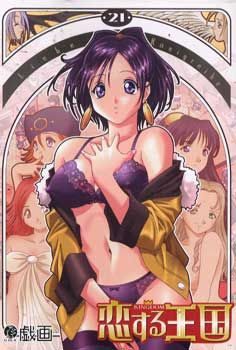
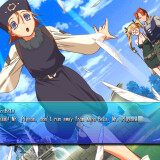
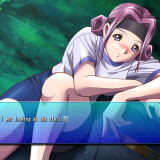
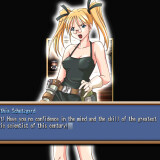
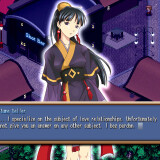
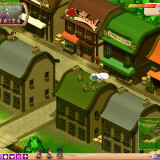
In a mythical age, a young man seeks to become an adult. He leaves his farm home to face the frontiers of the kingdom. He comes to a town where one can seek any apprenticeship freely. This is so one can find his own purpose in life, and perhaps his own lover as well. Jobs include: border guard, educator, various magical schools, fisher, and more. With each job there appears to be a respective woman in the same profession to charm. Will the hero be able to find and woo the girl of his choice in time for the town’s festival?

161 comments

ZannaReply
Oh also does anybody have a walkthrough? I can't find one in the game files like some people have said.
ZannaReply
Ok, I managed to find a walkthrough for the game. However the walkthrough mentions taking some of your dates to the hot springs.......does anybody know how to do this? I don't have an option to do it nor do i even know where the hot springs are.
Takai153Reply
Where did you find a walkthrough?
Akihiko FuyuzukiReply
can you tell me where can i find the walkthrought of this game plzzz send it to mee
adminReply
Walkthrough link added to post, as requested. Sorry it took so long guys.
wesleyReply
never mind that i found out how to get it working XDD
donovanReply
when i try to play the game the window opens but it says: visual and some weird symbols.
what can i do??? help please n thanks
ShawnReply
You probably need to mount the Disc on then play, because says CD on there. I had that problem too.
Akihiko FuyuzukiReply
can any one tell me the key word in typing in the Google so i can find the walk through of this game or can any one send me the url in finding a good walk through of this game becouse i have no idea how to play this game
chobits13Reply
Guy The Walkthrough is above the comment area on this page
adminReply
I just've added it veruy recently. When he was asking there weren't one.
SardanReply
fun game was playing it earlyer got the house lady as the girl. It keeps going affter that when dose the game end...?
applemaniaReply
Guys i found a super weird Problem

Basically the game is working.

First of all i install my Kingdom to C:
It appears that "the Kingdom" installed in "GIGA" folder

2nd i dump everything to change it to english.

and copy and replace the inside "omake" to the game directory

3rd WHen i try to run the game from "GIGA" folder,
the game always forced to closed every time i try to new game.

The funny thing is if i run the "Kingdom" from my original Kingdom folder (not from copy and replace). The game works well

Can anyone tell me the reason? sorry for the bad english
ZorkerReply
i got a problem, i mounted the iso with d-tools but when i try to install it i got a error message. But when i run the fame from the engpatch folder it works and it's translated, the poin is how i can apply the patch to avoid the crashes glithces of the game?
ZorkerReply
also i can't put the game on windoe mode T.T
New guyReply
If you refer at the update I mentioned, follow the steps mentioned in the first link.
Because it´s an update, it will put your game in japanese, only use it to bypass the crahline, next save, quit the game and repach with the english patch so tou can continue the game in english.
Adimus12Reply
Download and install applocale... it works i tried it when i was introduced to Rio *it always crashed before*
You CAN install it in win7 64x since that's the OS i own, you need to run the .msi you download with command prompt while running it in admin.
Adimus12Reply
For those that want to play in window mode and have windows 7...
1. Right click on the desktop and select "Screen resolution"
2. Click on "Advanced settings"
3. Select the "Monitor" tab and change the colors to "High color (16 bit)"

I do not know if playing in windowed mode will increase the likelihood of crashes, in any case if it does crash try playing that part in full screen.
crimsinReply
any one have a 100 complete save please yes I have played the game I just dont have enough time the way my schedule is to get the last few girls
gargoylReply
I downloaded all 3 files but the iso wasn't included in any of them.
Sinigamix13Reply
Its not supposed to have one. You just unzip it, find a cracked exe for it at gamecopy world and intall the patch shown above
Sinigamix13Reply
Unless, of course, it uses some ither type of image file.
AlterReply
Is there a way to play this in window mode with Win XP?
AlterReply
Oh nevermind. I saw the option for it.
aproposReply
some reason i can't change to windowed mode, keeps popping up a message (in japanese) and then i have to cancel the changes, is there a workaround for this?
RockyReply
How can i install this game and 1.06 patch?
I mean there is more options to choose .
RyoichiReply
i can't run it in window mode. my desktop is already in high color mode. how to fix it. ?
NephilimReply
Ok, I am having a totally different problem than any of the ones I've read here. I've already downloaded the files, unzipped them, mounted with daemon tools and installed. The problem is, every time I go to run the program my screen goes black. I can get out by using alt+tab and/or close the program with ctrl+alt+delete, but for some reason the visuals for the program will not show up. I hear the opening movie playing just fine however.

At first I thought I didn't have the codecs for the video, but when I went to the installed folder (C:/Gigi/Kingdom) I could play the video file for the opening movie just fine... Video, sound everything. I'm very confused as I've never had any problems with any other game on this site. In reading the comments looking to see if this problem was already addressed, I saw someone mention getting a cracked exe file from gamecopyworld? This has never been a requirement with any other file I've found here. Is this correct or just a mistaken person posting invalid information?
NephilimReply
Sorry about the double post but, two things I forgot.

1. Directory correction: The file is in C:Giga/Kingdom not gigi... so it's not a matter of a directory error.

2. Someone mentioned that they were able to use the patch with the game on the mounted disk instead of installing it to their computer? How was this done? Did you unpack the BIN file instead of mounting it like an iso? Perhaps the installation process is not going through correctly somehow and running it this way can solve my problem.
TymonReply
I've gotten this working, and played it, with no real problems... but... I have one gigantic, huge issue with the game. Time passes way too quickly. having 3 hours ingame pass in only 1 minute is a little ridiculous.
TymonReply
For those of you that find the time in this game passing MUCH too quickly, I strongly suggest you download cheatengine, and use the speedhack feature. lowering the speed of the game to 0.5 or 0.25 makes it where you actually have time to think and explore a bit. If you middleclick to move, your character moves much faster than if you simply left click.
LuksisReply
Hey, midn giving me a hint how i can find the value for the speed of the game in cheatenginge? i have some troubles finding it cause i have no way of changing it or something to narrow down the list of possible adresses.
LuksisReply
Edit: I tried it again, after i founf the speed option ingame, but couldnt locate the adresse. it would be nice if you could tell me how you did it :)
COSPLAY:DReply
no address is needed its a check box next to memory scan options
LurkerReply
Installed the game with Daemon Tools and used the English Patch. And I think I've made the patch update work but I can't seem to make the game itself work. A message pops-up saying, "Visual... " Is it because I haven't made the update work or is this some sore of unicode issue?

(Used APPlocale)
WhiteyReply
damn got issues with Nashe Vyster. i keep following step to step the guide (althrought i visit the shot bar everyday just incase) and the meeting with rodei just dont appear <.< anyone got a clue what i could be doing wrong?
SololReply
How do you change jobs in this game? Also is there a way to lower the speed of the game, the day seems to fly by too quickly.
Nicole2011Reply
Hello admin, this site is great.. anyway can someone help me, i cant play this game.. i follow the instruction properly but when i click the icon it says kingdom.exe encounter an error.. please help me.. thanks in advance.
GodiricReply
Hello admin, filesonic no longer allows sharing, could you please re-up on a different site.
saddestpandaReply
The links for the second part are dead.
ShunreiReply
Oh the Kigdom is still on queue, waiting
ShunreiReply
This is it Admin, wonderful, just one week more and my exam will be over, yeah just a week more for a long days of no sleep of writing mangas and playing eroges, thanks Admin!
SinSKYReply
Ehm excuse me sir admin, what am i suppose to do with the patch?? it doesn't seems to work... everytime i start the it always error dan goes blank.... help please???
ShadowScalezReply
is it me or is the link for this game cannot be used? im really looking forward to this game.
Lost LambReply
Hello mr. Admin. i'm wondering why i can't play the game. every time i tried to open it, it would show something like "visual...." something. I was really looking forward to play this game.
DaiDaiReply
hay when i tried to paly in windowed mode it shows>>
Your dekstop need to be in high color mode to play windowed.
so what setting on my pc that can help me to play in windowed mode?
CaraxianxReply
to play in window mode, you have to change your desktop screen display to "16 bit"

1) Right click on a empty space on the desktop and click on "Screen Resolution"
2) In "Screen Resolution", click on "Advanced Settings"
3) Click on the "Adapter" tab and click on "List All Modes"
4) Choose the "16 bit" resolution and click OK
Ash WullferReply
Mine semes Doesn't work.....i use Windows XP
DarkanlanReply
So I went to start the game and was getting the visual error, after mounting the image and then starting the game, the game runs fine now, so anyone that encounters the same problem, just mount the cd image and then start the game and it should run without a problem. If its still in japanese though you may want to recopy the english patch folder and just start the game out of it.

Leave a comment