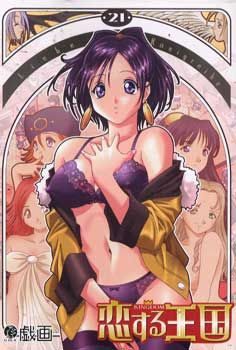
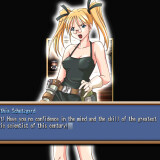
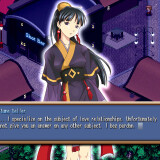
In a mythical age, a young man seeks to become an adult. He leaves his farm home to face the frontiers of the kingdom. He comes to a town where one can seek any apprenticeship freely. This is so one can find his own purpose in life, and perhaps his own lover as well. Jobs include: border guard, educator, various magical schools, fisher, and more. With each job there appears to be a respective woman in the same profession to charm. Will the hero be able to find and woo the girl of his choice in time for the town’s festival?
Kingdom

161 comments
and the Files you just downloads are packed. this means that you need some "extraction" program or whatever its called. I suggest "7-zip" , just google for it and download/install.
(when 7-zip or any other zip-program is installed):
zhen you right klick on the "kingdom" game data/file and go to 7-zip and then "Extract here"(all 3 (2) parts of the game have to be in the same folder).
The produckt should be something like "kingdom.exe" so you can install the game
hope that helps
admin???
The walkthrough that comes with this isn't really detailed.
Does anyone have a good walkthrough? its REALLY hard to google it.
I used Daemon tools to install the game. The english patch was within the the mounted program itself. just like a CD open it up and the file will be in there. assuming this is download is set up the same way it was when I played it.
As for the storm thats if I remember right sort of a half way point and for some of the girls a point where if you didn't do something right you missed your chance, this of course doesn't apply to them all. The walkthrough should tell you which ones are the case. In my opinion it really doesn't need a day by day walkthrough as long as keep in mind specific days it may mention about the girl you after. The walkthrough should also be in the cd folder when mounted with daemon tools. I say this from memory though.
Oh and if it crashes I found switching my regional settings to japanese unicode in my case it stopped crashing. hope this was somewhat helpful.
I can't find any sort of walkthrough for it.
Install should run fine then, im not sure how to do this on windows 7. Once thats done open applocale, find the launcher for Kingdom and select the very bottom option on the language option. It should look like this 日本語, that's japanese. Run and the crashes are fixed.
someone before said he had a walkthrough , but its not in the downloaded folder(s)..
Got another problem ... Game crashes at the end of Nano-Betas and Reggies sex-szene... why? what to do? wanna see their storryline....
P.S.
There is a way to remove the censure?
i think i had the same problem , i just switched the resolution some times and tryed if it was working each time... i think i first switched from 1024x756 (i use this usually) to 800x600 , then i tryed the game .. if it still dont work , just switch back and try again , or try some other resolutions...
what can i do??? help please n thanks
Basically the game is working.
First of all i install my Kingdom to C:
It appears that "the Kingdom" installed in "GIGA" folder
2nd i dump everything to change it to english.
and copy and replace the inside "omake" to the game directory
3rd WHen i try to run the game from "GIGA" folder,
the game always forced to closed every time i try to new game.
The funny thing is if i run the "Kingdom" from my original Kingdom folder (not from copy and replace). The game works well
Can anyone tell me the reason? sorry for the bad english
Because it´s an update, it will put your game in japanese, only use it to bypass the crahline, next save, quit the game and repach with the english patch so tou can continue the game in english.
You CAN install it in win7 64x since that's the OS i own, you need to run the .msi you download with command prompt while running it in admin.
1. Right click on the desktop and select "Screen resolution"
2. Click on "Advanced settings"
3. Select the "Monitor" tab and change the colors to "High color (16 bit)"
I do not know if playing in windowed mode will increase the likelihood of crashes, in any case if it does crash try playing that part in full screen.
I mean there is more options to choose .
At first I thought I didn't have the codecs for the video, but when I went to the installed folder (C:/Gigi/Kingdom) I could play the video file for the opening movie just fine... Video, sound everything. I'm very confused as I've never had any problems with any other game on this site. In reading the comments looking to see if this problem was already addressed, I saw someone mention getting a cracked exe file from gamecopyworld? This has never been a requirement with any other file I've found here. Is this correct or just a mistaken person posting invalid information?
1. Directory correction: The file is in C:Giga/Kingdom not gigi... so it's not a matter of a directory error.
2. Someone mentioned that they were able to use the patch with the game on the mounted disk instead of installing it to their computer? How was this done? Did you unpack the BIN file instead of mounting it like an iso? Perhaps the installation process is not going through correctly somehow and running it this way can solve my problem.
(Used APPlocale)
Your dekstop need to be in high color mode to play windowed.
so what setting on my pc that can help me to play in windowed mode?
1) Right click on a empty space on the desktop and click on "Screen Resolution"
2) In "Screen Resolution", click on "Advanced Settings"
3) Click on the "Adapter" tab and click on "List All Modes"
4) Choose the "16 bit" resolution and click OK
someone can help me?
Requesting a complete save game. Tried googling with no luck so far T___T
very appreciate if you guys have.
thank you for the help...
At least three places. nite after nano-beta, when talking with cafe girl (... grace) esp when Crow said 'Coffee please' and last at 20/2 when i choose become soldier 2.
please help...
When you install the game, (in the setup) does anyone know what those three options are?
Also, link to the cheatengine or at least the name?
Thank you.
When you install the game it practically asks you how much you want to install.
The top option installs full features, the middle medium features, and bottom low quality features.
Choose top everyone if you want maximum experience.
The file sizes increase and new files are added.
(I'm pretty sure the install looks the same to everyone. To make sure you've picked the right install, the one with the higher quality features takes a lot longer and actually a bit of time while the lower ones go by pretty quickly.)
And... I still need a link to the cheat engine if anyone can get it.
now i'm trying to figure out the in-game clock, but sadly i have got nothing
the speedhack check box doesn't help at all, so is futile to try it, i'll upload the cheat table to cheatengine forums, for future refernce / use
i have installed kingdom, the english patch and the 1.06 update and when I dbl click on the exe file to start the game i get a directdraw error. now before anyone can say use applocal i don't need it cause i have win7 all i have to do is change system local in region and language settings for which i always have it running in jap local cause i play alot of eroge games. i have updated my graphics drivers but i can't find how to update direct draw. i have had this game running before on my computer before my last wipe and reinstall, and i had no problems then. now here is the rub i used my old download to install the game first and that didn't work got the same error, so i downloaded it agian to see if that helped but i still got the same error, so i went to another site i use for eroge and downloaded it from there and still got the directdraw error. Oh and before someone say to mount the image before starting the game it doesn't work. but in the process of figuring it out i found the it's the KOIBOMB.exe that is having the error cause i also tried running the KOIBOMB.exe on it own just to see if that was it and it game me the directdraw error too. but then i cut and moved the omake folder to somewhere else and then tried running the kingdom.EXE again and still i got the directdraw error. i know i prattled on for a fair bit, i would like to know if anyone has had and found a way to fix this problem
just in case SYS specs
amd x4 640 cpu
4gb ram
radeon 5450 1gb graphic card
Windows 7 enterprize x64 bit
thanks puggs out
Now copy everything EXCEPT the kingdom.exe file from the english patch to the install folder and overwrite everything.
There will remain some noticeable Japanese text however these seem more like tooltips ie hover over \new game\ and some text that Im assuming should read \start a new game\ is in Japanese. The story however is in English.
Ive only just installed this so I have not done a full playtest to check there are no issues.
When I click on it in the Options section & select Okay, I get a Japanese popup that I can't understand & it stays in Fullscreen
I saw the above post about 16-bit resolution, but I don't have an Adapter tab or any dropdown menu showing a 16-bit option to choose from
running on Win 10, single monitor or duo-monitors. Only thing doesn't work is Kingdom Game Window is fixed at 640 x 480 that you
cannot resize. Remedy is set your desktop to that low or at 800 x 600, so you can see better on a big screen monitor.
Someone said on older post...
~~~~~~~~~~~~~~~~~
"Caraxianx says:
Posted: May 11, 2012 at 4:42 pm
to play in window mode, you have to change your desktop screen
display to “16 bit”
1) Right click on a empty space on the desktop and click on
“Screen Resolution”
2) In “Screen Resolution”, click on “Advanced Settings”
3) Click on the “Adapter” tab and click on “List All Modes”
4) Choose the “16 bit” resolution and click OK"
~~~~~~~~~~~~~~~~~~
Alternative Steps for Win 10:
If your Video Card supports older VERSA 16-bit high color mode, try these steps running off Compatibility:
Make sure you have Administrator Right, or give full control rights
to folder and sub-folders where you have installed Koisuru Oukoku (Kingdom).
1. Locate KINGDOM.EXE from your installed directory, Right-click
and select [Properties].
2. Click on [Compatibility] Tab, No need to change Compatibility
mode if it is already on "Windows XP (Service Pack 2 or 3)";
but, put a Check mark under "Settings - Reduced color mode" and
at the drop down menu, make sure you select [16-bit (65536)
color] and not 8-bit. Click Apply or OK.
3. Mount the game CD, run KINGDOM.exe (or the new desktop shortcut
if you have created any).
4. While in game at Startup screen, select >> Options >> Display
Mode >> from [Fullscreen] to [Window].
Now, the game may have looked like total garbage with weird sihouette, but you probably can still make out the contour of buttons. Make sure you close down the game by selecting "Quit Game" and NOT mouse click on X on top-right; otherwise, the game will
start again with full screen. If done correctly, and if your Video Card supports older VERSA array, the game will run with a Windowed 640 x 480 @ 16-bit color.
i totally forgot about that game.
it was one of the first VNs i ever played, and it was freaking awesome!
What i loved the most about the game is that there is a very big variance of endings (or the themes in the endings).
there are some pretty brutal / tragic endings.
TBH, the game isn't very satisfying.
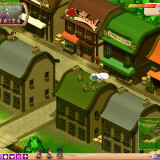
Generally, the game felt very slow moving, just the town itself nothing much is happening.
To get the route of the girl going, sometimes it felt cyptic and requires trial and error if not having an walkthough guide by the side.
Like how am i suppose to know i need to get close to Nano-beta and her Master to unlock the second half of Sara's route.
At a certain moment the game is unforgiving as well, i just advanced one day ,which is when Sara was waiting for her phony lover, she skips towns the next day and i cannot see her anymore. I was devastated.
Lastly, the main problem is that the game could have streamline itself by giving player more options to skip certain part of the gameplay. Like skipping every day morning greeting with the landlord, skipping job animation, and most importantly, skipping to the end of the game instead of painfully advancing each day till the last day (March 24th Festival Day)
In conclusion, the game is kinda nice to see the npc have somewhat of their own routine each day, the story of the heroine and types of heroine is very wide, but the slow gameplay really hampers in the otherwise more pleasant experience.