English visual novel downloads

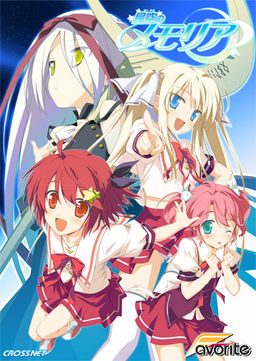
Hoshizora no Memoria -Wish upon a Shooting Star-

Hoshizora no Memoria -Wish upon a Shooting Star-

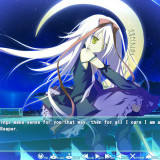
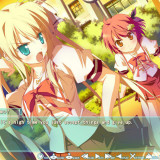
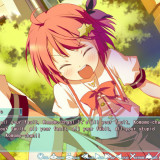
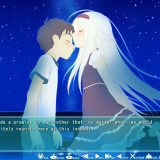
The story begins with the protagonist, Kogasaka You, moving back to his hometown, which he left behind several years ago. Upon arriving, he stumbles into an abandoned, sealed observatory, whereupon he encounters a mysterious girl who looks exactly like his childhood friend did years ago. She introduces herself as Mare, a shinigami who reaps nightmares.

Meanwhile, back at school, You ends up joining the astronomy club, which is desperate need of new members. At night, he continues to visit Mare at the observatory, all the while trying to remember a certain someone’s name…
812 comments

NewReply
can anyone tell me what to do after i downloaded all the 200mb Rar file?
ChronoReply
hmm...... I got an error when I started my 5th run of the game

I can't get pass the part where the Movie/opening ends....it just hangs up
ChronoReply
nevermind~ fixed it~

and if anybody's interested in how I did it...

1. Create a backup of the Movie and Delete it from the movie folder

2. Play the game again

3. once you get past it, copy the movie back again
NewReply
can tell me what to do after i downloaded all the Rar File?
AmanThatdiedReply
Can u tell me the Is the op movie crash the game ?
please tell me exact what u did
CJReply
It won't let me save the game, only quicksave. I just got done with the movie and it's still not working
NewReply
tis game is completely suck wtf is the ending only 1 way to go the ending?if like that rather dont play the asuho char i nt like it i think if change to other will be more fun i think helling pig asuho
NewReply
i apologise for what i comment because i din check it out the walkthrough but the walkthrough go to asuho is suck i dont like it
NewReply
hmmm the aoi route is good what ^^
AmanThatdiedReply
Help me please im using Vista
i changed locale to japanese
patch all the game/english translate
then the game worked but
when the first Ring Bell
"Roll-back ends when the bell rings. There's a 10 minutes break before period one starts." then "...(another text)" and the game broke some appcrash event something
i think it is the op of the game make this broke
please help me i downloaded like 5 visual novel just 2 works
1 chaos head + 1 CLANNAD broke with the "Please turn off debugger then try again"
now this PLEASE HELP
AmanThatdiedReply
i know the problem and i have a way to skip it
the problem is my laptop can not open new window to play the Op movie so it crashs
so i think i just need a save data that already run the op movie
then i can play.
Can some1 help me make a data save and upload to let me download ?
please help
KyonReply
I am not sure what to do, I have downloaded 13 and 14 several times but each time I try to install it continues to tell me the ISO part of 13 and 14 the file is corrupt. Is there something wrong with the downloads?
julioReply
Admin, where are the links of mediafire? They are better. Please place again.
OtakuPancakesReply
My Hoshimemo is not working... i download full english patch... and its done its says INTERRUPTED TT 3 TT help me please..
OtakuPancakesReply
i downloaded the Hoshizora no Memoria English 1.2 =3... i dunt know how to run but i think there's no GRAPH thing TT 3 TT..i need help please....
niniimReply
HoshizoraNoMemoria.part07.rar seem to be broken :/
niniimReply
Forget it, the problem came from me
StroeReply
When i start the game i get an error
C:\\User\Documents\FAVORITES\s901.bin then random stuff How do i fix this
StroeReply
And yes i patched it with the 1.1 v but still get the same error. I keep deleting the FAVORITE folder but it keeps coming back
~kanda~Reply
the favorite folder is the save data from the game
panduReply
i'm having an error here
it's said in japanese not graphic or some folder issue, it's error when I play Yume route
souji setaReply
something is wrong with the English patch download i keep trying but it says ip wrong
PandaReply
Whenever I click on any of the download links on this site the page just reloads so I am unable to click on any of the links. Can someone copy the links for the instalation and english patch?
souji setaReply
i cant download the enoglish patch it says wrong ip when it is suppose to download the patch
DJReply
For anyone having problems, ill copy what this guy (Albert) said, it was exelently useful to me, and I run a very crappy pc, just follow as he says:
"Albert says:
May 15, 2012 at 5:25 pm

here’s a quick guide for all those with trouble:

*unrar the ISO with winrar
*mount it with Daemon Tools, if you don’t have it download it
open Daemon, select virtual drive and browse for the ISO
*Once mounted, make sure you change your locale language to japanese
*to do this: start menu, control panel, language, system locale language,admin tab, change config, choose japanese.
*run Daemon tools, select the ISO you mounted and run “launch.exe”
*you can’t read most of the stuff during the instalation but nevermind that, just make sure to check the instalation directory (C:program files/CROSSNET/ ……)
*once installed, run the patch file
*it will automatically search for the folder where the game is installed and apply the media fire English patch
*go to the instalation directory and look for the exe named (memoriaEN) that’s the game in english, but don’t launch it just yet
*To get rid of the dolphins: there are 3 ways of doing so.
-disable total control of the graph_vis folder: (properties, advanced, edit….)
-replace graph_vis folder with an empty folder with the same name
-open graph_vis folder, select all files and edit them to “read only” attribute.

these methods worked for me, if they don’t work for you, just delete graph_vis folder everytime you play :/(this is the best option)

*now before you play, search for the update 1.1 patch
it’s one rar file that came along with the game
*unrar it
*DO NOT open the exe
*instead open the patch data folder, copy and replace the files there with the ones in the instalation directory.
That will solve most bugs and crashes (i know it did for me)"

The rest can be seen in the troubleshooting
heyReply
mine always say graph_vis and it always crash even though i already deleted that folder how can i fix that???:(
heyReply
the error goes like this graph_vis/YUMEe01a pls help me. i really want to play this game
zionReply
i am also getting a error
c/user//documents/favorites/??????/save/s901.bin
need help
AnsBBReply
You're getting this error, because your system is not in Japanese locale.
zionReply
yo i try what u said but it's still not working, but thanks 4 helping me.
zionReply
yo it works now, i just need to restart my computer thanks.
AnsBBReply
Wow, after jumping through hoops for like an hour i finally managed to make it work. Was totally worth.
Thanks for the upload.
Usami_HaruReply
Any mirror for the English patch? Captcha absolutely refuses to show up.
MaouReply
Go to staircase subs.
TakeruReply
What's the heck is going on
Instead of Mare, I'm seeing dolphin. Is there any patch to remove those?
TakeruReply
after backing up the files, I messed around and found a way.
It seem either the 1.1 or the eng patch censored Mare completely with the dolphin pic.
Delete the graph_vis FOLDER, not the bin and it's all good.
ReicherReply
I already delate the graph_vis FOLDER...
But the freaking Dolphin is not gone from my monitor ???
TakeruReply
It was all so good until I get to the last girl...crappy end for final route
Overall 9/10
superpowerwaveReply
Hmm, why not join the English Patch and English Update in one ?
UrgentReply
i dont get Asuho H scene from my laptop... anyhelp? it just skip to the next day when Asuho kiss You..
StroeReply
Hoshimemo Eternal Heart getting translated or not just curious?
baka hitoReply
etoo...
after i run launch.exe
i can't find the folder C:\Program Files\CROSSNET\Memoria
instead i found the folder in G.
anyone can help me?
LokiReply
i know iv seen this in the comments but i cant find a solution. is there a way to fix the issue with the text going off the text box and not having the whole conversation in it. its not really a whole big deal but im one that loves to read the whole story. but im not losing the whole conversation so im able to understand what there trying to say. thanks in advance if there is a way to fix.
DJReply
you need to install the staricase subs font that you should have in the patch folder, and then change the font in the options of the game
LokiReply
Thanks DJ works like a charm. now i can read it w/o having to backlog it :P
ZatisReply
i am right now almost at the end of my second route, so as of now i still have to go through quite a few routes, but the two i have played were quite similar constructed. but that doesnt change that i liked both of the routes and the main route as well, so i dont really see a problem there. just stating that for those of you who want something completly new in each route.
SwagstaReply
The english batch link is broken...
SwagstaReply
The english batch link is broken...
smogonReply
So I dowloaded the game, applied all the patches just fine. Problem is when I start the game, the screen is black and the game won't close. The music is playing just fine. Anybody know what the problem is?
hurghReply
DWM/DQM reference in the game? My god...

Leave a comment