
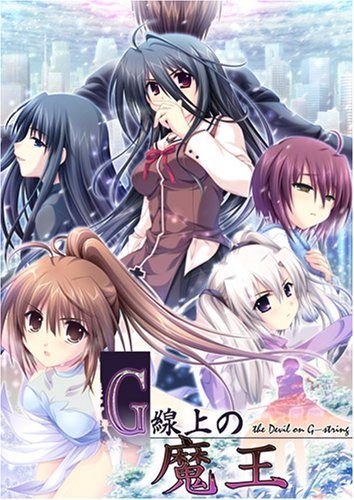
You play the role of Asai Kyousuke, the son of a legendary gangster infamous in the underworld. You spend your time listening to Bach, playing God at school and covertly working for your stepfather, a ruthless financial heavyweight. This idyllic existence is broken when two individuals appear in the city - a beautiful girl from your past named Usami Haru with hair you could get lost in for days, and a powerful international gangster known only as Maou. Almost without delay, the two begin a deadly cat-and-mouse game, bringing you and your friends into the crossfire. Plotting, political intrigue and layer upon layer of interlocking traps are the weapons in this epic battle of wits.
G-senjou no Maou


563 comments
Good visual and a great musical background, loveable, cute and well written characters, excellent storyline with some unexpected twists and a true ending that made me cry like a little girl. I give this a 10/10, it might get hard for any VN I read in the future to top this, but we shall see.
Can someone explain how to do it?
Thanks, and keep the good work!
I love the story also the Soundtrack/BGM of this VN.
especially, the "TRUE ROUTE" from this VN, my tears came out whlie I'm playing it T_T
One of the best VN's which I have ever played.
I really believed it would be as good as I was told, and like many of my other favorite h-games, trudged through stupid things, things I didn't agree with, things that made me feel shit, all the way to the amazing things, and felt no ill or hatred for the parts that on their own I wouldn't have liked. I found myself questioning my own life, my relation to my mother (similar in some ways to Kanon's mother, similar in some ways to Kyousuke's, both serving chilling reminders to me...) which I normally dare not to question.
I remember the sex scenes as depressing, overwrought with wrongness. That was realistic; it's sad, but true. Reminders that I don't want my life to go this way, I don't want to pursue what's wrong, I want to be comfortable with myself and my partner. A lot of the time, people are going to do it wrong, for the wrong reasons, with the wrong thoughts, at the wrong times, we'll do so for all our own reasons and live with these mistakes. We'll try to connect to someone and at the same time believe we can't.
It was mentioned several times yet no reply to it.
Seems whenever someone asks for help regarding it, it gets ignored.
I've downloaded all 6 parts + eng patch and have them in the same folder, however when trying to extract part 1, it says some parts are missing/ doesn't recognize them and can't extract the file.
Downloaded each part again, in case one of them was corrupt, hoping it would assemble from the intact parts. Didn't work.
Any tips/help, please?
So many manly tears fall during the ending.
I downloaded DAEMON tools Lite and WinRAR which being new to this I didn't realise I needed (see site FAQs for download info, you'll have to google to find a download link for DAEMON tools though.)
Run WinRAR, select all the Gstring files you downloaded and click "extract to", this should create a folder with two files in it.
Load DAEMON tools and click "quick mount"- find the folder that was created when you extracted your downloaded files and "mount" the file that's available. After this it will ask you if you want to run the file. Click yes. It will bring up an installation screen which is all in Japanese, but it's not difficult to work out which button means 'yes' or 'I agree' so work your way through that.
Then load the English patch you downloaded. The game should no longer ask you for a disk.
Sorry if this is stating the obvious for a lot of you but for those of us who don't do this every day it's useful to have a basic explanation.
This stuff does wonders for a frozen heart.
''File Deleted''
Hope for new upload soon cause i cant play it
1. I first downloaded all the files from "DA free" on this website
2. Then I selected all the zip files in file explorer (I have Windows 8), and extracted them all at once
3. Download the DA English Patch
4. Download, install, and open Power ISO
5. Using Power ISO, click "Open" and select the file named "gstring.mdf"
6. Highlight all the files you opened and extract them
7. Run the setup "g_setup.exe" to install the Japanese version of the game
8. Run the setup you downloaded from this site, in step 3. Make sure you install it in the same folder as you installed the Japanese version, and you're done!
9. Don't forget to change your system locale to Japan!! Happy gaming!!
Here are the steps for installation. I verified these steps just now on Windows 7.
1. Download Power ISO software and mount gstring.mdf. You will see a virtual drive appear in the My Computer with the name gstring. This drive is now the virtual disk.
2. Now click into that virtual drive and set up the japanese game. You won't be able to read so just go with the instincts and install it.
3. Once you are done with the installation, find the 14 Mb English Patch.
4. Place that patch anywhere. Desktop, or some folder, anywhere is fine.
5. Install the patch. They will show you the installation path to C:\Program Files\AKABEiSOFT2\G-Senjou no Maou English
Don't change it. Let it be like that and continue with the installation.
The English patch will automatically extract files out of the Virtual disc gstring and install the game in English.
6. Once the installation is complete, you will find the game icon on the Desktop. Enjoy!
7. Alert: Don't try to install the English patch in the same folder as the Japanese version. It crashes! I tried and failed three times. Then I realized that I shouldn't try to install both versions in the same folder.
when i install the JP game it does not work when i try to open
When i try to install the patch i cant get through because the JP game is not detected.