
1. Download Steins;Gate game, 1.20 patch and English Patch
2. Change locale to Japanese (XP Vista 7)
3.Right-click on SteinsGate.part1.rar and select “Extract here”.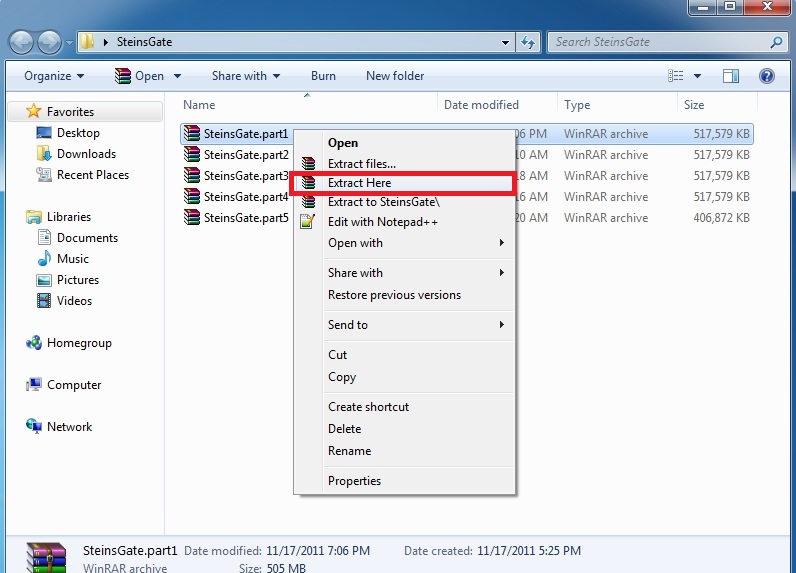
4. Once extracting process finishes, you’ll be presented with two files: SG.mdf and SG.mds . Mount the SG.mds
5. Setup window will appear. Choose “GAME INSTALL”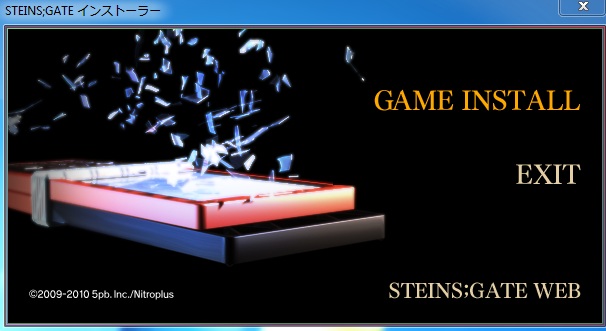
6. New setup window will appear - just click “Next”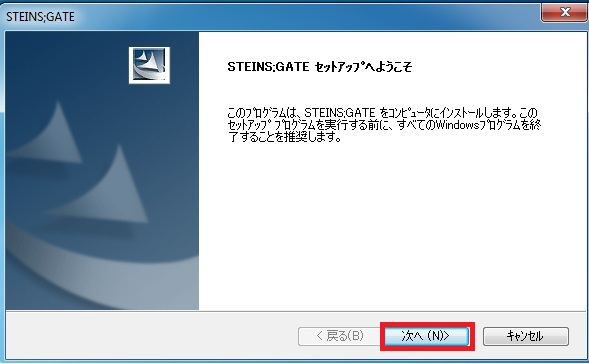
7. Accept the license terms and click “Next”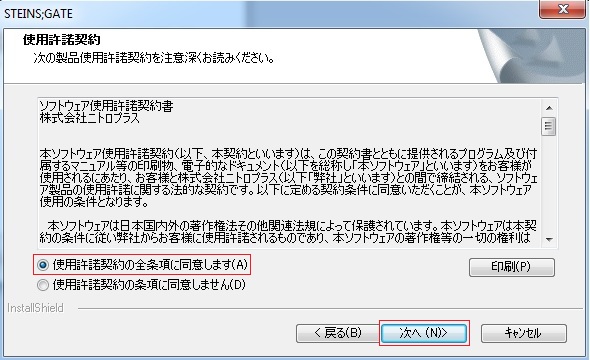
8. Choose installation path and click “Next”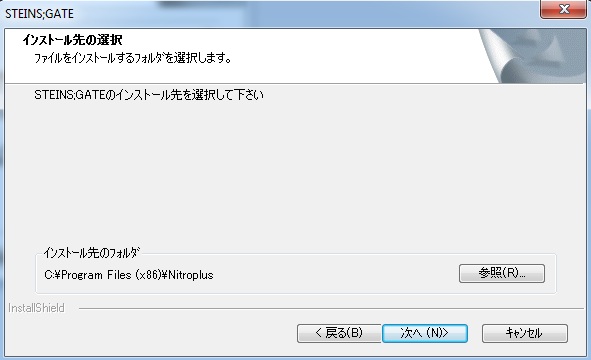
9. Click “Next”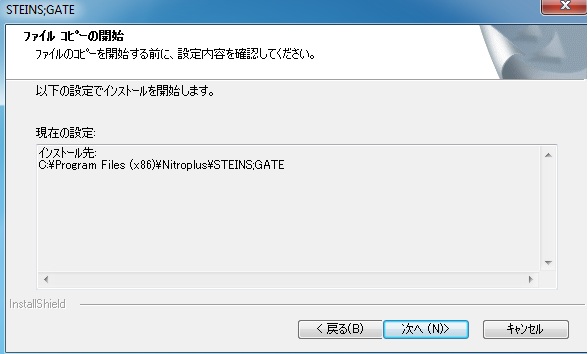
10. Wait while the game is being installed.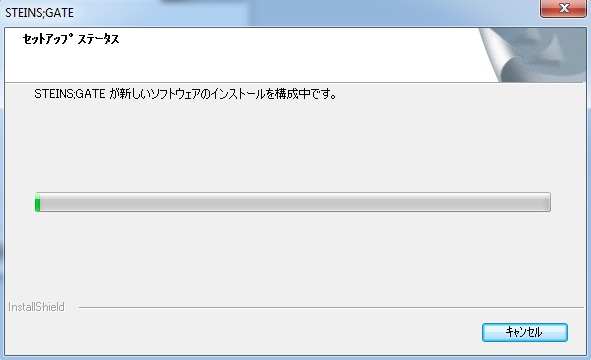
11. Now you’re asked if you want to create desktop shortcut. Answer “No”.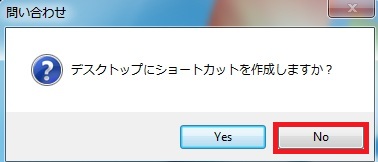
12. Uncheck the tick-box (you don’t want to run the game yet) and finish the installation.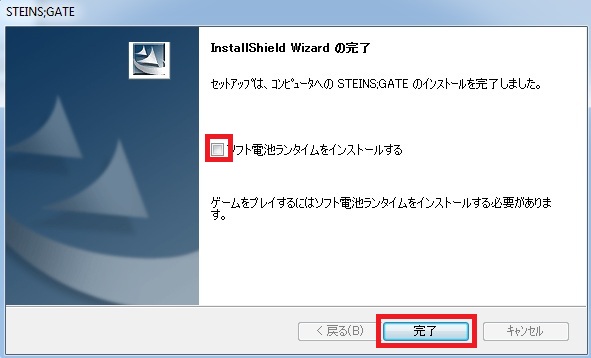
13. Run the 1.20 patch now. Select the path you installed the game to and click “Ok”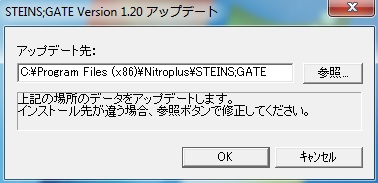
14. After few seconds you’ll get message that the patch was successfully installed.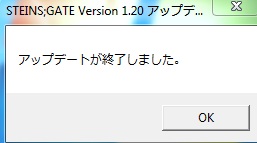
15. Finally you need the English patch. Download and extract it.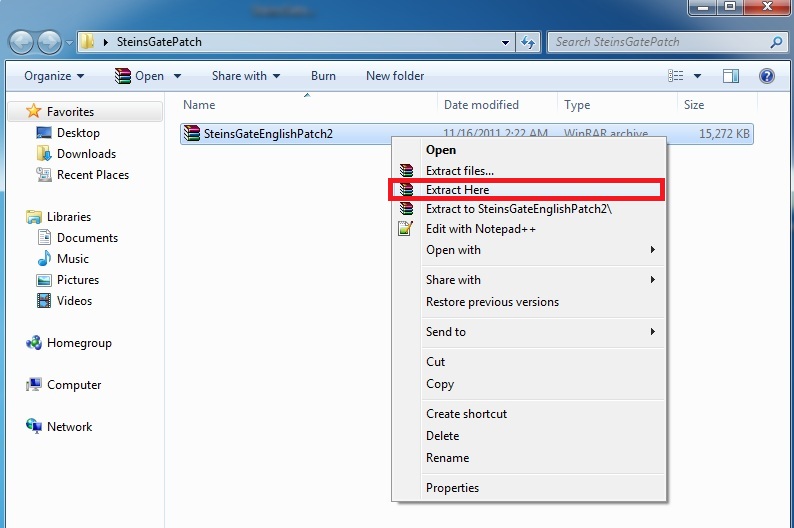
16. Move the patch contents (two files: nss.npa and STEINSGATE-patched.exe) to the game directory.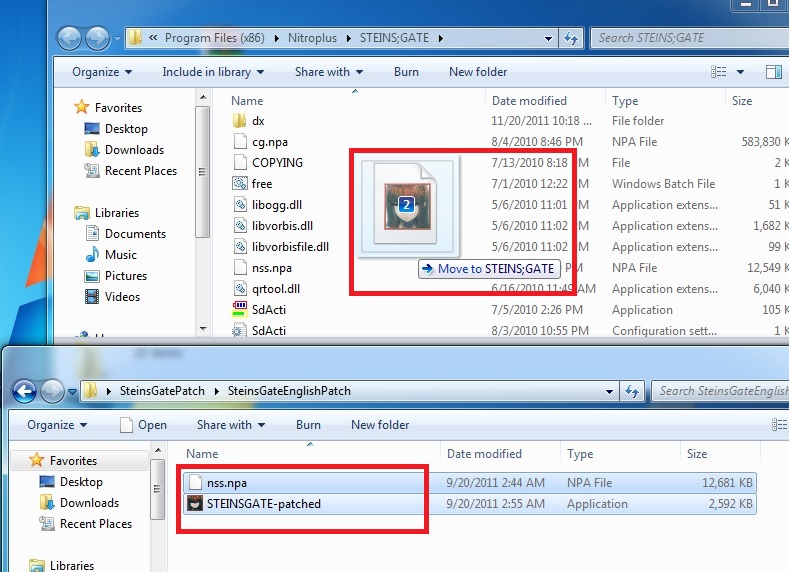
17. Start the game with “STEINSGATE-patched.exe”.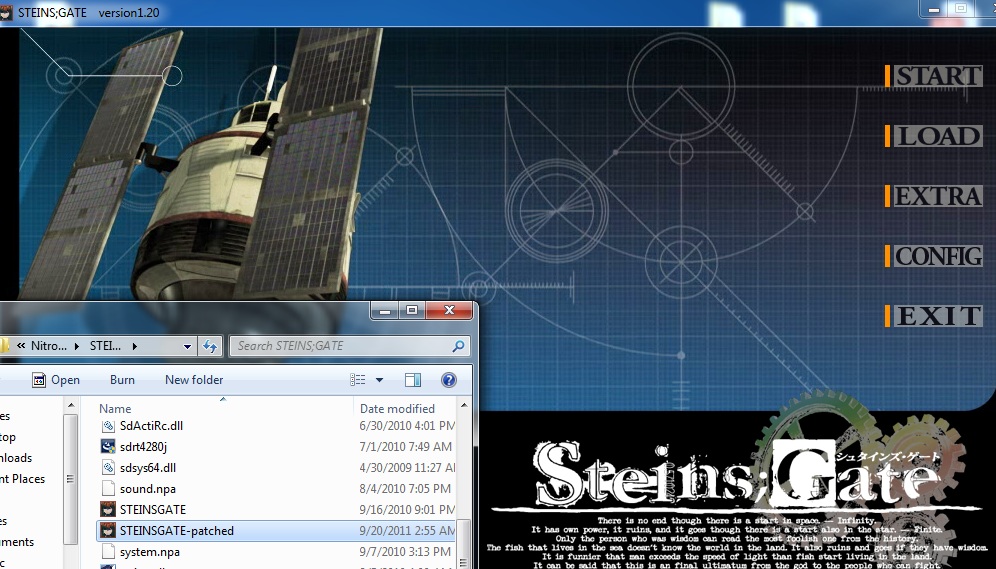
206 comments
Or did any one els using a mac use some other app that worked for this?
Thanks
where can i get vorbis.dll with vorbis_window?
I click the START menu but it's only take me back to the main menu. But other options such as LOAD, CONFIG etc. are fine the way they are... oh, and is some words (like config, etc.) will still be written in Japanese?
I would appreciate any of your answer/solution. Thanks for your time =)
I mean, I succeeded the installation part, but when I click "START", it just came back to the main menu over and over... .__.
the procedure entry point analysis_output_always could not be located in the dynamic link library libvorbis.dll
Windows does NOT agree with the " ; " ...
WHY WON'T THE PHONE TEXT BE IN ENGLISH??? WHY IT IS PISSING ME OFF!!!! AGGGGGGHHHH I'VE BEEN AT THIS FOR HOURS!!!! I SPENT LIKE A HUNDRED BUCKS ON THIS GAME I WANT TO PLAY IT!
and i started the english patch ;)
I have changed the language to Japanese in Windows 7 and restarted the computer before running the game.
Could it be that I don't have the game under program files?
it shows me this for basicaly every file:
can not open output file C:¥Program Files¥NitroPlus¥STEINS;GATE
and so on.
I am very confused know. I'll try changing my language back from Japanese and then to Japanese AGAIN.
Any tips that don't involve reinstalling? The installation process was very slow, it took three days to finish.
Whenever I start STEINS;GATE the screen goes black and nothing is happening. If I click anywhere the game skip the first prologue goes to the 2nd and freezes there(I can see only the stars)and if I click again it goes the beginning of the story.
(Same thing with all video from extra menu.)
I am using Japanese regional settings and i update my video codecs. (I can see them without problem if I used VLC)
I clicked "install again" which made the game crash and now it just blackens out every time I press the install button.
Anyone knows how to fix or reset it?
(I'm running 32-bit Windows Vista by the way)
( Notionally I just ignore it >> and program will start normally.)
So, i did the first two steps correctly(downloading the game and changing my location) but when i right click the file the extract option dosent appear!
and a secons question- what do i run it on? internet explorer...?
Runtime Error!
Program C:\Progr...
This application has requested the Runtime to terminate it in an unusual way.
Please contact the application's support team for more information.
Its been 1 year since i've post my question and it doesn't have been solved.When i play,all is fine,but when Okabe Rintarō (Hōōin Kyōma) send the message to "Daru" and return to the alternate timeline,a big white "vortex" or "shining" light appear then... nothing.Its black.The escape button still work (the screen with exit and option on it) but nothing appear.
1.(IMPORTANT) Create System Restore Point since DELETING DLL FILES from Windows directory are risky
2. Find "libvorbis.dll" and/or "libvorbisfile.dll" in C:/Windows/System32/
3. Delete the .dll file(s) mentioned in Step 2
4. Run the Game
5. Enjoy
i tried it and the game worked for me
Go to your control panel => region & language => Administrative => modify regional parameters (language for non-unicode software) => japan , it will ask you to restart your Comp, do so and you are all set.