
1. Download “Little Busters!” Game
2. Change locale to Japanese (XP Vista 7)
2. Right click on first part and choose “Extract”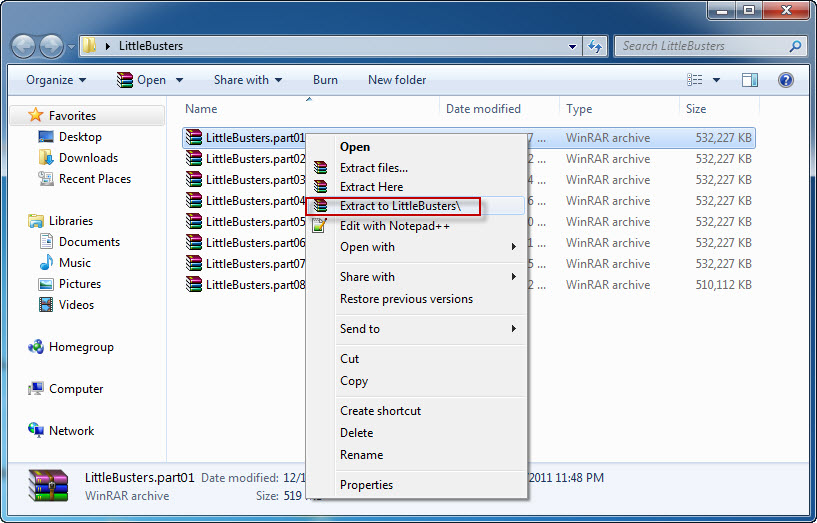
4. Once extracting process finishes, you’ll be presented with new folder, containing two files: LB.iso and LB.mds . Mount the LB.mds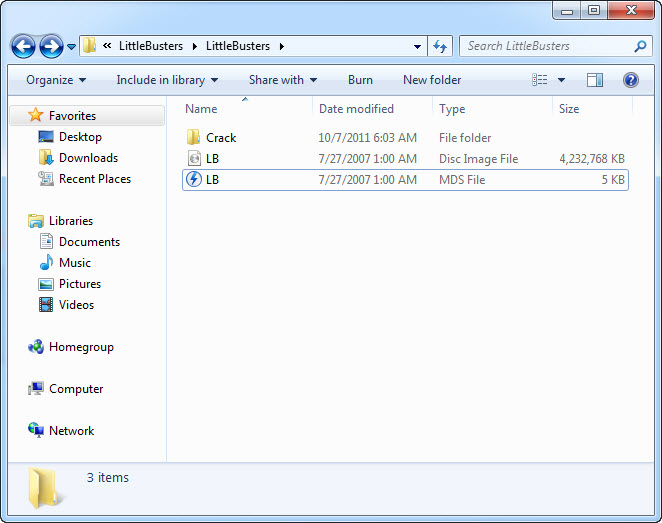
5. Open your virtual drive and run “Autorun_rlsmm.exe”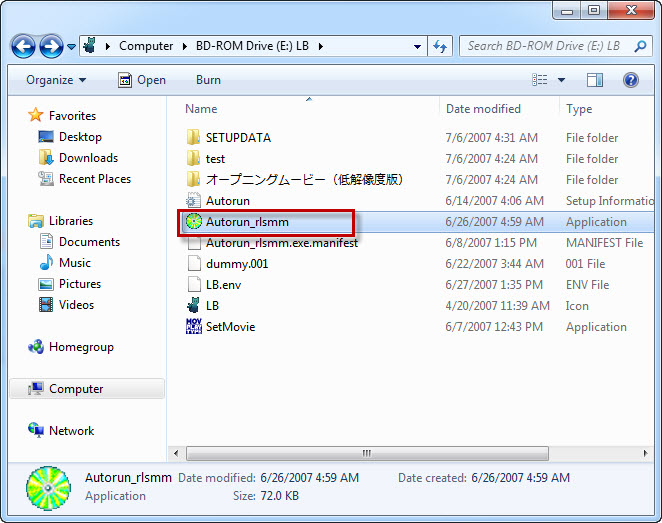
6. In autorun menu, click button in bottom-left corner.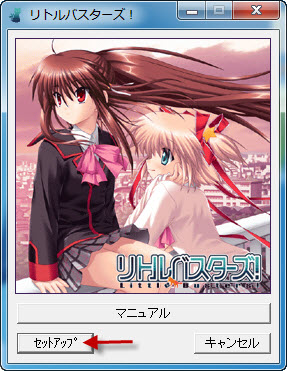
7. You will be presented with menu, where you can change installation location. You can leave the default one here. Just click button in bottom-left corner here.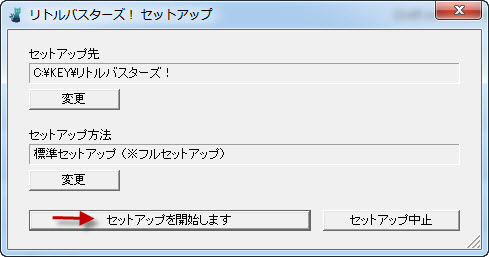
8. Pointless question now: “Do you want to begin installation?”. Of course, click “Yes”.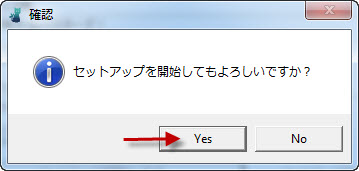
9. Installation might take a while. Just be patient.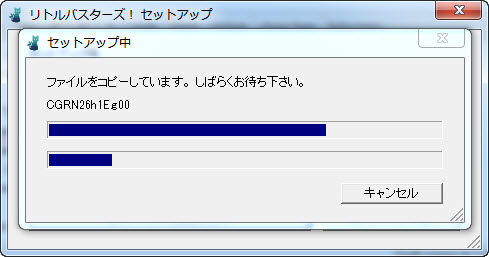
10. “Setup is complete”. Click “Ok”.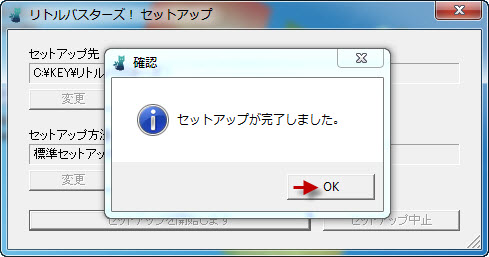
11. You might get asked if you want to install DirectX now. As the version provided with the game is very old, click “Cancel”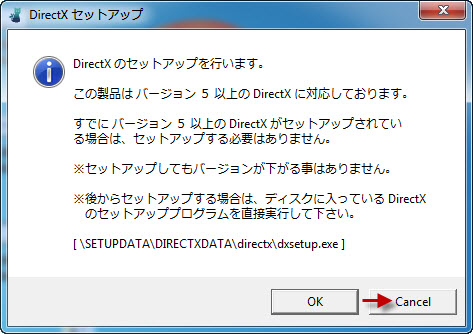
12. Now it’s time to run english patch. Download english patch, right click on it and select “Run as administrator” (you might get some problems with fonts otherwise)
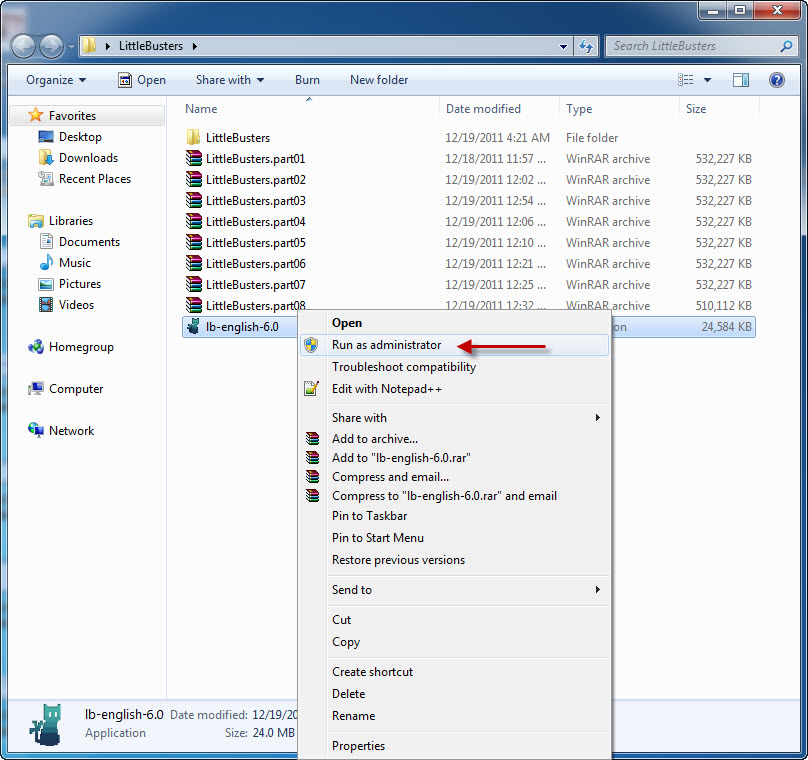
13. Click “Next”.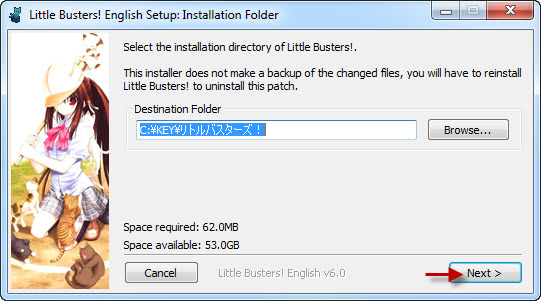
14. Click “Install”.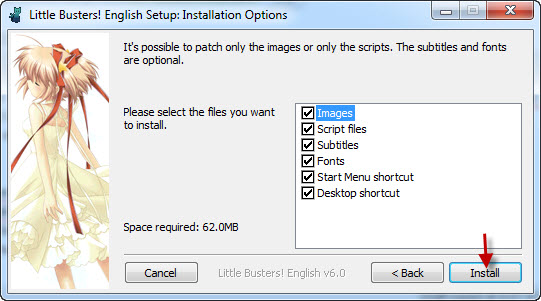
15. Now “Next”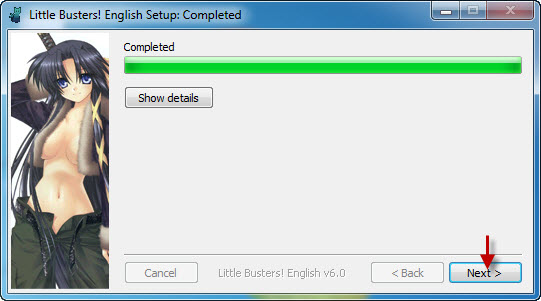
16. And Finally “Done”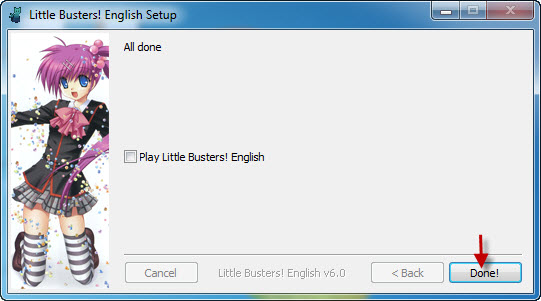
17. Move file “REALLIVE.exe” from “Crack” folder to game directory.
18. Enjoy the game!
212 comments
I keep getting the reallive 1503 error.
What is the game directory? because I keep getting a black screen every time I try to start the game and the font has not change.
Please help...
My Computer > C DRIVE > KEY > リトルバスターズ!
From there move the crack from the first part and drop it into リトルバスターズ. It should work after.
I've done exactly what that 'help' guy said. I transferred the Crack folder into the リトルバスターズ!but I still keep getting the 2100 Error.
Please help me. I've been trying to figure this out but I can't.
i can't extract the files in link NO 2,3&4 it is broken
to extract downloaded files: winrar or winzip
to mount the extracted image: daemon tools, magic iso etc.
game directory is where is your game installed. if you have problems finding it just right-click game shortcut and choose 'open file location'. then you copy whatever files in the crack folder to the game directory.
*and just learn how to use a computer. everybody asks same questions just google your prolems, spend few hour and learn whatever you need to know. if you still can't find anything, come here and ask. before posting a comment just be sure to check previous comments. it is most likely that you will find what you are looking for...
Sorry if my bad english
reallive stoped working..
help please
*Downloads all links within
DA-1CLICK: Game Download
DA-free: Game Download
Da:English Patch Download*
Result: Opens folder with downloaded files in them
The name was called "Littles busters.part (01-17)
File Type: RAR File
Size: 10KB each
step 2: Extracts all files. Nothing was extracted.
Repeats process 4 times before coming to ask for aid.
So I want to ask, do I need a software for this error or are the links fucked up?
Eg: if I need to re-install the game, I want to keep it therefore things I've unlocked so far won't get lost.
Anyway, my comment now: After finishing all 18 steps, are you sure changing the system locale back from Japanese is fine?
*Now the guide to change the system locale in Windows 8
1. Move the mouse all the way to the bottom left corner
2. Right-click it, click Control Panel
3. Click Region
4. The rest is in the Windows 7 version of the guide, starting from step 4
Any idea of possible reason and/or fix for the issue?