1. Download “Little Busters!” Game
2. Change locale to Japanese (XP Vista 7)
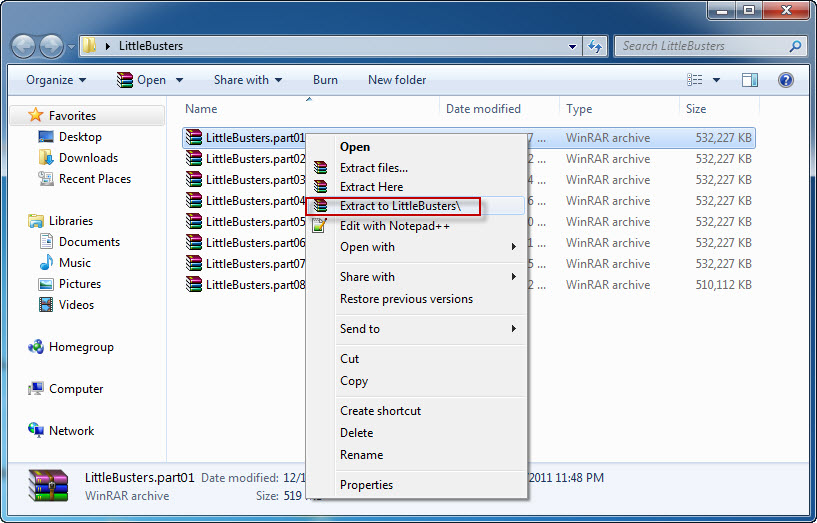
2. Right click on first part and choose “Extract”
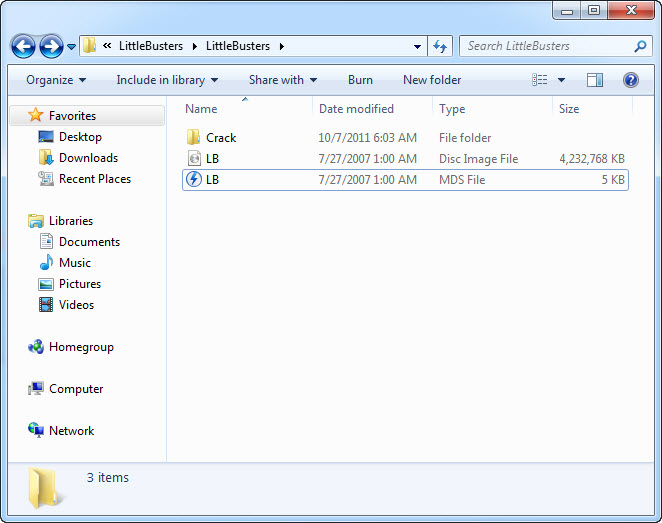
4. Once extracting process finishes, you’ll be presented with new folder, containing two files: LB.iso and LB.mds . Mount the LB.mds
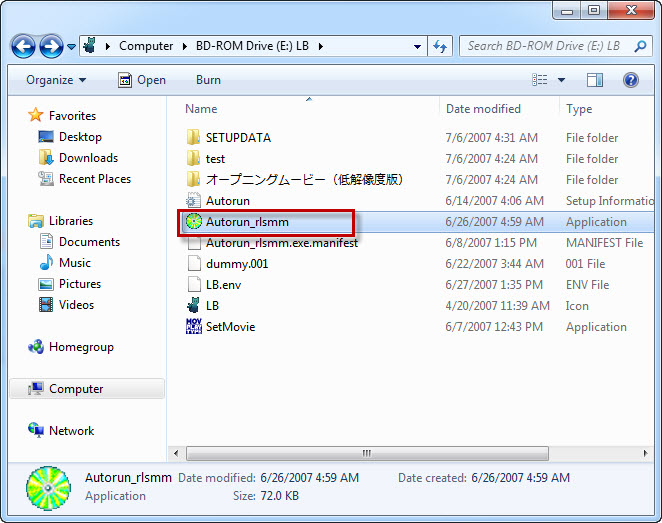
5. Open your virtual drive and run “Autorun_rlsmm.exe”
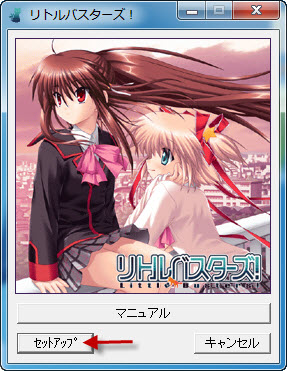
6. In autorun menu, click button in bottom-left corner.
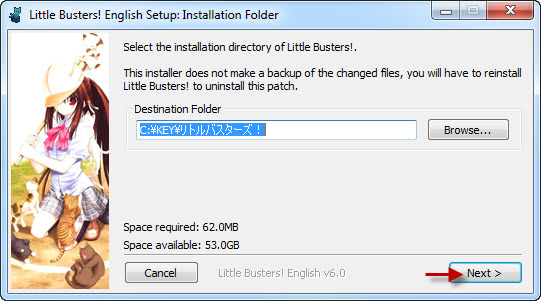
7. You will be presented with menu, where you can change installation location. You can leave the default one here. Just click button in bottom-left corner here.
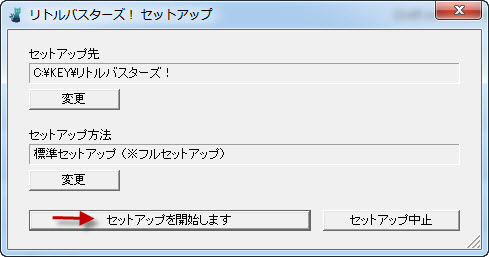
8. Pointless question now: “Do you want to begin installation?”. Of course, click “Yes”.
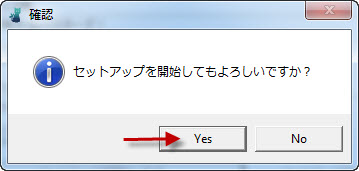
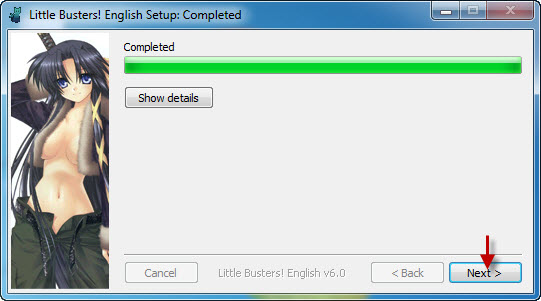
9. Installation might take a while. Just be patient.
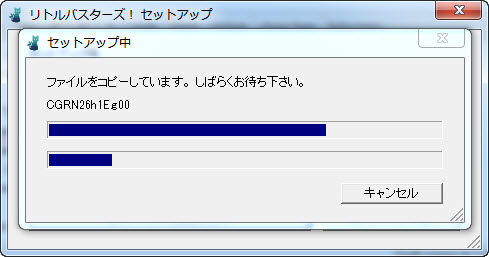
10. “Setup is complete”. Click “Ok”.
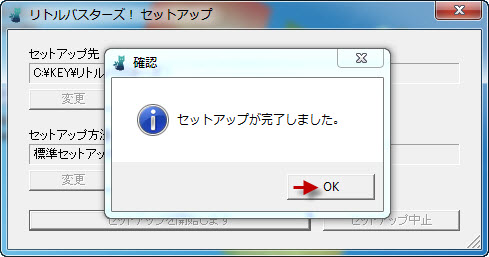
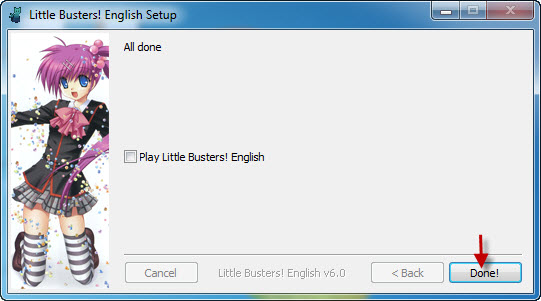
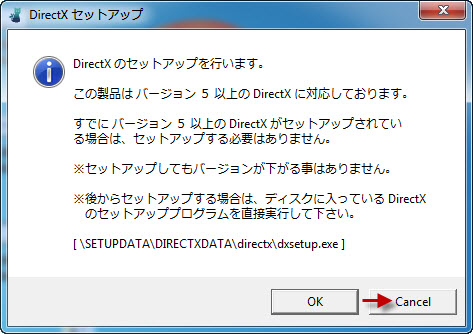
11. You might get asked if you want to install DirectX now. As the version provided with the game is very old, click “Cancel”
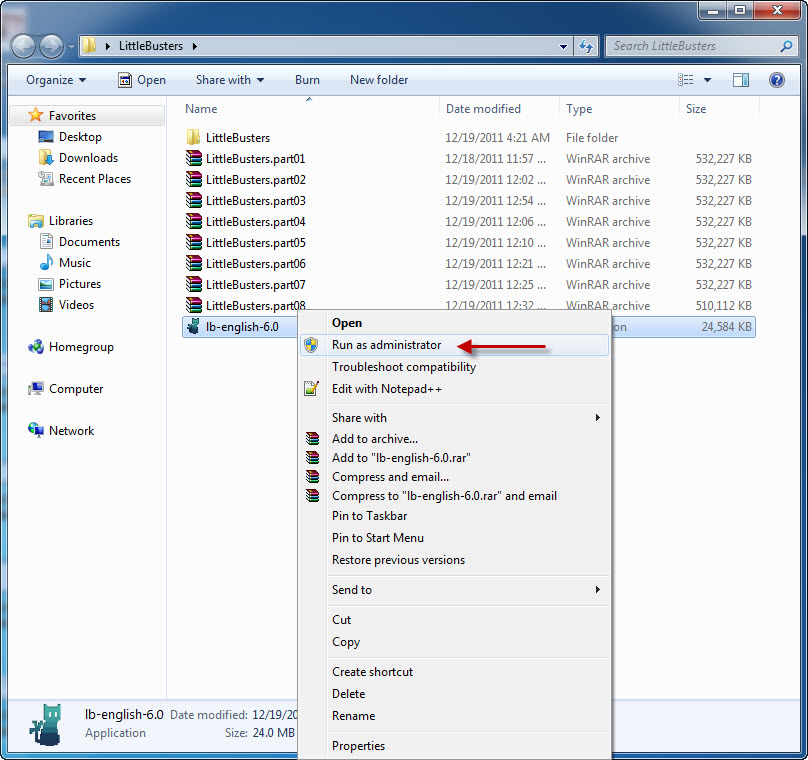
12. Now it’s time to run english patch. Download english patch, right click on it and select “Run as administrator” (you might get some problems with fonts otherwise)
17. Move file “REALLIVE.exe” from “Crack” folder to game directory.
18. Enjoy the game!


first of all this is what most people got it wrong, first you must have the daemon tools to mount it or the error could be that you don’t have the “East Asian language” set up in your comp.
In any case that you already have installed it to your comp. make sure that your Regional settings is in Japanese or it won’t work.
I have a problem cuz the “REALLIVE.
A task after I install the eng.patch, shows me an ERROR (2100.
What canI do?????
sorry here is the rest
I have a problem cuz the “REALLIVE” will not run or something like this.
A task after I install the eng.patch, shows me an ERROR (2100).
What canI do?????
Finally ^^ after a few tries and re-doing the process about 5 times i got it. haha took me so long because i wasnt paying attention to what files i was using and misusing. If anybody has problems i think all of them were solved if you read enough comments, thats what i did, instead of spamming the same questions over and over
The game is running perfectly but i am having font spacing problem. I have tried all the fonts in the game menu but the problem remains.My computer is set to japanese locale.Please help me solve the problem. for example-“flew” appears “fl”and then in the next line “ew”.
I also found another thing.i downloaded different unicode japanese fonts from the internet and pasted them in fonts folder in windows.Subsequently the font options appear in game settings. But in each of them these happens-
“the font gets cut off at t
he end.”
(but there is no spacing problem in any fonts of the game settings)
sorry for double posting.Thank you in advance.
I have the same issue, let me know if you get a fix for that or get some help.
I didn’t mount the LB.mds file. I use a different way to install the game I use 7zip to extract the LB iso file and I locate the installer and follow the instructions on how to install the english patch and the program runs smoothly. I got it in the first try ^_^ im just posting on how i managedly to install the game. I hope it works for you guys^_^
While installing the english patch at the end i got invalid “something” 32 whats that about?
The REALIVE need to put at where ?wat means game directory?
Ehhh, I got it installed and patched/cracked and everything, but when I run it, everything blacks out/crashes. Any tips?
I have the same problem, with REALLIVE and with fonts. In my case, fonts only works if I set the local language as japanase, as it’s explain up there, but if I put it again in my language, fonts can’t be read, isn’t problem at all if you take “@MS GOTHIC” when ask what font to choose. And with that REALLIVE issue, there’s one solution I found some where:
http://www.mediafire.com/?ri2u59sci4sofk9
extrat it on the foulder where LB! is installed and replace the REALLIVE, that solve my problem.
thx man it work!!!
I love you
okay so i did when you said and i keep having 1503 pop up what do i do to make it work?
So I have done everything so far and I even replaced the REALLIVE and placed it on the folder with LB. I just get an all black and nothing happens. I don’t know what to do.
Nvm. I got it working. Thank you!
How’d you fix it?
I want you to know you are the worst kind of person
I installed the game, the patch, the crack and everything was going fine but when I start a new game the font options pop up and when I click ok the game says it encountered an error and closes. Does anyone have any suggestions?
Thanks in advance!
when extracting the files, is it needed to extract it to little busters? or can you just extract file
why i can’t mount the file and why all the part are all the sam e?
and how many part did they download ?
and the iso file can’t be extract
When i go to install the game, there aren’t any words ( japanese) but theres only symbols and random letters on the menu of the game
I solved my proble, its cuz i didnt put the unicode in jap
for people who cant find the game directory you have to go to
Computer-> Disk drive (C:)->Key->LittleBusters( it may be in japanese)and there you go
I have followed the steps one by one on how to install “Little Busters”.
After I’ve finally got through installing it, I clicked “REALLIVE” in the “GAMEDATA” folder, then I get this pop up saying “MEM_ERR”, NWAtable” with japanease letters and random numbers.
After I clicked okay it took me to the game… then it immediately crashes.
Can you help, anyone?
For the sake of any1 who does not understand the last step of the installation(step 17),you just have to copy the REALLIVE.exe file and then copy and paste it into your KEY file in your C drive(it is OS(C:)for windows 7). This worked for me at least so I would like to share my experience with anyone that have trouble playing this awesome VN. glhf
Can anyone send me the crack folder i did not have it in my ISO and i cannot run the game with out it……i will give email if u can send me the crack folder
Thanks ~Delmor~
A small hint.
You don’t need to mount if you let the crack run over the game, then take alle the datas and folders from SETUPDATA/GAMEDATA and just copy it in the LB folder itself. Just keep all the datas, even those which are twice.
Then the game should work. Just run the english patch and you cracked it. No need for Daemon tools or whatever program you use. After that You Should be able to use the REALLIVE.exe data as the launcher for the game. You don’t even need to install it.
Best Regards
Eve
Eve Question…..would u beable to give me the crack folder?…..cause i do not have it
Make sure your set to Japanese Locale.
1) You click on the first zip folder you downloaded, then you extract the “Little Busters” folder where ever you please.
2) You mount the ISO file in Daemon tools, or Alcohol 120%, whichever one you use, use it on the ISO file. The “type” column in your folder will probably say “Disc Image File”
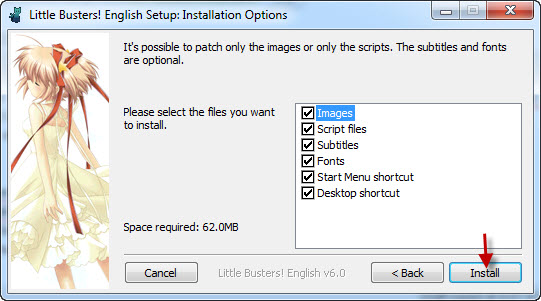
3) Install as the pictures way above indicate, don’t install the DirectX at the end.
4) The “Crack” folder is back in the folder where the ISO is, not anywhere else. Copy that into your game directory (Mine, on Win7 – (C:\KEY\リトルバスターズ) ) So, you go to your computer, C drive, Key, then the only other folder left and copy over the REALLIVE.exe from the Crack folder into the game directory and make sure to overwrite. Back up the game directories REALLIVE.exe if you’re worried about messing up, but make suuuure to overwrite it.
This all worked for me perfectly. Honestly, if you can’t get it working through the above walkthrough, the other people explaining things that shouldn’t need to be explained and now me typing it out, I would suggest giving up. Not to be mean, really, but it’s really simple when you get the jist of it.
Running REALLIVE, I get the error 1503 D:, disable the user account, but even so, still appears uu, help me, is the tenth time I try T^T
LOOK GUYS, I know everyone explianed but you still can’t seem to find the crack folder so here it is, When you extracted it, for some reason the crack folder was not extracted with your ISO. So go to your first ZIP FILE(LittleBusters. Pt.1) and OPEN IT, THE CRACK FILE SHOULD BE IN THERE. Then follow the other steps. Copy file into game directory (The game file, if you are still to stupid to find this, go to the icon after which you extracted the english patch, right click, and click “Open File Location” Then extract the REALLIVE.exe into the folder.
This guide helped me so much!! 😀 I was finally able to get the game after so many days of searching :’)
Thanks so much! ^^
No matter which font I choose, can’t tell what the bottom options in the font settings are but several times end words are split in half or a couple letters and on the next line anyone know which font actually works?
success at the first try…
arigatou gozaimasu
ok so im fine with all the instructions only problem is that my lb.iso isnt actually showing up as an iso and i wonder if it was because i didnt have deamontools when i downloaded the file so my question is do i have to re-download any of the .rar files or what to fix the 2100 error unless thats something that can be fixed because i made a mistake during the installation instructions. Thanks 🙂
u don’t need to re download it, if you still have all the part that u already download..
just download and install daemon tools or ultra ISO..
then do the extraction from the begining again..
then mount the ISO file with daemon or ultra ISO
I can see many people didn’t get used to install “non” original PC game..
If u already (or often) install a “non” original pc games..
installing this game is a piece of cake (the different is just u have to install japanese language on your computer and change the local setting to japanese)
Hey guys i deleted the folder of Little busters on accident and i tried to reinstall but it gives me a reallive.exe.manifest pop up error of some sort not sure what the other part of it says since that was the only thing in english. I’d appreciate some help.
AHH any way to contact the admin?
or someone answer me lol summers about to be over and i really wanna play this…
Facepalm…. Figured it out
oh Thx I installed completely….
I play the game using applocale… Thanks for the help
oh yeah.
i got it on the first try!!
but it took me two days to download that thing XD
still its cool
imma play this tommorow.
i gotta get to sleep
almost 1 am
and still got match
nice game
adik pre 😀
I have a problem with number 5, I installed the VirtualDrive, but I can’t find the “Autorun_rlsmm” file, I need a CD or what?
Ok, I find the way, but when I have to move “REALLIVE.exe” to the game directory, it says to me that it don’t have enough space, what can I do?
Some people have problems with the spacing of the fonts. I use Comic Sans and it looks very good. Some words are divided but i dont care.
Im having trouble extracting all the files it keeps telling me that pert 6s archive is either unknown or is damaged, i’ve tryed redownload it several times and says the same thing, is there a damaged file in the download?
so the title menu is all black…nothing shows up. what do i do? i’m confused.
@ matt:
Run in Japanese locale or use AppLocale to run it in Japanese.
Man, I don’t see what’s with all these problems. I installed everything fine in one go. All I downloaded was the iso and the patch.
i cant mount the .mds file. it says unable to to add adaptor. insufficient privileges. what do i hav to do? i dont know what this means.
Sorry if irepost and thanks in advance. i already did the installing of everything and im not sure what i do with the reallive i moved it a few times and i keep getting thes every time i start it up [1503]
Gahhhh. The game won’t load the first baseball mini-game properly (early in the beginning) and only shows a blank field without characters. I can’t progress past it or do anything >.< Maaaaybe re-installing everything will fix it, since i took a roundabout approach to loading this game.
Ah, got the mini game to load and work properly. Seems its best to follow the installation instructions perfectly, or the game file doesn’t properly load it up. Guess it’s to do with the file locations having been separate for me, which wasn’t a problem before.