
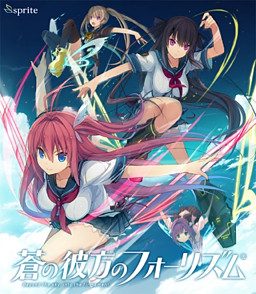
In a world where flying is as simple as riding a bicycle, there is a popular sport called “Flying Circus.”
The protagonist once had a bright future ahead of him in that field of sports but due to an overwhelming defeat in addition to a certain other reason, he has left that field.
However, he meets the transfer student Kurashina Asuka and regains his passion as he teaches her how to fly.
With his situation changed, he participates once again in the Flying Circus. Just how high will he be able to fly this time with Asuka at his side?
This is a love story about the two who met while soaring in the skies, and the friends surrounding them.







84 comments
Always do this when playing any game as it may more than likely contain a cracked file to play the game.
If this isn't your issue then it may be a lack of a Microsoft package that need to be installed. Scroll down the comments that discusses this.
See comment made towards "unnoz00" on where to obtain it for free from the publishers themselves.
change log
*It fixes various visual issues and bugs concerning some resolution settings as well as some UI issues.
*It also fixes numerous gallery bugs.
If that don't work see if your anti-virus program blocked (maybe even quarantined) the steam_api.dll file or some alteration to it. It should be located gamefolder\Aokana_Data\Plugins.
File size should be 1.14 MB (1,202,688 bytes). If it's gone you'll have to re-download or torrent it from another site to get that file.
change log
Fixed various rotations and animations of characters
Fixed various effects and transitions
Fixed some minor bugs
Added more visual improvements
P.S I've already installed all the available patches in NekoNyan, updated my Visual C++, etc.
I recommend installing k-lite codec pack (the mega one) as that's what I got. Either choose one of the options or pick custom (I recommend you pick this one).
When selecting (under custom) make sure everything is selecting LAV video (priority), LAV audio (priority), FFDshow Audio, FFDshow Raw Video (there maybe 1-4 options that include them both together choose that) and perhaps also pick Xvid and Haali in case of older video codecs and you should be good to go.
You can also use this as video player as well via the MPC-HC program that this codec pack also comes with if you want. Better than VLC.
OS: Windows 7 or newer (some games may still work on Vista speaking from experience)
Processor: 1.3 GHz
Memory: 4 GB RAM
Graphics: 1GB VRAM
DirectX: Version 11
Check to see if you got DirectX 11 installed from Microsoft. If you think you already got it installed check via Windows Search by typing "dxdiag".
On another note, not sure if it'll matter but at my end I also have Microsoft net framework 4.8 installed.
If all else fails if you have a graphic card update that if you haven't for sometime other than that making sure all codecs are uninstalled. Tho k-lite will uninstall them for you.
Also, I'm not certain if k-lite still has the option but there's a filter called "MPEG-PS" (when under custom) make sure to not allow any filter for this to be selected if able or leave it to it's default. Don't let this filter use LAV Video or FFDshow Video as it causes some games to have issues with it animation wise like Imouto Paradise.
If nothing absolutely works for you. See if making a new Windows account and trying it on there may work. Hopefully you have only allowed things to be done using your main account and not system wide. If desperate could see if you can download Virtual Machine and play it. Other then a fresh window I have no more ideas.
@AstralZ Yeah CCCP is way out of date. Stick to k-lite from now on.
"Also, I’m not certain if k-lite still has the option but there’s a filter called “MPEG-PS” (when under custom) make sure to not allow any filter for this to be selected if able or leave it to it’s default. Don’t let this filter use LAV Video or FFDshow Video as it causes some games to have issues with it animation wise like Imouto Paradise."
I've already got k-lite mega fully installed & it already removed all the clutter that prompts up during installation. So I should just uncheck the "MPEG-PS" filter to see if it works?
The strange thing is, the videos that plays in between episodes plays smoothly just fine. So I honestly don't understand why the opening videos won't play properly & freeze after 2 seconds.
Also, see if all of the folders via properties have "Read-only" unchecked and see if setting the Aokana.exe file again via properties is set to Administrator under the compatibility tab.
See if fiddling around the settings work. Such as turning off Hi-Res Assets, set to Window Mode (and use borderless instead of fullscreen), and 1280x720
The ending seems to be another video if you look in the Aokana_Data folder saying video_ed (just like the opening), so either save often and hope it plays when you get to the end.
It's up to you if you want to check k-lite. Uninstalling/re-install as I first wrote. As you scroll down if you spot something called "MPEG-PS" either uncheck it entirely or if it won't allow you to leave it to the default it has do not let it use LAV Video nor FFDShow Video and you should be good. You should probably allow Xvid and Haali as well for older video codecs and the Codec Tweak Tools. Not saying that it maybe the culprit but to as a precaution.
If all else fails maybe the video_op itself is messed up. I suggest you type in your browser this: "s_u_k_e_b_e_i_ n_y_a_a a_o_k_a_n_a" without the underscore (mods not approving my comment so guess they don't want people going to that site. And get that file (or re-download) it from there.
I just finished Mashiro's route (damn she's going to give me diabetes with all the sweetness) and the ending video has the exact same problem as the opening video. It lags horribly after playing for a bit before freezing entirely.
Since this has HD assets maybe the video is at 1440p, so that maybe the reason. Check any YouTube video that has those resolutions and see if your PC can handle it with no issues. Make sure you have limited or no other programs running to make certain. Also, open your Task Manager and see if you may have to "Set Priority" to a higher level for Aokana. If this solves it may wanna note it to yourself via a text file at least that's what I do if certain VN's especially old ones give problems.
If that don't even work did you even try making another windows account (via Control Panel > User Accounts) and running the game there? Just need a confirmation on this one. The purpose is to see if when you install stuff it was only toward that profile account and not system wide. Maybe it might be just on your main profile.
Is why I would also recommend to limit how many things are installed on ones PC and always if possible go for a non-installation method to limit the impact from conflicting with other programs such as the one you're having.
Sometimes this works for me especially when my window folder files stops memorizing their last positions which is usually every 3-6 months.
Do you have Onii-kiss? That game has multi-threaded rendering or check another game that may have it. Basically any modern VN game that deals with video and has that.
If desperate and you are on Windows 7 (or Windows 10) you can always reinstall windows as it should have a method to save all your stuff which will put it as Windows.Old (look it up) of course the only bothersome thing is having to install stuff and your settings and so forth but at least you'll have your answer.
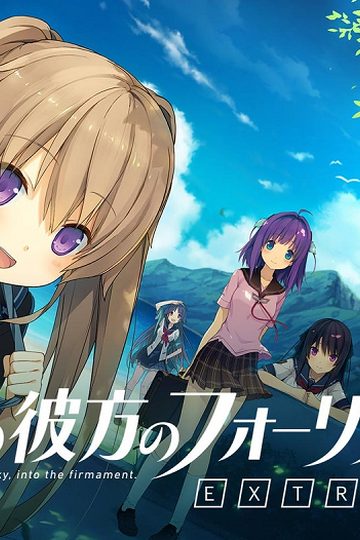
Now to wait for the Perfect Edition patch to come out... can't wait to replay Misaki's route with all the new scenes. I just wished Sprite didn't close down... Was really looking forward to the rest of the EXTRA side stories.
In case you don't know why... the majority of Visual Novels on this site may include a cracked file in order to play the game. Without it you won't be able to unless you buy it.
That is what is triggering some anti-virus programs. Some of the crappier ones may delete that file while unzipping the archive or when you run the game by maybe deleting or guaranteeing the cracked file.
So hope new people who are new to Visual Novels know this and take action at your end with your anti-virus program by temporarily turning it off or signalizing to it that it is a false positive.
This VN. Is. Fire.