English visual novel downloads

Wanko to Kurasou

Wanko to Kurasou

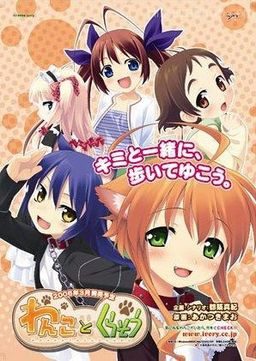
People were crazy about pets years ago. The particularly popular ones were cats and dogs that look human and have high intelligence. But the boom has died down with time, and now only people who really want them own them. Our main character is a college student who finds a stray anthropoid dog, collapsed in the rain. Unable to let her just die, he takes her up to his room and treats her. Even though he told her she can only stay until the rain ends, the dog stays in fear and worry.
The main character decides to look for her owner.
The life between a human and a dog starts…

306 comments

thelegaardReply
hey i have a problem when i try to play this VN.

it doesn't matter if its the english or the japaness verson, but i just gtet a black screen. i can access settings and such, but i can't actually play the VN. i was wondering if anyone could help me with this problem, as i really want to play the VN.
naddestroyerReply
I would suggest reading the comments before asking questions and most often they have had those problems solved. I had the same problem and I did this.

Fai says:

April 19, 2012 at 2:27 am

For those of you that are getting stuck at the logo:
1. Click “Settings” on the menu bar
2. Navigate to the “Sound settings” tab on the “Settings” dialog.
3. Press the “Voices” button in the group box labeled “Volume”
4. Press the “Close” button and it should now continue without any problems.
naddestroyerReply
*minor spoilers*!!!!

Did anyone lol really hard when the main character took the male enhancement pills in Risa's route and he has to explain it to her? The conversation really had me laughing pretty hard. Particularly the monkey comment.
iveyflameReply
How do you make the dialogue be in english i downloaded the english patch and pressed the button to the left of the read me watched the blue bar nothing happend on the screen so i pressed the button above the read me(not sure what the buttons say) game seamed to load the game screen was in english pressed start and the dialouge was in jap. help please.
iveyflameReply
never mind i fixed it my self by taking almost all of the files from the regular verson and pasted it to the english verson and now it works.
JerichoReply
I played the game yesterday. It was fine.

Today, I started it, and I got a black screen. No logo. No nothing.
Altering the sound settings does nothing. Compatibility settings do nothing.

-running Windows 7.
DornedasReply
I had the same problem.
Are you running winamp or another music player? If yes close it.
Then start the game and do the sound setting/voices thing.
Restart the player. Now you can use the menu.
Worked for me.
KeikoReply
I tried downloading the English patch, and it won't install because I don't have the actual disc. Do I have to buy the game separately?? I'm really confused o.o
ShaunReply
You have to Mount the ISO Image before running the English Patch once you do the English Patch will install the full game and then you can play it via the shortcut it places on your desktop.
ShaunReply
I have to say after just finishing this VN (even though I did not unlock all the CG's & scenes which means I will need to play through it again to do so) it is a very nice story and a Emotional Roller coaster to put it bluntly I've never experienced this kind of emotion this strongly in anything before and I am being honest here, sure there was H-Scenes but it was not like what you normally see in a Hentai VN or Animation (I would not even classify this VN has Hentai to begin with) and I will just leave it at that since I don't want to spoil this fine VN for anyone.
Ol' DReply
Where are all these "VN Scrubs" coming from???
lost childReply
anything else like this vn
danielReply
anyone know how to install the actual game? im new to these kind of things. (i downloaded it in 4 parts)
YuichiReply
its said i need a CD... what do i do?
YuichiReply
nvm i only dl the english patch like a dumbass -_-
Meh....Reply
Here's how you can easily install, if you were wondering...

1) Download all rar files and patch.
2) Extract
3) Mount the file (extracting the setup file directly often
doesn't work).
4) Mount with any image mounting software. (daemon tools doesn't work with windows 7)
5) run the patch (the patch installs the game from the mounted file)
6) Play :)

Notes: There is a walkthrough in gamefaq.
Also sometimes the intro screen freezes (it happened to me).
If it does wait a bit.
also the opening screen may freeze. If it does restart the game.
ErogamerReply
I can't make the to work
ErogamerReply
Can't make the game to work
HatsueReply
Can someone help me?
I'm always getting this "cannot read game data" and then the game actually opens but there is some kind of message in japanese and can't get the game to run properly.
V3Reply
I'm using windows 8... and um can this still work? I've mounted the iso and tried to run setup in compatibility but it won't work, and the patch refuses to recognize the mounted image... Help? I'm rather new to all of this and this is the first game I've had to download in parts, should I patch them? How can I?
alexismasterReply
I think you should instal the game first, and then apply the patch

On the other side,
I read taht Windows 8 had some problem with some eroges and patches
williamjcmReply
You should use Daemon Tools or Alcohol 52% to mount the image, if possible as the first drive after your HDD.
Blackreaper214Reply
hi thanks for the game but i have a problem when i try to start it the window open but it is black and nothing happen pleas help
FreelancerReply
The same thing happens here. A black screen and the game stops. The only thing I can do is open the settings using the mouse.
PassingByAllyofJusticeReply
In Windows 7, it was fixable by disabling the audio service. Problem being that you won't be able to hear the in game sfx.
guestReply
To solve the black screen, open up the settings and go to sound settings. Click on the voices button. After you click the close button, the game will start. Dont ask why it works. It just does.
guestReply
oh i forgot to add, you have to do this everytime you start it up
GuestReply
2015 and thank you so much
dReply
ohhh!! thank you!!
TehTimmahReply
bizare, but it seems to have worked. Yay.
mapleReply
hello from 2017, and thanks a lot
16.5Reply
Need Help!! why when i save the game then i load it
theres a screen error occur
What should i do
12345Reply
english patch download not working?
12345Reply
ah nvm it works aredy
XIIIReply
I’ve been playing some VN lately. One day I installed this new VN and press the full screen button. The game didn’t go to full screen, the size remain the same but all other things beside the game is black. Anyone know how to fix this? Usually I only got black bar on the right and left side of the screen, but now it stuck in 800×600 resolution even when i’m in full screen mode.
mathusReply
Love it! Loli! Hope there is more like this
izayaReply
why does i have mg_gra.mbl error in the end?
PlasticMaterialsReply
Greetings from 2017. Anyone having this error, try to just exit and re-launch. I got it at the "maid fashion show" scene and all the BGs and CG were broken. I relaunched the program and everything was working again.
n00bReply
Hi! This is the first time I've ever tried to download and play one of these. I know nothing about how to set up or run one, and I see I need to convince it I have the game CD.

I don't know what a VN is, can anyone point me somewhere I may learn all this? Eroge wasn't covered in my basic computer courses.
DraznReply
To get it to run you will need Image Mounting software. Google Deamon Tools, any version will do the trick.

Before you do that though, go into Control Panel and go to Region and Language > Adminstrative > Change System Locale > Set to Japanese. This will stop a whole bunch of errors when running japanese programs. Will require a retart, and will possibly make certain installers japanese, so beware.

Make sure you are using a decent extraction tool before extracting, the basic Windows one sucks (google and install 7zip)

Then extract any one of the part files or the whole one if you got it and it should compile the parts for you.

Once you have installed Deamon Tools, run it and find the option to 'Mount image/iso'

find the ISO file inside what you extracted from the download and mount it. Depending on your autoplay settings, it may automatically come up with an installer or you will have to go into your computer and run the new disk drive you will now see

Install the game (you will have to guess the next button, it usually has a N inside of all the moonrunes though)

Once its done, then you can run the english patch.

And then finally, you should have a working, english, visual novel.

Hope this helps someone ~
John6041Reply
There seem to be no voices for the characters for me. Could anyone help me?
wankofixw7Reply
to fix the black screen on vista and windows 7, right click to gt into options, then go to the voice option and press the voice test and voila, whn you quit the options the game starts. ^^
JenjiruReply
i managed to fix the black screen and got the voice running..
(windows 7 64bit)

not sure if it will work on you guys..

but here is the setup instruction:

1. Run the game.
2. Go to settings.
3. Select the Sound Settings tab.
4. At the volume frame, press the Voices button.
5. Close the setting.

and there you go..
i'm sure it will work.. already tested it a dozen times..

NOTE:
you'll have to repeat the setup everytime you open the program.. (i know it's a pain in the ass)
you can only hear the main heroines voices, so dont worry if you dont hear voices from other characters. (not quite sure there, because i havent finished it yet *by this point*)
TamoReply
So is it normal to have the ??????? buttons in the window? I've been wondering this for awhile now and it's a pain because I don't know how to save due to it.
ImunkReply
I just wait the game to play it self...
it's work!!!! belive me...
ImunkReply
sory i bad at english
ZeroReply
So i tried to open the game, but an error saying japanese stuffs (i don't understand japanese). It launched on a windowed mode, yet only showing white screen. I tried the suggestions above to do something with the voice button in the sound setting. It changes to fullscreen yet still white. Any help?
GarutherReply
Same here bro, mine white screens... are the specs of your pc compatible with the game requirements to begin with?
KenjiReply
On the setup, for me, it either has question marks or japanese writing and I don't know what it says, so I don't know what to click to install it properly.

Leave a comment