
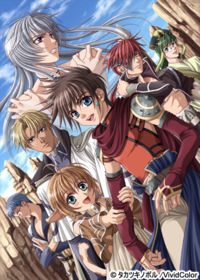
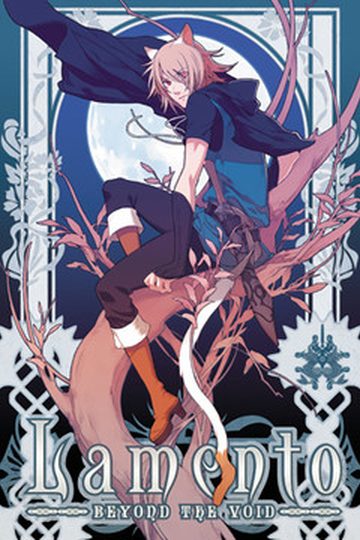
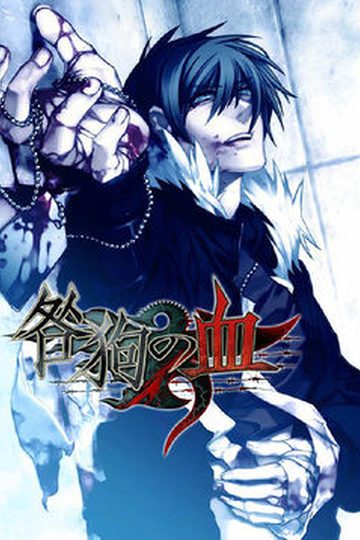
The story of Silver Chaos is set in an hypothetical fantasy role-playing game world, which once was menaced by a cruel demonic entity called Hadeus. The terrible war which followed had left many orphans, and one of them is Might. Raised up without his parents, with the only company of his older friend Adonis (another orphan), Might became an ambitious teenager training for his dream to become a soldier of the royal army. One day, though, Might found himself terribly wounded after falling off of a cliff while training. Adonis, who loved Might over anything else, used a forbidden dark spell to save his life. So Might’s life was saved… but Adonis mysteriously disappeared.
Might will then go on a quest to find out what has happened to his beloved Adonis, meeting a rather wide range of handsome characters – each one with a peculiar personality – who will either join him in his quest or become an obstacle to it. The player, after making the appropriate choices, will be able to pair up the protagonist with one of the characters he will meet.

42 comments
I'm so confused... @.@
I don't know how to install this...
I've seen the following tips during trying to solve the problem on my PC:
- Delete the opening.avi (or similar, an avi file)
- Kill every non-essencial process from the background in the task manager.
- Close your internet browser.
- If nothing happens, wait. For someone, the installer started to work after some 10 minutes wait.
None of these worked for me, but hey, since I have no idea what the problem is, they might as well can work for others.
In order to install this you first need to install the main program file, then patch it, and then patch that with the English patch. (remove the opening.avi file if your game crashes after the first few scenes).
First of all, make sure you have DirectX installed (if you do not, you can install it with the installer of the game)
- Unzip the archive Silver Chaos. Run the file "installer.exe" next to the folder. Then click the top option to the left which translated says "install"
- Now you will see a bar with options above. Choose the second option, it says 600MB. This will install the full game on the PC, so you do not need the CD to play. Then choose where you want to install the game. Click the right button to accept.
- Now you will meet again with the menu of the first step, the button at the top right now will not be selectable. The top button on the right means "play", but as yet we have not patched the game in English, we will click the button at the bottom right to "Close"
DO NOT click the second button from the left, because to unistall the game.
Ubdatear to v1.2
- Unzip the file "SC SC 1.2 Upgrade Patch 1.0.rar Inglés". Here are the update and patch.
- Run the file "Patch 1.2.exe" (extract some files, make sure the patch is in a different folder).
Next
Next
close
Patch
- Run the file "SCpatch.exe".
- Click 'Patch' and once finished, 'Close'
When you installed it, did you install the 400MB or the 600MB? When I initially installed the 400MB, neither of the patch worked either. But if you install the 600MB (which is the full install), it worked perfectly. If you follow exactly what liz said, everything should work...but if it doesn't, can you list out EXACTLY what you did to install the game so someone can figure out what happened?
1)Install the game and that should give you a "VividColor" folder.
2) Unzip the SilverChaosENPatch wherever it is you saved it
3) Inside the SilverChaosENPatch there should be two items "SCPatch" and "translation-text" (DO NOT UNZIP "translation-text")
4) Copy "SCPatch" and "translation-text" into the "VividColor" folder where the game and other files are found.
5) Click on SCPatch.
That should work...If it doesn't, you might have to google around for the answer. Aarinfantasy ans Yaoiotaku have threads revolving around Silver Chaos installation issues.
you need to do click in the screen with the right botton of mouse and then in the menu select the option "save".
I'm kind of clumsy with tecnology xD
The game works for me, however the background images are missing. T^T
How do I solve this?
Aarinfantasy specializes in BL so there is already a thread that serves as an FAQ for Silver Chaos.
In case it can be of any help, here's what I did:
First off, I have Windows 7 and I also have my system locale set to Japanese (but I don't know if that's influenced anything; if you want to change it too, google it and fear not!, you can always return your locale settings to whatever language you had before at any moment).
- Unpack all the archives (game; game patch; english patch) each to a different folder.
- In game's folder, run 'instaler.exe'
Now I did as \liz\ said: \click the top option to the left which translated says “install\. Now you will see a bar with options above. Choose the second option, it says 600MB. This will install the full game on the PC, so you do not need the CD to play. Then choose where you want to install the game (by default, it stayed at \My Documents/Vivid Color/Silver Chaos\. Click the right button to accept. After the installation is finished, click the button at the bottom right to “Close”.
- In game's patch folder, run the executable file then press next twice and close (if you've chosen another location for the game to be installed, you might need to browse it in order for the patch to be installed in the right place {the game's folder}.
- In english patch's folder, run the executable file as well, patch and then close the window.
- Now, I ran the game as administrator, but I don't know if that actually helped in anything, so, if you want to try, do so.
After all that jazz, the game worked just fine; no crashes, no nothing. Just one reminder, though. Since the menu is a bit medieval, you'll notice there's no save or load option. So, in order to save and load, right click the game screen.
As for the game itself...
What a huge waste of bandwidth. For me, at least.
Toodles!
– Unpack all the archives (game; game patch; english patch) each to a different folder.
– In game’s folder, run ‘instaler.exe’
Now I did as \liz\ said: \click the top option to the left which translated says “install\. Now you will see a bar with options above. CHOOSE THE SECOND OPTION FROM THE DROPDOWN, it says 600MB. This will install the full game on the PC, so you do not need the CD to play. Then choose where you want to install the game (by default, it stayed at \My Documents/Vivid Color/Silver Chaos\. Click the right button to accept. After the installation is finished, click the button at the bottom right to “Close”.
– In game’s patch folder, run the executable file then press next twice and close (if you’ve chosen another location for the game to be installed, you might need to browse it in order for the patch to be installed in the right place {the game’s folder}.
– In english patch’s folder, run the executable file as well, patch and then close the window.
^^^^^^ This saved me. I was seconds away from giving up for good.
Any suggestions on how to fix this? Or if somebody has a save file from right after the opening movie that I could (have, borrow, steal) that would be great. (In this scenario I would need some instructions on where to place it though.)
Thanks
It keeps showing installation failure