
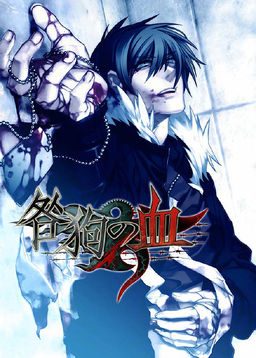
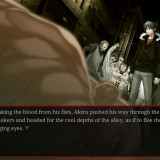
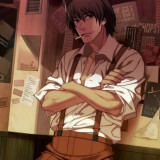
After being devastated in the third World War (known as The Third Division), Japan was divided in two. Several years after the end of the war, a crime organization called Vischio has taken control of the destroyed city of Toshima (formerly Tokyo, Japan’s capital city), where they are holding a battle game known as “Igura”. The game’s main character, a young man named Akira, is falsely accused of a crime. Once arrested, a mysterious woman appears before him, offering him freedom if he agrees to participate in Igura and defeat Igura’s strongest man: the king, or “Il re”. The story follows Akira’s life in the harsh, lawless Toshima as he fights both to survive and to unravel the mysteries developing around him.
Togainu no Chi

89 comments
Whenever I click on the desktop icon, nothing happens. When I tried to update DirectX, I got the whole “this version of DirectX is not compatible with the version of windows currently installed” too.
And I was so happy about win10 replacing win8! Now I absolutely hate it.
Did anyone come across any solution for it yet?
Happens this only in one route, or is this in other routes too? Because otherwise I could play a other route (hopefully without freezing screen).
I've tried giving it Admin privileges but that doesn't work either.
Please help! I was almost finished with the game! T.T
https://mega.nz/#!5dYwnDwD!D27r8LJP63SzO-Bu0vS9rjDR-1cdOLANBXHrHqveYhc
Use this link. Extract the file and copy into the game folder location.
But there are still a few really bad problems with the game.
So far I haven't progressed in the game at all, I just checked to see if the basic mechanics work.
I found that although it seems you can save by pressing S the game freezes as soon as you make the save and the only way I could manage to close it then is by force-closing it with the task manager. This part isn't too big of a problem but if I try to load the game it just loads it and then instantly freezes just like when I saved.
But it doesn't freeze like games normally do in these cases. The music is still playing and the icon for progressing the dialogue is still blinking. It's like the game is still running but refuses to accept any input. I can't even move the game window around.
I don't mind games that have slight bugs but a visual novel where you can't load your saves just makes it almost unplayable.
I would really appreciate any help with these problems.
T brings up an option in japanese. Choosing yes will restart the game but no matter what option you choose it will freeze.
A starts automatic dialogue progression. this does not freeze the game.
C brings up the options menu but since it's in Japanese I didn't want to mess around with it. This does not freeze the game.
B brings up dialogue history. This does not freeze the game.
Holding shift skips dialogue. This does not freeze the game.
Space hides the UI. This does not freeze the game.
In con clusion the problems seem to be Saving, Loading and Restarting. Once again, I would really appreciate any help with this.
[Space] Hide dialog box
[A] Auto mode*
[Shift] Skip mode*
[Ctrl+B] Reverts back to last choice you made, if you've made a choice beforehand
[B] Backlog
[S] Save (will prompt you for save description, optional in Settings)
[L] Load (will prompt you Y or N, not optional)
[F] Fullscreen
[C] Config. Opens Settings in new window
[T] Return to title screen (will prompt you Y or N, not optional)
[Esc] Exit game (will prompt you Y or N, not optional)
*Skip: Fastest run-through in the game, skips ALL voices & text (sound FX will still play). Use this for quickly getting to choices.
Ctrl+N held down & released will start automatically skipping text (only stopping at choices or mouse/spacebar input)
Shift key held down will skip for as long as the key is held down.
To get to the typical CG/movie/scene viewer, you HAVE to clear a "complete" ending before the viewer option will appear on the title screen (as EXTRA). For instance I got to Keisuke's good ending after a while but was only able to access this option after completing that ending fully, it didn't trigger with any of Keisuke's bad endings. Also word-wrap is pretty terrible in English, sadly the patch can't fix that.