English visual novel downloads

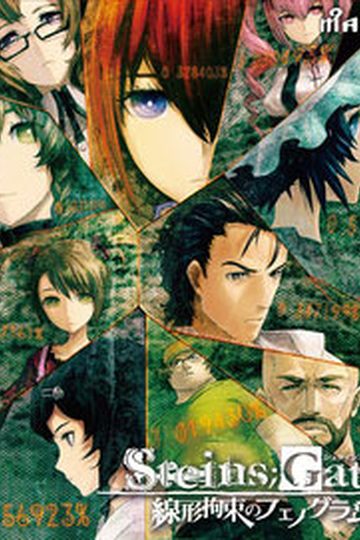
Steins;Gate

Steins;Gate

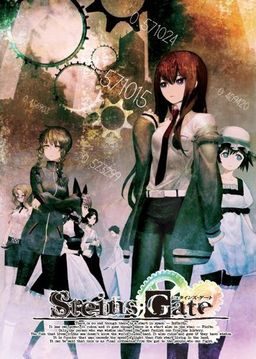
The story of Steins;Gate takes place in Akihabara and is about a group of friends who have customized their microwave into a device that can send text messages to the past. As they perform different experiments, an organization named SERN who has been doing their own research on time travel tracks them down and now the characters have to find a way to avoid being captured by them.

793 comments

WalkthroughReply
opps, forgot the change the name, no more crashes LOL
White HeivenReply
what name? of what? How do i get pass the second chapter after SERN explanation?
ttrtReply
update to 1.20
than apply the new ENG patch(See above post start)
Setsuna_MudoReply
There's only update 1.10 up there
Rei_TatskiReply
^That is already the 1.20 update

"HF pAppLoc.exe" for the people asking how to make this japan local you just need this file to run the game.

It's working fine for me.


~El Psy Congroo
NedReply
The file is labeled as SgUpdate110.exe and it installs as v1.10 when I tried it (it says Steins;[email protected] at the top of the window when I run it).

When I install it everything seems to install fine but when I press Start it goes black for a moment then comes right back to the title screen. Somebody on one of the forums (Hongfire) said that this is what happens when you don't have the v1.20 update installed, so I suspect that using the v1.10 update file is likely my problem.

Do you know where there is a proper v1.20 update patch?
NedReply
Nevermind, I found the correct v1.20 patch on Nitro's website and it installed properly displaying v1.20 in the game window, but I still had the same problem.

Oh well, I will try Chaos;Head and see if that works any better for me, though I loved the Stein's Gate anime!
MerosReply
You gotta redownload the newer english patch, you are using the old patch that still had that bug. i think the admin uploaded the new patch now so just redownload it.
AnonReply
Read all the comments, someone posted an small Walkthrough
ZellrangReply
this is the walktrough for steins gate
ZellrangReply
it seems that the admin already put the walktrough I gave in the site... :3 I am greatly honored to be of help to you X3
MarksReply
I'd also like to know what name change you made.
-X-Mazohyst-X-Reply
I think they may be talking about the folder it's installed into, I know there was a VN once that no matter what unless you created an installation folder it wouldn't run properly. It was some absurd reason though, people said it needed a special dot in the folder name when it installed on it's own that could only be made on Japanese computers, even if you saw it on a western Comp it was a lie. Ever since I heard that I change my folder, but this guy may be talkin' about somethin' else.
White HeivenReply
when i changed the installation folder the game just didnt run. U know why?
GrantenReply
Could be a lot of things. It should work but VN's downloaded onto your computer can be finicky. I'd keep the folder in Program Files.
FooLyCooLyReply
what the name that u change??
ChaosReply
So for the movies subs, English system menus ect and the update once I've installed the game, do I move all those files to the main game folder?
ChaosReply
Or do I move them somewhere else? First time installing anything of steins gate so I haven't waited for translation updates or anything.
ChaosReply
I'm getting the error libvorbisfile.dlll is missing. Anyone else run into this...I bet(don't wanna surf through all 200pages lol) how do I fix this problem X3 Help would be appreciated.
Thousand EyeReply
WHAT ARE THE TAGS
YosephReply
Cool!
Thanks admin
I'm really waiting for this game
You're the best!!
ChaosReply
ah, got everything working for the game except the opening. is the opening unsubbed/no karaoke?
JohnReply
Need walkthrough in english..
OsmoseReply
I think I'm doing something wrong here. I can install the game, but I can't seem to get it in English.
You're supposed to download 5 files, but they all have the same files in them, what the hell? Or at least the names are the same so they overwrite each other, what exactly am I supposed to do with these multiple .rars? Extract 'em all or?
Anyway, I tried extracting all files and letting 'em overwrite. I installed the game, replaced the "nss.npa" file with the one from the english patch, and tried running STEINSGATE-patched. It got an error, but when I copied into the STEINS;GATE folder it worked, but not in english. The normal/original startup didn't work at all.
Same thing happened when I tried only extracting part 1 and installing, though I got a little more moonrunes that I can't read from the installwizard.
I really don't know what to do, can anyone help? (and yes, I changed my locale so it's not something like that)
RaionReply
I'm just going to assume that you haven't done this before, since the flow of installing pirated games is generally the same. Please note, these are general steps. I have not actually downloaded this yet.

1) download all files
2) extract part 1 to whatever folder
3) mount .iso with damon tools (if it's a virtual CD), otherwise skip to step 4
4) run installer (if game didn't come preinstalled)
5) copy patch into main directory
6) run

Make sure you're system's locale is set to Japanese if it crashes.
OsmoseReply
Tried this and again, the game works but not in English. I still don't know why...
LostRelicReply
I had the same problem like you, getting everything to work but I couldn't get it in English (I only got the main menu and the prologue in English, everything else was in Japanese) but I managed to fix the problem by NOT running the SGupdate120.exe (Which wasn't working for me since it was giving me moonrunes).

If you did, it'll somehow revert the translated patch (nss.npa) into a untranslated one (You can see the date changed when you do it, it changes from 9/20 into 9/1)

So if did got the game working but not in english, and SGupdate120.exe is giving you moonrunes (Like the problem it was giving me), then try overwriting the nss.npa patch again and run the game. it should be in English this time around!

Hope this helps you like it did with me.
OsmoseReply
Oops, it seems like I was mistaken. The intro and config were in Japanese but the game itself was English.
I played it a bit but got stuck in chapter 1 where Okarin would constantly look for his phone in his pockets. I noticed I had the 1,00 version since I forgot to update. I ran the update and refreshed the nss.npa ans now it seems to be working. I just have to play through the prologue again....
Thanks so much for the help!
IkagesoReply
Is this 18+?
LachzxReply
No,it's not,somebody it's 16+ in some countries,but I guess it doesn't have the content you expected in this game >.<
danReply
the game crashes at chapter at the SERN folder explanation.
I've installed patch 1.20 and it still has the same problem, anyone know the solution to this?

Someone mentioned making a fix to the game's script, but im not sure how to do that
SeigiReply
Why i'm getting the menu loop?
When i click start, the screen turn black as though it's going to start, but it gets back to the menu >_<!
YoukichirouReply
This happens, when you didn't localize your system properly.
So you have to use AppLocale (it works under WIndows 7, I tried) and start the with it. Or better: Localize your system to Japanese Locale. Otherweise you won't get past the menu. (At least not at the current development)
WhenlostReply
dont knw wat i did. i followed instructions but my game when I go to start it asks for authorization code
LachzxReply
Just asking, are we going to have the English patch of steins gate on other platforms like psp?cheers!
azuReply
the game crash when load saved game, anyone know how to fix this?
dwytie04Reply
it happens all the time coz the game itself is not yet stable
sellosReply
any crashes with 1.20 update so far?
danReply
hell yes there is a crash with patch 1.20, it still doesn't get through the chapter 2 crash X_X
shnxReply
use quick loads
KyriosReply
I'm guessing there won't be an english walkthrough any time soon, cuz nobody would want to translate a whole damn flowchart, which is the only walkthrough we have so far.
ZellrangReply
nope it's already have its own walktrough, just gotta search it elsewhere
SeigiReply
sigh, i'm encountering another problem, when i'm trying to install the game, it says "This application has failed to start because livorbisfile.dll was not found. Re-installing the application may fix this problem"
>__<

HEPL!
shnxReply
just type dll download at google and in the first page there's one where u can search and download the dll u miss "sorry for my bad english"
4nim3w4tch3rReply
can't believe this!
it's right in front of me! the english translation!!
Mwahhhahahahahh!!(Maddo scientist laugh)
xxAyuReply
Now the game crashes at the mini blackhole explanation Dx someone has the same problem there ? And know how to fix it ? Because some ppl here are at chapter 3 and so on x.x
ughReply
I cant seem to get the true ending for some reason T_T. Is there a walkthrough anywhere?
CaelistasReply
Wow, so many new uploads, it's been a while :p

Ty admin, is this eroge or all ages?
Dicky MoeReply
the game crashes at chapter at the SERN folder explanation.
I’ve installed patch 1.20 and it still has the same problem, anyone know the solution to this?

Someone mentioned making a fix to the game’s script, but im not sure how to do that
sammyReply
whatt?? isn't the patch not out yet?

they still doing "Operation Redigering", they said the patch will be relased ETA Christmas.

Leave a comment