English visual novel downloads

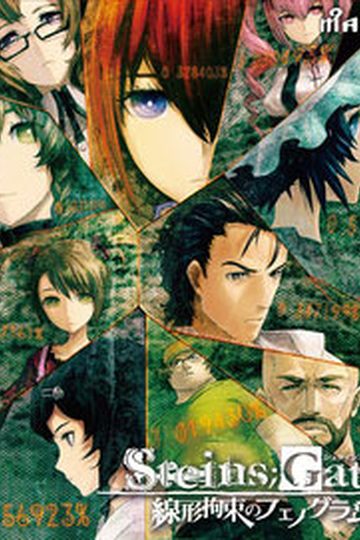
Steins;Gate

Steins;Gate

The story of Steins;Gate takes place in Akihabara and is about a group of friends who have customized their microwave into a device that can send text messages to the past. As they perform different experiments, an organization named SERN who has been doing their own research on time travel tracks them down and now the characters have to find a way to avoid being captured by them.

793 comments

Hen***Reply
is this all age game?
robopanda333Reply
is this 18+ or all ages?
yin8086Reply
All Ages.The 2nd game of the science adventure series of 5pb&Nitro+.
sasori231Reply
it work just fine after update this game to 1.20 without a crash.
sasori231Reply
when play chapter 1 with Steins;Gate update 1.20 it with crash the same when play with update 1.10
miichan19Reply
anyone know how to auto read or auto move?or skip the txt?like click "F" for fullscreen,and "S" for save,
shnxReply
"A" for auto, skip "Cntrl" but i think u need to "m2" and select the option "you should recognize it by A of auto S save etc
tovinReply
is this the english full patch?
coffeeapplesReply
does anyone has the save file from the start of chapter 11?
dmReply
did any1 ever get in error that says this game is japan only.....and on my other game i got an error that says ....microsft visual c++ runtime error...if any1 know how to fix it can you plz tell me thx
dmReply
o and i have my settings on japan
whank90Reply
we still have to update it to become ver 1.2?
what a difference from ver 1.1?
whank90Reply
sorry, i have ask something about patch file
when i already update it to be ver 1.2
then im replace it again with English patch?
CMIIW please
need info about that
cause im still not really understand

ty
chaotixReply
seriously 100% fully translated?
needed also a walkthrough for this. if there is any
WildslevenReply
when ever i try to open the tips section my game crashes, what gives? :(
adminReply
Known bug. Tips aren't translated yet anyway.
biokReply
I have a weird problem
whenever I click “Start” it throws me back to the main menu
RikuReply
I've the same problem here. My steps were the following:
0- Extract game
1- Load/mount iso
2- Install game successfully
3- Patch to 1.20
4- Extract english patch files (patched exe and another file)
5- Extract movie subs patch
6- Extract menu/etc patch
7- Run patched .exe
8- I can enter every menu but when i click on -Start- it takes me back to the main menu where i had pressed -Start- after 1 or 2 sec

The only thing different i noticed from the steps that were indicated in the guide is that the version is not 1.1 but 1.20. Or am i missing something else afterall? Thanks for your time and awesome job at translating btw.
RikuReply
Btw, forgot to mention, every file was put in the main game folder and overwritten the files when asked.
ImperatorReply
Did you start out by having/putting your system in Japanese locale?
Venom BottleReply
I cant get past the part in chapter 1 when akarin checks the @channel forums on his phone, ive got a close up on the phone and i cant figure out what to click to continue?
Venom BottleReply
oops my bad, gotta scroll down
jon_sumisuReply
Hi admin, appreciate that you upload the game. I noticed the remarks over here regarding English menu screen, is there any bug there?

For the translation wise should i wait until further update?

And for the patch update? is this a final version?

Sorry for asking so many question at a time
RikuReply
Hmm i tried running version 1.0 with the patches but i still go trough black screen and taken back to the main menu after selecting Start.
As some other guy mentioned before who is also having the same problem, i'm running windows 7
shnxReply
u didnt changed the region to japan before installing it
RikuReply
Thanks m8, it seems it was that the issue afterall. I forgot that there was to change the language/region settings. How dumb =_=
Game works fine now
NicenReply
Hi, I reached Chapter 11, and after the credits I get to line "Slowly, she finally turns her head towards me--" then the game crashes. It wasn't accidental, I can't proceed after this point... It's kinda anticlimatic to stop playing here, do I miss much after this?
AmonReply
Anyone else get a crash in Chapter 5 when you open that Faris email you get inside the braun shop? It's the only email I've gotten so far that crashes the game so I'm not sure what exactly is the problem.
NicenReply
I have it too, luckily no ending requires it to be read.
AmonReply
Yeah, luckily the route choices are more obvious than a tangled jumble of emails or so I heard, but if you want to read everything it's kinda annoying.
Orange PicklesReply
I don't know if I'm putting things in the right folder...

I mounted the SG.mds file onto my daemon tools and I installed it.

I went to the crack and it says cannot find libvorbisfile

okay, so I check the Update110 and it says http://i161.photobucket.com/albums/t231/dimsumboy22/haker.jpg

dunno what that means... oh well..

So I get the Stein;Gate English Patch and put the whole folder into my Stein;Gate folder in the program files...

I double-click on STEINSGATE-patched.exe and I get the same error:
"it says cannot find libvorbisfile"

okay, I have libvorbisfile in my steins;gate folder and to double check I put another libvorbisfile in the steins;gate English patch folder... still can't find it.


so I'm stuck... any suggestions?
danReply
The text seems to not be connected after each line, is it b/c the translation is unedited or something?
LockeReply
Is anyone else not getting any voices? 'Cuz only the introduction monologue thingie was voiced for me.
KyonReply
I follow all the steps, but when I went to access the game it told me that the libovorbisfile.dll file was missing I actually don't understand what that means can someone help me on this, also thx for the steps it helped a lot lol
JaimeReply
How did you fix that problem, since i am having the same one with libvorbisfile.dll which is not opening the vorbis_window...
Kyon plus 2Reply
OKAY I FIX IT ON MY OWN, but before I play is there anyone who was able to not crash while using the 1.10?
JaimeReply
now its livvorbis.dll, anyone help me with this please?
dwytie04Reply
this game is an all ages...tsk damn..and here i am thinking finally have a chance to rape kurisu (=__=)
rowdyboyReply
hmm game works well....just cant figure out how to get to Makise Kurisu Ending....anyone know?
whank90Reply
guys,
when i go to config menu , then i back again to tittle menu
it always crash when exit or load to the game.
did anyone have some problem like me?
dwytie04Reply
try changing you region language to japanese
dwytie04Reply
Start > Control Panel > Region Lang > change it to japan
whank90Reply
that's not what i mean
it just appcrash
is that normal?
but that happened while i try to go to config menu then leave to tittle menu again. when im try to load game or exit the game
it always crash. stop working something like that.
any solution?
ImperatorReply
Do you have the system messages/menu screens patch installed?

If so, then it's probably due to that. These aren't finalized versions of the patches, so if you're able to play the game by not messing with the config menu beforehand, then it doesn't sound like much of a practical problem.

Leave a comment