

The first of the four Starry Sky games starring the characters from the drama CD’s of the same name.
Starry Sky takes place at Seigetsu Gakuen, a school which specializes in horoscopes, astronomy and other related topics. The main characters are all based on horoscopes.
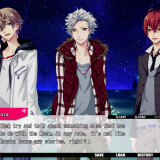
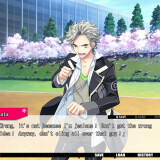
Starry Sky Spring features Suzuya Tohzuki (Cancer), Kanata Nanami (Pisces) and Yoh Tomoe (Capricorn).






![Tokimeki Memorial Girl's Side Premium 3rd Story [PSP]](https://i.erogedownload.com/wp-content/uploads/2014/06/Tokimeki-Memorial-Girls-Side-Premium-3rd-Story-PSP-360x540.jpg)
276 comments
1. Will downloading this and or Daemon Tools affect my computer such as having it slow down or anything?
2. How long will it take to download completely(including the English patch)?
That's it! Thank you if you answer them!
Hope this helps anybody else having patch trouble!!
so i cant play TwT how i can do please help me im on w7
C:UsersSANADownloadsStarry Sky ~In Spring
normaly it will be ok, but when i click on next i have got a pop up, it said invalid directory
i really want to play on this otome it makes me obsece about it
so if they are a charity soul please help me
WhatShouldIDo,WhatShouldIDo,WhatShouldIDo,WhatShouldIDo,WhatShouldIDo,WhatShouldIDo,WhatShouldIDo,WhatShouldIDo,WhatShouldIDo,
WhatShouldIDo..........
the english path doesn't work~!!
Someone please help me how to use it (_ _)
And try running in compatability mode with windows 7 or *shiver* vista if it still doesnt work.
Game has installed properly but I'm having difficulties with the patch. I'm trying to install it into the file the instructions say to do so but it keep tell me it's an 'invalid directory'. Tried other folders but then it says there's nothing to patch.
Worked.
The instructions on patch appear to be wrong.
You install the patch were the game files were downloaded instead of the other file that is created once the game is installed.
The instructions for the patch also said to install it AFTER the game was installed.
DIDN'T WORK AND MADE GAME CRASH.
This was solved by installing the patch BEFORE installing the game itself.
Took me some time to figure out but i got it done.
1. Install the game.
2. Install the patch.
3. When asked to select a directory, DO NOT select the directory you selected for the game. What I mean is this.
for example, for installing the game you chose the directory:
D:\OtomeGames\Starry Sky
when you install the patch, select this directory
D:\OtomeGames\Starry Sky\Starry™Sky`in Spring`
It works! Just sharing so that you guys can play it too. Thanks admin for uploading the game! :)
after further why there are patches maker??
please help me how to install it ..
I'm not understand with it
I also have some troubles installing it. I install the game before the patch. And, really, I don't understand...
And when I go back to install the patch again, it already says that the game is already patched up so I should play it now. Arrgh, the suspense and delay is killing me! Please help....
1. mount "starry sky in spring.iso" & install
2. navigate to install directory, i.e. C:\Program Files (x86)\asgard
note: the folder the game is installed in is called Starry™Sky`in Spring` (note the weird characters)
3. create a copy of the folder by copy and pasting (so we can modify it without messing up the original in case anything goes wrong)
4. first run the game in the copy folder to make sure it works *don't skip this step! when i skipped it in my first attempt, the game didn't work in the end*
5. then rename the copy folder to "Starry Sky in Spring" without the weird characters
6. again run the copy game to make sure it still works with the renamed folder
7. now run patch.exe and select the following pathway:
C:\Program Files (x86)\asgard\Starry Sky in Spring
The patch should install, and then it's all done! Now you can play the game in english. good luck!
P.S. if it didn't work or something went wrong, you can just delete the copy game folder you made and try again
I LOVE YOU
I'M GOING TO CRY
-u It already disappeared 'c'c
@And I was going to make a wish too 'B'v
It's not really annoying but I want to know ,if it's normal or I made a mistake ? Please answer me
Have a good time with it~
i have mine on english locale and it does the same...ah well
its annoying but you get used to it
I can't install the patch, I instaalled the game perfectly but when I try to instll the patch it doesn't let me. It asks for somewere to install but when I put the place it doesn't let me.
Help! Please! (Windows XP)
Here's what you need to do, to get it to work
(FOR WINDOWS ONLY, if you use XP, you may have to download east asian language)
1.) Go to Control Panel > Clock, Language, and Region > Region and Language > Administrative (tab) > Language for non-unicode programs.
2.) Click Change system locale. It may ask for an administrator’s password. (if not administrator)
3.)Choose Japanese (Japan) and click ok.
you may have to restart after it.
Your PC will now recognize japanese characters
You can mount/install the game, then run the patch and install it in the folder where your game is.
It worked for me when none of the above did.