English visual novel downloads

Starry Sky: in Spring

Starry Sky: in Spring

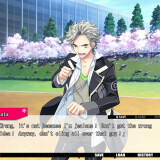
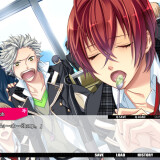
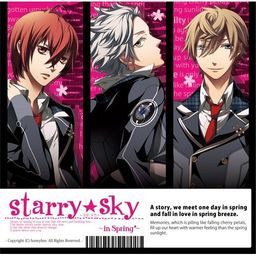
The first of the four Starry Sky games starring the characters from the drama CD’s of the same name.

Starry Sky takes place at Seigetsu Gakuen, a school which specializes in horoscopes, astronomy and other related topics. The main characters are all based on horoscopes.

Starry Sky Spring features Suzuya Tohzuki (Cancer), Kanata Nanami (Pisces) and Yoh Tomoe (Capricorn).
276 comments

CharlotteMagicaReply
I did the setup, but I have a problem with the game (not the patch, the game directly) when I open the game a error message in Japanese (NOT STRANGE SYMBOLS, JAPANESE) appears and I don't really know what it means... after patching the game I get the same error, so I was wondering how to fix it?
(Yes my unicode is in Japanese)
BaruzuReply
I have the same problem. I'll try downloading it again now.

My unicode is also in japanese,but I got the error only after patching.
CharlotteMagicaReply
I also re-downloaded the game and the same error keeps happening.

Did you find a solution to the error message?
BaruzuReply
Nope. I tried to rename the file into Starry Sky ~In Spring~, but the game crashed right after I said it worked perfectly.
CharlotteMagicaReply
I re-installed the game and it started working fine in Japanese, but after patching the game the error message kept appearing. I wonder if it has something to do with a damaged file because of the patch?
Jack FrostReply
Ok, so I have no friggin clue as to whats going on. I had the same problem you had with the game bugging out once finished patching. I uninstalled it, and the patch all the way. Re extracted the ISO and the patch from the Zip files. Then when the game asked me where to install to, I told it to install into my downloads folder, without messing with any names. Once that finished, I ran the patcher, and told it to go into the folder that the install created and patch it. It now works fine. It took awile to load up though, it acts like it freezes for like 20 seconds upon startup. so, heres how the path looks into my game, which now FINALLY WORKS!
C:\Users\USERNAME HERE\Downloads\Starry☆Sky~in Spring~
Also, please note that the makers of the patch said, "For the Heroine's name the default should be Yahisa (Last name) Tsukiko (First name). We have only tested names with that many letters."
This means stick to 7 letter first names and 6 letter last names guys.
AlaeReply
Well, actually, I had the same problem (can't open the file etc...) and I just remove the tm symbol in the name's file I had to put the patch on and all worked perfectly :) (if it's not a tm it should be a star...)
So the name's file has to be : Starry Sky ~In Spring~
I hope it'll help a bit :D
BaruzuReply
Oh god. It worked.

HORAY /O/

Thanks a lot. The game runs perfectly now *u*
BaruzuReply
OKay.Right after I posted this, the game decided to crash.

It closed himself and when I tried to play again,it showed the same error.

Destiny dosen`t want me to play Starry Sky ._.
JNewbieReply
Could the english patch work even if I downloaded the game from a different site?
CiaraReply
Okay, so I downloaded the game and it works perfectly, and I downloaded the patch and it said the patch was installed so I could "Go enjoy the game!" Yeah, well, no enjoyment here, because the game still isn't in ENGLISH!! They're all talking in Japanese and I can't understand!!! I'm so depressed right now...
MiReply
Of course they will speak in Japanese! It just have a subtitle! I love their Japanses voice, it suit the character so much and it just a very amazing voice acting!
CiaraReply
What do I do!?!?!?
H.HanakoReply
when I tried to open it, and it said 'Starry Star ~In Spring~ files will be patched in the following directory' I don't know what to do now... I can't open it
KimReply
Uninstall your game, and then when you re-install it a second time make sure that you create a new folder, call it whatever you like, and install the game in that folder. Then when you need to patch the game, go to the drop down box and find the folder that you created and installed the game in. What you are experiencing is due to the fact that windows randomly saved the files somewhere on your computer and you have no idea where they are. My friend had the same issue.
MalnReply
will the other starry sky games be uploaded here?
sadlyReply
*File is corrupted...:(
VyeraLinReply
Hey, if i change the region blablabla to Japanese when i was done download three parts of the game.. can the patch worked? or i have to re-download it? T^T
BaruzuReply
Oh,nice.

I fucked up the game.

I can't unnistall it.

Sweet.

I give up. I'm not going to redownload.

Good luck,guys.

If someone finds a solution,please do post it.

That way,maybe I can play the game again... ;3
ninaReply
why the patch english part 2 cant download ??
HyeonAeReply
Part 2 is okay to me. :/
HyeonAeReply
Thank you for this. Played smoothly. Kyaaa~
KF727Reply
Any news on the other games yet? this is adorable. As for ppl having problems, I just install it when my locale is set to JPN and it works most of the time. sometimes it does shut down on me though, or crashes randomly. Better than nothing I guess.

Maybe it depends on the OS. I'm using Win7.
EminaReply
Excuse me, how did you install it? Can you post the tutorials on how to install it please? I really want to play it... ^_^
EminaReply
Oh ignore my question earlier, I successfully installed it xD
VonReply
i need help !!!
I have the game installed and have already patched it but now it has this message 'アプリケーツヨソ初期化エラ一です’ and i can't plated it...
I try uninstalling but it gives me problems again...
I don't know what to do anymore...
SOS!!!
BaruzuReply
A lot of people have the same problem....

Anyone care to help? ;-;
VonReply
i mean can't play it*
KF727Reply
Just download the files.

Then set locale in Control Panel for Unicode Programs to JPN.

Then install the game. Don't rename anything; I didn't have to.

Test it to see if it works w/o patch.

Try installing patch. You may have to manually find the directory even if it has it on the thing. Should be in Comp/Prog Files/Asgard/Starry_Sky*_in_Spring. or something, I know I didn't get the file name right.

It should work after the patch runs. Sometimes it freezes and stuff on me though. That's all I think.
ShortcakeReply
To uninstall use a program like Revo Uninstaller (http://www.revouninstallerpro.com/g/?gclid=CMGuyOGOvqYCFRg8gwodmSZmFg) (just use the 30 day trial) if you can't get it to uninstall by normal methods. It'll take off all keys, files, etc everything so you can try installing again.

To install just do what KF727 said.
MayokiReply
I love you for the upload ^o^
Because of you I can finally be together with my Yoh-kun *.*

Will be there an english patch for the other routes (in Summer, in Winter, in Autumn)? I´d be really happy :D

Greetings (^u^)/
DizzaReply
I encountered the same problem and I was able to do it until Step 6 but I end up with "STARRY SKY~IN SPRING V1.OFULL\README.txb unknown version" no matter what I do that what I get~
PLEASE HELP ME (T^T)
ask31Reply
I have the same problem and I'm doin' this just for the first time so I really don't know what to do too!!! does anyone know?? D:
MinakoReply
Do I have to download all the links provided or not...?
Please reply~~~ (pretty please)
MerryReply
How do I play this game?
Umm.. I have already downloaded it but I can't play ;A;
The file is ".iso" and I can't play.
I can only burn it in disc T^T
Who know how to play please help me -Thank you-
NichanReply
This program cannot update the installed version of Starry ☆ Sky ~in Spring~ because of the following reason:
The destination directory doesnt contain any files to update
And I dont see any folder name likes "asgard" in C:\Program Files (x86)
Help :(
KimReply
Uninstall your game, and then when you re-install it a second time make sure that you create a new folder, call it whatever you like, and install the game in that folder. Then when you need to patch the game, go to the drop down box and find the folder that you created and installed the game in. What you are experiencing is due to the fact that windows randomly saved the files somewhere on your computer and you have no idea where they are. My friend had the same issue.
SakunReply
So, here is how to download this, and patch it successfully.

1. Download the game first. You will need a program like daemon tools. Mount and install.

2. Next go to your patch. IGNORE THE DROP DOWN! Do not pick a directory from the drop down.

3. Go to your actual program files folder. Follow it to asgard, then to the starry sky folder. Copy the directory name... if you can't find it, use this: C:\Program Files (x86)\asgard\Starry™Sky`in Spring`
Yours may be a little different, so you may wanna try it yourself first, but it will look generally the same.

4. paste that into the patch, and click next.

TADA~!

hope this helps and works for you... Because I have no errors and the game is working perfectly. =]
catherineReply
i've successfully patched it. but, when I play, it's still not in english... T^T)
umm.. should I redownload the patch?
FathiesReply
nyahahaha...... arigatou sakun..
I finally did it buhuu..... I'm so proud of my self ^^
MariaReply
Hm, so I was able to do everything successfully and got the patch to work. The english patch seems to work, but I encounter strange symbols here and there... any ideas on how I can fix this?

If no one can help me, then I can deal with it since the majority of it is in English. the symbols bug me though... I think I only encounter them when someone is talking to me (their name looks weird) and it looks odd when there are things like periods, commas and question marks...
catherineReply
I've downloaded the game, and successfully install and patched the game.... but, when I open the app, it's still not in English..!
is the patch corupted or something...?
why the patch isn't working?

(T^T)
tamtamReply
im patched it in following directory C:\PROGRAM FILES\ASGARD\STARRYüÖSKYü`IN SPRINGü` then clicked next, but the box apeared. its says 'invalid directory'

i know maybe its must be program files (x86). but what is program files (x86)?? cant find it anywhere.

and in starryskyspring folder game theres 2 winrar names are data1.cab and data2.cab i try to extract but it said not archieves found. what should i do?

the japanese version is work smoothhly but theres still weird symbol in here and there.

must i mount it and play it after set locale in Control Panel for Unicode Programs to JPN?
NatsukiReply
uhmm...I can't change the lenguage to japanese in my computer...if I skip that step, would it work?
KikoReply
wellthis work for dell?
RyoniReply
********Fix********
Okay , for people who's patched the English one but got error (window pop)when open starrysky_spring.exe :

+ For people who can't uninstall the game: Go to Control Panel --> Region and languages Options ---> Change to English(If you have alrealy changed it to Japanese)---> restart window--->Uninstall it again----> Done.

+ For people who’ve downloaded the game, and successfully install and patched the game but when opened starrysky_spring.exe , a pop-up error window appeared :
You have to go to Control Panel --> Region and languages Options ---> Change to Japanese FIRST then install the game so that there will be a folder at C:Program FilesasgardStarry☆Sky~in Spring~
---> Remove the "☆" -----> StarrySky~in Spring~ so you can patch the (E)patch (it can't read weird symbol like:"☆" or "%$#" )
----> After you've done patched it (it still have the damn error)
- Copy file "Chip_S.arc" ,"Rio.arc" ,"Se.arc" ,"Chip.arc" then paste into a New Folder (you can creat anywhere you like)
-Go to My computer ----> Right click " SSDISC1 " (pink S☆S icon)----> Explore --->Click Setup.exe ---> Repair the game
*You still mount the Starry Sky in spring.iso * If not you can do it in "Add or remove programs" though.
-Okay , after you've repaired it copy "Chip_S.arc" ,"Rio.arc" ,"Se.arc" ,"Chip.arc" in that "New folder" paste into C:Program FilesasgardStarry☆Sky~in Spring~
----> Done ---> I've already tested and played the game succesfully .

******* I think the Starry Sky ~In Spring~ English Patch v1.0.exe got error , oh well x_x ***************
SaruReply
I've followed your instructions, but it still doesn't work. D:
ReikoReply
Thank you so much for providing this!! Amazing stuff although a few errors did come up. At the end of one route they skipped a scene/video(?) due to some files being corrupted.. does anyone else have this problem or is it just me? or is the game meant to do that?
MsBloodyFallenReply
I hope most of the Starry Sky series gets added here! Please make it happen TT^TT
KimReply
For those of you who had a problem patching the file and kept receiving a notification that there was no such location to save the file in (the part where you try to find a location to save the patch), the reason you have a problem is very simple. I bet that you did not create a separate, new folder when you were installing your game. (My friend's file was randomly saved in "programs" under "asgard" when she did not specify the location).

To make things easy on yourself, you need to install the game in a location that you yourself specify. That way you will know exactly where your file for patching is located.

I recommend that if you can, simply uninstall your game and re-install it in a folder that you yourself specify. Then when you patch the game, simply select the folder where you installed your game (the part with all the Starry Sky files.

Hope this helps.

Leave a comment