English visual novel downloads

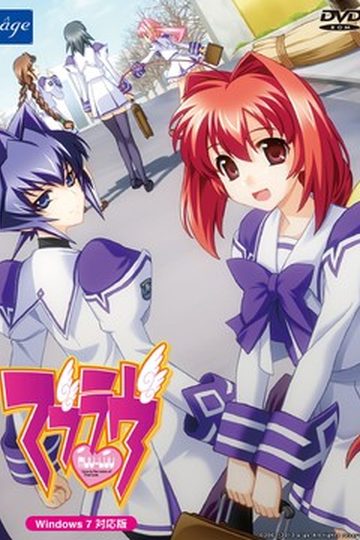
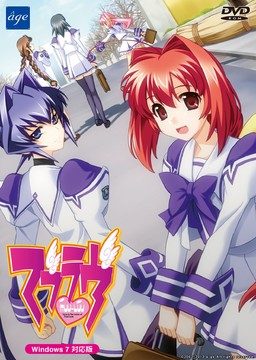
Muv-Luv

Muv-Luv

This game consists of two parts: Muv-Luv Extra and Muv-Luv Unlimited. Unlimited is unlocked after you get the endings of the two main heroines (Sumika and Meiya) in Extra.

Muv-Luv Extra:
Shirogane Takeru is a typical high school student with a lazy attitude and a love for the virtual reality mecha battle game Valgern-on. Even though he didn’t really wanted it, he is popular in school mainly due to his daily fights with his osananajimi (Sumika) attracting too much attention. His life takes an unexpected turn when he finds a girl (Meiya) he doesn’t remember ever meeting in his bed one morning. Whom later revealed to be the heiress of one of the biggest zaibatsu. She immediately moves to his house and starts changing his life for the good with her one-track-mind and unlimited resources…

Muv-Luv Extra, the main part of Muv-Luv, takes place in the same world (and general area) as Kimi ga Nozomu Eien and Kimi ga Ita Kisetsu. The Sky Temple family restaurant is mentioned and visited, and Suzumiya Akane makes an appearance.

Muv-Luv Unlimited:
One day Takeru wakes up late, wondering why Sumika or Meiya didn’t wake him up this morning. Not seeing any signs of them he gets a bit worried and goes out of his house to only see the town he lived all his life in ruins. After getting past the initial shock he decides that this must be a dream and decides to enjoy it as much as he can…

This is old, fantranslated version. You should download this updated one instead.

615 comments

DelzaArmyReply
So I've downloaded the game and such, but when I use Daemon Tools to mount it I don't get an option to mount it to F, which is what I need, only G and H. How can I mount it to F so I can play it?
adminReply
Virtual CD drive letter depends on your computer partitions and number of optical drives. Just mount it on H drive instead.
DelzaArmyReply
When I try that I get two setup errors (appear to be the same based on the gibberish being the same) and one rUGP error; won't let me install anything :I
OtakUubReply
Is there a tutorial on how to use daemon tools or can someone tell me what to do in great detail so i can play this game? I've never used this kind of program before.
adminReply
Read the http://erogedownload.com/faq/
DelzaArmyReply
So I've gotten to the install screen and such, but when it actually gets to the install process I still get two rUGP errors that don't let me install it. Any ideas?
DelzaArmyReply
Also I assume/hope that trojan message is nonsense, as no one seems to complain or warn people about it?
harukoReply
Does anyone know where I can find a translation for the unlimited endings ( What takeru is saying when ending movie is playing)?
A bit annoying that I have no idea what the most important speech of the game is going on about...
harukoReply
Ok scrap that comment i found it.
Found it in the readme, lol.
RagharReply
So an installation is a pita. Thus there is a short guide.

The first step is to set non unicode programs to Japanese. It would ask you to reboot, so do it and if successful you'd see a strange symbol instead of \ in the directory structure.

Step 2. Mount DVD in your virtual drive.
Step 3. Use English patch to install from the first DVD.
Step 4. When asked, mount the other DVD in virtual drive. (The second DVD has only one file on it, so it's easy to recognize.)

Now in case you would like to be sure everything worked, the directory must have two large files inside. If not you used a wrong file for mounting, so experiment until you get it right. (or try to copy files by hand)

Step 5. Try to run it and dance with joy.
FredReply
I would hug you.

i've been trying to install for nearly 2 weeks and couldn't get the fucking thing to install.
Running the installation through the English patch never occurred to me.
I luvz you X)
BtSnowReply
So i finished one route in Extra (Meiya's if it matters) and when I went back to the title screen I couldn't click the Extras button. Does that just not unlock until you finish more than one path or something? I'd like to go back to some CG's and stuff that I didn't save at.
ZeroReply
You have to finish unlimited part as well to unlock extra
ShunreiReply
omfg! this is awesome Admin! waiting for this!
SomeguyReply
YES! Okay, I think I got it working. For those of you who are getting unlimited in japanese, I had the same problem. Here's what I did:

1. Copied all files from the muv-luv extra mounted disc into a temporary folder
2. Copied the file from the muv-luv unlimited mounted disc into the same folder
3. Ran the setup in that folder (not sure if this was of importance, because it gave me an error when I did it, but including it here just in case it was)
4. Ran the english patch again.

The english patch, after running, eventually led into another loading screen in japanese, which had never happened before. The application will then run, and then if you try starting unlimited, it will give another loading screen in japanese, and then everything should be good. That's what happened to me, anyway.
SomeguyReply
Oh, and I should note that I had both unlimited and extra images mounted while I was doing this, in case either of those were used while I was doing this.
NeverGiveUPReply
thanks it work for me
OnaruReply
I did it that way and it went to install Unlimited and it got to 92% and what I think is an error poped up and I can only choose to retry,abort,or ignore.the only one that gets me anywhere it iqnore and then shows me a list of 3 choices,the second one is the only one that works and then when I go to play it plays but in japanese/
TheAiriReply
I have a problem, when i try to run the english installer, it gets stuck at this :
http://i.imgur.com/hSNZ4.jpg

I know that the process for copying マブラヴ11.rio is long, but i tried to leave it on all night and it's still stuck.

Moreover, the folder looks like the file is copied (same size in the cd), so why it's still stuck at "copying data from cd1"?
http://i.imgur.com/SyXO2.jpg

I'm using w7 32bit, and of course with japanese locale.
Thank you for any help
TheAiriReply
****Problem Solved****

For anyone that may encounter this problem : i used Alcohol 120% instead of Daemon Tools to mount the CD, it doesn't get stuck and it works fine. Even the installation from the Japanese Setup works.
shaun1788Reply
I just have a small problem with the installing, when I install it through the english patcher I mount disc 1 fine but then it says mount disc 2, where is disc two, I can't seem to find it?
shaun1788Reply
Wait, i just fixed it...I'll report back if it screw up.
CallsignZeroReply
So what did you do? I'm having the same issue.
godlessfatherReply
What did you do? I'm having the same issue...
ZathronasReply
might want to check the extra cd as it has a trojan...
SielanaReply
plz note the main EXE comes up as a trojan on install
this is a false positive, plz disable anti-virus when u install
MiguziReply
Ok so i got game going fine but maybe not... i got no sounds is the reason behind this... cause i used Amatserus Patch and not 1 here?
MiguziReply
EDIT* to last post i made figured it out i need to have Disc Mounted but the AMAtseru patch works great.
BobReply
I have a problem. When i mount the Muv Luv extra disc with poweriso everything is fine.

However when i try to use the setup it gives me this message
"This version of this file is not compatible with the bersion of Window you're running. Check your of computer's system information to see whether you need an x86(32-bit) or x64(64-bit) version of the program, and then contact the software publisher."

This is the first time i got this problem for any VN i have downloaded here. How can i fix this?
TheManReply
I cannot download part 7 .Please anyone reading this comment look into it and confirm if it is true.
TheManReply
Please see if part 7 is downloading or not.(Why was my previous post deleted?)
NazerimReply
can't download part 12
WONGReply
MUV-LUV PART 7 DOWNLOAD LINK IS BROKEN,PLEASE FIX IT
ReicherReply
I cant Find Kasumi O_O,........
Where is SHEEEEEEEEEEEEEEEEEE ????????????
ADKReply
Ok, downloaded everything but now I get a message pop-up saying

'The version of this file is not compatible with the version of Windows you're running. Check your computer's system information to see whether you need an x86 (32-bit) or x64 (64-bit) version of the program, and then contact the software publisher.'

Not sure in the slightest what exactly I'm supposed to do now. Not even sure how to check for any of the above. A little help admin? I'm running on a Windows Vista if that helps.
saberReply
did you install microsoft C++ before
JonathanReply
Your .exe file is corrupted. Redownload and reinstall.
ShinzoReply
Why was there a MuvLuv Unlimited iso in there if it's not gonna be used? Install extra and nothing more?
No replacing the rio file?
BufReply
I followed the installation guide, but after running setup.exe and going through the install I get a pop-up saying "Error: loader couldn't initialize service!"

Any clue what would cause this or how to fix/get around it?
FredReply
I got the same issue,
(im thinking its the same, due to language changes to my system i can't understand the error message, but it comes up right after i click through all the "nexts")
A fix would be appreciated
C$Reply
I may be a little late, but after you get the error, run the English patch. Once the English patch has finished installing, try to rerun the game. If all goes well it will start installing something and then the game should launch.
dragonkainReply
The game is awesome, you may have to soldier through parts of it, but you have to play it through to its end and all the way through Alternative as well. I'm currently writing this after marathon playing through alternative with only about four hours of sleep in three days. It's a riveting story that was wonderfully constructed and easily worth the time to play it. If you can afford to, fork out the cash to buy it too, support Age so we can get more of these things!
JinnkaiReply
How To Open "extras" option in muvluv extra,ive completed both the ending of sumika and meiya
saberReply
it should be opened really, if you finished sumika and meiya, and then the title screen will be changed . click new game ,and it should install the unlimited iso
LapbunnyReply
Yo, if anyone is having trouble with the installer even following the directions in the comments, make sure to set non-unicode applications to Japanese in the Region/Language settings! AppLocale isn't enough.
KhaineReply
I've been playing the game for a few days and I have few problems, there is however one really annoying issue...

Everytime I exit the game all the settings I've changed reset back to default, and the game 'forgets' which text I've read so I can't skip through bits I've already done.

Been trying to look through the files after some kind of config or exe file that has insufficient rights or something but I haven't found anything. Anyone know of a solution or have any idea of where the game records such data?
KhaineReply
Nevermind, I accidently uninstalled the game... And after installing it again it seems to be working properly :S

Hooray for happy accidents?
DanReply
I unpacked the files and got a disc image of extra and an iso of unlimited, I cant mount the disc image of extra so I changed the file to iso and it worked but it wont install, there is also muvluv_EXTRA.ccd and Muvluv_EXTRA.sub

Leave a comment