
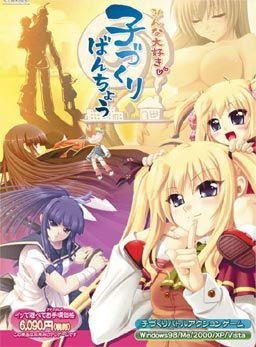
To counter the declining number of childbirths, government decides to activate a plan. All schools across the country will enter contests against each other. The losing school will be shut down and its students will enter the service of the winners. Thus re-igniting the spirits of the lost young generation and hopefully producing healthy couples capable of childbirth again.
The protagonist realizes that this is his chance to realize his dreams and makes a grand plan. First he “acquires” the help of the goddess of fertility, allowing his children to grow up in weeks instead of years. Then he starts leading the fight against other schools and “collecting” girls to grant him superior children on the battles to come…
Gameplay is divided into two modes:
Global mode plays like an adventure game where you talk, date and have sex with your followers. There is a minigame to make babies and also the simulation part is here as well in which you configure your troops and select which school to attack next.
Arcade mode is where you lead the contests and fighting against rival schools. Leading your hero, who doesn’t have any special powers at the start and making yourself a team with the mothers and children, who actually grant bonuses to mothers and special powers to you.



207 comments
Its basically about a boy who wants to take over the world by making as many kids as possible
Although I'm not too happy with the downloading site.
It happens immediately, just by clicking the EXE.
I am most definitely in Japanese locale so don't bother with that 'fix'.
But seriously someone please help, I've wasted two hours both downloading and trying to get it to work, don't let it be for nothing.
O
....
. Thats the blocker set up more or less. Ignore the upfront one, and the side ones. Go for the middle two, you can go at an angle. Get the up weight and speed at the beggining, and with very little skill you can get it in a few tries (Only spend 10 points per baby making attempt. Also once unlocked, make use of the dojo. Only main hero = 40 points per very easy win, and its repeatable, infinitely. Use the points to buff up, get ending, etc.
1. Japanese Locale - region and language settings. Something you should do by default for every japanese VN out there.
2. On the application/exe of the game, right click - run as admin. Should give you a popup window with a few checkboxes. It's japanese but basically tells you that you may need to change your settings due to the error of the game. It gives you the option to choose all 3 solutions that automatically adjust the game - 1. set game on 16 bit resolution. 2. set game on windows mode. 3. i couldnt understand what it was.
Press okay brings you to another popup. For the screen size pick the second check box (not the full screen option), and pick 16 bit resolution. Confirm and the game options should change to windows mode and 16 bit resolution, which lets you run it. If you need a screenshot I can try but it's working for me :)
Anyone know what this is and how to fix it?
just execute Crack.exe using the command prompt and paste the game directory.
Continue?
Yes \ No"
The pack uploaded here is not working properly. The Crack.exe included simply doesn't work, as it doesn't turn off the DRM, which in turns makes annoying pop-ups appear at random intervals. The game is still playable, but I would hardly call it enjoyable, I'm looking into solutions right now, I'll be back if something turns up.
Game crashes both using japanese localte and applocale...
So yeh...
Anyone has any idea of the translator?
I have that pop up error too, but none of the "fixes" work so far, nor do I understand all of them.
Garibaldo says:
March 25, 2013 at 5:51 pm
Hi disable the Data Execution Prevention for the exe it should work ^^
how do I do that?
I already have the game and I can't use the provided download links as I have no premium account (and 2 gigs on a free account is too slow :s).
1. open Command Prompt
2. Type cd What the file path your game is in
3. Type crack MinnaDaisukiKozukuriBanchou.exe
You may or may not need the .exe at end but that's how I got it to work.
Does anyone know a solution?
I changed locate to japan, clicked on the game and a pop up appeared with just the "OK" option.
I then changed the location from japan, clicked on the game and i'm running it just fine, except for the overleaping text.
was it supposed to happen?
game freezes!
Anyone have some advice?
In most cases you will see an Yen sign instead of . But don't worry it doesn't matter, just use Backslash or Yen. Important you mustn't mistake a Backslash for a Slash and the second thing is you can't copy and paste the text bellow.
1. push the windows button
2. type in cmd and click on it or simply push enter
3. Now you see C:UsersYourUserName>
4. type in
cd C:UsersYourUserName [the file path your game is in]MinnaDaisukiKozukuriBanchou
(example: C:UsersExxEDownloadsMinnaDaisukiKozukuriBanchou)
use your Enter-button.
5. type in crack MinnaDaisukiKozukuriBanchou.exe
now you did and its working fine. Just say thx if it solved your problem.
Warning!
(can't post Backslash without the marks so forget the marks everywhere in this post).
In most cases you will see an Yen sign instead of "\" Backslash without marks.
But don’t worry it doesn’t matter, just use Backslash or Yen. Important you mustn’t mistake a Backslash for a Slash and the second thing is you can’t copy and paste the text bellow.
1. push the windows button
2. type in cmd and click on it or simply push enter
3. Now you see C:"\"Users"\"YourUserName>
4. type in
cd C:"\"Users"\"YourUserName"\" [the file path your game is in]"\"MinnaDaisukiKozukuriBanchou
(example: C:"\"Users"\"ExxE"\"Downloads"\"MinnaDaisukiKozukuriBanchou)
use your Enter-button.
5. type in crack MinnaDaisukiKozukuriBanchou.exe
now you did and its working fine. Just say thx if it solved your problem.
and save some time from playing it :DD
it's a big help if you give us walkthrough
THIS SITE IS SUPER AWESOME!!! thanks a lot if you have any walkthrough
First off, the Menu bar at the top of the screen is Japanese. How do you save?
Secondly I'm getting graphical artifacts. With applocale set to English there are black lines inbetween all the text. In Japanese mode, text in parentheses and narration look fine, but text that I'm assuming should have quotation marks has garbage on either end.
Any help would be great.
and it freezes the game sometimes
Haven't fix the problem with kamidori though :'(
Well Thanks for a new one Admin :D even though i'm new haha..!
:3
Admin, I fucking love you.
If I was homosexual I would propose to you.
Thus, I must settle with honouring you through...
Iono.
Stuff.
Prayers?
But yeah, thanks for upping this.
"uaediti fertilizing"
It must be a sign :P
The text is full of artefacts and a pop up appears often.
Some one could help me?
also try to not skip too much or it may crash
no japanese local needed
question: does anyone know when mangagame is going to release "EROGE!" ? thx
Any ideas?
Shame it only lasted about 6 hours (with some text skipping) for 100% CG, since you can easily get all endings in one playthrough.
1: Download the two things. There isn't a virus, but feel free to check them anyways like I know you will.
2: Rename the game's folder to: TickTack
3: Put both files in the 'ticktack' folder.
4: Use the .bat file.
5: Re-rename your game folder and play.
If you still get the nag DRM, you screwed up and do it again.
www.mediafire.com/?tuch1c0935b3r43
www.mediafire.com/?tte4m660j6z2oks
So consider this sort of the lazy road instead of going to the forums to look for it. (easier instructions too)
you guys ROCK!
The game is wrong in many levels but that what makes it interesting, nice animations with a unique game play ~
over all its a VN worth while
Great Job guys~
oh about the errors in this game here are some tips about them:
*Your PC must be in Japanese Locale
*From time to time there is always an error message that pops out(probably because of the appends), don't bother it just click Yes and you're good to go
*If the game freezes (rarely happens) just minimize the window,(if you play on a window mode just switch it to full screen,sometimes that fixes it).
hope it helps
I'm using Windows 7, what could be messing this up.
Thank you very much admin
help please!!!
Seriously whoever came up with this games idea....mindblown.
GOT TO IMPREGNATE THEM ALL! MOAR KIDS = MONEY!
:'( :'(
but, could you please find Kyonyuu Fantasy in english
Those still plagued by the error message, and crack not doing a dang thing heres my method: (modified from earlier post)
first get the Remove.bat from here http://erogegames.com/eroge-visual-novels/eroge-tech-support/2668-minna-daisuki-kozukuri-banchou-problems/
then follow these instructions:
In most cases you will see an Yen sign instead of “\” Backslash without marks.
But don’t worry it doesn’t matter, just use Backslash or Yen. Important you mustn’t mistake a Backslash for a Slash and the second thing is you can’t copy and paste the text bellow.
1. push the windows button
2. type in cmd and click on it or simply push enter
3. Now you see C:”\”Users”\”YourUserName>
(if you game is in a different folder from C: like say D:, just type D: and hit enter on the command line. This will open the D directory. After that follow the next step)
4. type in
cd C:”\”Users”\”YourUserName”\” [the file path your game is in]“\”MinnaDaisukiKozukuriBanchou (Easiest way: the file location and click once on the address bar. You can can copy and paste it to command line, just remember to add the "cd" before the address. )
(example: C:”\”Users”\”ExxE”\”Downloads”\”MinnaDaisukiKozukuriBanchou)
use your Enter-button.
5. type in Remove MinnaDaisukiKozukuriBanchou.exe -> enter
This will prompt the windows to use the remove tool and it is FINALLY FIXED PRAISE THA LORD!
After you get the Remove.bat from the address I provided, you naturally need to put it inside the game folder you are using.
(because otherwise the command line has no file to use for the command :P )
keep the good work.
Also, I am having problems in saving because the same thing happens- when i try to save, some partially in japanese text box pops up and then the game won't load any further. I cannot save the game.
Anyone knows how to fix this problem?
Thanks!
is there a reason why ? fix ?
thank you for the game admin.
i got a message that say
MinnaDaisukiKozukuriBanchou.part05.rar: CRC failed in MinnaDaisukiKozukuriBanchou\DATA4.ALF. The file is corrupt
is it normal or no?
I did beat the game with the box popping up at random times it is possible to do but kinda annoying lol.
And for some reason the link to the forum posted leads me to a way to fix what is suppose to be this game but it mention Tick Tack is that right or is it sending me to the wrong section of the forum?
Also thanks for the games i love this site.
it makes me guess the conversation all the time.
eg:
my guess: i will live there in the next two months
the real text : iwi lllive ther ein then extt wom onths.
thanks in advance for your help
I've tried running as Administrator, I've set my locale to Japan (it's been that way for a while), I've deleted all the files and re-unzipped them (It keeps saying that it can't create an output file by the name of the game). I have no idea how to fix this.
Is there a fix, or should I just scrap it?
To get to DEP (Data Execution Prevention), press the windows icon in your taskbar, right click on \Computer\ then press properties .. An alternative route would be going to the Control Panel then clicking System ..
To know that you're where I want you to be the window needs to have the \basic information\ of your computer (i.e Windows Version, System, Rating, etc. etc.) .. Look for \Advanced System Settings on the LEFT side, then click it ..
A small window will come out with the title \System Properties\ .. Under the Advanced tab, clicking on the settings of \Performance\ will bring out another smaller window with the title \Performance Options\ .. Choose \Data Execution Prevention\ on the far right and select the second circle which has \Turn on DEP for all programs and services except those I select\ on it .. After you do that press \Add...\ and find the .exe of the crack and the game .. If it works then either you messed up following or I messed up instructing ..
P.S. You need to do this again everytime you move the game to a new location ..
and there is a pop-up message every time does anyone have any solutoins on this?
i can't play it well.
I've already add both exe and crack to DEP list but message sys3ini.bin followed by kanji keep pop out...
What should I do?
Thx
What should I do???
Thanks a lot...
i'm already download the file n extract it.
but after extract, i'm didn't fine file named SYS3RK.BIN.
so, after i'm run remove DRM.bat
cmd say \The system cannot find the file spesific\
sorry for the bad english :'(
system cannot find the file specified.admin please help.
The second or recommended option on the problems link is dead, possibly available in the later posts (I didn't check) but the option above should suffice.
I followed you instructions but on step #2 I copied and paste the name "TT_Remove_DRM.exe" to the crack, followed through the instructions and the "Remove DRM.bat" when ran gave me a 'file path not found' message, did it 3 times, same thing. Then I deleted the crack name that I copy and pasted and this time TYPED IT IN MY SELF. This seemed to do the trick cause it worked and NOTHING else had been changed but now I got the message about '1 file being moved'. So, thanks!
Read on this page somewhere that on the "...installation help/problem solving" link even though the first method has a line going through it it's still possible to download the "Remove DRM" file and to follow those instructions anyways even though there are new instructions. Don't follow the new method, follow the method with the line going through it.
As mentioned I had more than one problem affecting me. After following the first set of instructions, under the set of instructions without the line going through them there will be a line that starts, "Issue #2: Missing text/lines..." ALL THOSE, everything that starts with "Issue #..." AND "Not an issue #..." STILL APPLY. In other words those are good info in case you are having minor problems (after doing the 'Remove DRM' thing) which more than likely you will.
A little bit of a hassle to get this game up and running in good condition but as far as I've played, well worth it.
I do the instructions but I says on the window that pops up that it can't find the BIN file. I am following the steps.
I changed my PC non-unicode language to Japanese and the error went away. Hope this helps.
Nice art.
Ridiculously long and boring h-scenes ('cept maybe for Roboko's).
Here's my pointer list, enjoy:
Use Banchou pts for love and, once love meter is at least almost full, for baby making (beating the fertilizing stage w/low love is a huge pain so don't even try).
Push 4 button on your gamepad to use special move. Best moves are those of Sayaka and Ouka. Best girl for me is Airin <3 (cute + Nerine voice).
Impregnate girls as early as possible. Stat raising is unnecesary. Get all endings in one run. Grind for B.Pts before final boss.
There's h-scenes for loli and grown up Ishtar and your imouto as you make more kids.I think.
To enjoy your favourite drinks with everyone at the dinner table, pair it with saan ceramic tumblers from the same line.