
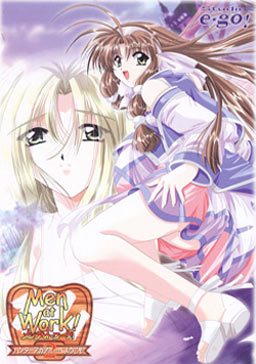
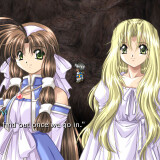
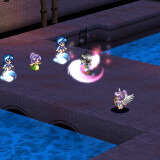
A Hunter Academy was established to teach Monster Hunters.
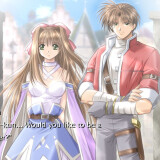
Cliff came to the academy to become a Hunter,
but the place turns out to be an old building unlike its name suggests,
and the great Hunter couple who was supposed to teach him leaves the Academy to go solve an incident in another town.
The Hunter candidates are all girls except for Cliff.
And after many turns of events, Cliff is placed in charge of the Academy and gets to stay with all the girls…
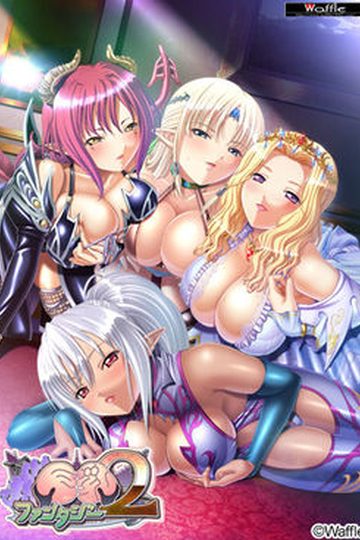
Men at Work! 2






99 comments
thanx admin..
2. Extract the archive (while in japanese locale - otherwise filenames will be messed up)
3. Run "setup.exe"
4. Install the game
5. Run english patch installer
6. ??
7. Profit!
by the way the choices you can select in the prologue appear blank anyone know why? or rather how to solve this?
I've changed to japanese locale before, infact this computer always i set to japanese locale.
from what I can tell unless you have an original cd, or IMG file or similar fordaemon it wn't work. But confused since it seems others here got it to work.
If I don't set the locale to japanese, setup.exe runs, but all characters come out all weird and unreadable and then it just closes.
what else can i try to fix this kind of problem?
I found a work around though. Rather than running the setup.exe I manually extracted the .cab files using 7zip, then following the same file folder layout that studio e-go! used for cfr2 I created subfolders named SAVE, Movie, and Music. Then I copied the SavXX.dat files to SAVE, the .avi files to Movie, and the .wav files to Music. Finally, I ran the patch as instructed treating the folder I manually extracted to as the installation folder.
This seems to be working fine thus far, I'm a little ways into the story without having encountered errors and saving/loading are working.
Thanks for this..
I heard four, but I could be wrong...
Well I finished at one playthrough of Men at Work! 2, and I´m starting another.
Hopefully the other Men at Work games will also get an english patch...
I like the game, so seeing it's sequels translated would've been nice...
Do you know if you can request translations from certain groups? Maybe if I asked and donated enough....
1. Set locale to Japanese
2. Extract downloaded rars ..
3. Extract Data1.cab and Data11.cab
4. Make 3 subfolders .. Name them SAVE .. Music and Movie ..
5. Move .avi files to Movie ..
6. Move .wav files to Music ..
7. Move .dat files to SAVE .. WAIT .. Leave game00.dat, game01.dat, game02.dat files alone .. They're okay where they are ..
8. Right click on English patch ( Men_at_Work_2_English_v1.0.exe ) and open properties ..
9. Click on compatibility tab and select " Change settings for all users ..
10. Put a check on the lowest box ..
11. Right click on english patch and press Troubleshoot compatibility ..
12. Click next and select Troubleshoot program .. Check 1st and 3rd boxes ( The prgram worked in earlier versions etc. and The program requires additional permissions ) ..
13. Select Windows XP ( Service Pack 2 ) .. Clcik " Next " then select " Start the Program " .. A user account control message should appear .. Click " Yes " ..
14. The patcher should appear ..
Click " Next " ..
Put a check on the only box you'll find ..
Put check on Subtitled OP if you want ..
Click " Next " ..
Click " Browse " then search for the folder you've been working in all this time .. You'll know what to do after that ..
That did the trick for me .. It didn't ask for the original disk .. Oh and a maw2-enlish.exe should appear on the folder ( replacing it's Japanese predecessor ..
Enjoy and I hope this helped you ..
I changed my system locale to jap, but got no luck while unzipping the rar file
But ur steps work greatly
Thankss!!