English visual novel downloads

Majikoi S

Majikoi S

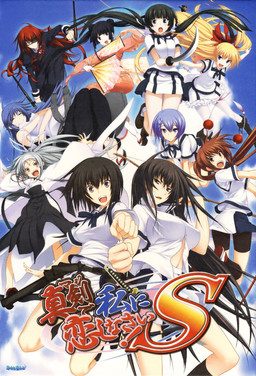
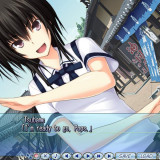
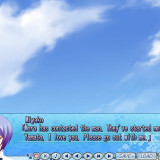
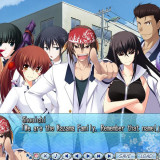
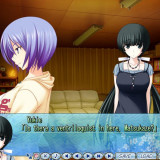
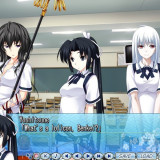
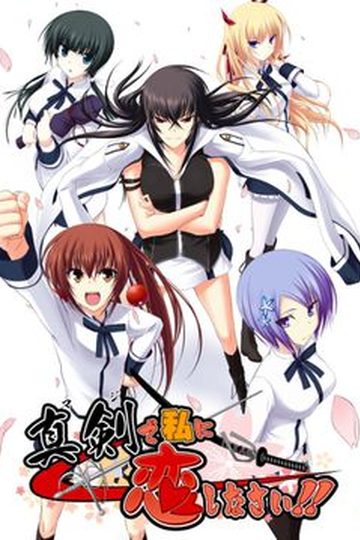
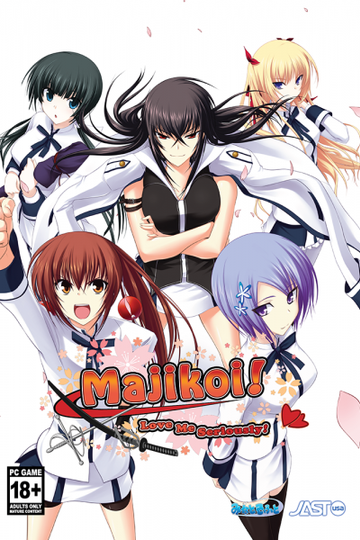
Majikoi is back and better than ever in this sequel to the hit 2009 visual novel. Majikoi S takes place after the events of Majikoi and lets you choose which of Majikoi’s many endings to proceed from. Choose your favorite heroine and enjoy new romantic events with her, or choose to start with no commitment and romance one of 5 new heroines.

375 comments

angerReply
sorry but there will be people that someone could tell me if this game majikoi S this uncensored or not, because if I will not download, and now that administrators of the website is my request because I'm here and the interior of another country where internet and slow and where these pages to download this website are falling all the time here because administrators do not exchange Linkis to other sites as Deposifiles and Mega .They are much faster, much safer and where there is in that web of bullshit drop a little bit that makes downloading and lose all rather than you get from where you left off you may not have to start all over again here in patience battle 4 hours so long to download 200mb which to min not of at least each of the gamesIt had to be a 100mb each
AnonymousReply
Someone just called me Satan himself.
Got 666 on my part 30 Captcha.
gg
http://imgur.com/oiZqmqV
tksReply
How do i open a cdi file? after i extracted everything it only shows two file named "mks-1.cdi" and "mks-2.cdi"
AnonymousReply
Download something like PowerISO or DaemonTools (I believe? I use PowerISO).
Right click the files and mount them to a drive, then extract them to a folder.
Download that alsignup thing mentioned somewhere in the above comments, drop that and the english patch into the folder you extracted the files to, use the english patch, then use the alsignup thing.
NoahreReply
So is this full english patch? Since I've played only partial patch so i wanna play the full one.
adminReply
I only post fully translated games here.
AnonymousReply
When I try to setup the game there is a disc1 followed by a bunch of japanese letters error
VanguardReply
For some reason, my version is NOT the translated one. How do I repatch it?
adminReply
There's patch link right below game download. You need to apply it to installed game.
VanguardReply
Yeah, noticed that just now. Feel like an idiot. Thanks for the speedy response.
Abel NightroadReply
Clicking on the spoilers just reloads the page. Can't get the download links. Guys please help.
adminReply
Disable adblock - it's blocking jquery library that's used to "draw" the tables.
ExcaliburReply
I'm not able to play the game when he is installed, it's normal ?
adminReply
Duh? Of course it's not normal... I only post working games here.
Post the error/issue you're having here and me, or some other user will help you.
razorReply
I download the english patch and when i go to install it to the game, the next button is grayed out and it dosent let me proceed with the patch installation, also the folder selected by default is in japanese
razorReply
Nvm i solved this problem, i installed the patch but now im getting an error 1503 with japanese text and it takes me to a tab in a browser, what do I do?
kirinReply
how you solve it mine is still blanked out
Yuji KaidoReply
Keeps telling me unknown or currupt image file and their was no issues during downloads they all downloaded correctly not quite sure this is a first for me normally never have any issues with the Iso's. any thoughts besides redownloading all 33 parts and re extracting again?
Yuji KaidoReply
Guess i'll redownload all 33 parts an reextract and see if it lets me mount the iso's after a redownload if not then not sure what i'll do never had any trouble with any other games before this is a first for it telling me the iso image is unknown or currupted.
SlagathorReply
I get a crash message that says \nexas has stopped working\ while im doing the kazuko route. anybody knows how to fix this?
SlagathorReply
FIX FOUND: if you have this problem here is a way to bypass it. Long story short, I used the skip to next choice option (make sure you can skip unread text via the options menu) to bypass the moment where it crashes. You can quick jump backwards so that you can read what you skipped if you want to.

If this doesn't work, I tried copying and replacing the contents of both ISO CDS in my installation folder before doing this BUT it didn't fix the problem. BUT it might me a step in doing so. Hope this helps some of you!
newbieReply
i alrdy install 33 file and extract how can i open game? teach me senpai
Yuji KaidoReply
You have to mount the ISO's to a removable drive not a USB, its a downloaded program that lets you read the extracted file images as a CD like PowerIso or AnytoIso which is also where I'm having trouble myself the ISO's say corrupted for me. So i'm redownloading it all and hoping that they dont need reuploaded.
get rektReply
I've installed it already but i don't know how to open the game. Whenever i open something it always redirect me to the support site.
Yuji KaidoReply
Admin the Files are broken and probably need reuploaded I've redownloaded 4 times extracted multiple times with different programs and more and the iso's are corrupted and or broken. if you manage to get it to work by all means Love to know how this is the only game i've ever had trouble with from your site though. sigh I may just have to break down an buy it so expensive though lol Unless you can get it fixed which would be nice.
ReaperbeesReply
i have a problem with the ingame movies. My locale is set to jap and i can see the opening but none of the ending movies or any other animated sequence in the game will play for me. They just freeze and only the audio plays even in movie mode. Does anyone knows how to fix it ???
adminReply
Seems like lack of codecs issue. Install "CCCP codec pack".
maximReply
I dont know but is the game fully uncensored yet before i download it?
YuutoHiroshigeReply
Hey uh, everytime i press setup.exe in the disc 1, it keeps on giving me config.html after i set the game files to c program files. PLEASE admin or any expert, help me please. I have dealt with the error message, but now this thing is blocking me from installing Majikoi S. PLEASE PLEASE HELP! ONEGAISHIMASU!!!! And yes i have set language to japanese, but it just give me weird computer language.
Indonesian'sGamersReply
1. Open disc 1 with daemon tools
2. Open DirectX Folder in Majikoi's Folder
3. There is a directx's installer there, install that before you click the setup.exe

hope my answer can help you :'))
tomojaReply
I downloaded all files but if I start the game i come to a support page in the internet and if I try to install the english patch the next button is greyed out.
tomojaReply
Solved the first problem but the english patch still dosen´t work
ThaengReply
How did you fix the first problem ??
reaperReply
hey guys can you tell me why i cant open this i use alpharoom but it error and i use applocale it give error code 1200
pazo0z0oReply
I get failed to check CRC error when extracting part 1 with winrar. How do I bypass this error?
zazieReply
when i start the setup for the English installer the next button is grayed out. how do i fix this?

p.s i downloaded the game before the full english came out, someone said that it will work with it.
ozzyReply
When I launch the game, it asks me in japanese to insert DVD 2 and shows a button that redirect on a support site.
Is there a no-CD crack or something? Or did I miss a step in instalation?
By the way thanks for uploading
purplepynkReply
I'm having this exact problem. It might be due to the 2nd dvd having nothing but movies in it.

I'm gonna try and get download the game from a different source, as it's possible this one is corrupted.
purplepynkReply
Nevermind. Found the solution here: http://erogedownload.com/downloads/majikoi-s/comment-page-2/#comment-675976
PsychocatReply
Hello

I just download and installed (using power ISO) the game but it won't start.
No error massage no nothing. In windows task manager - processes there is a " S" but that it is. Each time I try again the game, another " S" shows up but nothing else

I did install Direct X, Try without the English patch . My windows 7 location is set to Jap and I had had never this problem before with VN.

I tried alphaRom but it ony say "\SETTEC\AlphaDiscL Jap letters Alsign.sig Jap letters" and nothing happens

Please help as I don't know what else to try
HitoReply
I've installed the game and also the patch
but when i try to play, it give me error 1503 w/ some of japanese word which i don't understand ==
How to solve that?
thanks for help
zazieReply
I believe you need applocate if your not using it.
sorry i can't be much help
SirKnarpReply
Hi i need help when the part i need to choose a folder that will put the game on (installing) it wont next but my memory is good PLS HELP ME I WANT TO PLAY THIS :'(
goobykunReply
i'm having this problem as well. if anyone has the solution please feel free to help.
RagingElkReply
It saids I need to insert disk 2
randompassenger1234Reply
How do you setup the majikoi S English patch? I've been trying to set it up but when I set a destination folder, the next button doesn't highlight.
randompassenger1234Reply
I try to install the game but a config error keeps popping up. Help would be appreciated.
randompassenger1234Reply
it's a config.html error with a bunch of other symbols and letters that aren't in Japanese.
beewbsReply
i cant watch the movie mode.
and when i finished a route, the ending credit doesnt appear.
anybody having the same problem ?
naou38Reply
Hey guys :) I have a big problem: when the installation is finished and I launch the game, i get to a web page and i have to put a key :(

P.S. Sry for my bad english :p

Leave a comment