
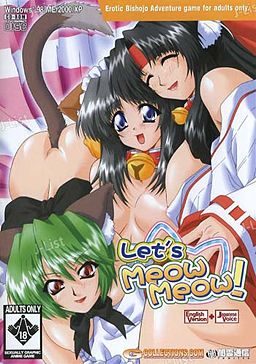
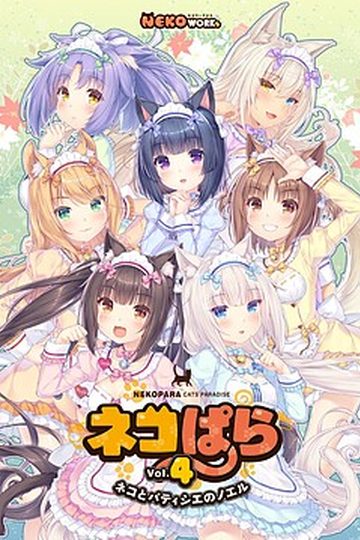
In the game, the player takes the role of Ibuki, a college student living on his own in an apartment complex. A lover of cats who often feeds strays in the park and takes injured cats to the vet, Ibuki is visited in the night by the Cat God, who offers him one wish in return for his kindness to animals. Ibuki wastes no time in his reply: “I want a catgirl!”. The cat god immediately announces his wish is granted and then vanishes, leaving Ibuki to wonder if it was all a dream.
Several days later, Ibuki is on his way home from work when he discovers a carboard box left near his apartment. Hearing the sound of a what he believes to be a cat, Ibuki opens the box to discover not a cat but in fact a catgirl, naked and sleeping. Ibuki takes the catgirl to his flat, where she reveals her name to be Mikan, and explains that she was sent by the catlord to serve him. Over the next few days, Ibuki discovers that the situation may not be as perfect as it first appeared, as a number of unwelcome visitors accidentally moved from the cat kingdom to our world alongside Mikan.










198 comments
I managed to get the game running from a previous download, but the game will not save. I found a save function and replaced it in the folder, but it doesn't work.
Can you tell me if your newer downloads have any problems with saving? If not, then I'll dump the old files and grab yours.
1. Download all four zips, storing them where you can get to easily.
2. Download Virtual Clone Sheep, and when you get to the download page on the official website, click the mirror that says "Freeware".
3. Install the freeware software.
4. Open the folder in which you downloaded the four zips. Double click CD1, NOT CD1.MDS, or right click to choose Open With... and choose Virtual Clone Drive, the software you downloaded.
5. Choose to autorun it, or if it gives you the option to choose between the .exe file OR to view the folder, choose the .exe.
6. Install the game when the splash page opens.
7. When it asks to insert Disk 2, repeat step 4, but open CD2 instead. Then hit OK on the installer to continue the installation.
8. Once it's been downloaded, you won't be able to simply hit PLAY. Otherwise you'll get an error about the server. Instead, this is where the CRACK folder comes into play. Open Crack, and copy the MINYANML application to the game's directory, which is most likely in My Programs, under the folder titled YAMIKUMO or so. Click YES to replace the original MINYANML program.
9. Create a shortcut with the replaced MINYANML file to your desktop, or pin it to your taskbar if you have Windows 7.
Enjoy the game!
8. Once it’s been downloaded, you won’t be able to simply hit PLAY. Otherwise you’ll get an error about the server. Instead, this is where the CRACK folder comes into play. Open Crack, and copy EVERYTHING, including the disk files, to the game’s directory, which is most likely in My Programs, under the folder titled YAMIKUMO or so. Click YES to replace anything.
I hope this works for you.
on a side note i cant open the "crack" file so i put the hole thing in program files but it still doesnt work someone help