
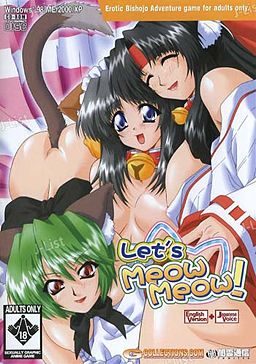
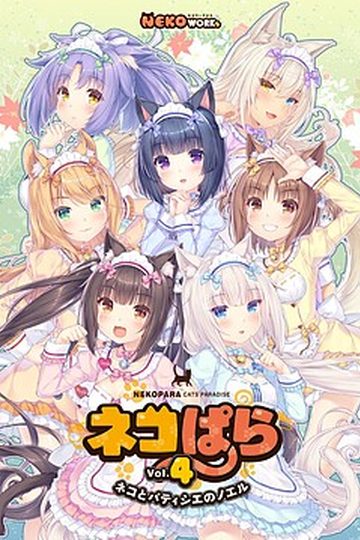
In the game, the player takes the role of Ibuki, a college student living on his own in an apartment complex. A lover of cats who often feeds strays in the park and takes injured cats to the vet, Ibuki is visited in the night by the Cat God, who offers him one wish in return for his kindness to animals. Ibuki wastes no time in his reply: “I want a catgirl!”. The cat god immediately announces his wish is granted and then vanishes, leaving Ibuki to wonder if it was all a dream.
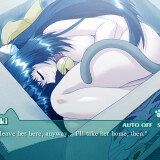
Several days later, Ibuki is on his way home from work when he discovers a carboard box left near his apartment. Hearing the sound of a what he believes to be a cat, Ibuki opens the box to discover not a cat but in fact a catgirl, naked and sleeping. Ibuki takes the catgirl to his flat, where she reveals her name to be Mikan, and explains that she was sent by the catlord to serve him. Over the next few days, Ibuki discovers that the situation may not be as perfect as it first appeared, as a number of unwelcome visitors accidentally moved from the cat kingdom to our world alongside Mikan.






198 comments
You MUST have DAEMON Tools, or DAEMON Tools Lite to install.
(you can google it and get this software for free)
PS: Daemon tools is also used to install many other eroge from this site, so it'll most likely be useful to you in the future.
To Install:
Step 1.) After you downloaded ALL 4 PARTS, open the FIRST part and extract it to the folder of your choice. Once finished, open the folder and find the Application crack (right click and copy for future use)...
Step 2.) Now open DAEMON Tools, set up a "Virtual Device", right click it and click "mount" or "mount image" ..a window will pop up, go find the folder in which you extracted the game and select the one that says "CD1" in it... at which point the installation will begin.
Step 3.) The installation will then stop in the middle and as you to put in another game disc. (DON'T CLICK ANY OPTION ON THIS POPUP FOR NOW) go to your DAEMON Tools window, right click your "Virtual Device" and click "unmount" ... then right click it again and click "Mount" or "mount image" (Like you did in step 2). Find the same folder from before, but this time select the file that says "CD2" in it.... return to your installation window and click "Continue/ok" from the previous popup and the installation will resume."
Step 4.) After the installation is complete, delete the desktop icon shortcut (if you enabled the option to create shortcut.. if not, then ignore)... then open the new game installation folder (NOT THE ONE YOU EXTRACTED TO, USE THE ONE IN WHICH THE GAME INSTALLED ITSELF INTO).. now right click and select "paste" (if you haven't copied the crack, refer to step 1) ..a window will popup asking you if you want to replace the file with your paste file... select "yes".. double click the new application launch icon and you can play the game.
enjoy!
To Install:
Step 1.) After you downloaded all 4 parts, highlight all 4 parts then right click and extract them all this will create a Let's Meow Meow folder in your download folder or whatever folder the parts were saved to.
Step 2.) Now open the Let' Meow Meow folder. If you chose to extract to Let's Meow Meow instead of extract here there will be another Let's Meow Meow folder inside the one you just created that you will need to click on as well. Inside you should find 4 files labeled Let's Meow Meow CD two that say CD1 and two that say CD2. The ones you need are the MDF files ignore the MDS files if your computer doesn't tell you what kind of file they are just look for the ones with the larger size the MDS file have a size of 1KB on my laptop. Doubleclick on the CD1 MDF file it will the say mounting to desktop and a BD-ROM Drive should appear under the computer tab below Local Disk and RECOVERY. The installation window should then pop up after a few minutes.
Step 3.) The installation will then stop in the middle and ask you to insert another game disc. If everything went alright you should still have the Let's Meow Meow folder open behind the installation window click on it anywhere to switch back to it and doubleclick on the CD2 MDF file like before it will say mounting to desktop. After it finishes mounting go back to the installation window and click Continue/Ok on the popup to resume the installation.
Step 4.) After the installation is complete, delete the desktop icon shortcut (if you enabled the option to create shortcut.. if not, then ignore)… then click on the BD-ROM Drive and copy all the files in it and paste them in the Let's Meow Meow folder you just came from. Then extract all the WinRAR/WinZip files you just pasted, when asked to replace files click yes to all. After you have extracted all the files go into the crack folder and copy the application inside then go back to the previous folder you were just in and paste the application there clicking yes to replace when asked. Scroll down and double click on the new application launch icon and you can play the game.
and that's how I installed it and if crazymonkeh's way doesn't work for you try mine. Have fun!
PS: If you don't have Daemon Tools...Virtual Clone Drive works, too.
So far, I got the whole game installed, im mostly confused about the part where i replace this and that.. >.> I don't know exactly which folder im copying from and the code names for crap isnt really helping..
i wish somebody could give me a visual instruction which would probably be my best bet or at least a more detailed and like STEP-BY-STEP instruction telling me exactly what to do and exactly how to do it.. Trying to figure this out makes me feel really stupid.. This is really confusing.. Someone help?
so i wonder if you (or anyone else) can help me with it.
I get to the point where it asks for the game disk and I enter the file from CD2 but it wont let me countinu. Anyone know why?
thank you!!!
DA-free doesnt allow u to download more than 2 at a time
And now it downloaded...
Hmm... weird...
i downloaded it and extracted it but it says
"Cant use the conected file GGD" so what does it mean???
(Sorry if this sounds patronizing). I got the same problem and tried everything to solve it. But, just in case, could it be possible that you didn´t "Explore" your mounted disk, copied and extracted all the files in your game folder before putting the crack.? This may sound stupid, but I didn't read the part that said to copy the files, and even then had to redownload the crack because I didn't know the crack had been replaced.
Thank you for your time.
can't use the connected file CCD
Then i click Yes (or continue) and i can hear sound effects but not voices. Have you guys a solution?
Sorry for the touble (and my bad english) and thanks ^^
can anyone help me?
I cant extract the other files.
I'm using Windows 8,so my method maybe slightly different.
1)Extract the contents from Zip or Rar to any folder
2)Open Daemon Tools
3)Create a virtual drive
4)Mount \CD01\ from the extracted folder
5)Start the installer (located in \My Computer\ by double-clicking the virtual drive. The icon will be a dead give away.)
6)Keep the default install options
7)Let the first half finish
8)It will ask for the second disk. Do NOT click \Ok\
9)Go back into Daemon Tools. Unmount \CD01\ and mount \CD02\ on the same virtual drive
10)Now click \Ok\ on the installer
11)After the game and \Virtual-Mate\ finished exit the installer
12)Now go into the \Crack\ folder from the extracted Zip/Rar folder
13)Copy the file \MINYANML\
14)Now go to \Computer/(C:)/Program_Files/YAMIKUMO/MINYANML\
15)Paste the file and overwrite it
16)Now create a shortcut directly from that to your desktop or desired folder
17)Start it up
I hope that was simple and clear enough to help everyone out.
server error 0x00030001 Help will be appreciated :D
anyone having similar issues?
"Here’s my method of getting the game to work.
1. Download all four zips, storing them where you can get to easily.
2. Download Virtual Clone Sheep, and when you get to the download page on the official website, click the mirror that says “Freeware”.
3. Install the freeware software.
4. Open the folder in which you downloaded the four zips. Double click CD1, NOT CD1.MDS, or right click to choose Open With… and choose Virtual Clone Drive, the software you downloaded.
5. Choose to autorun it, or if it gives you the option to choose between the .exe file OR to view the folder, choose the .exe.
6. Install the game when the splash page opens.
7. When it asks to insert Disk 2, repeat step 4, but open CD2 instead. Then hit OK on the installer to continue the installation.
8. Once it’s been downloaded, you won’t be able to simply hit PLAY. Otherwise you’ll get an error about the server. Instead, this is where the CRACK folder comes into play. Open Crack, and copy the MINYANML application to the game’s directory, which is most likely in My Programs, under the folder titled YAMIKUMO or so. Click YES to replace the original MINYANML program.
9. Create a shortcut with the replaced MINYANML file to your desktop, or pin it to your taskbar if you have Windows 7.
Enjoy the game!"