English visual novel downloads

Let's Meow Meow!

Let's Meow Meow!

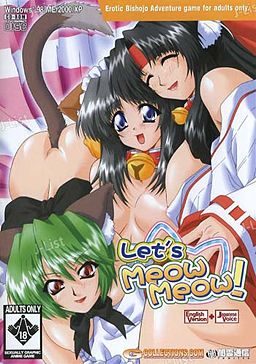
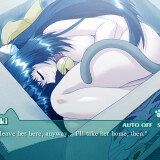
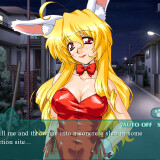
In the game, the player takes the role of Ibuki, a college student living on his own in an apartment complex. A lover of cats who often feeds strays in the park and takes injured cats to the vet, Ibuki is visited in the night by the Cat God, who offers him one wish in return for his kindness to animals. Ibuki wastes no time in his reply: “I want a catgirl!”. The cat god immediately announces his wish is granted and then vanishes, leaving Ibuki to wonder if it was all a dream.

Several days later, Ibuki is on his way home from work when he discovers a carboard box left near his apartment. Hearing the sound of a what he believes to be a cat, Ibuki opens the box to discover not a cat but in fact a catgirl, naked and sleeping. Ibuki takes the catgirl to his flat, where she reveals her name to be Mikan, and explains that she was sent by the catlord to serve him. Over the next few days, Ibuki discovers that the situation may not be as perfect as it first appeared, as a number of unwelcome visitors accidentally moved from the cat kingdom to our world alongside Mikan.
198 comments

worldclasscooperReply
Can anyone give me a detailed, step by step, instructions on hot to install and run? I made the folders in program files by hand and the exe just keeps giving me a pop-up message saying "can't use connected GGD file"
The german manReply
1.download zip
2.unzip files
3.install daemon tools or iso
4.mount first disc file to a virtual driver on one of the softwares
5.when insert second disc comes up mount second disc to same virtual driver replacing the first disc.
6.unzip crack and put in Local Disk(C:)> Program Files> YAMIKUMO> MINYANML
7.Play game and enjoy
worldclasscooperReply
worked like a fucking charming
worldclasscooperReply
actually, no it didn't. I got the game launcher up, but it wouldn't let me move the crack into the program files, and now i can't delete anything. Help?
worldclasscooperReply
all right, i got to the point where it wants me to enter a product key, but i obviously don't have one. where is the cracker.eve located? Also, it won't let me delete the program or move it or copy another file over it. Any help?
basakaReply
this website is indeed awesome,i download a lot from here,thougt it take hell lots of time,and sometime there are problem with the games,but still,this website is erfert for us otaku
basakaReply
ok,i downloaded the game,got the same problem as everyone,and here is what i do to fix it:
1st thing,i unrarot the 2 part,then i exact the crack file,i got an icon that doesnt work,it said can use the file CCD or something like that.then i use daemon tools to mount the CD1,then go back to my computer and there will be a new driver that has the icon of the game,click it and it pop up a box that has the picture of the game with some option,forget all of them,just hit install.after installing a while,it will said insert CD2,then i mount the CD2 file and hit ok,it go back to installing.when it done,u will have a pop up box that ask u for username and paswork,just forget it and close it, then go back to where u exact the game and copy the icon that doent work to th direction u installed the game,replace it with the one u just installed,click the icon and enjoy the ecchi^^

well,that what i did,it work for me,hope it help anyone has the same problem^^
bakamanReply
I just get to the point where it says "creating directory" and it doesn't go anywhere...
anonReply
Okay so I actually was able to start the install process but it stops at 28% and asks for disc 2. I've tried mounting all the possible files, which is the exact one I use?! I've tried all combinations of MDS and MDF files and none of them seem to work... Help?
fearReply
for those who are having trouble with the key or Can’t use the connected file GGD this is what i did to get my game running.First you unzip the cracker it will give you two items you then bring up Local Disk(C:)> Program Files> YAMIKUMO> MINYANML.now go back to the place where you unzip you cracker file take the two items you got from them and just dragged them over to that file don't click replace you want the move but keep both files after that click minyanml(2) and the game should run fine.
NatlyReply
Ummm... The download site is down once again.
VandalReply
what the hell? i can't download it from hotfile,
JosephReply
doesn't work in hotfile! Please, get another place to host the file.
Jan MikaeelReply
aw i have a problem it says that the file is deleted by the uploader or either removed due to copy right claim~
John AndersonReply
I have install it but when I want to start it, it says "Failure to acquire necessary data from Server. Error code 0x00030001" What should I do?
adminReply
Use cracked .exe
John AndersonReply
Where do I get cracked.exe?
flick-micReply
After downloading and viewing the folder that I placed the files in, I noticed a separate folder appeared labeled "Crack." But I cannot install the little crack.exe. I think its titled "MNYANML".... I'm using Winzip and Daemon...but I'm stumped, I keep getting this error message. "cannot use the connected GGD"....
DiscomanReply
i can't install it, it just says can't use connected file GGD
TheWallFlyReply
Ive installed it successfully but it now says that it cannot verify the server, or something to that effect.
adminReply
You need to put cracked .exe in game directory and start game with it.
TheWallFlyReply
thanks very much love the site and keep up all the hard work
GengaaaaaarReply
Yeah thanks alot Admin :)
Nobody'sHomeReply
I may just be really stupid here and i hate to cause anyone any extra work but i just cannot figure out how to do the vmate patch. please help 0.0 Oh and to the Admin i absolutely LOVE this site
ZephyrReply
i need help its asking me for an installation disc what should i do
LZXReply
can't wait to play this game
NullslayerReply
Does Virtual Mate even exist anymore, because i can't find it
LionfaceReply
right, so! for everybody having problems. to get it to install, you don't click on the MINYANML icon. you right click on the CD1 data (I did it on the MDF file, but I have no idea if it works on the other file type), choose open with, and use a proper program to do it. I used virtual clone sheep, and it worked just fine. you open it up, click install, and let it do it's business. you wait until it freezes and says you need the disc in to continue: don't freak, just right-click on the CD2 data (again, used MDF) and open with the same program; this has the same effect as inserting disc 2. continue the installation, and boom! you're done!
that's as far as I got, however, because when I click play, it says it can't connect to the server and gives me a whole string of numbers. I know it's been said earlier that you need to use 'cracked.exe' but where do you get that exactly? if you're supposed to get it in the rar file that comes with the download, well, that's not working for me. can somebody give me as detailed an explanation as I just gave to help me out like I just helped everybody else out?
meReply
to use the crack file you have to copy the application given in the crack file in the download and put it into the the game folder
meReply
when i say game i mean the lets meow meow game not as in the solitare game file
SoullessReply
mm it says taht the ADCPM files are not supported by the system and that there will be no voices CODE = 0:0 does any one know how to get the voices to work?
MileardoReply
alright...this isnt working and i mean i have no idea how to solve this cannot find server issue
so far i can get the setup to the game started and in my game folder i have all the files included the extracted MINYANML.exe file that when i open tells my i cannot connect to the GDD which is fraknly the problem that keeps coming up the other way it works is at the startup menu i click play and it tells my the server cannot be found
...can someone pleasse put up a sort of step by step to get this game running...
PaulReply
So I got everything until it was time to run it. I clicked cracked.exe and it brings up the Let's Meow Meow and it says game disk. then it does nothing and when I "X" out it says do you want to end setting up..... What to do?
GizmoReply
ok i figured it out where the crack goes (in minyaml) go to your computer application search minyaml you should find a folder labeled minyaml replace and bam problem solved and this was after i installed
Eureka_7Reply
How to ACTUALLY solve the problem once you download the game:

The Missing .exe file you need, which is the cracked version, is hidden inside the CD folder. Mount the file, but instead of running the program, view all files and folders. You'll see a folder labeled CRACK... inside there you'll find the MINYAML-Pahn.exe crack file. Copy/paste into where you saved the game on your computer and remove/delete the old .exe :) Niuuuu!
demonReply
Eureka. i dont really understand that... and alot of us use diffrent programs to mount or open. i use magic iso and alcohol120% for mounting(for this one im just using alcohol) which cd needs to be mounted? also i mounted both 1 and 2 and neither had a folder labeled CRACK.... also in the files i have so far i dont have an old .exe file that can be deleted once i do find that(i do have it installed now by the way so that shouldnt be the issue)... i will keep trying to figure it out on my own while waiting for someone to give a clear explanation of where it is located.
adminReply
You can treat most of those comments as obsolete - i'm currently in the process of adding mirrors for every game that's posted, and where it's possible i'm trying to make installing and running games easier.
This one had it's links updated yesterday, and i replaced game .exe with cracked one at installer level - you no longer need to move anything - just install and play.
demonReply
oh i had probably downloaded the files shortly before the new links were put up then :P thanks admin :) the new ones are alot easier to use
EisoReply
where's the link for the file?
NekuDash21Reply
Ok, either it's just me, or the install doesn't seem to work. I am running Japanese locale, opened the cd image with Daemon tools. So while it's installing(around 60% Installation completion), it stops and window pops up saying "Pleas einsert the 'Game disc' and press OK." I tried pressing OK just to see what happens, same thing. So I unmounted Disk 1 and mounted disk 2. Didn't seem to work.
Is it possible that the second disk's data is corrupted? The first disk on Daemon shows a chibi icon(the same as the installation tab) while the second disk had no image, no name(only the location of the cd.

TL;DR What's the "Game Disk" and where am i supposed to look for it?
>.>
HapsReply
Same problem I tried to sidestep it by changing to ISO and using that way but now I get a please install again registration error. Whatever that means
NecroReply
Same problem, can't mount disc 2 and it seems to be corrupted or damaged. Any solution?
..........Reply
im having the same trouble as neku is.... disc 2 wont mount so i cant install the game.... please help.
adminReply
Sorry guys - looks like upload got corrupted during uploading. I'll put old links up for time being - unfortunately you'll have to redownload this game to get cd2 to work.
RedderReply
Has the files been Deleted? download the files... and i could yesterday why is that?
RedderReply
i cant download the files today
anonymous#2755Reply
i get that error "can't use GGD file" too...
please help
anonymous#2755Reply
i installed it correctly. mount disc 1. mount disc 2. quit the game. replace the original .EXE with the cracked 1....
still get the can't use GGD error. srslee. any help?
NecroReply
I downloaded the new archives, installed the discs and could run the game. I got a problem with the voices, but to fix it you need to download this file and replace it (a txt with the instructions is included in the zip),so now the game runs perfectly! Thanks
File to fix the sounds:
http://www.sendspace.com/file/bfiz8d
RedderReply
i cant mount any cd1.mdf or mds why? (i use daemon tools lite by the way)

Leave a comment