English visual novel downloads

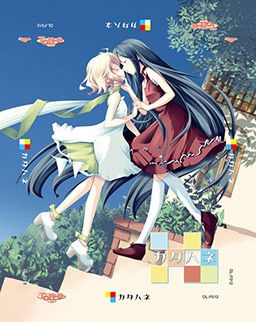
Katahane

Katahane

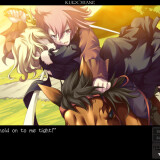
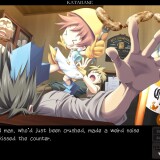
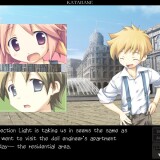
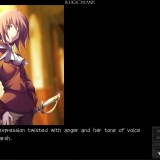
The story takes place in a world with 3 kingdoms, the Red, White, and Blue Kingdom. In this world, they have highly-advanced dolls with some closely resembling humans. These dolls occasionally need maintainence which done by a “tuner”.

A young playwright named Wakaba writes a controversial play about a traitor named Ein who killed a ruler of the White Kingdom, Christina. In Wakaba’s play, she presumes that Ein did not betray Christina, but was actually her loyal supporter.

When Wakaba’s history major friend needs to make a trip to get Coco, a genki doll that lives with Wakaba, maintainence, Wakaba and her brother Light travel with him. Wakaba travels in the hopes of finding some actors for her play. Along the way, they meet a beautiful doll with one wing named Belle and an aspiring actress named Angelina.
174 comments

KilikReply
sorry for intrusion!
i would like to play the similar game as G-Senjou no Maou.
it made my tears flew non-stop.. any suggestion? :P
sorry for my english
adminReply
Sharin no Kuni, Himawari no Shoujo - it's made by the same company, and it's very similar in many aspects.
Next time ask questions like this in comments about game you're asking about.
adispiReply
if you like sad ending vn try muv-luv alternatife, the story make me cry even in my sleep.
zeknaReply
I get an error that setup.exe "is not a valid Win32 application." Running this on windows 7 64bit. Any easy fixes?
MirroredReply
Open cd dir.

Click setup

Right click

Click troubleshoot compatibility.

Install.

Profit?
zeknaReply
erg. I wish it was that simple, but I think I actually assembled the parts wrong - windows thinks it's a 16bit installer. Any recommended program to complete the iso from the downloads above?
KilikReply
admin, please check FAQ mount image in daemon topic, i want to ask something in there. thanks. :P
KorodochReply
Getting another error myself, something about dir/uninst.exe and a bunch of weird asterisks. Probably a failed to copy message or something, been googeling for it but can't find anything about it. Anyone have an idea?
stephReply
I'm trying to run the update patch, but cannot read japanese, so i cannot follow the instructions. Also, trying to run the english patch, it cannot find the driectory, when it is on the desktop. Please help >_<
RunnerdudeReply
Hello...
Does this game works on windows 7 computers?
thatguyReply
it works perfectly
chris stevensReply
also for those having problems understanding the update patch run it and click the top option then click yes uncheck tick box after it's completed and click ok then follow the instructions in my previous post also make sure to change your regional language options to japanese

windows xp -->control panel--->date,time,language and regional options-->regional and language options-->advanced-->click dropdown menu and select japanese

for vista
Open Regional and Language Options by clicking the Start button Picture of the Start button, clicking Control Panel, clicking Clock, Language, and Region, and then clicking Regional and Language Options.

Click the Administrative tab, and then, under Language for non-Unicode programs (System Locale), click Change system locale. Administrator permission required If you are prompted for an administrator password or confirmation, type the password or provide confirmation.

Select the language, and then click OK.

To restart your computer, click Restart now.

for windows 7

Open Region and Language by clicking the Start button Picture of the Start button, clicking Control Panel, clicking Clock, Language, and Region, and then clicking Region and Language.

Click the Administrative tab, and then, under Language for non-Unicode programs, click Change system locale. Administrator permission required If you're prompted for an administrator password or confirmation, type the password or provide confirmation.

Select the language, and then click OK.
MeReply
A tuner? Synchro summon!
SuperbiaReply
What a boss.

OT: Interesting story. Ein is a great character...
UnknownReply
WEW LIKE IT .... :D
ogachiiReply
hey admin, think you could find the game: color of the water, color of the sky/ mizu no iro, sora no iro. thx i apprecciate it.
CaelistasReply
Is this yuri or not?
CaelistasReply
Btw, how's the forum coming along admin?
RANDOM_HEROReply
hey admin...links are interchangeable..?
adminReply
yes
RANDOM_HEROReply
good...thanks...=)
HeroineSaviorReply
Hi admin, I'm looking for "Ushinawareta Mirai o Motomete" for PC, is there any download link for this eroge game? thank you~
RANDOM_HEROReply
for what i know, it is not being translated, so i doubt you will find it here...of course if you can read japanese, then you can check it somwere else
Pizza RollsReply
Hey admin, I'm having a little trouble installing the English patch of the game. I keep getting a warning that says "The application has failed to start because of its side-by-side configuration is incorrect. Please see the event log for more details." Can you tell me what's wrong?
HeroineSaviorReply
no need to install English patch, just copy paste it to game folder.
Chaos47Reply
I'm having the same problem. I install the game, run the update. No problems up to this point. But when it comes to the English patch, it just wont run it. What am I doing wrong?
RANDOM_HEROReply
Did you try to run it as an administrator...if you are using vista of course...??
Chaos47Reply
I'm using XP. It doesn't give me the option of running it as an admin.
Pizza RollsReply
I ran it in admin on vista, it still did not work ><
Chaos47Reply
So I'm guessing there is no solution to this problem? Oh well, guess I'll just have to skip on this one.
RANDOM_HEROReply
Chaos47... sorry i just have no idea when it comes to XP
ZeroReply
You are getting that error because of Visual C++

I was trying to figure this same problem out and it turns out the 2005 and 2010 versions wont work (I tested them). You HAVE to have the 2008 32bit version (even if you are running a 64 bit OS). Here is the link to the copy you need.

http://www.microsoft.com/download/en/details.aspx?id=5582

Make sure to uninstall any other Visual C++ programs before you install it to avoid extra problems.

After you have it installed run the English patch from the game folder and it should work.
unknownReply
When I try to install it seems to install all the way but then I get a error message
RANDOM_HEROReply
does someone knows why the route selection options dissapear when you start the game with the Katahane.exe in stead of the カタハネ.exe...?i guess you will play them anyway...am i wrong..?
Mari-eReply
cant find katahane.exe help any1?
unknownReply
If the initial installer doesn't work, all you need to do is change your language for non-unicode programs. Go to Region and Language> Administrative> Change system locale and change to Japanese. I'm running windows 7 x64 home premium.
Shadovv-sanReply
i have a problem with step 5:
(5. Select “File” and “Font Config” in-game, and change the font to “S2GP月フォント” to fix wordwrapping.)

there's nothing there to choose from... just empty white box
any1 can upload the font plz?

oh yea, and there isn't any text in the game T_T and i'm stuck on the first page
unknownReply
Does anyone know how to get the scenario for the Angelina x Belle ero scene? yuri fan xD
MitsukiAdoredReply
Hello, just downloaded game today and having problems. I downloaded the game, literal patch and the update. I saw the instructions but it's not going that way for me.
I click on the update and it's all gibberish and it pops up that it needs something (like when you go to Browse for file) but I have no idea what it's asking for. The game isn't popping up. The game is an .iso file.
I tried skipping the update and went to the English patch to select the game and the game is still not popping up! What's going on? X_X It's been a LONG time since I have done this and totally clueless. Please anyone help me? :'(
unknownReply
first of all make sure your locale/language for non unicode programs is set to japan (to do this go to region and language in control panel and go to administrative tab.)

once your done, mount the iso image with a virtual drive (I use daemon tools) or burn it onto a DVD. open the disk and you should find the installer. after the game is installed, it should run in japanese.

to install the patch, locate the directory that the game is installed in.

after the patch is done install the english patch.
CelerySticksReply
Just finished this one the other day, pretty good if you ask me. Keep up the good work Admin, looking forward to any future adds. Now to finish Shikkoku no Sharnoth :]
RazielTepesReply
sigh, for some reason, the skip function doesn't work right I end up having to keep F7 pressed but then it even skips stuff i haven't read yet, so annoying... any idea how to fix this ?
ashleyReply
off topic about this game

but suggestion
can we get some sort of way to tell if a game will require the applocal usage or changing the computer around to jap settings

so we do not waste a few hrs dling for no reason
adminReply
Yes, it's on my TODO list. Right now i'm uploading all games that were ever released in English, but are still missing on this site. Once I'm done i'll be making installation instructions for every title posted, with MD5 checksum for files ( to verify you downloaded them properly), required environment ( does it need japanese locale, does it run on windows 7/Vista etc.) and step-by-step instructions, with screencaps included.
dreadReply
do i have to download all five mirrors, the update and the english patch?
dreadReply
it takes 7 hours per mirror..
AbelReply
I cant find the font config for S2GP月フォント.. There are only 3 options and it aint one of them. Help? :(
AbelReply
My katahane.exe is also missing even though everything else is in the folder...
birthofthecoolReply
Was a bit ahrd to get to run, but very enjoyable.
expecially the Kurohane is very bittersweet and moving.

Heh, my favorite couple Dua and Ein never even were a couple, but check this for yourselves
SpyderReply
When I extract the Rar files it says all the files are corrupt. :/

Leave a comment