
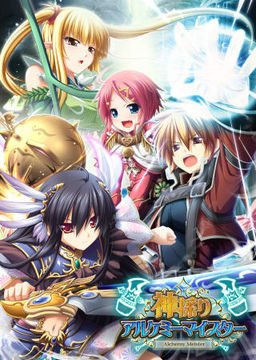
In the Setetori region of the southern part of the Raulbhach continent lies the Mikelti Kingdom. Among the seven major cities is the artisan city of Yuidora. This is where a young orphan named Wilfred lives, pursuing his dream of becoming an alchemist. As tensions between neighboring nations rise and a threat of war looms, three girls in distress come to his place and he helps protect them. Using a new technique that he discovered and with the help of other races, will they be able to restore peace to the lands?
Kamidori Alchemy Meister
- Kamidori.part01.rar - 199.3 MB
- Kamidori.part02.rar - 199.3 MB
- Kamidori.part03.rar - 199.3 MB
- Kamidori.part04.rar - 199.3 MB
- Kamidori.part05.rar - 199.3 MB
- Kamidori.part06.rar - 199.3 MB
- Kamidori.part07.rar - 199.3 MB
- Kamidori.part08.rar - 199.3 MB
- Kamidori.part09.rar - 199.3 MB
- Kamidori.part10.rar - 199.3 MB
- Kamidori.part11.rar - 199.3 MB
- Kamidori.part12.rar - 199.3 MB
- Kamidori.part13.rar - 199.3 MB
- Kamidori.part14.rar - 199.3 MB
- Kamidori.part15.rar - 199.3 MB
- Kamidori.part16.rar - 199.3 MB
- Kamidori.part17.rar - 199.3 MB
- Kamidori.part18.rar - 199.3 MB
- Kamidori.part19.rar - 199.3 MB
- Kamidori.part20.rar - 199.3 MB
- Kamidori.part21.rar - 199.3 MB
- Kamidori.part22.rar - 71.3 MB
- KamidoriPatches.rar - 346.1 MB
- Kamidori_1_1.zip - 30.4 MB



2336 comments
Is it just because the english patch didn't include the Extra Story mode or something?
I installed all the patches in order Kami_app01 then Kami_app02 then Kami_app200 and placed the English patch file in a different are in C:Program files, but now ive done that I start the game but it freezes after the intro but before the intro movie what is this? plz help
hope this helps if not then im not to sure sorry but I will try
"SYSTEM4.BIN" , something in japanese, "and ERROR CODE=2"
Can someone help me?
1. Install the Japanese language pack for Windows to understand the characters and file names. In Win7 this is in Control Panel->Region and Language->Keyboards and Languages->Install/uninstall languages (or you can do it directly from Windows Update). To make sure this has been done right, try choosing the Uninstall option and make sure Japanese is in the list of installed languages. However, leave English as the display language. It is enough to have the pack installed.
2. Set the Japanese language for the installer and the game by changing the system locale. This MUST be active both when you run the installer and when you run the game. Control Panel->Region and Language->Administrative->Change system locale...->Japanese
1. Set up languages. I explained this in my last post today.
2. Extract the game. Mount the disc image. Install the game. Run the game and start a new game to see that it works in japanese. Errors here indicate either a corrupt download or mistakes in setting up the language.
3. Extract append patch 1. Copy the exe to the game folder and run it. You can delete the exe after to free space.
4. Extract append patch 2 as above. Can delete exe after.
5. Extract the version 2.00 patch as above. Can delete exe after. Launch and start a new game to verify that it still works in japanese. Errors at this stage usually indicate corrupt patch downloads.
6. Extract the english patch and copy all files to the game folder. With older versions of the language patch, run Kamidori English.exe. Launch the game. If the game crashes, your languages aren't set up right. Refer to my language setup post. If you experience crashes or corruption later in the game, make sure you installed the appends correctly and make sure your MPEG codecs are up to date.
Good luck installing and have fun playing!
sorry i'm still new here..
I've downloaded and finished playing a couple of games from this site already so I have the language patches working fine.
I extracted and it worked. I ran append patch 1 and then append patch 2 and then patch 2.00. Everything works fine up to this point. When I extract the English patch and copy all of the files into the game folder and I try to run Kamidori English. The Autorun.exe which is in Japanese still works fine. Could you possibly tell me what's wrong?
This is the error I see:
http://i988.photobucket.com/albums/af6/astray71/whatiswrong_zps9e1c289c.png
3 different routes:
Yuela - Definitely best route
Serawi (Elf-tit route) - working title \NOTHING REALLY HAPPENS\ route - Yes, this one sucks xD
Emilita (Loli route) - unlike Serawi, this one is good (but of course not as epic as Yuela route ^^ )
definitely the best game from Japan I ever played.
why there is a text
"no gamepad detected"
anyone can help me?
http://i.imgur.com/W4bkB67.png
I still dont understand how to install English Patch fot this game..I already downloaded english patch from this website
But..after I extract it,I found many files that make me confuse..
so..anyone can you please help me..
what patch do I need to use/DL?
the 346.1MB, the one with 2 parts or the one with 30.4MB?
Thanks for the help :D