
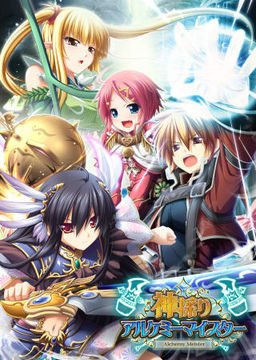
In the Setetori region of the southern part of the Raulbhach continent lies the Mikelti Kingdom. Among the seven major cities is the artisan city of Yuidora. This is where a young orphan named Wilfred lives, pursuing his dream of becoming an alchemist. As tensions between neighboring nations rise and a threat of war looms, three girls in distress come to his place and he helps protect them. Using a new technique that he discovered and with the help of other races, will they be able to restore peace to the lands?
Kamidori Alchemy Meister
- Kamidori.part01.rar - 199.3 MB
- Kamidori.part02.rar - 199.3 MB
- Kamidori.part03.rar - 199.3 MB
- Kamidori.part04.rar - 199.3 MB
- Kamidori.part05.rar - 199.3 MB
- Kamidori.part06.rar - 199.3 MB
- Kamidori.part07.rar - 199.3 MB
- Kamidori.part08.rar - 199.3 MB
- Kamidori.part09.rar - 199.3 MB
- Kamidori.part10.rar - 199.3 MB
- Kamidori.part11.rar - 199.3 MB
- Kamidori.part12.rar - 199.3 MB
- Kamidori.part13.rar - 199.3 MB
- Kamidori.part14.rar - 199.3 MB
- Kamidori.part15.rar - 199.3 MB
- Kamidori.part16.rar - 199.3 MB
- Kamidori.part17.rar - 199.3 MB
- Kamidori.part18.rar - 199.3 MB
- Kamidori.part19.rar - 199.3 MB
- Kamidori.part20.rar - 199.3 MB
- Kamidori.part21.rar - 199.3 MB
- Kamidori.part22.rar - 71.3 MB
- KamidoriPatches.rar - 346.1 MB
- Kamidori_1_1.zip - 30.4 MB






2336 comments
there are only weird writings appearing :(
what should I suppose to do?
In my second play "Ch.8 Walking a Narrow The Path", I can't complete mission "Mass Produce medicine!"
can everyone help me , what should i do?
i've tried using daemon tool and magic iso to mount the mdf file, after that it came up with (idk installation option maybe,cant read it) 5 options. 1st and 3rd options is in gray (can't click it), 4th and 5th aren't for install either so it leave the 2nd option but when i click it
\ %$#$#$@%^%$^ - installshield wizard
1208: ae,gll
?ANSI????????????????????????????????????
OK(O) \
so please help me anyone, really anted to play this.
1. Set locale to Japan (Japanese) and restart your computer.
2. Mount the game.
3. Install the game.
4. Install patches in this order: (ap01,ap02,200,english) for the first 3, put the .exe in the install folder of the game. For the english patch, run the .exe anywhere BUT the install folder.
5. you're done!
(note: For me, even though I had english patched it, I had to keep using the Japanese locale do run the game)
[] represents a fully shaded box. and when i click it, an error appears
1155 : ???? GYi-_Kamidori.msi ???????
thank you very much admin.
Had some problems when I converted the .mdf .mds files to .iso since it didn't keep the oryginal names.
Since I figured that out it runs without problems.
Anyway, need lil advice here
there are three acrs, one for each of the main heroines. In the middle of the game there are choices about who you want to be with.
1st : download all the game,patch and translated patch
2nd : go to control panel > region > adminstrative > change system locale (change to Japanese, then restart your pc)
3rd : Extract all the folder, then you will get a mdf file (open it using Magic ISO)
4rd : Inside MagicISO, select all the content inside the mdf file, right click then extract (to any folder you want)
5th : Go to the folder you just extract, click on the setup to install the game
6th : After the game install, it will be located in C:/ Program Files/ Eushully / 神採りアルケミーマイスター (default installation)
7th : Now, extract the PATCH folder into your desktop, then install the patch accordingly (ap01,ap02,200,)just for
checking if you succesfully insall the patch, go to C:/ Program Files/ Eushully / 神採りアルケミーマイスター, there will
have (UninstAP01,UninstAP02,Uninst200)
8th : Open the English Patch folder, extract all the content into in C:/ Program Files/ Eushully / 神採りアルケミーマイスター
9th : Start the game using \Kamidori English.exe\
10th: Thats all. Enjoys, mate =)
When I extract ver 2.00 it say that I didn't install the game so I can't be extract to the game
But I have already done that
Can you fix it for me?
So, after you create a shortcut of Setup.exe (Let's say, your desktop);
C:\Windows\AppPatch\AppLoc.exe "H:\setup.exe" "/L0411"
I picked drive "H", I think most of yours will be "F" though.
And if you're interested, 'L0411' means 'work with Japanese letters'.
Gambai.
P.S I also switched the name of the folder from Japanese to the alphabet
I have already download the English patch and i have already extract the files into the games folder, but still the same. Help me pleasee