English visual novel downloads

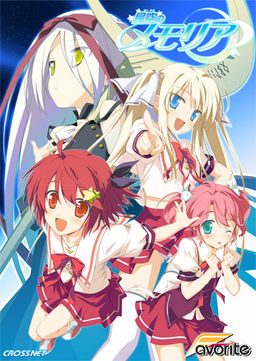
Hoshizora no Memoria -Wish upon a Shooting Star-

Hoshizora no Memoria -Wish upon a Shooting Star-

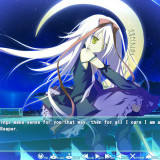
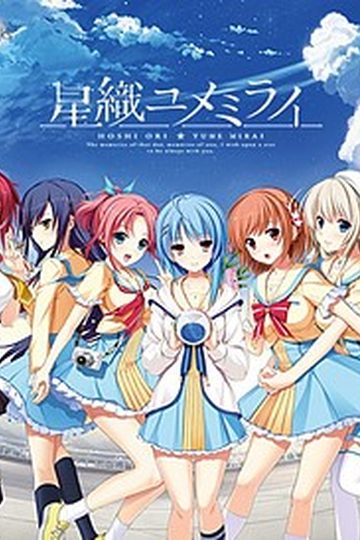
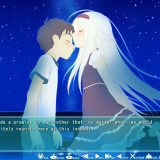
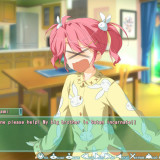
The story begins with the protagonist, Kogasaka You, moving back to his hometown, which he left behind several years ago. Upon arriving, he stumbles into an abandoned, sealed observatory, whereupon he encounters a mysterious girl who looks exactly like his childhood friend did years ago. She introduces herself as Mare, a shinigami who reaps nightmares.

Meanwhile, back at school, You ends up joining the astronomy club, which is desperate need of new members. At night, he continues to visit Mare at the observatory, all the while trying to remember a certain someone’s name…
812 comments

KeiichiReply
I have 8 characters unlocked (not including the main character) in the "Character Settings" section, all of which have I can adjust the volume of the voices and only two of which actually have voices. Is this correct? Neither Chinami, Isuzu, Kosame, nor Shino have voices even though there's a volume adjust and test option, which the main character doesn't have. I couldn't find anything when I searched it on Google so it's neither not an actual issue or not a common one. Thanks for you time in advance.
KeiichiReply
Something solved my problem, no idea what. I have the original CD and it corrupted a few times in a row while installing or something, but it's working now.
AnonnononReply
What is one supposed to do after the opening sequence plays (in another window) and the game won't continue?
aezaeReply
try removing the opening first in the movie folder before playing it
Zenkic21Reply
When I try to extract the files, I get the ISO file is broken,
what's the problem
StevenReply
re-download the parts that corrupted
DanjReply
Trying to install this but I get some error about 01.mpg. The file is there where it says it is supposed to be, anyone know what the problem is? I only get Retry or Cancel options, there's no Ignore.
DanjReply
Solved my own problem - extract iso file, rename msi file to English filename, edit setup.ini to include this filename and voila, it installs fine.
Zenkic21Reply
onece i get to the scence of some girls saying she woke up late right at the begining o f the game it stop working and i get a error of etc/038 with japanese words behind it
StevenReply
could you provide some screenshots?
sebastianReply
i got the same problem at some point afther reintalling the game some times i fixed it whit the patch 1.1 that comes whit the game i hope it works for you good luck
AgustinusReply
Grapic still have many troble erorr plzz fixx it thxxx English patch grapic error game Jp grapic error thx thx
...Reply
Just finished the whole game, Mare's route felt like a filler. IMO, she deserved a more decent route :\
And as Alucard said, Chinami is not that bad in her route.
Also, the True End is amazing :D, a great read indeed.
AlucardReply
While the Main-game itself doesn t have a nice story for Mare, there s a fandisc out which is bout 20 hours long, only for Mare and Yume. I hope it get s translated someday, i also hope we ve not gone back to the stars until then....
StevenReply
XD they should have at least extended the route of Mare
AlucardReply
Well, like i said, there s a fandisc out. Hope somebody is going to translate it, but w/o the troll cgs.
StevenReply
the group put that troll dolphin due to the law on their country (since this VN contains loli XD)
adminReply
No, they didn't. They did it to troll people.
StevenReply
ohhh is that so? XD oh well gonna find some good VN
AlucardReply
I d rate it like this: You should play Asuho and Aoi first, not that bad but only filler-storys. After that, Komomo and Kosame. They share close to the same Story, but also their storys are important for the true ending. Chinami felt also like a part of the whole thing, but was a little too short in my opinion. The true ending was really well-made, although a little bit confusing at first. And Mare was really only a "Take it or shut up" route :( Took me longer to get the H-scenes for her than actually playing the route(had to delete the graph_vis folder in the VirtualStore thingy).
Nobody in ParticularReply
For some reason when I attempt to install the game the installer won't actually start. I just get an error message and it quits the installation. Anyone help?
ofvczcReply
I'm not sure how to install this...
I just downloaded all the parts. Than I extracted all of them.
I'm not sure what to do after or to apply the patch...

Is there a step by step FAQs how to install this?
I know you need DAEMON-tools too. Sorry noob here <_<
kurochanReply
Can someone tell me what Komomo said in the end of her route? The one with no text and just voice where the backgroud was white with ~Fin~. Thanks..
AlucardReply
I barely understand japanese, but for what i can say, it means sth similar to: I ll stay by ur side....forever.
barneyReply
If you still see dolphins after you delete the visual_vis, just start with a new game and you won't see it anymore
AlucardReply
Are there any similar games to this 1? Not totally overboard like MGQ, but also with a little fantasy (like this 1) and with a good story. Dont like bad endings btw.
RyouReply
Can anyone tell me why the hell do i get this error? [C:\users\user\Documents\favorite\???????\save\s901.bin and freaking some dono what type of language following? Any solution? First is the missing d3dx9_29.dll now this WHY?!
AlucardReply
Install the game WHILE your settings are Jap-locale.
RyouReply
ty . It works !
No ClueReply
'C:\Users\***\Documents/FAVORITE/???????????/save/s901.bin', then a bunch of gibberish. I get that every time I try to start up. I am in Japanese locale and I think I did the patches right. What did I fuck up? :(
AlucardReply
Did you install it while u had Jap locale? If not, it would explain why u got ? instead of japanese latters as save-folder.
No ClueReply
Wow I actually totally failed and installed it in english local then did the rest in jap... thanks dude you are my new hero xD
AlucardReply
Yeh, no problem ;)
ChronoReply
Question! why does the star case text disappear when I restart the PC?
AlucardReply
A known bug, just reinstall the english patch.
RintezReply
During a large number of conversations, characters are only appearing partially on screen or completely off screen. For example when talking with the Tenkuru about constructing a planetarium the club president is center screen Asuho is roughly 1/3 off screen and Kosame isn't even visible even when she has lines, anyone else having this happen or have a fix?
AlucardReply
Tried reinstalling it? Also it might be a problem with ur screenresolution, try changing it to sth smaller.
RintezReply
I'm using a widescreen monitor that only support wide screen resolutions so adjusting that didn't make a difference and I've tried running it in windowed, full screen and the second fullscreen with no difference, suppose I can try reinstalling it too.
RintezReply
Reinstalling changed nothing, heres a picture of what it looks like exactly, also I stumbled across some way that zoomed the current CG in and out, only once and haven't figured out how to do it since, anyone know how?

http://i.imgur.com/8i8FR.png
AlucardReply
It really seems like a resolution problem, the zooming occurs if u scroll with ur mouse while hiding the text-bar.
StevenReply
have you applied the Update Patch 1.1 before the English Patch?
Davey CollinsReply
Just finished the game and got rid of the Trollphins as well lol.

Game was amazing, Final route and Mare's were really quite special to me =)

I'd recommend this game to anyone who likes a good eroge!!

Thanks Admin and thanks to all who helped with niggling errors that stopped play when I first started it.
AlucardReply
It s too good. Needed the whole day to recover, cause: Game is over, Fandisc "Eternal Hearts" is not being translated(yet) and i cant use the translating-machines(bug or sth like). Screw it, gonna laugh my ass off while playing "My Girlfriend is the President".
MagmaTitanReply
Whenever I try to install it I get a string of gibberish symbols and what I think is an error marked 1155. Then the installation stops. Should I be adding the English patch before installing? What order is all this done in? A step-by-step would be really helpful here...
AlucardReply
First you set ur locale to Japanese, afterwards u install Hoshizora, the patch 1.1 and afterwards the english patch, everything while ur locale is set to Japanese.
MagmaTitanReply
Thanks!

...How do I set my locale to Japanese? ^^;;
ReicherReply
Just see the FAQs dude,...
aezaeReply
What is one supposed to do after the opening sequence plays (in another window) and the game won’t continue?
AlucardReply
Actually, u close the opening scene and some secs afterwards it should continue. Just be patient or reinstall the game, step-by-step ;)

Leave a comment