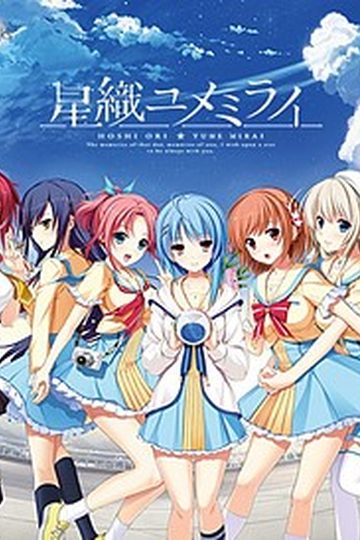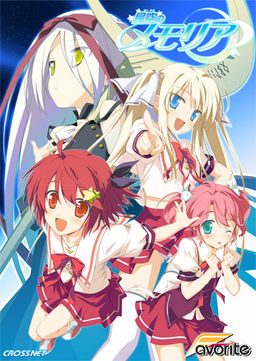
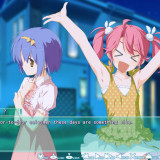
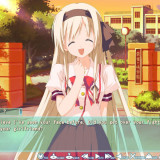
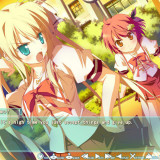
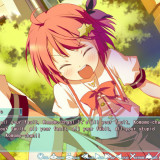
The story begins with the protagonist, Kogasaka You, moving back to his hometown, which he left behind several years ago. Upon arriving, he stumbles into an abandoned, sealed observatory, whereupon he encounters a mysterious girl who looks exactly like his childhood friend did years ago. She introduces herself as Mare, a shinigami who reaps nightmares.
Meanwhile, back at school, You ends up joining the astronomy club, which is desperate need of new members. At night, he continues to visit Mare at the observatory, all the while trying to remember a certain someone’s name…



812 comments
Thanks admin!
It's been designed to be reversible: erase the folder graph_vis in the main game directory, this will revert the changes.
I heard you need to browse to here:
\AppData\Local\VirtualStore\\CROSSNET\memoria\graph_vis
but I couldn't find any 'location where you installed the game' under VirtualStore so YMMV.
This might get changed in a future version of the patch, hopefully.
Also, read the readme carefully! You need to manually set the game to use the custom font (config page 2) or word wrapping won't work.
That graph_vis just have the same name as the original game file, so the game reads the file of dolphin picture instead of original CG. You are just deleting the file with same name.
OH SHIT. HE HAS DRAWINGS OF COCAINE? THAT'S POSSESSION!
Seeing as i dont know the title i doubt it is.
Is it just me or does alot of vns start with the guy going back 2 his hometown
Is just has "uploading"...
The patch link works though..
http://www.mediafire.com/?v8307sl5mie26jj
End-of-common-route saves for your convenience (since the common route is fairly long).
Thanks alot admin!
and about the translation trolling we just erease the folder graph_vis?
but i cant figure out what is the filetype of the files in graph_vis folder,
can someone figure out? so i can convert the bmps to that format then replace the files..
but when i try to move graph folder(not graph_bin)
all the icons in option back to (original)japanese
so maybe if we delete the graph_bin folder the cg back to original (hopegully)
anyone there yet? to prove this?
it's the april fools pranks by staircase club.
well it's funny in it's own way.
"the MF doesn't have all the parts?"
yeah or course -.-a. considering the patch is just released at 31-3-2012. and ivan is uploading the MonsterGirl quest 2 first.
heck this post doesn't even here 12 hour ago. @@
Anyone know what that is or how to fix it?
Thanks..
RunTime Error!
Program files x86/ CROSSNET/MEMORIA/graph_menu.bin
This application has requested the runtime to terminate it in an unusual way. Please contact support team for more information.
which route has more interesting story?
have tried reinstalling and trying to locate files, but in vain.
2. english patch.
3. got the problem.
4.uninstall but i kept the patch in the installed folder.
5.reinstall.
6. for me, the problem was fixed after doing all of that. also i deleted the graph_viz to be sure and the problem was solved.
I'm a victim of graph_menu.bin :-(
If this isn't an April Fools joke, here's my problem, which a couple others have already mentioned. Right after the scene where Mare stabs You with her scythe to erase his nightmare, it changes into a scrolling image of the Tanabata night sky, after which the game crashes with “graph_menu.bin has encountered a problem and needs to close. We are sorry for the inconvenience.” Then I figured I’d try running the Japanese execution file “memoria.exe” to bypass that spot. When I got to the same location in the game I crash with “memoria.exe has encountered a problem and needs to close. We are sorry for the inconvenience.”
Mind you I have the 1.1 Update installed and also running the game on my computer’s Japanese locale and not AppLocale on Windows XP Home Edition version 2002 service pack 3.
Before I installed CCCP the movie never showed up. After installing it the movie opens in a new window.
Anyone know how to solve this problem?
I'd to know so I'll know to wait for it. If not then I'll just start downloading now from media fire.
Either way, thanks for the upload. People mentioned lolis and now I'm looking forward to playing it.
Am i doing something wrong? But when i open the jap version it says 1.1
Unhandled exception occurred at 0x2044F13B.
Check the error log for details.
I run windows in Japanese local.
Could someone please help? QQ
This VN look nice, but i can't endure Chinami anymore...
in the first 2 hour gameplay i feel that chinami was "cute little sister" and then..... 100% annoying XS
exactly like her older bro says about her, "machine gun mouth" lol
good thing my little sister is not like her otherwise i will trapped in sister complex D:
i got unread text skipped too even though i set it properly on the options, anyone knows how to fix this?
Unhandled exception occured at 0x2044F13B
Any suggestions?
For those who are having problems installing it, here's what I did:
1)Mount the ISO file.
2)Open the installer with AppLocale(Japanese).
3)Once installed, update the game from Version 1.0 to 1.1. (Open patcher with AppLocale also)
3)Once you have updated to version 1.1, run the English Patch normally. Upon the completion the Patcher will create a shortcut to the game at your desktop.
4)Use AppLocale to open that shortcut that was made by the English Patcher.
5)Unmount the ISO. Done.
Kindest regards and thanks to the admin,
smooth_rider
isuzu route unlock chinami's
komomo route unlock kosame's
you'll get another one after clearing all asuho, isuzu, chinami, komomo, and kosame route then another one after that route
Can you make a Torrent of this, that is already Fix, without problems and Translated in English?
Though it will likely complain about another DLL, so just download DirectX web installer from Microsoft and it will download the needed files itself.
i re-install the english patch, and everything back to normal :D
my "Wish upon a Shooting Star": Translation of Eternal Hearts ... more from Yume :D
Does patch 1.0 mean its "1.0 version of the patch" or "Patch for game version 1.0"
I am wondering if there will be untranslated content if you play on 1.1
Requirements to unlock the others’ routes are as follow :
Finish Komomo‘s route to unlock Kosame‘s
Finish Isuzu‘s route to unlock Chinami‘s
Finish Asuho, Isuzu, Komomo, Kosame and Chinami‘s routes to unlock the Mysterious Girl‘s route.
You must complete all the routes to unlock Mare‘s route.
Choices in parantheses () might not shows up, if they don’t appear, then simply ignore them.
Minahoshi Asuho – 南星明日歩:
Stay out of it.
Tell her.
(Forget it.)
Tease her.
(Take her feelings to heart.)
Keep silent.
Grab on.
Drop the subject.
(…………)
(Stay still.)
Aoi Isuzu – 蒼衣鈴:
Cover up for her.
Don’t tell.
(Forget it.)
Tease her.
(Take her feelings to heart.)
Welcome her.
I can’t.
Drop the subject.
(…………)
(Stay still.)
Hisakaki Komomo - 姫榊こもも:
Stay out of it.
Don’t tell.
(Forget it.)
Thank her.
(Take her feelings to heart.)
Keep silent.
I can’t.
Give it a shot.
(…………)
(Stay still.)
Hisakaki Kosame – 姫榊こさめ:
※You must do Komomo’s route to unlock Kosame’s
Cover up for her.
Tell her.
Try again.
Tease her.
(Take her feelings to heart.)
Keep silent.
I can’t.
Drop the subject.
……A couple?
(Stay still.)
Kogasaka Chinami – 小河坂千波:
※You must do Isuzu’s route to unlock Chinami’s
Cover up for her.
Tell her.
(Forget it.)
Tease her.
Thank her.
Keep silent.
I can’t.
Drop the subject.
(…………)
Embrace her.
Mysterious Girl – 夢:
※You must do the 5 above routes to unlock this route
Stay out of it
Don’t tell
Forget it
Tease her
Take her feelings to heart.
Keep silent
I can’t
Drop the subject
…………
Stay still.
(……Don’t say that.)
(I can’t accept her.)
Mare – メア:
※You must do the Mysterious Girl’s route to unlock Mare’s
Stay out of it.
Don’t tell.
Forget it.
Tease her.
Take her feelings to heart.
Keep silent.
I can’t.
Drop the subject.
…………
Stay still.
…………
Respond to her feelings.
C:\Users\...\Documents\FAVORITE\星空のメモリア\save
Finish Komomo‘s route to unlock Kosame‘s
Finish Isuzu‘s route to unlock Chinami‘s
Finish Asuho, Isuzu, Komomo, Kosame and Chinami‘s routes to unlock the Mysterious Girl‘s route.
You must complete all the routes to unlock Mare‘s route.
Choices in parantheses () might not shows up, if they don’t appear, then simply ignore them.
Minahoshi Asuho – 南星明日歩:
Stay out of it.
Tell her.
(Forget it.)
Tease her.
(Take her feelings to heart.)
Keep silent.
Grab on.
Drop the subject.
(…………)
(Stay still.)
Aoi Isuzu – 蒼衣鈴:
Cover up for her.
Don’t tell.
(Forget it.)
Tease her.
(Take her feelings to heart.)
Welcome her.
I can’t.
Drop the subject.
(…………)
(Stay still.)
Hisakaki Komomo - 姫榊こもも:
Stay out of it.
Don’t tell.
(Forget it.)
Thank her.
(Take her feelings to heart.)
Keep silent.
I can’t.
Give it a shot.
(…………)
(Stay still.)
Hisakaki Kosame – 姫榊こさめ:
※You must do Komomo’s route to unlock Kosame’s
Cover up for her.
Tell her.
Try again.
Tease her.
(Take her feelings to heart.)
Keep silent.
I can’t.
Drop the subject.
……A couple?
(Stay still.)
Kogasaka Chinami – 小河坂千波:
※You must do Isuzu’s route to unlock Chinami’s
Cover up for her.
Tell her.
(Forget it.)
Tease her.
Thank her.
Keep silent.
I can’t.
Drop the subject.
(…………)
Embrace her.
Mysterious Girl – 夢:
※You must do the 5 above routes to unlock this route
Stay out of it
Don’t tell
Forget it
Tease her
Take her feelings to heart.
Keep silent
I can’t
Drop the subject
…………
Stay still.
(……Don’t say that.)
(I can’t accept her.)
Mare – メア:
※You must do the Mysterious Girl’s route to unlock Mare’s
Stay out of it.
Don’t tell.
Forget it.
Tease her.
Take her feelings to heart.
Keep silent.
I can’t.
Drop the subject.
…………
Stay still.
…………
Respond to her feelings.
*Thumbs Up*
Though it will likely complain about another DLL, so just download DirectX web installer from Microsoft and it will download the needed files itself.
So all that fucking uploading was for nothing. I've always hated rapidshit. I always will.
Anyone know where i can find "Soukai no Oujotachi"? i wanted to play it :\
Too bad. :/
Sometimes a single word would be in the second line, effectively obscuring a portion of the text by pushing it under the border.
Select Staircase Custom as font.
Currently I skip everything when I still haven't played through it, it will make later gameplay much more frustrating when I don't know what I have read and what I have not, so can someone please tell me?
The japanese is working fine, there I can't skip anything
I also have my option to to just skip read text
(>.>)
shes my fav
this game would be boring without her
damn these onee-san heroines,
only ririko of sharin no kuni is the good onee-san heroine
especially she keeps talking bout their childhood and blush to deny 'You' again~
what's the problem
And as Alucard said, Chinami is not that bad in her route.
Also, the True End is amazing :D, a great read indeed.
I just downloaded all the parts. Than I extracted all of them.
I'm not sure what to do after or to apply the patch...
Is there a step by step FAQs how to install this?
I know you need DAEMON-tools too. Sorry noob here <_<
http://i.imgur.com/8i8FR.png
Game was amazing, Final route and Mare's were really quite special to me =)
I'd recommend this game to anyone who likes a good eroge!!
Thanks Admin and thanks to all who helped with niggling errors that stopped play when I first started it.
...How do I set my locale to Japanese? ^^;;
these are the steps that i have done-
1. install setup...
2. transfer patch data etc, memoria.hcb and patch to the program files crossnet and switch the version, have clicked the upper part choice ...
3. transfer english patch clicked it and it extract a 2 graph folder and from the previous comments i've DELETED the GRAPH_VIS and played. Everything works normal until i reach a scene of mare u know (T_T) tskk. ^^ and the DOLPHINS appear even after going to the cg sets it is still there..
4. uninstall the game and goes to the my docu find the favorite folder of saves deleted all.by the way i've also deleted the folder of crossnet.
5. install again the game then i first try to do do steps on english patch and deleted graph_vis then transfer the patch update v11 and the patch data etc and memoria.hcb
6. played again about 8 hours skipping tskk. boring and stop before the scene \(^o^)/ excited then...
BOOOMMMM
7. it appears again ihave enough i've do this already 4 times
cant erased the DOLPHIN shit TROLL.
8. plss anyone that maybe can help and understand my problem help me uwaaaahh...
all i do is install the main game..
update patch v1.1...
install english patch..
delete the folder graph_vis that contain marex??
and the game works fine...
1.) Installed the game
2.) applied 1.1 update patch
3.) installed English patch
4.) deleted the folder called graph_vis
5.) played for several days until i finished it all = no dolphins
Crossnet/Memoria, dunno why but it worked for me after that.
just finished hisakaki sister route and havn't ecountered any dolpin yet
esc will do also..
You have a corrupted saved file from a v1.0 installation of the game. Delete your entire save folder in C:\Users\your_username\Documents\FAVORITE\星空のメモリア (and make sure the v1.1 bugfix patch from Favorite is installed).
Mysterious Girl – 夢: a.k.a Yume
※You must do the 5 above routes to unlock this route
Stay out of it
Don’t tell
Forget it
Tease her
Take her feelings to heart.
Keep silent
I can’t
Drop the subject
…………
Stay still.
(……Don’t say that.)
(I can’t accept her.)
Mare – メア:
※You must do the Mysterious Girl’s route to unlock Mare’s
Stay out of it.
Don’t tell.
Forget it.
Tease her.
Take her feelings to heart.
Keep silent.
I can’t.
Drop the subject.
…………
Stay still.
…………
Respond to her feelings.
and here's what i found
even if you deleted the folder called graph_vis
it will be re-created once you started the game again lol
it din occur to me..
did u juz install all that to drive C: ??
provide more info about the problem you have also take screenshots will be great help too
to hit Chinami REALY REALY HARD
never seen such a anoying character wtf...
in addition, Alucard is here trolling us and telling us he won't upload them, because as far as i'm concerned, they're both Eroge. uploadpls.
Get a life and brain? are you kidding me you dimwit? Who's here 24/7 replying to every comment? who's grammar doesn't make a tad bit of sense? Dude stop making a fool out of yourself, it's embarassing.
What do you mean "when did this site transform into a game"? wtf does that even mean?
And it doesn't matter if the eroge is short or small or long or big, it's an eroge, so it qualifies, there are other short and small eroge's here, so why not Kawakaburi?
in the folder where u installed the game in the graph_vis folder erase everything
then on the folder right click put properties
Right Click>Properties>Security>Edit on full control i put deny
then put apply i did this and i dont have to worry about dolphins anymore
i wonder where i can find that, sry i'm a noob in this stuff >.<
thx before
thanks for the help in advance :)
You don't even give a single hint as to what the problem is or what specifically happens. All you say is it doesn't work. how the hell is anyone supposed to help you without knowing the details?
For example, if you go to the doctor's office and say "I'm hurt", would you expect them to instantly know where you hurt and why? I'd imagine not. You have to explain where it hurts and what the pain feels like.
u cant start the game or u don even extract it???
http://i.imgur.com/aTaRL.png
Not sure what it says or means. If anyone else could help
that would be greatly appreciated
1 extract the 17 files
2 i install the game with jap locale
3 then i did the patch 1.1 and then the english patch
but i still get the error
C:\Users\***\Documents/FAVORITE/???????????/save/s901.bin’
any ideas? i really want to play this game...
the program cant't start because d3dx9_29.dll is missing from your computer. Try reinstalling the program to fix this problem. some 1 help me pls!!
Also you have no right to tell me what to do, shut yo trap and stop trolling, i get to decide wheter i want to post the link or not, and i'll do that if i get permission from the admin himself, not from a troll like you.
Please take your time, but make sure you don't leave anything out, i'm really looking forward to these two.
again @Alucard
Why not? it's an Eroge, this is an eroge site, so it should be uploaded, and you don't have the right to decide.
or does it say anywhere that the admin will upload only games that he feel like uploading? seriously?
just lock ur trap...
if u cant wait..
just go to val-henta..
u can find your kawabuki there
No sir, i'm gonna wait for the admin to upload it, got a problem, troll?
the install worked fine, the game too, but when I wanted to load a save on next day, the game crashed.
After looking for a solution, I found this: re-launch the english patch, for some reason after that the bug's gone. Since you have to do it every time you reboot your computer, it's not much of a solution, but it's all I could find.
And admin, thanks for the hard work!
or downloade http://www.microsoft.com/download/en/details.aspx?id=13209 and use japanese
system error
the program cant’t start because d3dx9_29.dll is missing from your computer. Try reinstalling the program to fix this problem
I need help I have tryed to re-instal the game and i have
re-downloaded the game but i still cant get the game to start
help plz
I found the answer to my own question
http://pcsupport.about.com/od/fixtheproblem/ht/directx9xp.htm
will try not to post unnecessary again
Also we don't need people attacking other people in comments. Don't know why you are being so defensive over someone not wanting a VN you want on here... there opionion has the same weight yours does... (absolutely nothing) considering it isn't a popularity contest about what VN does or does not get put up here. Don't like it dont come back.
Otherwise put-up with it or shut-up about it.
>Pretends to be trolling.
I'm sorry bro, looks like you've been through alot, your brain is barely functioning.
whether you are after a game that helps your hands squeezing penis, or one that blows your brain up with tears and philosophy.
just appreciate whatever admin can give you = not much to ask for
Mine got corrupt right before the mysterious girl route... Really don't want to skip through all those routes to get to this part...
rea the FAQ
C'mon guys VNs aren't famous enough to troll about. Minorities should stick together^^
first, sometimes the character appear really weird. They zoom in for some reason.
Second, I can't save!!!
help please guys..
i have install it and patch 1.1 and done english patch
when i start the game this error came out when it reached the 4th picture
It's not a problem but does anyone know what each heroine says at the end of the route when the screen brings up -FIN- it's been bothering me since i can't decipher it.
delete the Gaph_vis folder there and in the normal program files folder, and that should fix the problem.
What should I do?
Does this game have choices? To troubleshoot the graph_vis ordeal, I had been CTRL skipping throughout the game. I noticed that I hadn't come up to any choices where my game stops so I can make them.
Either this game doesn't have them. Or I am skipping right through them. Which is it and is there an option that will prevent me from skipping through them?
Thank you for any help.
Any reason for this? How can it be fixed? Thank you.
look at upper left of the screen.
this happen if you right click the mouse or pressing shift button on the keyboard.
pressing it back reverts the zoom mode
Make sure you delete the saves folder.
as always thanks for the game .
I have a question , i dint really check the comments in this thread [game] but i want to ask , i see 1.1 v update [possibly japanese or something , it's in the unpacked folder] Anyway the question i would like to ask is , do unpack/install the 1.1 patch before getting the patch from the download DA/MF download link?
I just did
Install the game
Update 1.1
then i did the one from the link 1.0 full englsih or so
and i cannot run the game ,nothing happens :(
Then installed but before that used CCleaner
then installed the enlgish patch
i can run the game through the English launcher , using admin rights.
but now my game crashes at the moment when a girl says she overslept
Although i was disappointed in kosame's and especially mare's route length. It was so short compared to everyone else's D: it's the only thing discouraging me from giving this VN a proper 10.
damn lol nvm it doesnt work
Only found japanese
I know this is weird but I was wondering if anyone else was having this problem and if there is a fix for it.
NumberOption 1
Option 2
Required Ending
1
Cover up for Her (Aoi)
Stay out of it
2
Tell her (Asuho)
Don't tell
3
Try Again (Kosame)
Forget it
Komomo
4
Tease her
Thank her (Komomo)
5
Thank her (Chinami)
Take her feelings to heart
Aoi
6
Welcome her (Aoi)
Keep silent
7
Grab on (Asuho)
I can't
8
Give it a shot (Komono)
Drop the subject
9
…………
…...A couple (Kosame)
Komomo
10
Stay still
Embrace her (Chinami)
Aoi
11
…...Don't say that (Yume)
………… (Mare)
Yume
12
Respond to her feelings (Mare)
I can't accept her
Yume
There are a total of 12 choices to be made in the game, some must be unlocked by obtaining a specific ending:
Number / Option 1 / Option 2 / Required Ending
1 : Cover up for Her (Aoi) / Stay out of it
2 : Tell her (Asuho) / Don't tell
3 : Try Again (Kosame) / Forget it / Komomo
4 : Tease her / Thank her (Komomo)
5 : Thank her (Chinami) / Take her feelings to heart / Aoi
6 : Welcome her (Aoi) / Keep silent
7 : Grab on (Asuho) / I can't
8 : Give it a shot (Komono) / Drop the subject
9 : ………… / …...A couple (Kosame) / Komomo
10: Stay still / Embrace her (Chinami) / Aoi
11: …...Don't say that (Yume) / ………… / Yume
12: Respond to her feelings (Mare) / I can't accept her / Yume
Thus there are 4 tiers of endings:
1: Asuho, Komomo and Aoi
2: Kosame and Chinami
3: Yume
4: Mare
You can get tier 1 endings straight away, tier 2 require a certain previous ending (Kosame requires Komomo, Chinami requires Aoi).
All Tier 1 & 2 Endings are unlocked by selecting the 2 flag choices (marked in the list by (character) behind a choice). What happens if you meet the prerequisites for multiple endings (if possible at all) was not tested by me.
Getting the Yume Ending you need to have cleared all tier 1&2 endings and NOT meet any prerequisites for any tier 1&2 ending.
Reobtaining it after doing it once requires taking her single flag and NOT obtaining Mare's
Getting the Mare ending requires having obtained the Yume Ending and selecting her single flag in choice 12
I recommend clearing the tier 1 endings first ([save 1] between choice 2 and 3). Fastest way is to obtain all first flags and [save 2] at choice 6, go for Aoi, load save 2, create [save 3] at choice 7, go for Asuho, load save 3 and go for Komono.
Then load save 1, obtain Kosame and Chinami flag 1 each, avoid the other flags and [save 4] again at choice 9. Go for the Kosame ending. Then load the fourth savegame, and, before choosing choice 10, [save 5] again. Choose the Chinami ending.
Load save 5, avoid the Chinami ending and go on to automatically obtain the Yume Ending.
Load save 5, no matter what you choose in choice 11, go for the Yume flag in choice 12.
Cleared with all CG, events and whatnot.
Never tried to get an ending without any flags. Since you get all pictures this way, I assume it to be boring and couldn'd be bothered to make the attempt.
cheers
However i tried the english install and it atleast showed to be installing, but whenevr i try and run the game it says
c:\Users\MYNAME\Documents/FAVORITE/???????/save/s901.bin followed by gibberish, really eager to play this game so any help would be super appreciated, thanks guys
so here's a quick guide for all those with trouble:
*unrar the ISO with winrar
*mount it with Daemon Tools, if you don't have it download it
open Daemon, select virtual drive and browse for the ISO
*Once mounted, make sure you change your locale language to japanese
*to do this: start menu, control panel, language, system locale language,admin tab, change config, choose japanese.
*run Daemon tools, select the ISO you mounted and run "launch.exe"
*you can't read most of the stuff during the instalation but nevermind that, just make sure to check the instalation directory (C:program files/CROSSNET/ ......)
*once installed, run the patch file
*it will automatically search for the folder where the game is installed and apply the patch
*go to the instalation directory and look for the exe named (memoriaEN) that's the game in english, but don't launch it just yet
*To get rid of the dolphins: there are 3 ways of doing so.
-disable total control of the graph_vis folder: (properties, advanced, edit....)
-replace graph_vis folder with an empty folder with the same name
-open graph_vis folder, select all files and edit them to "read only" attribute.
these methods worked for me, if they don't work for you, just delete graph_vis folder everytime you play :/
*now before you play, search for the update 1.1 patch
it's one rar file that came along with the game
*unrar it
*DO NOT open the exe
*instead open the patch data folder, copy and replace the files there with the ones in the instalation directory.
That will solve most bugs and crashes (i know it did for me)
hope it helps, happy playing :D
Is really help me a lot :D
if you did it with the exe, then your best bet is to erase the graph_vis folder everytime you load the game. (after loading, leave the game window open, then go to the installation folder and erase graph_vis. Then resume playing.
If this doesn't work for you still, let me know
i might have another idea. :D
*make sure you applied patch 1.0
*run the exe "memoriaEN" when attempting to launch (nevermind other launchers)
*change to jap locale BEFORE you install, not after.
*if you installed before changing to jap locale UNINSTALL EVERYTHING including the saves folder the one named "FAVORITE"
change to jap, then REINSTALL.
*UPDATE YOUR DIRECTX
*UPDATE YOUR VIDEOCARD DRIVERS
if after doing all of the above, you still get an error
then, sorry. You are beyond any help.
Can i request 11Eyes Visual Novel,I see in the Download List but look like you don't have it.
Sorry for my Selfish request.
the program cant be startet curs d3dx9_29.dll is missing
what did i do wrong????
the programm cant be startet curse, d3dx9_29.dll is missing.
got windos 7 and im using jap loc.
If you buy a porn video you don't expect it to be censored, right?
and it's the japanese we are talking about..
effing censorship!ლ(ಠ益ಠლ)
It's not hard to get rid of if it bothers you though so nothing to complain about.
Anyways, I got the 1.1 patch and installed it. I've played and I've saved a few times now and I finally made it to Mare's route. I still get dolphins with graph_vis folder gone.
I uninstall the game and reinstall keeping my saves. Still the dolphins. I find a new patch called the untroll patch which is supposed to remove the dolphins. I install it and no go.
Do I have to delete all my saves and restart for these methods to work?
uninstall, reinstall
download the patch, yes again. (admin recently uploaded one without dolphins)
before you play, make sure you erase all fo your previous files
CG memory included (sorry)
then play normally
hope it helped :)
file were become incompleted [can be installed, yes but it crash at some point of the game] any1 else having this issues?
Thanx for uploading this Superb VN sire Admin...
looki
ng
certainl
y
Just like that, and nothing I do seems to fix it. Any ideas?
Where is the point of putting scenes like this in there if they are just going to censor it with a fkn FISH Picture -.-
If they were going to to this it would have been better to completeley cancel her H-scenes instead of this stupid joke.
But maybe there is someone who can help with this out there, i hope for it
Just looked through the troubleshooting section in the link above and there was the solution ^^
thanks
Please help me =[
I looked through the trouble shooting section and it said that this was a game bug, there's nothing at the moment you can do about it but to patiantly skip with your mouse or keyboard, hope i could help :)
I can play the game fine, but I'm not sure if I'm using the right "version" as after I extracted the version 11 rar, I didn't really move/switch it with anything...
Because I'm on version 1.0...
I think I did what I could... but:
1) I have Windows 7 64 bit, and I hear I'm supposed to erase the graph_vis thing? Is that correct? If so, is there anything I should do before I delete it, or is it okay to delete it and play through the whole thing like it never exited.
2) Version 1.1 thing... i did the patch thing (which was in Japanese so I have no idea if it succeeded or not). When I run the Japanese version I get ver 1.1, but the English version I still get Patch 1.0... is this correct?
3) Also, why do words look cut and stuff. I hear you have to do something about that (which I couldn't find on the game setting thingy)
4) Also when I extracted the Version 11 rar, I got 3 things, a note, a patch exe, and a folder that contains 2 files (.bin and a .hcb). What am I supposed to do with these?? Just put them in the folder and replace what I had before???
Please help plz :D
*unrar the ISO with winrar
*mount it with Daemon Tools, if you don’t have it download it
open Daemon, select virtual drive and browse for the ISO
*Once mounted, make sure you change your locale language to japanese
*to do this: start menu, control panel, language, system locale language,admin tab, change config, choose japanese.
*run Daemon tools, select the ISO you mounted and run “launch.exe”
*you can’t read most of the stuff during the instalation but nevermind that, just make sure to check the instalation directory (C:program files/CROSSNET/ ……)
*once installed, run the patch file
*it will automatically search for the folder where the game is installed and apply the media fire English patch
*go to the instalation directory and look for the exe named (memoriaEN) that’s the game in english, but don’t launch it just yet
*To get rid of the dolphins: there are 3 ways of doing so.
-disable total control of the graph_vis folder: (properties, advanced, edit….)
-replace graph_vis folder with an empty folder with the same name
-open graph_vis folder, select all files and edit them to “read only” attribute.
these methods worked for me, if they don’t work for you, just delete graph_vis folder everytime you play :/(this is the best option)
*now before you play, search for the update 1.1 patch
it’s one rar file that came along with the game
*unrar it
*DO NOT open the exe
*instead open the patch data folder, copy and replace the files there with the ones in the instalation directory.
That will solve most bugs and crashes (i know it did for me)
____________________________________________________________________
Memoria.exe - System Error
The prgram can't start because d3dx9_29.dll is missing from your computer. Try reinstalling the program to fix this problem.
____________________________________________________________________
The problem is, I've already reinstalled it....
so here’s a quick guide for all those with trouble:
*unrar the ISO with winrar
*mount it with Daemon Tools, if you don’t have it download it
open Daemon, select virtual drive and browse for the ISO
*Once mounted, make sure you change your locale language to japanese
*to do this: start menu, control panel, language, system locale language,admin tab, change config, choose japanese.
*run Daemon tools, select the ISO you mounted and run “launch.exe”
*you can’t read most of the stuff during the instalation but nevermind that, just make sure to check the instalation directory (C:program files/CROSSNET/ ……)
*once installed, run the patch file
*it will automatically search for the folder where the game is installed and apply the patch
*go to the instalation directory and look for the exe named (memoriaEN) that’s the game in english, but don’t launch it just yet
*To get rid of the dolphins: there are 3 ways of doing so.
-disable total control of the graph_vis folder: (properties, advanced, edit….)
-replace graph_vis folder with an empty folder with the same name
-open graph_vis folder, select all files and edit them to “read only” attribute.
these methods worked for me, if they don’t work for you, just delete graph_vis folder everytime you play :/
*now before you play, search for the update 1.1 patch
it’s one rar file that came along with the game
*unrar it
*DO NOT open the exe
*instead open the patch data folder, copy and replace the files there with the ones in the instalation directory.
That will solve most bugs and crashes (i know it did for me)
BY:Helvetica Standard
hoshimemo_full_english_patch_1_0.exe – 71.6 MB
As you can see on the bottom right, it's set to JPN locale, and I downloaded the game with it.
I searched this problem, and it's saying it's not set to japanese locale, but mine is and I installed the game with the japanese locale, and am still getting this error. <_<
PS: nukige is the game that focus on H scene more right?
all Mediafire links are down. Says somethign about "account suspended" please reupload, torrents would also be a good choice to avoid broken links.
many thanks for your time and effort.
:D
it didn't skip the part that i haven't read yet
it won't skip dialog that i have read from another route @.@
i changed the option to skip all @.@
is it because twintails???? @.@
what does that mean?
I can't get pass the part where the Movie/opening ends....it just hangs up
and if anybody's interested in how I did it...
1. Create a backup of the Movie and Delete it from the movie folder
2. Play the game again
3. once you get past it, copy the movie back again
please tell me exact what u did
i changed locale to japanese
patch all the game/english translate
then the game worked but
when the first Ring Bell
"Roll-back ends when the bell rings. There's a 10 minutes break before period one starts." then "...(another text)" and the game broke some appcrash event something
i think it is the op of the game make this broke
please help me i downloaded like 5 visual novel just 2 works
1 chaos head + 1 CLANNAD broke with the "Please turn off debugger then try again"
now this PLEASE HELP
the problem is my laptop can not open new window to play the Op movie so it crashs
so i think i just need a save data that already run the op movie
then i can play.
Can some1 help me make a data save and upload to let me download ?
please help
C:\\User\Documents\FAVORITES\s901.bin then random stuff How do i fix this
it's said in japanese not graphic or some folder issue, it's error when I play Yume route
"Albert says:
May 15, 2012 at 5:25 pm
here’s a quick guide for all those with trouble:
*unrar the ISO with winrar
*mount it with Daemon Tools, if you don’t have it download it
open Daemon, select virtual drive and browse for the ISO
*Once mounted, make sure you change your locale language to japanese
*to do this: start menu, control panel, language, system locale language,admin tab, change config, choose japanese.
*run Daemon tools, select the ISO you mounted and run “launch.exe”
*you can’t read most of the stuff during the instalation but nevermind that, just make sure to check the instalation directory (C:program files/CROSSNET/ ……)
*once installed, run the patch file
*it will automatically search for the folder where the game is installed and apply the media fire English patch
*go to the instalation directory and look for the exe named (memoriaEN) that’s the game in english, but don’t launch it just yet
*To get rid of the dolphins: there are 3 ways of doing so.
-disable total control of the graph_vis folder: (properties, advanced, edit….)
-replace graph_vis folder with an empty folder with the same name
-open graph_vis folder, select all files and edit them to “read only” attribute.
these methods worked for me, if they don’t work for you, just delete graph_vis folder everytime you play :/(this is the best option)
*now before you play, search for the update 1.1 patch
it’s one rar file that came along with the game
*unrar it
*DO NOT open the exe
*instead open the patch data folder, copy and replace the files there with the ones in the instalation directory.
That will solve most bugs and crashes (i know it did for me)"
The rest can be seen in the troubleshooting
c/user//documents/favorites/??????/save/s901.bin
need help
Thanks for the upload.
Instead of Mare, I'm seeing dolphin. Is there any patch to remove those?
It seem either the 1.1 or the eng patch censored Mare completely with the dolphin pic.
Delete the graph_vis FOLDER, not the bin and it's all good.
But the freaking Dolphin is not gone from my monitor ???
Overall 9/10
after i run launch.exe
i can't find the folder C:\Program Files\CROSSNET\Memoria
instead i found the folder in G.
anyone can help me?
It's one of CrossNet/Favorite releases too.
That being said, I really started enjoying this game from the Hisakaki sisters on, my last four routes. I started out disliking each sister at the beginning of their respective routes and came to appreciate them by the end. I was really struggling and considered stopping until reaching Komomo's route. Good game all-in-all, I really enjoyed it. Thanks for the upload Admin.
I've been playing for days now really enjoying it then suddenly i try to open the MemoriaEN and its just says appcrash graph menu_bin. I dont know what to do Ive reinstalled but nothing pleasse help
Direct3D:......
something like that
install,patch,1st english, 2nd english, deleted folder, but it still is censored. any idea what else to do?
http://i.imgur.com/MyxDN.png
there is a scree shot of it.
I keep getting this error right after he says Tanabata in the very beginning
When Chinami first appears (saying she overslept) I get an error "etc/038 then some japanese"
I'm guessing it has something to do with her character image.
http://i.imgur.com/RziwH.png
then your good to go
" The application was unable to start correctly (0xc000007b). Click OK to close the application"
any way to solve it? :(
after that you can successfully play your game
now, let's just hope staircase will do Eternal Heart after their Dracu-riot project~~~
If you don't have the japanese locale, but followed the install instructions correctly, here's something I found that works.
There are 2 .hcb files, one should be Memoria.hcb [the original one] and the other should be MemoriaEN.hcb [the translated one]
I found that if you switch the file names, you will be able to run the game in english without the need for the English .exe!
Well Cya and Good luck.
Hope my laptop will be fixed so i can finished my route....
and this VN is a good one...
This was a very good story and i enjoyed how more unlocked after each ending, even if it was a loli area why dolphins? they could of put a big censor over it or something.
Also being from Australia it just made me shake my head more.
HOWEVER this will also remove the English patch for this part so I would advise passing this section first before deleting these files.
It works for me,im on Windows 7 64 Bit.
Listen to this guy if you have the problem with the FAVORITE thingy, that was really helpful!
God Bless.
But then something happened. I've definitely play through her route. When i get to see her cg, it's all there, full. But why there's no "Complete!" under her avatar? (While Isuzu and Komomo - which are played, shown) PLS help!
what i do is that i load the game from where i first pick a choice there and then i encountered that, so what i did is that on the next route i took i picked the new game from the main menu screen and start from the but i didn't restart the route i just continue it from and gone and finished Kosame's route and at the end of it when i took a look at it again the 'complete is there.
well it's just like that... i think. but all's well that ends well
Also I loved the fact that there are no bad endings here (from what I've heared anyway) which makes it all the more worthwhile to play.
Anyway I also want to check out how Komomo's and Kosame's route plays out, should be fun :)
i have already finished the other six routes!!
i even follow the walkthrough??
am i missing something???
when i go to options, page 3, i'm missing 3 characters???
is it really like this???
i'm getting this error when trying to install the patch (not the english one but the actual game patch)
anyone have any clue how to fix, I havn't tried playing yet so i'm not sure if it matters or if i'll get crashes all the time but it'd be nice to know for sure.
Please help.
i can usually download other Visual Novels without a problem, but for this one, I have no clue what to do. I have already set to Japanese. Now what?
cus its really troubling when ure on the "H" scene then ur parents/brothers/sisters or any1 suddenly came to ur room
i just wanna say is that it works on windows 8 64bit. no weird symbols or anything just pure english :)
Kosame: would you care to join, Nee-san? Will you gaze at Hibarigasaki's star-filled sky with us?
Komomo:Of course i won't.
Okaizumi: Shiiiiiiit!!!!!!
Komomo: kyaaaaa??!!
lol :) reading it is fun ^^
Sharin no Kuni, Himawari no Shoujo
Sharin no Kuni, Yuukyuu no Shounenshoujo (2nd inst)
G-Senjou no Maou
I do not think this game is sad.
At all.
This game is one big giant ball of fluff, which only 1% of drama content, this is what PC gamers call "casual console peasant games", this VN is the Call of Duty of Visual Novels.
Is it fun to read?
Yes, yes it is.
Is it in any shape or form a dramatic, emotional story, with content above shounen-logic or silly Garry Stus? No, it is not.
If you still hadn't read the VN, get into it without expecting too much.
I play this~ well took so long really long~ to finish all route but~ ahhh damn!! this game is awesome~ it's make me cry though~....
I am Waiting for the Hoshizora no memoria Ethernal Heart~
please be indulgent with my writing errors my English is not so good ^ ^
the story of you x yume is very identical from the manga/anime hayate no gotoku(hayate the combat butler)hayate x athena. :)
its very good :P
It works all right, and everything seems fine. BUT
The text is all in Japanese for me. help? I suppose its because I'm in Japanese Locale, but isn't that how its supposed to be?
every time i get to where You says "Well, it's still the rainy season......." after he joins the hobby circle with okaizumi and them, the game crashes. I tried patching it with the latest update, but that doesn't work at all, (mainly because i can't read japanese, so i don't know what the patch is asking) and I can't get passed that one part. HELP!
I love Chinami Round so much.
I thinks fandish Hoshizora Memorial External Heart is so good games too.
I will wait for fandish Thank you.
i have a question too and hope you can help me.
when i play Hoshizora the characters are not shown compleatly, neither in window or full screen mode - like this http://i.want.tf/to/that/aAKG8c.jpg upper half of the head is not shown in the whole scene. Is this normal? cause it feels rly strange to me
there's this error saying "voice 2" then some japanese stuff next to it....how can i fix it
need answer fast :(
All were done beautifully top notched and it made a lot of change at how i look at the game before playing it.
I feel sooo disappointed at myself for judging it at an early time. T_T
http://www.favo-soft.jp/soft/support/hoshimemo.html
the download is in
(ファイル名)Memoria_update_v11.zip (31.2MB)