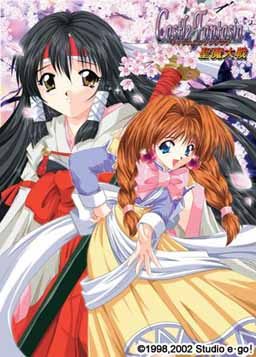
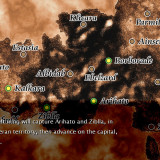
The 200 year long war between Lushiera and Injiera continues. This is the story of a hero who changes the course of this neverending war and the lives of people around him.
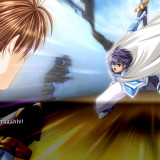
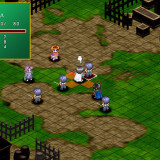
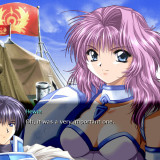
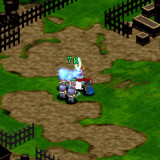
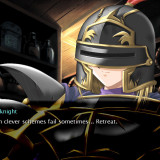
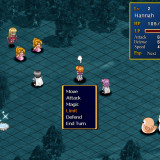
In Castle Fantasia 2 you play as Hewie, commander of the seventh holy knight corps. He has a keen mind for strategy and tactics, seeing through and predicting enemy plans. However, his laid-back attitude causes him to be kept in a low regard by his commanding officers, friends and even his subordinates.

127 comments
How to apply this translation:
1) Install the game.
2) Copy the files "CF2R.exe" and "Game00.dat" from this archive to the directory where you installed the game. Overwrite the old ones.
3) You're all set! Run CF2R.exe to start the game.
Thanks for report!
can I request man at work 2 and beloved kingdom as well?
I would be really thankful if you could upload genrin no kishougun.... i found many torrents but none of them was seeded :-/
Unfortunately, genrin no kishougun doesn't have any english release, nor fan translation - on this site i post only games available in english.
Is the first Castle Fantasia in english? if so mind sharing it?
Check out "F.A.Q." section of this website for detailed instructions.
1.mount second CD....
2.copy all files to game folder....
3.and the game now with voice....
troubleshooting for no BGM....
1.mount third CD
2.copy all files to game folder.....
3.run the game.....the game will play the BGM sound...
it's work....try it
first CD worked just fine tho...i finished installing the game and copying the english patch and the game works just fine but no voice...
2) Mount cd 2 and copy the game03.dat file from the cd to the folder where you installed, replaced the
already existing 44kb file.
3) Mount cd 3. The autorun might hang up the pc.. (for me it did).If this happen, do ctrl+alt+canc to
open task manager and terminate the process autorun.exe
4) copy the music folder from cd 3 to the folder where you installed the game
5) copy cfr2.exe and game00.dat from the castlefantasia2r_eng.rar file included to the game folder,
replacing the existing ones
6) Play the game
7) If you want to see the movies you have to have installed the indeo video codec. If the game says it
cannot play the movies, install it. a quick searhc on google should allow you to find it.
Try this and just in case : the games voice and subs are at times not the same so if game starts to crash try again and if it crash again in the same scene try lowing you'r "VOICE at 0" and after the scene put it back to normal if you don't want to save after each scene just put you'r voice to 0 and evrythings fine ... Good Luck
1) Mount CD1 and install
--installs game
2) Mount CD2 and run the application file
--installs voice files
3) Mount CD3 and copy the folder named "music" into the game directory
--adds music
4) Extract the files from the english patch into game directory
For some reason the CD3 autorun does not work for me, maybe its because my antivirus is blocking it, but I'm guessing that is either the game cd (so to play the game) or the setup for music installation
1.mount disc 1, copy everything and paste it in a folder.
2.mount disc 2, copy everything and paste it in a folder, overwrite when ask.
3.mount disc 3, copy everything and paste it in a folder, overwrite when ask.
4.extract eng patch and overwrite everything and run the game
Any ideas?
Downloaded all part with no problem..
But when it comes to extracting, my 7Zip says that there's CRC error in disc (image) no 2 and 3, so it's unreadable by Daemon Tool.
It's true, that you don't really need CD 2 and 3 to play the game, but it's kinda curious to hear the voice and the music ..
Is there anyone experiencing the same problem ?
Sorry for my bad english..
Nocturnal Illusion and 3 sister's story are old visual novel classics. Men at work 2 is an RPG H-game. Hanabira ni kuchiz uke wo 1,2 and 3 are short yuri visual novels that are translated (the rest of te series are in progress). There's one dating game I wanted to add about a student who during 3 months had to gain the love of the girls but I can't remember the name and that description is pretty generic T_T
Also, there's one OEVL RPG H game about bleach that is not half bad called Bleach battle ignition.
I hope this helps. Have a nice day!
I had another version of the game and I liked it very much, but unfortunally it had a bug creating a ctd at some scenes, hindering me to access or ending. So I would love to try this version.
Anyway, great work with this page. Thanks for it. :-)
I've installed all three discs, I can start up the game, but it tends to experience errors quite a bit. I managed to get through my first battle, but i can't reach my second because the game keeps crashing at random points before I can get to a point where I can make save that won't put me back to start of the current scene.
I've currently run the game in English Regional settings as well as using AppLocale to simulate Japanese Regional, settings. I haven't actually tried to switching my computer to Japanese regional settings yet as of yet, though the next time I get back to it, I will try so.
1) go to properties of CF2R, than in Compatibility tab tick “Run this program in compatibility mode for:” – choose Windows 98 / Windows ME – as is said in the Readme file going with the crack
2) if game repeatedly crashes at some point of the game just go to sound options in the game and pull the sliders to the zero – that will allow you to pass that critical point and then you can turn on sound again.
mine was 1.1gb
is this a demo game?
im stuck....
the battle is so hard...
i want to skip the battle ....
You can have save but you will have to edit it to replace the name of the directory of the save to your directory.
You can use notepad ++ for it.
I'm running Windows XP on a Pentium 4 system. I've tried compatibility mode, but Win2k compatibility doesn't seem to alter the behavior one way or the other and Win 95/98/ME/NT compatibility modes don't work at all.
I've tried all permutations of the display settings in the radio buttons in the launcher but they don't seem to have any effect on the crashes either.
Has anyone else encountered this problem and found a solution?
I'd really like to play this game, I just finished Utawarerumono (which was great) and I read a comment that this game was along a similar vein but it's unplayable with all these crashes.
If any of the autorun programs for installation aren't working for you, right click the .exe, go to properties, & make sure you change the compatibility to Windows 98. That fixed it all for me.
Thanks !!!
Use any virtual drives(daemon tool, A-soft 120%) to open CD1,2 and 3 inside the downloaded .rar folder.
Copy and paste all the content of CD1 into a new folder.
Do the same for CD2 and then CD3, each time press yes to over write any files.
Finally, copy and paste the patch into the folder, then start the game with CF2R.exe.
1) go to properties of CF2R, than in Compatibility tab tick "Run this program in compatibility mode for:" - choose Windows 98 / Windows ME - as is said in the Readme file going with the crack
2) if game repeatedly crashes at some point of the game just go to sound options in the game and pull the sliders to the zero - that will allow you to pass that critical point and then you can turn on sound again. This advice I found in the Install instructions going with the game trough torrent.
I've just finished one path (ended up with Judy)and was pretty touched how the story developed at the end. Reminded me of Private Nurse and Nocturnal Illusions, the games that unlike other h-games I played were not deprived of humanity. Playing games cannot substitute for life, but at least these few games, and there must be others I do not know about, can inspire you to be more understanding, gentle emotions driven, to give you hope, even for a moment, use that moment wisely, don't let it diminish use it as a spark.
Sorry for this emotional outburst. Thanks very much to those guys that translated it and bothered to share the solutions for technical problems.
happen often during some scenes and never during others.
If it does, you can either disable the sound temporarily (simply set all the sound bars to 0) or try again.
One thing, save often!. The saved game will not start exactly form the point where you saved it, but from
a "save point".
I recommend the game, it has a good story that touched me.
If it showed up before, I'm going to be vary embarrassed with myself given I tend to squawk at people who ask questions like "How do I fix XYZ" and there is a download link already there labeled as "Fix for problem XYZ".
And just how the heck did you manage to get an actual smiley image in your post and not just and ASCII face?
Wordpress engine automatically parses "standard" smileys like :) :D turning them into images.
1. use japanese locale or applocale to run setups (cd1 and cd2), important !
2. install from cd1
3. install voice from cd2
4. copy music from cd3
5. aplly english patch
6. apply bugfix
7. play, now you can run it without applocale
and I tried to re-download it but the result is still the same... can you fix this please
Don't expect play a Valkyrie Profile, Final Fantasy, Agarest, though... It's not the same genre after all.
Try it. It's at least worth of your time.
@Cody
Ya can find any song of the game at \Music\ in the main menu.
I can't find an audio cd of the game. \Castle Fantasia: Erencia Senki Soundtrack\ is the third version of the game. The songs probably aren't the same, not sure though.
Also if ya wanna have the song right away, ya can access the folder \Music\ in the installation's folder. Copy/paste it. Don't just remove it or else the song will not play in the game anymore -.-
And yes, I did changed the system locale to Japanese and run in compability mode for \Windows 98/Windows ME\.
I'm using windows 7 32-bit. I did apply the bugfix and english patch.
Anyone can help me with this issue?
Battles are skkippable if you have already beat them, so maybe you can download a fullsave somewhere and then start a new game, skip all the dialogue (Ctrl key) and every battle gives you the option to skip it (if you've already cleared it, as i said, and it would be that way with the full savefile)
Cheers ^_^
But i'm stuck with the saving . . .
Can't save nor load the autosave . . .
Any Possible fix for this ?
......... SWEET DREAMS ............
1. Go to control panel
2. Go down to "Sound"
3. Select your active Playback device (mine is Realtek High Definiation Audio)
4: Select "Configure
5. Change the audio channel to "Stereo" and then click Next
6 Once you have done that click ok test cf2r
I have done aria's path once and now trying to skip 1st battle on cecil's path
Now that you mention it, it's happening to me too. I've played this on another computer before, and this didn't happen back then. Also, Hewie's picture when he talks is gone now.