
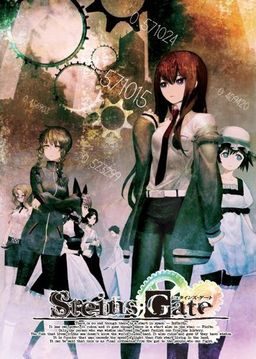
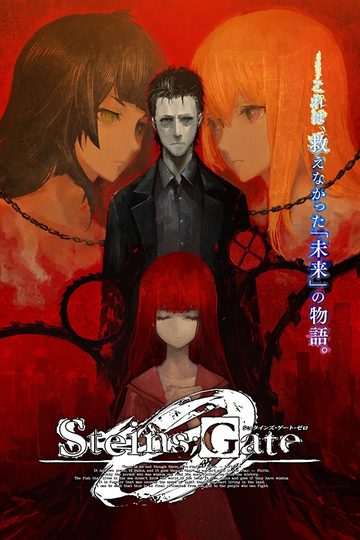
The story of Steins;Gate takes place in Akihabara and is about a group of friends who have customized their microwave into a device that can send text messages to the past. As they perform different experiments, an organization named SERN who has been doing their own research on time travel tracks them down and now the characters have to find a way to avoid being captured by them.
Steins;Gate



793 comments
I have seen all the others if it makes in difference, and I have saves all the way throughout the story on both my first and second run through. Anyone know what I'm screwing up here
Ah, now that I think about it, it may have been completely obvious and I forgot to put it. One of the major requirements for the True End is to not pull out your phone while talking to Kurisu. So in ch9 and 10 occasionally pull out and play with your phone for a little bit to get Kurisu's End.
Does anyone have -any- clue before I go out of my mind.
PS.: I never played this kind of game, but this game is kinda boring... Its like reading a book, i like read, but its a game, isnt it? =/
The only interactions are choose one of the links on the mails and anything more... =X
That being said, Steins;Gate has to be one of my new favorite games of this year. If you're looking for some gameplay I recommend Kara no Shoujo for Phoenix Wright style investigations, Big Bang Age and Sengoku Rance for turn based fighter, or even Monster Girl Quest. All of which you can find on this site.
After deleting and downloading and -hoping- that this game might actually work each time I -finally- figured out the issue.
Rename the folder STEINS;GATE to STEINSGATE.
Apparently Windows doesn't approve of the ;.
I'm so glad I get to -finally- play this game.
Good luck and have fun!
Admin, would you mind adding that to the desc?
It would probably save future comments/complaints about it!
Not that I blame ya =P
Another thing to note is that the guide will set you on the Kurisu route and all you have to do to get her End is follow the part at the end and use your phone as well in ch9 and 10 in front of Kurisu.
Basically if you turn on auto skip in the options (if using japanese options just change all the options till Ctrl becomes auto skip). The auto skip will stop on its own when you get an important choice such as sending a d-mail, in chapters 6 and 7 you'll get a chance near the end of the chapters to send the D-mail which will cancle suzu's memories, and the D-mail sent from faris' phone will cause her father to die and will continue the game (skipping these girls ending). You have to pull out your phone and select 'send mail' after this you'll continue on the true route. Hope this helps. Not sending the d-mail causes those girls end to trigger and the game will stop.
For example with suzu's end, okarin will be in front of the microwave-ophone deciding whether or not to send a D-mail to cancle pursuit of suzu when she originally fails to meet her father and tries to run/time warp out. If you juct keep skipping through that part you'll trigger her end but if you use your phone to send the d-mail it will skip to chapter 7. Hope this is clear.
Phantom, could u kindly share where u found the walkthrough for this game? THANK YOU!
One question tho, the guide wasnt too clear on how to get the kurisu and mayuri ending, could u perhaps explain it again?
I know how to get the true ending, just got to folo the guide
The only thing the guide is need for is getting the True End and the Kurisu End with changing what you do at the end of ch9-10. The only requirement for the Mayuri End is to NOT be on the Kurisu/True End route.
I'll try loading the save and using the d-mail instead
What are the system requirements?
Supported OS: Windows XPhome / XPPro (Japanese) (since SP2)
32bit only for Windows Vista / 7 ※
CPU: Pentium4 3GHz or higher, Core2Duo or higher recommended
HDD: 3.0GB or more free space
DirectX: DirectX9.0c or better
Memory: Win XP 512/1GB recommended
Win Vista/7 1GB/1.5GB recommended
Screen size: 1024 × 768 32 bit TrueColor (wide-screen game [1024 × 576] specification).
VGA: DirectX9.0c capable Video card, 64MB minimum. higher is recommended.
i don't know about the Applocale.
now it works flawlessly~ ^^
When I tried to open the glossary, my game crashed. But other than that overall the game works perfectly.
Anyone here who knows how to fix this problem? Thanks :)
And "Steins;Gate has stopped responding" window pops up after the CAUTION logo in the beginning.
Reinstalled 5 times, and still can't find why its not working.
every time i click the new game menu, the menu screen show up again and the game didn't start. i've already re-installed it several times and still i only could go as far to the menu screen
This list assumes you downloaded all the files available, the five parts for the game, the English patch, the movie subtitles patch, the menu patch. It also assumes you're using XP or Vista.
1. Once you've downloaded the game open part 1 of the first five files. Extract that to somewhere (My Documents can be a good place to put it).
2. Use a program like Daemon Tools Lite to mount the MDS file SG. It will ask you if you want to install. Say yes. It will be in Japanese so there isn't much you can do except click on the button with 'N' on it whenever it comes up. At one point you will be brought to a contract in Japanese, don't worry about it. Click on the selection that will let you hit 'N'. As a note you don't have to install it in Program Files, but do so. It's easier than installing it elsewhere.
3. Once it's finished installing don't play just yet. Open up the file with the English patch (SteinsGateEnglishPatch2). Go to a place probably like this (as mentioned by the people on this site) C:/Program files/NitroPlus/STEINS;GATE . You get there usually by opening Computer, go to the Hard Drive Disk, go to Program Files, go to the NitroPlus folder, then go to STEINS;GATE folder.
4. Now take the STEINSGATE-patched.exe and nss.npa and move them into the STEINS;GATE folder. Don't try to move the other one named SteinsGateEnglishPatch. First the computer will want permission to do this (make sure the account you're on has administrator access). Then it might need you to give it permission again. Then it will tell you that there is another nss.npa. Click on the choice to 'Move and Replace'. That's the basic stuff taken care of.
5. At this point you should have the game's text in English (to make sure open it by clicking on the file STEINSGATE-patched, should look like Makise's face). However the movies, menus and cell phone won't be. X out the game and go to the next step, step 6.
6. Open the file SteinsGateMovies. Then go to the STEINS;GATE folder and go to the DX folder in it. It should be the only folder inside so you can't miss it.
7. Move the following from SteinsGateMovies into the DX folder: prologue01.ngs, prologue02.ngs, imv041.ngs. Again the computer will ask for your permission and you will need to choose 'Move and Replace' when the option comes up. Now you can understand what Okarin is saying in the first movie. Open the game again to make sure. After that X out the game and go to step 8. Note that this isn't absolutely necessary to play the game but it is interesting.
8. Now open the part 1 of the last two files you downloaded. SteinsGateCGPatch.part1 (part 2 you can't use). There is just one file in it, cg.npa. In your Program Files go back from DX folder to the STEINS;GATE folder. Move the cg.npa file into it. Once again you'll probably have to give permission and use 'Move and Replace'. Now you can understand those TIPS at the top of the screen, the menu and you can understand what the game's telling you about the cell phone. It isn't strictly necessary to use this to play, but it will be much more difficult without it.
Hope this helps people who aren't familiar with VNs.
I'm using Windows 7 32bit.
Core2Duo
2GB ram
1GB Vid card
30Gb Free space on HDD
Direct X11
is there a different way to install it in Win7 OS?