English visual novel downloads

Steins;Gate

Steins;Gate

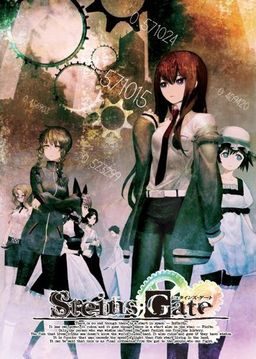
The story of Steins;Gate takes place in Akihabara and is about a group of friends who have customized their microwave into a device that can send text messages to the past. As they perform different experiments, an organization named SERN who has been doing their own research on time travel tracks them down and now the characters have to find a way to avoid being captured by them.

793 comments

xX360NoScopeSniperXxReply
im new here, was wondering if i can play this on win7 home premium i changed locale to jap but still cant install game whenever i extract i get files are corrupt mssgs and only get around half of the stuff in it and it wont run im using isobuster so can anyone help with this? I really want to play this game but cant get it to work =(
AnviReply
Help please? I can't play the movies. even the intros don't work. I've installed k-lite codecs but it doesn't help. Is there something else that might be causing it?
RaShayRittoReply
I'm having issues playing the movies as well. I'll hear the first snippet of audio but then nothing else and a blank screen. i can click to skip past the intro movies but i would like to get them working.
croPathReply
is there any translation for the achivements for steins gate
John TitorReply
Will anyone help me to find a IBM 5100 ?
elpsycongroo~~Reply
im guessing this is fully eng patched ? or not???
A fan of steinsgateReply
not yet fully...
munchyReply
Thank You Admin! ^^
xtouchyuxReply
Yeh you need DAEMON Tools to fix the libvorbis.dll problem.
DorukReply
Followed the instructions, copied files for English patch, started it up…

And “Steins;Gate has stopped responding” window pops up after the CAUTION logo in the beginning.
leiyoohReply
i finished installing its ok when i run it. but when I start the game, it always comesback to the main menu..what should I do?
AnonReply
you need the japanese installed in your PC, if you already have it just use applocale
TheGuyReply
Is this the full game? on different websites theres only trial verison but i know this one gets the full verison from some place somehow (english)
gumplugReply
So is it just me, or will none of the movies play. Intro, endings, idle menu screen movie...? I hear just the initial sound starting of the movie and then it stops and goes to a black screen. Any advice on how to fix this? I've already uninstalled and reinstalled the game so that's out of the question. :/
adminReply
Download and install "cccp codec pack". this should fix it.
johnnyReply
some people are saying the translator might have commited suicide,which would be why he hasn't given any update about finishing the editing even though everything has been translated...
adminReply
Treat anything you hear about translation community with a grain of salt. We had "people going to prison for loli manga", "hdd failures", "accidental deletes of completed projects", "finished projects being distributed privately, due to abuse from people wanting translation *now*", and many others. Fake suicide wouldn't suprise me at all...
ZellrangReply
its a good thing I played chaos head b4 this one... there are many reference to it in this one :3
ZellrangReply
whee, I just got *FES wallpaper

*FES from chaos;head X3
ZellrangReply
character from chaos head
HK-47Reply
Irritated Query: Has there been any new info on the release of the patch for the achievements?

Sarcastic Statement: Unfortunately, out of all the thousands of languages programmed into my vocabulary module, standard Earthling Japanese was not amongst them.

Statement: The TIPS screen of the menu still crashes when an attempt to open it. This would be much appreciated if a patch for this were to be found. I have already found all of HK's alternative routes for the squishy meatbags populating he lab, as well as the main one, and now am at 97% completion.

Hypocritical Escapism: It would be too much effort to need to translate these achievements myself, and find how how later, so if any news arrives please inform me as soon as possible. I shall now hide myself in the world of Skyrim until that time arrives.

Quote: "El Psy Congroo.", H 'Hououin' K 'Kyouma' -47
Hikaru-shiroReply
my game always crashes in chapter 2 when daru explains me what SERN is >.< to give specific information it crushes after i leftklick after the phrase "What's the possibility of that actually happening?"
I'm dying of not beeing able to play the game pls help me :(
AnonReply
a lot of people had that exact same problem, try reading all the posts, I think someone posted a solution but i'm not sure
adminReply
You're using old patch. Update.
Hikaru-shiroReply
how can i update to the new patch? i jus5t can download the patch of this site but it doesn't work and is from the 19/9/2011 :/
lonecowReply
I know I'm weird about this type of thing, but I get hung up on the meaning of "True End" and all that.

I haven't finished the game at all. Only on Chapter 4, so no spoilers please, but theoretically since this is a story that involves multiple world lines, couldn't all routes technically be canon in their own world line? Why does there have to be one "true" ending?

I just hate when games call an ending the "True" ending because I feel, what is the point of going through the other routes if they never really happened.

Again I know I am odd and am thinking too hard about it.

I just want someone to say "True End doesn't mean Canon End", and have proof to back it up. I know that is a tall order. *sigh*
HK-47Reply
cuz its the true ending the writer(s) came up with, and the rest are there simply to applease 'derpina x okabe' fans which can be nice here or there but would totally torch the story if it was the real one plus they're a total piss-off (im lookin at YOU, Suzuha) if you werent ready and didn't save before hand., forcing you to re-run through a chapter with ctrl held down, entertaing yourself with random facial expressions here and there.

And dont get me started on screwing up true end!
KiramaReply
Is this the Complete Patch?
ToxieReply
I'm not sure if its a bug or something i just cant manage. I'm currently in chapter 1, around the beginning. My problem is that Rintarou looks at his phone every few scenes even after i put it back since the prologue. I can't do anything with the phone, it wont do anything when selecting the names, but it keeps appearing that its annoying to be honest.

So i would like a solution what to do here if anyone knows :(

And another thing: Is it possible to have the "Tips" translated that appear on top of the screen?
AnonReply
every time you move your mouse to the right the cell phone appears, it's not a bug, just stop moving your mouse xD
ToxieReply
Ahah i hope thats the case ==> goes to check out (truly never noticed that, coz that also happened when it was on auto read many times).

But thanks for the reply <3
DukeGrimmReply
This is probably one of the best VN/Eroge I've ever played. If you get a chance, be sure to try it out! There is also an anime out, and it actually does a decent job of capturing the story without cutting anything essential.
Kyouma-wannabeReply
Not an eroge, there is no porn.
dennisReply
may i know how to use the Steins;Gate 1.20 Update:

(3,5 MB) file ???
dennisReply
after i updated to 1.20 version my save file gone?
rickReply
Sometimes my mouse goes haywire and starts selecting everything when im trying to save or if im on the menu screen, how can i stop this stupid problem? :(
harukatogeReply
this is an all-ages right?
AnonReply
yes, Steins;Gate is All-Ages
Kyouma-wannabeReply
I would say 13+ since there are scenes of violence, not that it matters.
SirouReply
Does anyone know where the save files are located?
KomariReply
In chapter 1, shortly after Suzuhas first appeareance, Okabe uses his cellphone to look up something about John Titor. On the screen is the cellphone and some comments. I tried everything but the game don't continue. Does anybody have the same problem or know how to solve it? q__q
AnonReply
I don't remember that part but I think you just have to scroll down
KomariReply
Thanks ^^
DanielReply
During chapter 1, When Okabe looks at John Titor posts I can't get on with the story, he just stares at the posts. Any fix? Do I just wait forever or something?
AnonReply
you just have to scroll down with your mouse
DanielReply
Thanks, I was using a touchpad on my laptop, so it wouldn't scroll right so I plugged in a mouse!
ZMemmeReply
i can't scroll down with the touchpad... doesn't it has a button config
ssjokgReply
i am having a problem with the movies.none of them will play but i can skip them...can someone tell me what the problem is?
I have Win7 and the latest cccp but still nothing...
ssjokgReply
i am having a problem with the movies.none of them will play but i can skip them…can someone tell me what the problem is?
I have Win7 and the latest cccp but still nothing…

Leave a comment