
In the near future.
In a not so distant place.
There exists a society where law is based upon deterrence and criminals are assigned “obligations” fitting for their crimes.
Within this society, a man named Morita Kenichi aspires to the position of Special High Class Individual, one who holds authority over said criminals.
For the purpose of fulfilling his ambition, Kenichi returns to the town he once called home. There he will encounter three girls bearing “obligations” and there he will encounter the past he left behind.
Won’t you join him in this story about how people relate to their society?
In this story about how a society relates to its people.
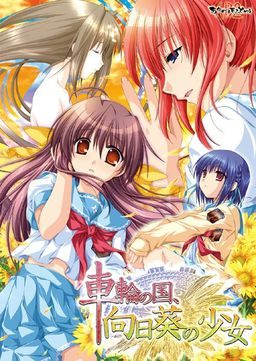
In this story about the girl amid the sunflowers growing in the country spinning like a wheel.
Sharin no Kuni, Himawari no Shoujo










236 comments
can you upload the sequel or prequel maybe?
with the title sharin no kuni yukyuu shounen shouju
http://i240.photobucket.com/albums/ff99/Cedric5859/Game/fefg.jpg
try mounting the disk image while you run it
"I know it’s been said here and there already, but for anyone who has trouble installing this game and is new to all this… I too just started and will give you some steps towards getting this game to work (without mocking you!)
1. Download the 3 parts and the english patch, linked above.
2. Download WinRAR and Daemon Tools (both are free and will cause your computer no problem; they are your friend)
3. “Extract” both the english patch and part 1 of the game (will automatically work for all parts).
4. (this step is more unique to this particular game) Go to control panel, clock/region/language, change country/region, and under “administravtice” you’ll be able to change the ‘locale’ of your computer. Change it to japanese… this will allow the japanese text to appear as, well, japanese and not nonsense. (this restarts the computer)
5. Open daemon tools. Click to add an SCSI drive and then find/add the file “syarin.ISO” to it. Now you can go to your “computer” and find an imaginary CD drive on your computer that opens up the game install. (be patient.. its slow to start up AND all in japanese, but you can figure out what to click to install it.)
6. Find the file “patch.xp3″ that you extracted from the english patch. Copy. Now find the location of your newly installed game, wherever you chose to save it, and paste the patch.xp3 right into the list of other program files found in the game’s main folder. NOW you’re set and ready. Enjoy!!
(note, your computer MUST be set to Japanese ‘locale’ in order for the game to work. No, this doesn’t turn your whole computer into japanese and leave you lost with a foreign computer. Just allows japanese text to appear properly, plus you can always change it back if you’d like."
I did this, my applocale was already set to Japanese, copied patch.xp3 into the game directory, and when i launch the game this happens: http://i240.photobucket.com/albums/ff99/Cedric5859/Game/fefg.jpg
Afterwards, when i press OK, the game shuts down. I tried it both on Win 7 (32/64 bit).
http://i240.photobucket.com/albums/ff99/Cedric5859/Game/fefg.jpg
I Still Get Sachi's Ending
Is That Normal Anyone?
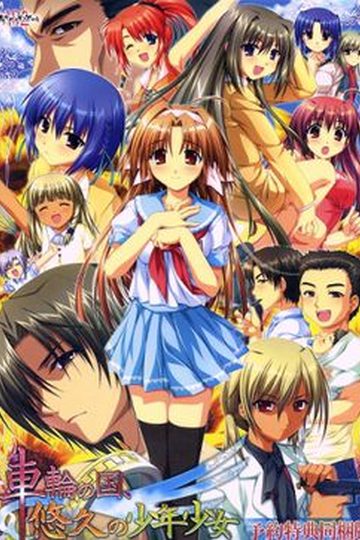
It has 3 characters only so it stands out
This is what happens when I try to open it, what do I do?
This ONLY happens when I have the patch file inside, when it's not there it runs perfectly fine.
I obviously need the patch so I don't know what to do.
I'm sure it's just a false positive but I just thought you should know.
Having figured that out the hard way, is there some sort or NoDVD crack or something for this game? I don't really like having this image mounted up all the time just to play it.
1) Run the game setup (setup.exe) of the mounted game with japanese locale
2) copy the patch.xp3 into the game directory (there are also other *.xp3 files)
3) run the game syarin.exe as administrator in japanese locale
4) if you didn't do step 3 in the correct way make sure everything game related is closed (every debug window) and try again
The ending is great exept for the censorship, but dont let that put you off!