English visual novel downloads

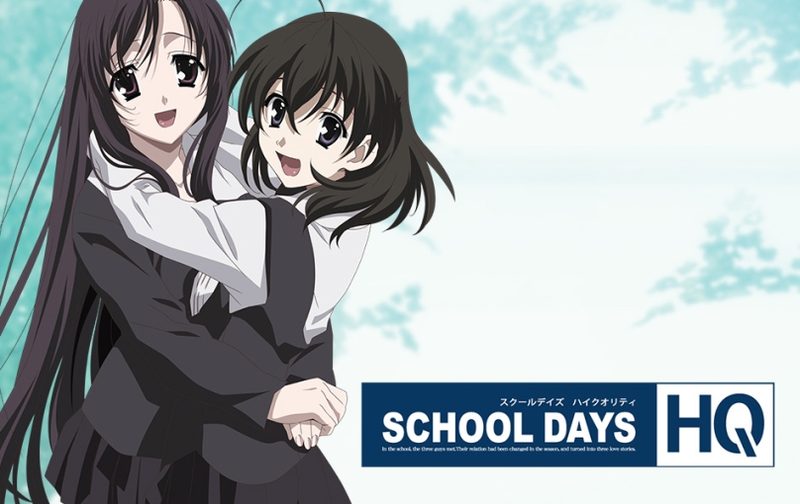
School Days HQ

School Days HQ

In the school the three people met. Their relation had been changed in the season, and turned into three love stories.

Makoto has been admiring a girl he has seen on the train. That girl is Kotonoha Katsura, and he even managed to take a photo of her with his cell phone. Due to new seating in his class, he ends up next to Sekai Saionji, a nosy, but sweet and sincere girl. As she snoops for his cell phone while talking to him, she discovers his crush and vows to help him until Kotonoha agrees to go out with him. When Sekai finally gets them together, she realizes her own feelings after finding out that the person Kotonoha liked was, in fact, Makoto. While waiting for her train next to Makoto, who was waiting for Kotonoha, she has him talking about how he can repay her for all of her help. Before leaving for her train, she kisses him and cries when she boards the way home. Kotonoha happily arrives for her date with Makoto shortly after. With all three main characters carrying different expressions on their faces, the story begins.
788 comments

[2Play]~TykesReply
~~Hi+everyone!+troubleshooting's+here+to+solve+your+problems+>>

=Voice+Issue:
Install+DirectX+again,+precisly,+you+need+both+D3DX9_43.dll,+D3DX9_42.dll+AND+(optional)+d3dx9_38.dll.+throw+then+in+game+folder.
--Why+that+happen?
You+miss+these+files+in+your+DirectX+database,+using+Windows+XP/Vista+or+Windows+cant+find+these+files+in+your+PC

=Start+Crashes:
1.+You+live+in+india/russia/some+other+country's,+change+time+zone+to+american/mexico/england+and+time+to+00:00
2.+Your+are+running+windows+in+16+bit+color,+change+it+back+to+32+bit+color.
3.+You+miss+D3DX9_42.dll+file.
4.+You+have+a+octacore+processor,+idk+but+this+affects+me,+just+patch+the+game.
5.Irregular+Screen+Size,+change+to+1024x768,+or+patch+the+game+and+see+if+it+works.

=Random+Crashes\laggy+game:
1.This+>+https://www.youtube.com/watch?v=MdsfuZ_WGdg
2.Sound+driver+incompatible...+update,+download+a+new+one,+try+to+play.
3.You+need+Japanese+App+locale+(haven't+tested)
4.Play+as+administrator.

=Download+Problems
1.+When+it+gets+99%,+it+crashes!>+use+another+web+browser,+or+download+in+another+partiton,+your+disk+is+with+badblock.
2.too+slow>+try+downloading+it+via+Torrent.
ml424247Reply
still cant get past insert disk 2 part
please help both parts extract well with no error
each part will install individually just not both together
on either win 7 or 10 ....
TaylosReply
I donwloaded the 1 click thingy 3 times now and I always get an CRC Error in the first Iso at about 30%.
adminReply
I just tested it and it downloaded and extracted fine. Make sure your antivirus or other software doesn't interfere with the process. Also, are you trying to extract it to SD card or USB drive? Some of those are using FAT32 filesystem, which doesn't support files larger than 4GB.
TaylosReply
I downloaded it to my 3 TB Harddrive so it should have no probs with Fat32, but I just finished the Multi part one and will try that.
KnowingEyesReply
There's an issue with the 1-click DL. The free version works fine though. For giggles I re-DL'ed the 1-click on another box and the same error at the same point rears its head.
TaylosReply
That worked for me, so no more complains.
Antonio CiprianoReply
Is it in English? Is it english subbed only? Don't like English dubbed but subbed is necessary
adminReply
Yes, Japanese voices, English text.
Bruno ZarateReply
the one click download seems to be broken....when i tried extracting the files it told me that disc one file is broken, what should i do???
LimeyReply
I can't install the 2nd disc. After it installs the 1st disc it asks you to insert the 2nd, then when I click okay it keeps asking me to insert it. How do I install the 2nd disc?
JackyReply
Ok, so if you're using disk mounting software like deamon tools you need to make sure you mount both disk 1 and disk 2 to the same virtual drive, ex. dive J. If you mount disk one to say drive I and the disk 2 to any other drive besides I, the program wont be able to locate disk 2.
MReply
I turn Automode off but it runs in Automode all the time
???
runeReply
Downloaded+all+49+parts+but+do+I+click+the+.exe+on+Disc+1+or+2?+Just+how+do+I+start+playing!?+And+when+I+tried+clicking+on+Disc+to+to+play,+it+said+'insert+disc+2'+but+it+wouldn't!+What+do+I+do?
runeReply
Found better instructions!

Instead of going directly to the folder, just go to the Daemon Tools and click "Quick Mount". Then, select "Disk 1". You should be able to install it.
After a while, a message will pop out: "Please insert Disk 2". Just eject "Disk 1" then mount "Disk 2". Then press "Ok" from the installation setup.
anonReply
I heard that this vn has tragic endings. I'm afraid a little ;__;
Any protips?
jvcReply
i tried the DA-1 click download but after the download the game does not open? why is that?
SugaReply
Muchas gracias! no lo encontraba por ningun lado. Son unos genios!
SugaReply
Ah, if someone have problems whit the black screen, but you can hear voices, you just need download the patch of japanese language in your computer. Then just play the game from one of the virtual disks.
NickoliaReply
DA-1 Click linked files, when extracted have a file error in Disk1.iso. Tried it twice (18 GBs). Looks like most people that downloaded the 50 parts get it to work though.
adminReply
I just checked again and it extracts without problem. Make sure that the place you're extracting to is using NTFS filesystem (many pendrives for example still use FAT32) - Disc1.iso is 8GB after unpacking and FAT32 doesn't support such large files.
anonymooseReply
Having the same problem as Nickolia. The drive is using NTFS filesystem. WinRAR says Disc1.iso is corrupt.
TalosReply
I'm using 7-Zip to extract the files and right when it's about to finish it stops and says Data Error : SchoolDays¥Disc 1.iso
sk01Reply
i dowloaded the 1 click and i can confirm is "corrupted", the disk is a 1 TB and File system is NTFS as reported in disk properties. I'm extracting using winrar, if you suggest any others please let me know.

Best regards and thanks in advance

Sk
DerekReply
Disc 1 iso in the 1 part 9gb archive is corrupted on my system too.
AnonReply
Can also confirm.
DanTheManReply
Confirmed 2019 it's still corrupted
BrunaReply
Part+31**+is+not+rated+for+download+:""""""""""""(+i+dont+belive+on+that

Can+you+arrange+this?+im+bagging+here
NatzReply
admin in my antivirus keep detecting that event00 up to event03 is have a win32 malware-gen is this just a false positive pls help
NekiReply
I am having alot of issues with this game.

- When I try to installed the game, first disk is fine but when I try the second one it doesn't work at all.

- When I just moved the files (extracted from ISO-2) to the main file, It just do the title screen over and over and over again. I need help.
Anthony Daniel BuonannoReply
I have a problem.I have installed the game and it starts without problems until the main menu but,after I click on the button "Start",the game,obviously,begins but there are black screens and I can only hear the voices,see the subtitles,and choose the options.How can I fix this problem?I also want to add that,to start the game,I needed to install 2 .dll files:wmvcore.dll and wmasf.dll.Sorry for my English,it's not my native tongue.
Hiking BearReply
Fucking hell. Isn't there a "normal" non-HQ version of this that doesn't have a billion parts?
ObentoReply
Sure, it's in the mouth of the gift horse, but you have to look really hard.
At the end of the day, it doesn't take that much effort to download all the parts, just fuck around with it while you watch youtube for a couple hours.
Or, just buy a premium account for ten bucks, still a pretty cheap game.
DrakePhoenixReply
Found a fix to the corrupt file issue with the 1st iso. Use 7zip.
AnonReply
7zip did'nt work for me either, I ended up having to download the free 49 part version even though I paid for the 7 day subscription to the download service sigh.

I've got audio sync issues in all of the H scenes so far as well and the loops and transistions in these scenes seem kinda bad too... Is that just how they were made?
xtrlsidmaReply
is something wrong with 1 click download? i did that but only got disc 2 not disc 1
DarkdaejReply
Well, after downloading the 49 parts, I discovered I can't install the game. I mounted the isos in Daemon Tools and everything went perfectly up until I reached disc 2. After mounting disc 2 and continuing installation, it gets stuck and just stops doing anything. No error messages or anything, it just stops reading the disc and stays stuck there.
2anonymous4youReply
They're not isos, but "rar". First, you have to download it in chrome, because mozilla will give you mistakes, I don't know about other explorers. Second, you have to "extract here" them and that's all.
NanaReply
Welp... Got the one click download since I have premium. At first I couldn't unpack Disk 1 because it said it's corrupted. Tried it with 7zip and it worked BUT now I get the "Failed to copy files" error while installing.

Guess I have to painfully download all 49 parts individually :/
BC503Reply
You need to make sure that your region is set to japan and that you turn off your anti virus. it's probably blocking the install and after that add it to exclude programs from scans or it will erase the packs folder.
BC503Reply
So i tried uninstalling and reinstalling the game after a glitch but upon reinstall, it would keep asking to uninstall the program and then when I installed it would only install two blank folders. I found that the patch alters the registry data so it does not uninstall properly. you will need to delete the registry data manually. to delete the registration data you need to start by running "regedit" and going to => HKEY_CURRENT_USER => Software => Overflow => SCHOOLDAYS HQ and delete this file. this should allow to reinstall the game without any issues. if your install gets stuck then the anti virus is blocking the install and needs to be turned off. Just some FYI for those with the same problem.
KotaReply
This was a VN? I guess you learn something new everyday.
Alex DelbreyReply
How do I install the patch for it?
lilygoddessuuuuReply
the anime version is ok but this is lit....uwu
johnReply
Can someone explain to me what to do after I download the game. I open the folder and see discs. what do I do next?
UncleSeraReply
You see that link in the upper left corner of this site saying "FAQ" under Pages? Go click on that and read the Daemon Tools/mounting sections.
2anonymous4youReply
Do you recommend watching the anime first, or playing the VN? I wanted to watch the anime, but didn't really started it because I knew about the novel. So which one would you choose?
DanTheManReply
If you know about the infamy of SchoolDays I highly recommend the anime. It shows on how the game really resembles your "choises" in game. But the game is vastly different, I recommend a guide if you want to find the endings
yesReply
Looks like the dl is broken. I've downloaded it twice and both times it says some data in disc 1 is corrupted or some such. What a shame.

Leave a comment