
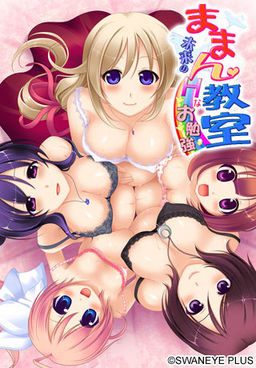
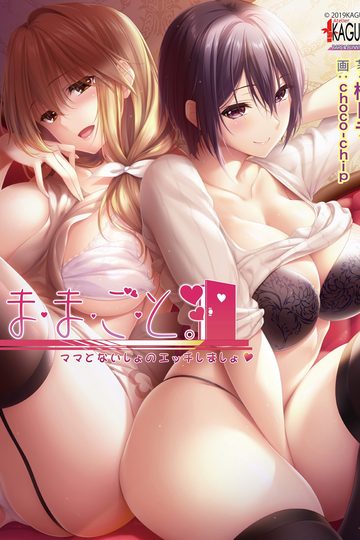
Kei is now looking for a job. He is in love with Honoka, his neighbor, but she is already married and pregnant. One day, he saves a man who gets injured in a traffic accident. The man asks Kei to visit the obstetrics and tell his message. Kei visits there, but the doctor mistakenly thinks him as a teacher of preparation lesson for pregnant mothers. The doctor says, “Do you like pregnant girls?” Kei quickly answers, “Yes, I love them!” Like this, he starts working there…. When he opens the door of the classroom on his first day at work, there are Honoka and other pregnant mothers….
Maman Kyoushitsu
- MamanKyoushitsu.part01.rar - 200.0 MB
- MamanKyoushitsu.part02.rar - 200.0 MB
- MamanKyoushitsu.part03.rar - 200.0 MB
- MamanKyoushitsu.part04.rar - 200.0 MB
- MamanKyoushitsu.part05.rar - 200.0 MB
- MamanKyoushitsu.part06.rar - 200.0 MB
- MamanKyoushitsu.part07.rar - 200.0 MB
- MamanKyoushitsu.part08.rar - 200.0 MB
- MamanKyoushitsu.part09.rar - 200.0 MB
- MamanKyoushitsu.part10.rar - 200.0 MB
- MamanKyoushitsu.part11.rar - 21.1 MB
- patch.zip - 762 KB


235 comments
1.) Switch to Japanese region locale.
2.) Mount MDF using software like deamontools
3.) Install.
4.) Extract patch.zip contents into the game folder.
5.) Copy mmscex.exe from the disc into the game folder.
6.) Only use mmscex.exe to run the game since it bypasses the security.
Reply
already using step by step guide
but still failed..
when i click mmscex.exe.. blue program syntax error, unexpected
how to fix it?
why?
I did everything that i mentioned before and then i said: "fuck this shit" and restored all my local configuration with my local information and gave the game a last try using only applocale with the mmscex.exe and then it worked!!
Help anyone?
And then just start the game with applocale.
i'm change japanese region. but the character japan not change. it's like wroms writing.
1.) Switch to Japanese region locale.
2.) Mount MDF using software like deamontools
3.) Install.
4.) Extract patch.zip contents into the game folder.
5.) Copy mmscex.exe from the disc into the game folder.
6.) Only use mmscex.exe to run the game since it bypasses the security.
Reply
already using step by step guide
but still failed..
when i click mmscex.exe.. blue program syntax error, unexpected
how to fix it?"
Did the same and got the same problem
the game works fine until i reach saera birth
and just after the baby is born the game make an error message and the window became completly black and the music still on.
should i post the entire error message ( it's mainly japanese) ?
I fixed it.
1. uninstall the game completely.
2. Reinstalled the game in the default “C:\Program Files\SwanEyePlus\Maman Kyoushitsu” : instead of my Game folders h-game section >_> Make sure you install it while you are in Japanese local Do not install the game then switch over to Japanese local.
3. Hit start on your desktop Go into “Computer” look at the drive you had DAEMON tools mount the game. (you’ll see the blonde girl Hanako as the image) right click on her image and click explore.
4. You’ll see the folder in Japanese of “おまけ” click it. (I also copied and pasted the “お読みください” text document file found here to C:\Program Files\SwanEyePlus\Maman Kyoushitsu because I wanted to)
5. Then click the bottom folder marked “ままん教室!体験版”
6.Right click and copy the “mmscex” file and paste it in where your game is installed C:\Program Files\SwanEyePlus\Maman Kyoushitsu
7. When you downloaded the games RAR files go to your file you got of the Patch zipun zip it and file and place The patch file “patch.xp3” and the folder named patch (with the ten KS files and the one TJS files inside) in your games location C:\Program Files\SwanEyePlus\Maman Kyoushitsu ………Do Not place the “patch.xp3” file in the folder named patch.
8. With App Local open the mmscex file that you coped and pasted to your games folder location of “C:\Program Files\SwanEyePlus\Maman Kyoushitsu “ use the App Local Japanese setting of 日本語
This is all I had to do and it plays and I can play past Saera’s birthing scene, and I hope you can too now. ^-^
Run the game through app local and not the mounted image it is the mmsc file.
You need to run the mmscex file trough app local when you want to play your game.
I had Japanese locale set(I leave my laptop in it always), followed the instructions (copy mmscex.exe etc.), and got that error. I have gotten it running, though. I copied the SwanEyePlus directory out of ProgramFiles to another location, turned off the Read Only attribute on every file in it, and ran mmscex.exe from there.
It might still have the hang later in the game, though.
Only the text ingame is english the interface/option and startmenu not.
take a look at this as by the original two posters
\jals says: May 15, 2014 at 8:08 am
i´m got a problem message in Japanese every time when Saera is giving birth and then it just stay there with here breathing
no text no sound just the animeted cg\
\Anon says: May 16, 2014 at 2:19 am
I had this too, ended up having to uncompress the game on a japanese xp VM to get it to work.
So could always try reinstalling.\..End quotes.
no matter what game people could not install I've seemed to always get it running own my own, I even ran the original Nocturnal Illusion on Vista lulz.
Guess I got to go get a Japanese language pack to play this.
http://windows.microsoft.com/en-us/windows/search#q=japanese+language+support+in+windows
But I cant seem to get to work hell I even did a complete reboot on my laptop (restart it really) to see if that was the issue but it isn't I bypassed the CD key damn thing doesn't even work anyway.
If you can please break down the process into numerous steps I would greatly appreciate it to no end I so far am only at Saeria Birth Scene and it just stops no matter what I do!
And YES I DID DO THE STEPS LISTED ABOVE
Did you type it down wrong? or is a reupload of a different copy of the vn and you just forgot to change the key?
and yes. I made sure i copied it exactly. i even copied and pasted after. still doesn't work
Mount game disc again.
click on any folder on your desktop then go to the computer folder. Right click on the game cd rom like this:
http://i.imgur.com/QbVBj6X.png
click open. Now open the first folder. This one:
http://i.imgur.com/Si29NHl.png
Now open this third folder.
http://i.imgur.com/LNpHw0h.png
Now right click and make a copy of this file called mmscex:
http://i.imgur.com/CV8Uk18.png
You can find the game directory by right clicking the game application and choosing "open file location
Now paste it in the game directory like this:
http://i.imgur.com/xKNJQhz.png
This will act like a crack and you wont need the disc key.