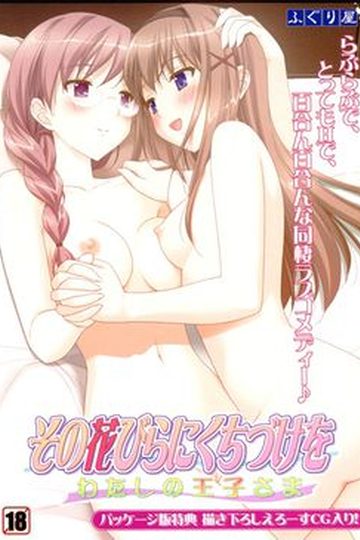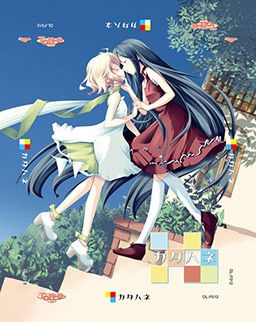
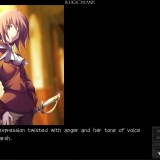
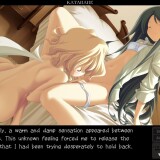
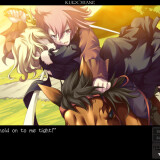
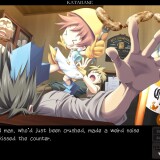
The story takes place in a world with 3 kingdoms, the Red, White, and Blue Kingdom. In this world, they have highly-advanced dolls with some closely resembling humans. These dolls occasionally need maintainence which done by a “tuner”.
A young playwright named Wakaba writes a controversial play about a traitor named Ein who killed a ruler of the White Kingdom, Christina. In Wakaba’s play, she presumes that Ein did not betray Christina, but was actually her loyal supporter.
When Wakaba’s history major friend needs to make a trip to get Coco, a genki doll that lives with Wakaba, maintainence, Wakaba and her brother Light travel with him. Wakaba travels in the hopes of finding some actors for her play. Along the way, they meet a beautiful doll with one wing named Belle and an aspiring actress named Angelina.

174 comments
I was still writing installation instructions when you asked.
Complainer will probably be here soon :P
Anime fansub scene has debates about this for like 20 years already.
Well at least they can be happy no yuri eroge have been announced to be released anytime soon.
I might be wrong, but at the speed they have gone until now i doubt it will be released before the start of next year if i had to guess i would say around feb or march 2012.
Little buster have more content in the game then Clannad and if you played Clannad then you will know how big this mean.
Also normally they don't release right after they reached 100%
they need to at least do a last SC and QC just that will probably take several weeks.
Anyway like i said i might be wrong that was just my opinion from how fast i saw them working on Little Buster until now.
filesonic on the other hand is a curious thing since it has much much less users.
as long as admin gives me fileserve, i am 100% content!
Fileserve actually seems useless to me as well, with no download starting, but I can't see why.
Also, why is it that young males always want to tread on the smaller or less renowned players in a field? In open source software this does real harm, with almost all enthusiastic young programmers supporting the sometimes ridiculous "technologies" coming from corporations with a vested interest in limiting the freedoms of users and programmers alike, and taught in schools which are supported by these corporations. This rubbish has become a religion so all-pervasive it's followed devotedly by those who pride themselves on being irreligious.
You lost me on second part.
Not sure what's up with FS. It says it only allows 400MB downloads, but maybe it allows bigger ones anyway. Neither site worked for me because I had javascript disabled at first, but now I've enabled it Fileserve is working well enough. Still, I think I'll get a premium account if I download more than a few of these.
btw, i just want to remind something, Osananajimi wa Daitouryou ~My girlfriend is the President~ can't be played at my current windows 7, it said: can't read/open the fle. any suggestion?
any ideas?
sorry my bad english
daemon tools, is that a program?
any links for download it, please?
Thanks again.
Tought it would be useful since it hasnt been uploaded here yet, and , as always, keep up the great work admin.
i would like to play the similar game as G-Senjou no Maou.
it made my tears flew non-stop.. any suggestion? :P
sorry for my english
Next time ask questions like this in comments about game you're asking about.
Click setup
Right click
Click troubleshoot compatibility.
Install.
Profit?
Does this game works on windows 7 computers?
windows xp -->control panel--->date,time,language and regional options-->regional and language options-->advanced-->click dropdown menu and select japanese
for vista
Open Regional and Language Options by clicking the Start button Picture of the Start button, clicking Control Panel, clicking Clock, Language, and Region, and then clicking Regional and Language Options.
Click the Administrative tab, and then, under Language for non-Unicode programs (System Locale), click Change system locale. Administrator permission required If you are prompted for an administrator password or confirmation, type the password or provide confirmation.
Select the language, and then click OK.
To restart your computer, click Restart now.
for windows 7
Open Region and Language by clicking the Start button Picture of the Start button, clicking Control Panel, clicking Clock, Language, and Region, and then clicking Region and Language.
Click the Administrative tab, and then, under Language for non-Unicode programs, click Change system locale. Administrator permission required If you're prompted for an administrator password or confirmation, type the password or provide confirmation.
Select the language, and then click OK.
OT: Interesting story. Ein is a great character...
I was trying to figure this same problem out and it turns out the 2005 and 2010 versions wont work (I tested them). You HAVE to have the 2008 32bit version (even if you are running a 64 bit OS). Here is the link to the copy you need.
http://www.microsoft.com/download/en/details.aspx?id=5582
Make sure to uninstall any other Visual C++ programs before you install it to avoid extra problems.
After you have it installed run the English patch from the game folder and it should work.
(5. Select “File” and “Font Config” in-game, and change the font to “S2GP月フォント” to fix wordwrapping.)
there's nothing there to choose from... just empty white box
any1 can upload the font plz?
oh yea, and there isn't any text in the game T_T and i'm stuck on the first page
I click on the update and it's all gibberish and it pops up that it needs something (like when you go to Browse for file) but I have no idea what it's asking for. The game isn't popping up. The game is an .iso file.
I tried skipping the update and went to the English patch to select the game and the game is still not popping up! What's going on? X_X It's been a LONG time since I have done this and totally clueless. Please anyone help me? :'(
once your done, mount the iso image with a virtual drive (I use daemon tools) or burn it onto a DVD. open the disk and you should find the installer. after the game is installed, it should run in japanese.
to install the patch, locate the directory that the game is installed in.
after the patch is done install the english patch.
but suggestion
can we get some sort of way to tell if a game will require the applocal usage or changing the computer around to jap settings
so we do not waste a few hrs dling for no reason
expecially the Kurohane is very bittersweet and moving.
Heh, my favorite couple Dua and Ein never even were a couple, but check this for yourselves
when you open the .ISO with daemon (or other software, it will just load the file in the virtual DVD. Then go to "my computer" and open the DVD which is Katahane and you'll have the install menu.
only time literal translations bugged me was in persona 3 when the english voice actors actually spoke it aloud and it sounded rediculous
i tried both japanese app locale and without app and still
won't work. what to do.
and choose start it play first sequence and freeze.
I realy have no patience so i deleted the game
and all rar files from HDD.
I won't bother with this game any more.
I really don't blame the one who
uploaded this game. After all i am gratefull
for all other game from this fantastic site.
Thank you.
Igor
Then I tried to first start the update thingy but only got some error thingy from that. I don't really understand any of this so I'd appreciate some help :D .
I've no idea what this is at all.
Could anyone confirm?
1. Download all the files
2. Change your default uni-code language to Japanese
- If you're on windows 7, follow these steps:
- Go to control panel -> clock, language and region
- Click on region and language
- click on administrative, there are two sections in it, the second one is titled language for non-unicode programs
- in there, click on change system locale button, then from the drop down choose japanese and restart
3. Mount the .ISO file of the game using any virtual disc mounter (I'm using magicISO which is a freeware) and run it
4. Click on the third button to install directX in case you don't have it, and then click on the top button and install in default directories
5. Go to where you saved the files and install katahane_update_v110.exe in the default directories as well
6. Do the same for the english patch
7. Now you're finally ready! Go to the folder where you installed it (if you followed default path, then it should be C:\Program Files\Tarte\カタハネ and run the katahane.exe (NOT the one titled in japanese, that one is original japanese text) and you're ready to play! you can substitute the shortcut icon on your desktop with this one for easy access.
8. While running it, as the admin have noted when it is in window mode (not full screen mode) you can see the tools bar, click on File on the far left then click on font config and from the drop down choose the one at the bottom which starts with S2GP
Hope this helped any lost souls :) now off to enjoying it!
Thanks for the futur answer :)
http://gyazo.com/c23142a17d6a4e68c46309b3b6df06a2
i tried the update and the ^link there happens too
and i try the english patch it says i should change the default language to japanese and i did and then i clicked the patch again it still the same thing D: somebody help me
PD: Sorry for my english
Here's the couple conclusion
Kurohane
Christina X Efa (include 3 ero scenes)
Ein X Dua (no ero scene)
Shirohane
Angelina X Belle (include 3 ero scenes)
Cero X Wakaba (include 2 ero scenes)
Tonino X Silvia (include 1 ero scenes)
Fabio X Marion (no ero scene)
1. Mount .ISO but don't run Instalation!
2. OPEN virtual drive where the game was mounted (for example: "D:") and run SETUP with AppLocale ("D:/KATAHANE/setup")
2a. Everything in AppLocale switch for japanese (the last language on the list)
3. If something was not coppied to game's destination folder, just copy it from mounted game folder/CD (especially, when you installed the game and no .exe file appeared) ;]
4. Move katahane_update_v110.exe and english patch to game's destination folder (where the .exe file is).
5. Run with AppLocale katahane_update_v110.exe and Install. If error appears, just browse destination folder ("C:\Program Files\Tarte\カタハネ") and accept. It worked for me ;]
6. Now run run english patch with AppLocale, and same, browse destination folder ("C:\Program Files\Tarte\カタハネ") and accept. Instalation may take a while.
7. Now you can play, just run katahane.exe :) If there's an error, run katahane.exe with AppLocale as well. (You can create a shortcut, to allways open katahane.exe with AppLocale).
Hope I've helped. Enjoy! :)
Cant write to katahane directory
re run this programm as administrator
check permission on the folder
can someone please tell me how to solve this:-(
"Cant write to katahane directory
re run this programm as administrator
check permission on the folder"
is the message I get when I try to install the english patch TT~TT
right-click on the english patch file and then choose "Run as administrator" option from the appearing menu (i use Win 7)
game runs perfectly now i hope that´ll help you too
And yes, I am running it as the administrator with the system set for JP local. My OS is Windows XP Home. Just finding it odd that the game gave me no problem installing (and yes, it runs), but the English patch won't work for me. Any suggestions?
cause i have no idea pls help :(
Going to try it out now
This is the error box:
The application has failed to start because its side-by-side configuration is incorrect. Please see the application event log or use the command-line sxstrace.exe tool for more detail.
Can anyone pitch me in? I don't know what to do.
for anyone who's discouraged here..
i stumbled a little because i didn't do the part after you install directx and had to click the top button, haha didn't read it for some reason
i also made sure to download vc2008
when i downloaded all 10 parts, i was pleasantly surprised that extracting one will connect all 10 parts together into one katehane and then you mount that file you get.
make sure you install the patch before the english patch... i think that should fix the problem? idk..
thank you again!
Thank you for helping^^
But unfortunately I've had so many problems with the installation of this and I tried everything that I read here but nothing really helped me.
I managed so install the game and even start the japanese version of it, but the hard part came after that...
So for those of you, who still can't run the update, here's my solution:
In my case I just wasn't able to run the update because wahtever I tried, some errors kept poping up, making it impossible to run it. Running the english patch without successfully running the update was impossible as well, since you need some files that the update will install, to run the patch.
And here comes what I did. Since the patch says you need scneario1.arc and update.arc to run it, I simply copyied the scenario.arc from the folder in which the game is installed and renamed it. So simply make two copies of a \.arc\ file and rename them into the needed scenario1.arc and update.arc.
Now copy them into the game folder and run the english patch.
I know this sounds so stupid and random, but I simply didn't know what to do anymore to get this game to work, so I tried this and to my surprise, it worked!
You can now run the patch, install the english version and play the game.
It's still surprising to me, why I didn't even need the actual update.arc and scenario1.arc for the game to work in the first place, because getting these was the biggest problem for me from the beginning...
Well I hope that I could help some people out with this and I hope you were able to follow me and understand all the steps, since my english is not that good
If I run the game without japanese locale and without english patch I can switch to full screen but it will crash as soon as I start. If I run the game without Jap locale and with english patch it freezes as soon as I klick on fullscreen...
If I run the game without eng patch but with jap loc. it says something japanese... pretty long message with a H D D. No idea what it means. any ideas?
btw ur 1.9gb link broken, file not found.
all installers functioned correctly and yet the game is still in japanese. I tried everythin. plz halp