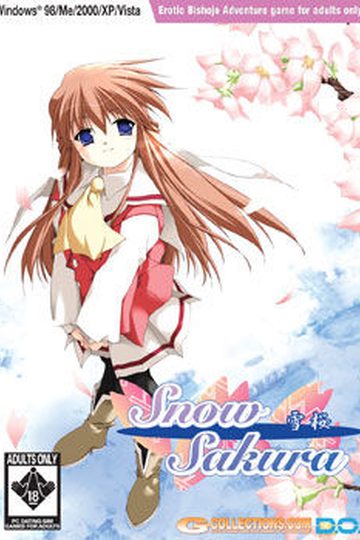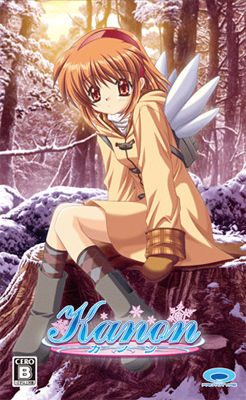
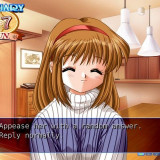
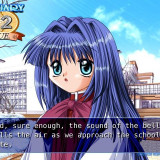
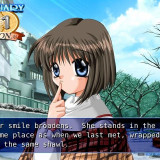
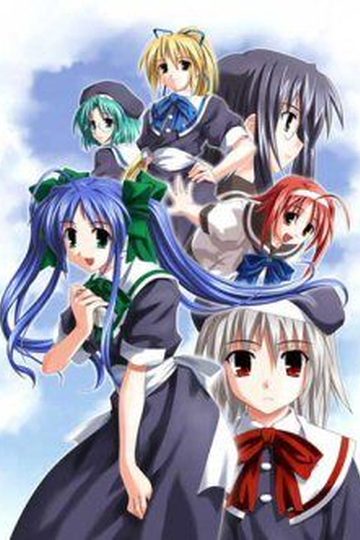
Yuuichi Aizawa, a high school student, returns to a town that he last visited 7 years previously to live with his aunt and cousin. For a reason he’s not quite sure of, he can hardly remember anything about his last visit, but initially this doesn’t seem to worry him too much.
The day after he arrives he goes into town where he (literally) bumps into a girl named Ayu Tsukimiya, and Yuuichi’s memories slowly begin to return.


319 comments
The CRC is acronym for "Cyclic Redundancy Code" and 32 represent the length of checksum in bits. The "CRC" term is reserved for algorithms that are based on the "polynomial" division idea. The idea to compute the checksum is equal for all CRC algorithms: Take the data as a VERY long binary number and divide it by a constant divisor. If you do this with integer values you get a rest; this rest is the CRC checksum (for example 7 / 3 = 2 + rest 1 => 1 is the checksum of 8. CRC is a family of algorithms and CRC32 is one certain member of this family (other members are CRC16, XMODEM,...); CRC32 produces a checksum with a length of 32 Bit (= 4Byte).
2. burn or mount
3. run the KANON_SE.setup and install the game
4. copy the english patch in the folder and install "DejaVuSansMono"
5. use the reallive-patch
6. enjoy
Help?
If so, then when the computer asks you for the second part after extracting the first, go to the second part in the archive then copy the URL of the file. Then click browse and paste the URL into the file directory's URL bar, and it should show up. Click on it and it should continue extracting, then repeat the process again.
Granted I only use WinRAR and I don't know if you're using another program that doesn't display the URL or ask for the second part, but if you're not, I hope this helps.
@onemanarmy people didn't ask for what it is.no need to act pro
So if this isn't compatible with the patch, where can I download a version that is? Or if it IS compatible, how can I overcome this crc32 error? Thanks in advance.
I think that there is something wrogn with the way I installed it, because in the KOE folder there are voice files of various characters....
Because I thought that was what it was, but other people who presumably didn't do so seem to have the same problem. I don't think this version of the game is incompatible with the patch, since it seems to have worked for a lot of other people, so I guess we'll have to see.
So after mounting it, it says extract the translation files to the c:\KEY\KANON_SE_ALL folder, overwriting all. But where exactly are they? I'm stuck at that part.
As for the next step it says patch the realive.exe file using realive_patch.exe. Is it the one in the c:\KEY\KANON_SE_ALL folder?
And finally where is the voices? I'm stuck there too.
anyone can tell me what happen with the voice?
all voice except nayuki is missing...
nyahahahahaha
it seems that we should download more for the voice
read readme for further info
thanks for the game
itadakimasu...
admin please reupload the file or renew the links...
umm... i think the new hotfile link u post also say "File is removed due to copyright claim."
2.click patch button
3.go to the KEY folder in c drive
4.click reallive then press the open button
5.then move all files except 1268 map, dejavusansmono, license,readme,reallive patch. (all ages is not necessary to move if want play with h-scenes)
This should work
Someone with a working version link us all to it (admin? you can do it right? you did it with fate/stay night and its workin a treat) so that we don't have to have this huge headache floating around us.
you DO NOT select extract/unzip here
you select "extract "kanon se" which is the name of the compressed file that has the game data.
next you TURN OFF your anti virus AND YOUR WIRELESS (or just don't have browsers on or anything online on)
then you extract the patch
transfer everything within the compressed patch file into the now made KANON se
install the font
apply the patch (because the path is looking for KANON SE)
voila.
to do the voice path. run the exe and the SELECT KANON SE
Thanks in advance.
sorry, new in visual novel world ^^
On a different download, I'm at 248 MB of 342 MB, and I have an estimated time to completion of 17 minutes. And my connection is going full tilt right now, as I'm not downloading anything else.
Where the heck are they pulling these numbers from?
Anyway, just extract the voice patch to your desktop, open up that folder and cut and paste folder KOE into your KANON_SE root folder and you're all set...
Voices take much more space than text and graphics, so voice patches need to be bigger.
This is just my suggestion, thank for sharing this game
Since i'm using two mirrors you don't have to wait while first part is downloaded - you can start downloading second part from other host. mirrors are interchangeable.
I really prefer mediafire though. For me, the rate is faster. Not to mention, you can download multiple files at once, allowing me to download all parts at the same time, rather than waiting for them to be done(especially for the ones you put in 10+ parts)
I feel noob and I dont know how to add the english patch D:
does someone know how to add it? Thanks
is this normal???
I LOL'd.
I downloaded the game, English patch and the voice path. When I installed it and clicked new game, the game freezes the first thing when it's snowing. Is there a way to solve this? D:
Luckily, it apparently only states you must have censorship, it never says how much.
Thus, many H-doujins have small(VERY small) black bars on their works, so that you can still pretty much see everything.
It may not do too much good to repeat a question that's already been asked and still not answered but... anyone have any ideas?
I don't mind looking at snow while listening to nice music, but it would be good if I could play the actual game,lol.
I recommend this to everyone. :)
I know it's a pretty old game, but i don't like the "artstyle" at all, and it makes me want to stop playing the visual novel.
If wouldve played this before other visual novels this wouldn't be a problem, but i guess i'm spoiled :p
Oh well still got the anime and ty for the upload.
how about clannad?
uh...someone in here tell me?
I GET that porn comes with viruses..
but uh, can I get a version that doesn't have one on it?
Every download posted here is checked before being posted. You should send the .exe that allegedly contains the trojan to your antivirus vendor so that they can check it and update their databases to remove this false positive.
Hmm.. It popped up as a "trojan dropper generic" on both anti-viruses that I use. Some friends tell me that some videogames will alert anti-viruses into thinking that they are a threat. Is this what is going on, then?
Also.. I have no idea how to send the .exe in to the AV vendor. Sorry, I'm REALLY bad with the internet, and everything else to do with it.
But thank you~ I'll look into it more :)
If this is the case, which it was with me for whatever reason, the voices won't load into the game.
At any rate, it's quite simple to fix. Just transfer the KOE folder onto your desktop, delete the extra folder and then reinsert the KOE back into the Kanon_SE directory so it's right there when you first go into it.
http://www.mediafire.com/?c1ab852ejlcsewu
have fun
Its very common thing that some antivirus detecting some cracking software (or software for illegal thing like patch) as malware. So it doesnt really matter.
Just a small request. But seriously this is an amazing site that you've put together. Kudos!
help anyone?
game should work perfectly! (at least it is so far!)
I also have the trojan horse problem on the english patcher.
Please help meeee!
H scene is few, but the story really great. :D
Is this something that will be solved soon or shall I give up?
Please help, Ive been dying to try this game since I saw the anime.
thanks
Feel My VenGEncE
Thanks.
I downloaded the game a while ago via torrents, and a voice patch + update was already inside the torrent, so I (after raging several hours) installed the game and updated and patched it.
now the problem is that halfway through Shiori's route (haven't tested other routes yet, but I fear the worst) the voices suddenly stop playing. Music and SFX is fine, just the voices. The exact moment is when you go to the city's shopping centre with shiori to get her a birthday gift; the painting stuff.
I'm currently trying to download the links you provided, although after part 3 it suddenly says that the link doesnt work after I waited the 120 seconds...
please halp me. Thanks
any idea what I did wrong?
I've tried installing and running the game in Windows XP Service Pack 2, 3, and Windows 2000. (I have Windows 7 64-bit.) Eventually I traced the error to the gameexe file from the English patch. If I have the original gameexe file in the folder (not copied from the English patch), the game does not crash. This leads me to believe that the gameexe file from the English patch is somehow making the game crash.
Unfortunately, without the gameexe file the text only appears in Japanese -_-"
Any tips on how to get the English gameexe file to work?
So maybe something's wrong with the rlBabel file? Still have no idea how to fix the problem, though :(
It says the file may be deleted...
Help?
I Earn all my CG so i want to read the part I am missing and I have seen the HCG so I know what it looks like but i don't want to spoil anything so its in the 3 CG in Mai Kawasumi(1st Column 2nd Row)on the CG Mode Extras. So dose anyone know how to get that last H-scene and read it to.
Could someone please help?
Please help me, I've been waiting for ages to play Kanon. uguu~
Figured out, through previous posts, that it was a file problem, its been sorted out now.
Thanks for the help.
Time for me to enjoy some KEY goodness.
1. Where do I put the English patch files (where they would be logically (main Kanon file) placed has just turned into two daemon tools files rather than a bog-standard folder with a bunch of files)
2. Where do I put the voice patches again for the same reasons as Q1.
3. Is there a 64 bit patch as not even the original version will start up which in my previous experiences has always been due to the files being designed solely for 32 bit.
Preferred solution is a link to another one of those step by step guides that I've used on some of the other VNs on this site.
Also a word of warning there is at least one Trojan in one of the segmented downloads. Make sure you're protected prior to extraction.
The real-live.exe file in the KanonEnglishPatch.rar folder is infected with Troj_spnr.08FE11 malware!!
So can you please do something about it. I was really looking forward to playingthe game and I still am but this just ruins everything. I would really appreciate your assisstance right now!
AND ARE U REALLY SURE THAT IT IS A FALSE ALARM!!
sorry for the stubborn complaints but can u please reassure me one last time!
Have u checked it yourself and there really aren't any problems and it's just a false alarm???
And thanks a lot for the quick reply to the previous post I really appreciate it!
It's totally cool now thanks for your reassurance and am looking forward to your assistance when required in the future!!
Regards
I've downloaded the game, extracted the .rars, and have the game set up and playable. My problem lies with the patch. The first couple times I tried using the patch, it gave me the same error as the above poster \need help\ wrote. I deleted all the files (including the game's) and re-extracted them all and had the game running again. When I tried to patch this time, the patch claimed the game was successfully translated; however, when I opened it and started a new game, all the text was still in Japanese. Any suggestions?
I'm sure I'm clicking on the correct file and my locale is in Japanese, and all those other typical suggestions are taken care of. X) I download games from this awesome website all the time and have encountered an error here and there with the games (all of which are quickly resolved), but this is the first time I've had this particular trouble. >.< Any help would be wonderful.
Could someone please help? It seems that others are having similar problems and are being for the most part unanswered.
Now, based on what someone said in the comments somewhere, I tried to load the game in Safe Mode... and that worked. Trouble is I can't get sound to work in Safe Mode, and it's annoying to have to reboot my entire machine to play one game. I made a little progress, saved, then tried again having windows run normally. The game crashed yet again, this time instantly (I had saved at a decision point). :(
I'm not sure what else I can do. I made sure the font was installed, my computer is localized to Japan, and there doesn't appear to be any corruption in the files. Why would the game work perfectly well (without sound) for me in safe mode, yet be unplayable otherwise?
Any new ideas or help would be appreciated. :3
stupid question xD
I already extract the ISO with DT and downloaded the Patch but can you guy give me some instructions to make it work please?
:´)
Just wanted to make sure
Please help
searching for "How to install Kanon with English patch".
For anyone who aint's gots times for no YouTubes:
Primary Game Install:
1. Download all available files
2. Extract all available files
3. Mount the Kanon_SE ISO in a virtual drive of your choosing
4. Run from the virtual drive
5. When the start screen pops - Click the left button
6. On the next box - Click the left button (the longer one)
7. Follow direct X prompts
8. When the start screen pops up - click the right most button
9. The game will start with all menus in Japanese - use the bottom most button on the main screen to exit and then select the left button on confirmation window
English Patch Install:
1: Locate game file (C:\KEY\KANON_SE by default)
2. Copy all files from English patch (11 total)
3. Paste into game file
4. Overwrite all/replace all/yes to all
5. Install the supplied DejaVuSansMono as a system font (Google how to install a font if you have to)
Voice Patch Install:
1. Paste KOE File into game folder
2. Click reallive-patch
3. Hit the Patch button
*Note: reallive-patch gets detected as a virus by some anit-virus programs, so you may need to disable real time scanning to open the file and create the voice patch
To Play:
1. Use the REALLIVE.exe
2. Rename as desired
3. Change the icon as desired (a KANON icon logo is available in the game file - right click the exe/properties/change icon/browse to desired folder)